
Snowkuna K13-7S
Snowkuna K13-7S Cordless Vacuum Cleaner User Manual
Model: K13-7S
Introduction
This manual provides essential information for the safe and efficient operation, maintenance, and troubleshooting of your Snowkuna K13-7S Cordless Vacuum Cleaner. Please read it thoroughly before first use and retain it for future reference.
Product Overview and Components
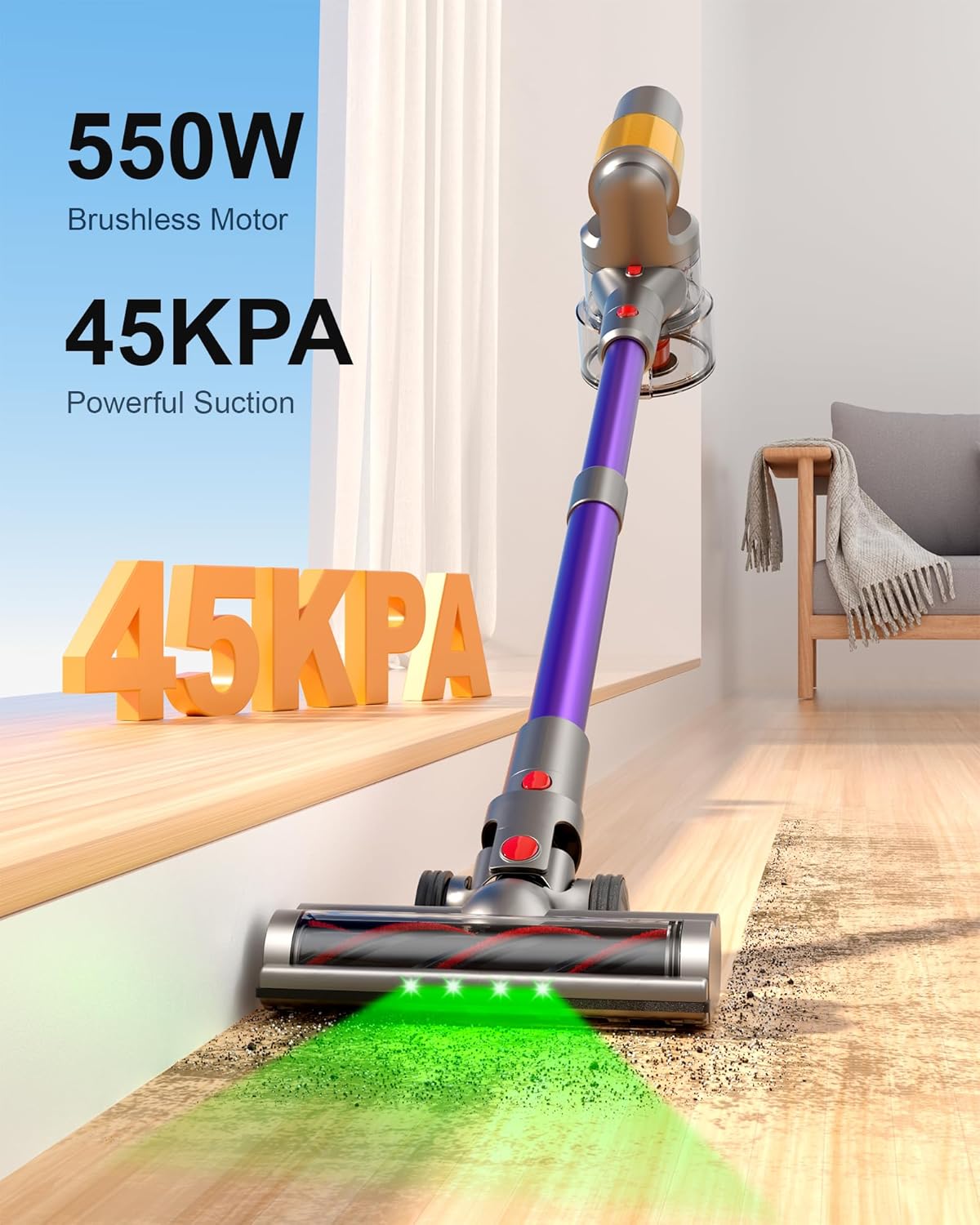
The Snowkuna K13-7S is a powerful and versatile cordless vacuum cleaner designed for various cleaning tasks. It features a 550W brushless motor, providing up to 45KPA of suction power, and includes two high-capacity batteries for extended runtime.
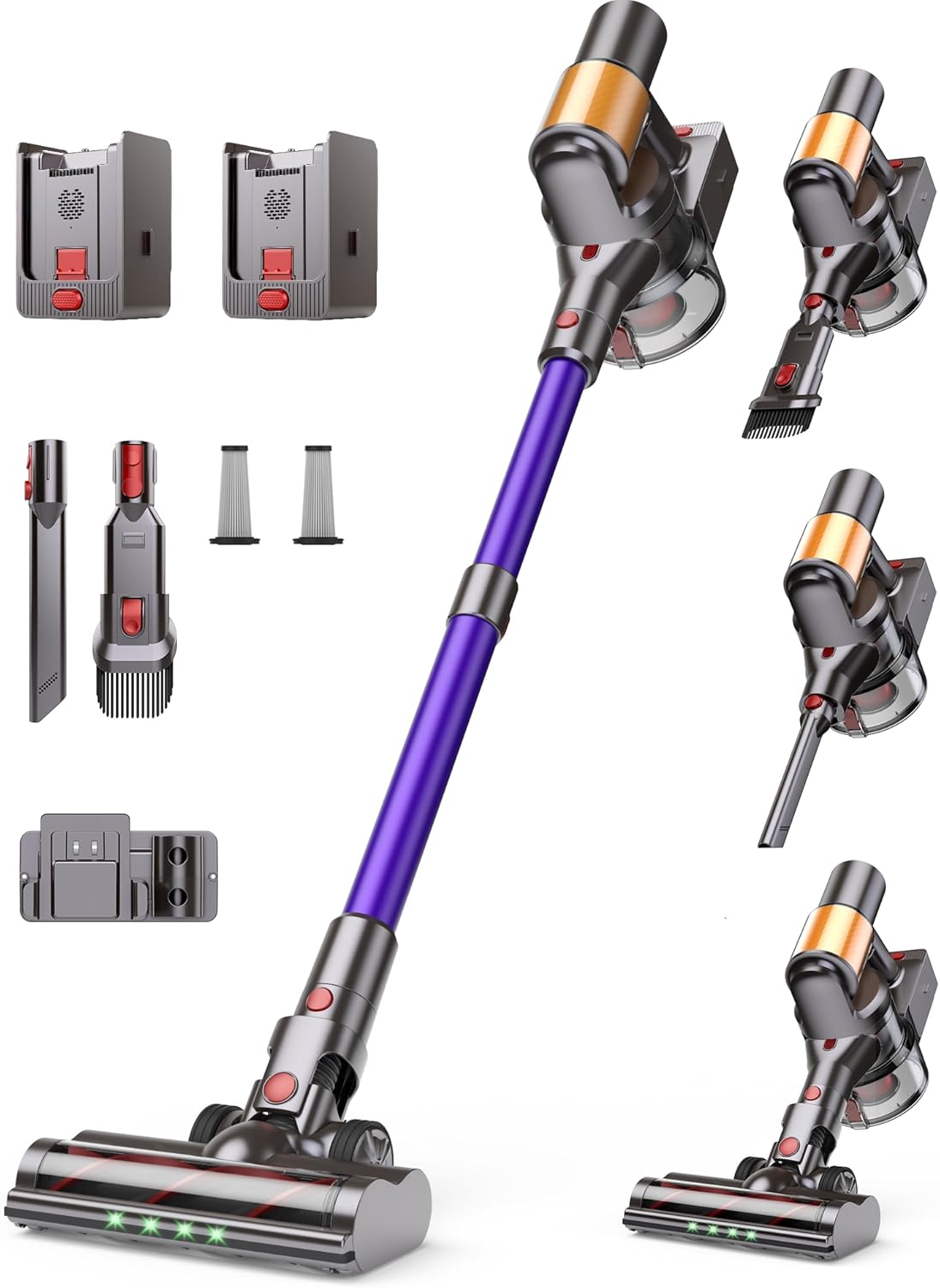
Included Components:
- Main Vacuum Unit (with dust cup and motor)
- Extension Wand
- Motorized Floor Brush with LED lights
- Crevice Tool
- 2-in-1 Dusting Brush
- Wall-Mount Dock
- Power Adapter
- Two Detachable Batteries
- Spare HEPA Filter
- Cleaning Tool
- User Manual

Setup
Before using your Snowkuna K13-7S, please ensure all components are present and properly assembled.
- Assembly: Connect the extension wand to the main vacuum unit, then attach the desired cleaning head (e.g., motorized floor brush) to the other end of the extension wand. Ensure all connections click securely into place.
- Battery Installation: Insert a charged battery into the battery slot on the main unit. The vacuum comes with two detachable batteries to provide up to 120 minutes of runtime.
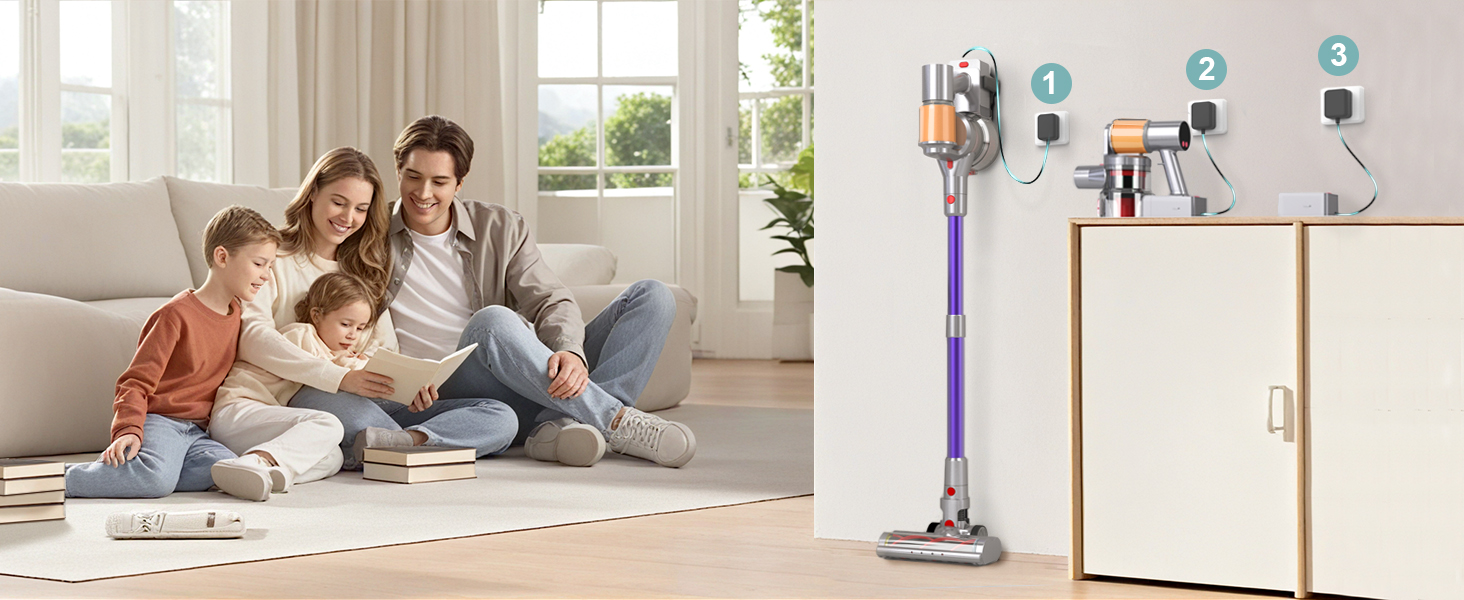
- Initial Charging: For optimal performance, fully charge both batteries before first use. You can charge the battery while it's attached to the vacuum or separately using the wall-mount dock.


Operating Instructions
Your Snowkuna K13-7S offers multiple modes and features for effective cleaning.
- Power On/Off: Press the power button on the main unit to turn the vacuum on or off.
- Suction Modes: The LED display allows you to switch between three suction modes: Normal (18KPA), Sport (28KPA), and Turbo (45KPA). Select the appropriate mode for your cleaning needs. The LED screen also displays battery life and maintenance alerts.
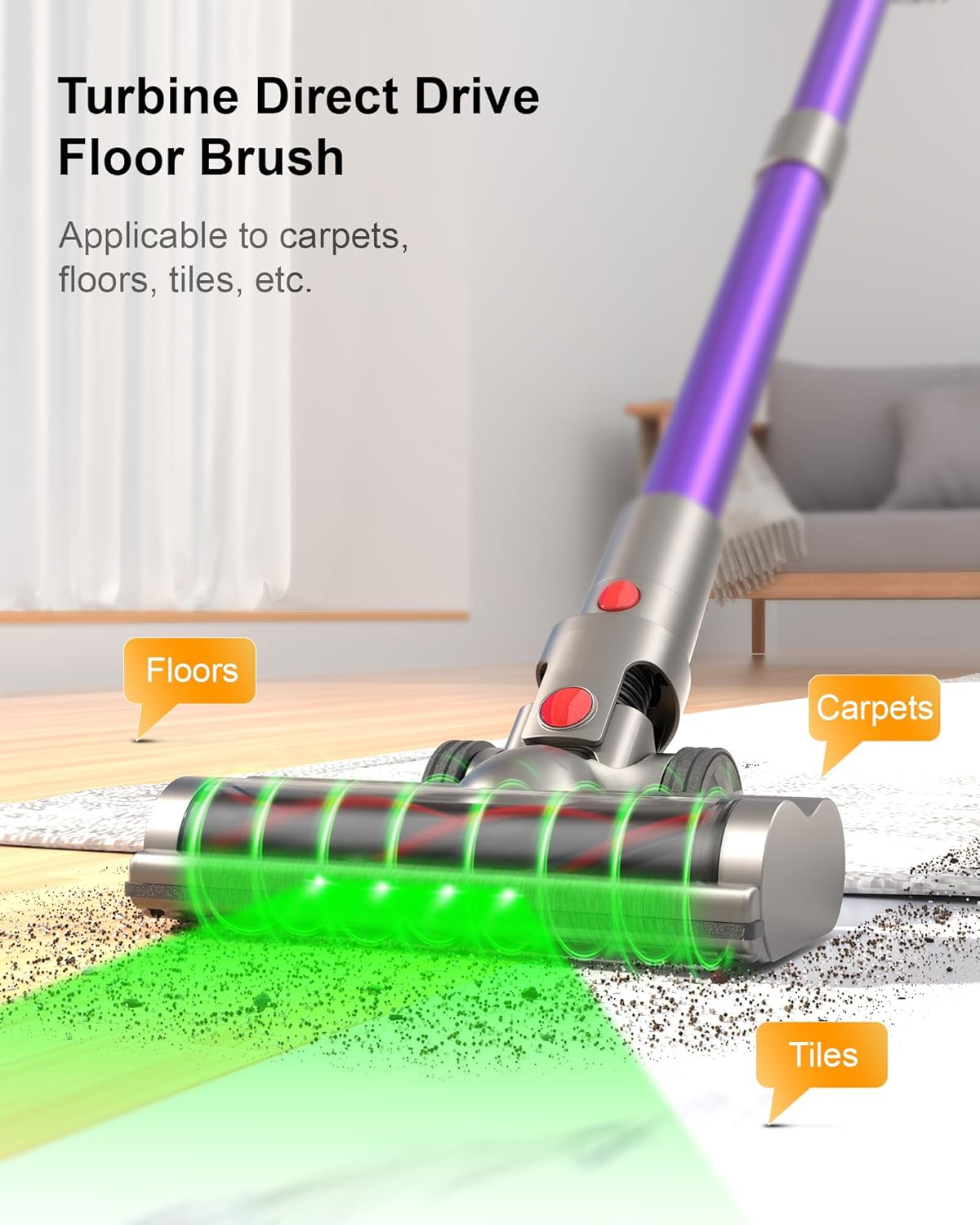
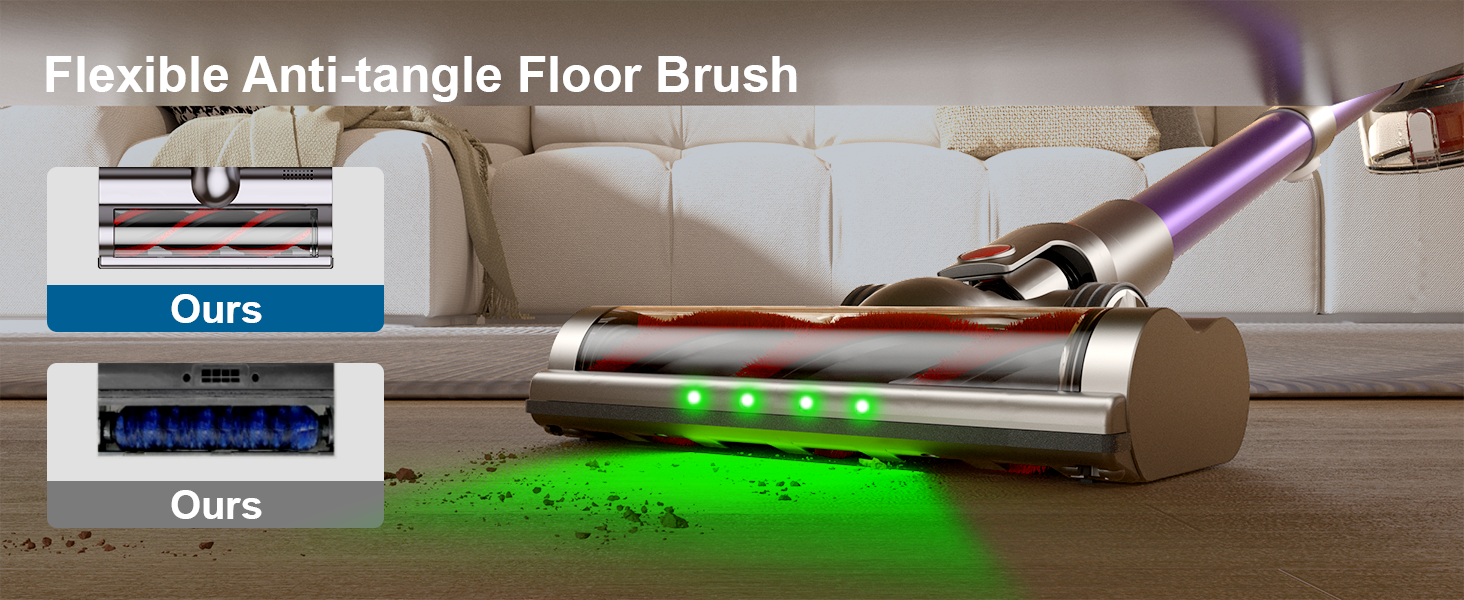
- Motorized Floor Brush: Use the motorized floor brush for general cleaning on hardwood floors, carpets, and tiles. The integrated LED lights illuminate dust and debris, making it easier to spot dirt in dimly lit areas. The brush features a tangle-free design to prevent hair from wrapping around it.
- Self-Standing Design: The vacuum is designed to stand upright on its own, allowing you to pause cleaning without needing to lean it against a wall or furniture.
- Attachments:
- Crevice Tool: Ideal for narrow gaps, corners, and hard-to-reach areas.
- 2-in-1 Dusting Brush: Use the brush for delicate surfaces like shelves, keyboards, and upholstery, or retract the bristles for a wider nozzle.
- Extendable Metal Tube: Adjust the length of the extension wand to comfortably reach high areas like curtains or low areas under furniture.


Maintenance
Regular maintenance ensures optimal performance and extends the lifespan of your vacuum cleaner.
- Emptying the Dust Cup: The 1.5L dust cup should be emptied after each use or when it reaches its maximum capacity. Press the release button to open the bottom flap and dispose of the contents into a trash bin.
- Filter Cleaning/Replacement: The 6-stage HEPA filtration system traps 99.9% of dust. Clean the HEPA filter every 1-3 months, depending on usage. Refer to the user manual for detailed instructions on how to remove, clean, and replace the filters.
- Brush Head Maintenance: Regularly check the motorized floor brush for tangled hair or debris. The tangle-free design minimizes this, but occasional cleaning may be necessary.

Troubleshooting
If you encounter any issues with your Snowkuna K13-7S, please refer to the following common problems and solutions:
- Q: What to do with a dirty or used K13-7S vacuum cleaner due to shipping or warehouse issues?
A: For a detailed list of accessories included with the K13-7S, please refer to the user manual. We recognize that all products sold are brand new. If you encounter any problems, such as damaged packaging, missing accessories or signs of use, please contact Snowkuna support immediately. We are committed to resolving your issues quickly and ensuring your satisfaction. - Q: How to ensure that the vacuum cleaner effectively handles garbage?
A: Please clean the dust cup after each use and replace the HEPA every 1-3 months. - Q: What should I do when there is a weak suction or blockage?
A: Please try to clean the telescopic rod and dust cup first. If it still does not work properly, please contact Snowkuna for after-sales support. - Q: What should I do if the battery cannot be charged?
A: Please first confirm whether the wrong adapter is used. If the adapter is correct and it still cannot be charged normally, please contact Snowkuna official for after-sales support. - Q: What should I do when the vacuum cleaner cannot be turned on normally?
A: Please first confirm whether the battery is charged and whether the battery is installed correctly. If the vacuum cleaner still cannot work properly, please contact Snowkuna official for after-sales support.
Specifications
| Feature | Specification |
|---|---|
| Brand | Snowkuna |
| Model Number | K13-7S |
| Motor Horsepower | 0.738 horsepower (550W) |
| Suction Power | Up to 45KPA (adjustable) |
| Number of Speeds | 3 |
| Dust Cup Capacity | 1.5 Liters |
| Batteries | 2 CR5 batteries (included) |
| Runtime | Up to 120 minutes (with dual batteries) |
| Filtration System | 6-stage HEPA filtration |
| Product Dimensions | 12 x 12 x 47 inches |
| Item Weight | 7 pounds |
| Indoor/Outdoor Usage | Indoor |
Warranty and Support
Your Snowkuna K13-7S Cordless Vacuum Cleaner comes with a comprehensive 2-year protection plan. This plan ensures peace of mind and covers potential manufacturing defects or malfunctions under normal use.
For any inquiries, technical assistance, or warranty claims, our dedicated 24/7 customer support team is available to assist you. Please refer to the contact information provided in your product packaging or visit the official Snowkuna website for support details.
Ask a question about this manual
Ask about setup, troubleshooting, compatibility, parts, safety, or missing instructions. Manuals+ will review the question and use this page’s manual context to help answer it.