Introduction
Welcome to the exciting world of Formula 1 racing with your new Hot Wheels Grand Prix Circuit Track Set. This manual provides detailed instructions for assembling, operating, and maintaining your track set to ensure a thrilling and safe play experience. Please read all instructions carefully before assembly and use.
What's in the Box
Verify that all components are present before beginning assembly.
- 1 Hot Wheels Racing Formula 1 Grand Prix Track Set
- 3 1:64 scale die-cast Formula 1 cars (teams may vary)
- 2 Track adapters
- Decal sheet
Note: Additional Hot Wheels tracks and sets are sold separately. 4 D batteries are required for operation (not included).
Setup and Assembly
Follow these steps to assemble your Hot Wheels Formula 1 Grand Prix Circuit Track Set.
- Unpack Components: Carefully remove all track pieces, cars, and accessories from the packaging.
- Install Batteries: Locate the battery compartment on the motorized booster unit. Insert 4 D batteries, ensuring correct polarity. Close the compartment securely.
- Connect Track Pieces: The track features Speed Snap Track connection points for easy assembly. Match the codes on the underside of each piece and snap them together firmly. Ensure all connections are secure to prevent track separation during play.
- Attach Lap Counter and Starting Gate: Connect the lap counter tower to the designated slot on the starting gate assembly. Ensure it clicks into place.
- Apply Decals: Refer to the decal sheet and apply stickers to the corresponding track sections and components as indicated. Some decals are for aesthetics, while others, like the lap counter markings, provide functional guidance.
- Position the Track: Place the fully assembled track set on a flat, stable surface. The track can be quite large when assembled, so ensure adequate space.

Image: The fully assembled Hot Wheels Formula 1 Grand Prix Circuit Track Set, showcasing its complete layout with cars on the track.
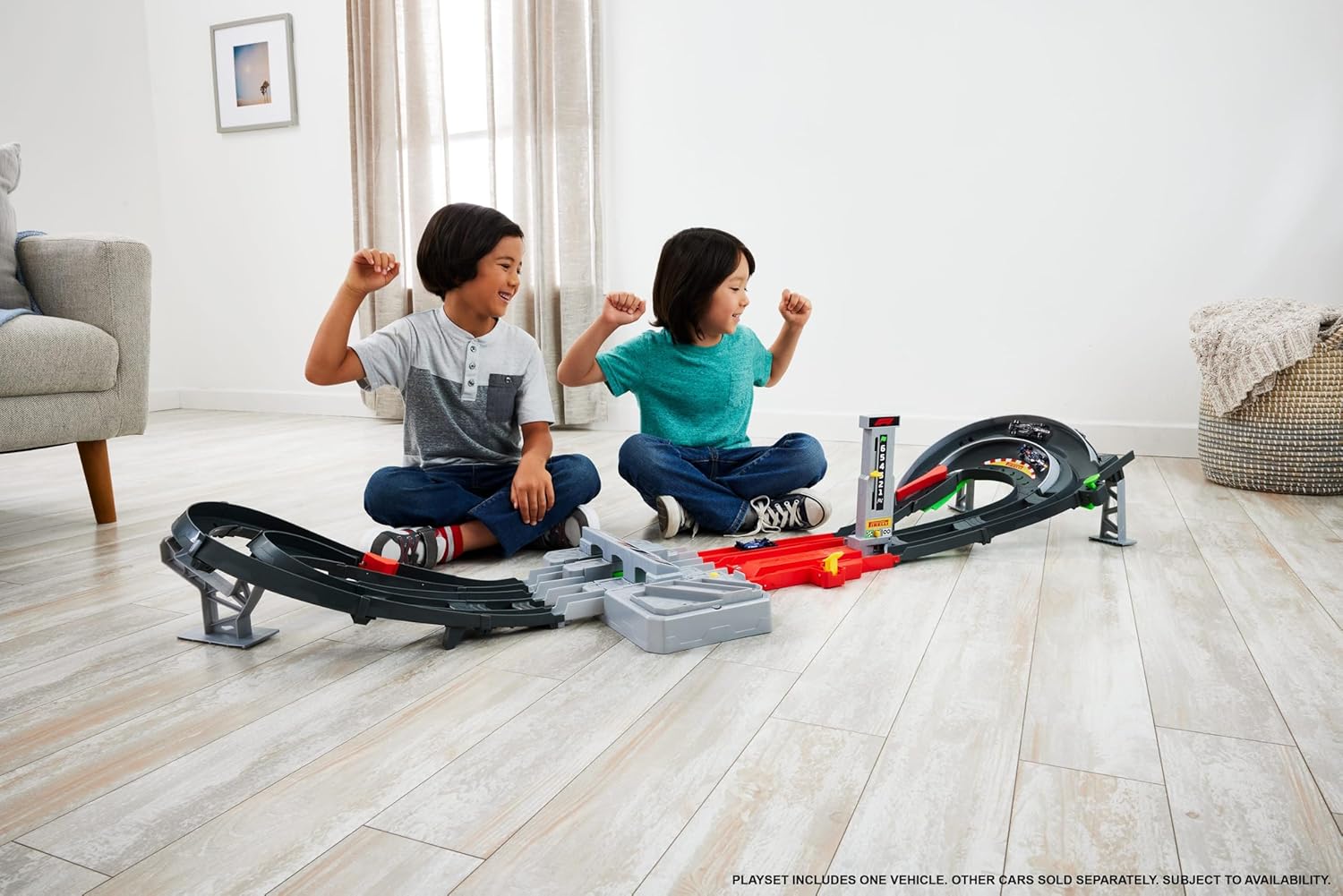
Image: Two children sitting on the floor, actively engaged in playing with the Hot Wheels Formula 1 Grand Prix Circuit Track Set, demonstrating the scale and interactive nature of the toy.

Image: A close-up view of the three officially licensed 1:64 scale Hot Wheels F1 die-cast cars included with the track set, featuring designs from Oracle Red Bull Racing, MoneyGram Haas F1 Team, and Williams Racing.
Operating Instructions
Your track set offers two primary modes of play: Race Mode and Infinite Mode.
Race Mode
- Set Lap Counter: Adjust the lever on the lap counter to the desired number of laps (e.g., '6' for six laps).
- Load Cars: Place the three F1 die-cast cars into the starting gate. Two cars will be in one lane (stacked front to back), and one in the other.
- Activate Booster: Turn on the motorized booster unit.
- Launch Cars: Manually raise the special track piece at the start to allow cars to roll into the boosters. Press the button on the starting gate to release the cars onto the track.
- Race and Overtake: As cars race, the lap counter will decrease with each completed lap. Utilize the kid-activated DRS diverter (green button) to create an overtake lane for strategic lead changes.
- Determine Winner: The first car to complete all laps will trigger the finish gate, which flips up vertically to separate the winning car from the others, indicating the victor.

Image: A hand adjusting the yellow lever on the lap counter tower, which registers completed laps during a race.

Image: A hand pressing the yellow button on the starting gate to release the F1 cars onto the track, initiating the race.
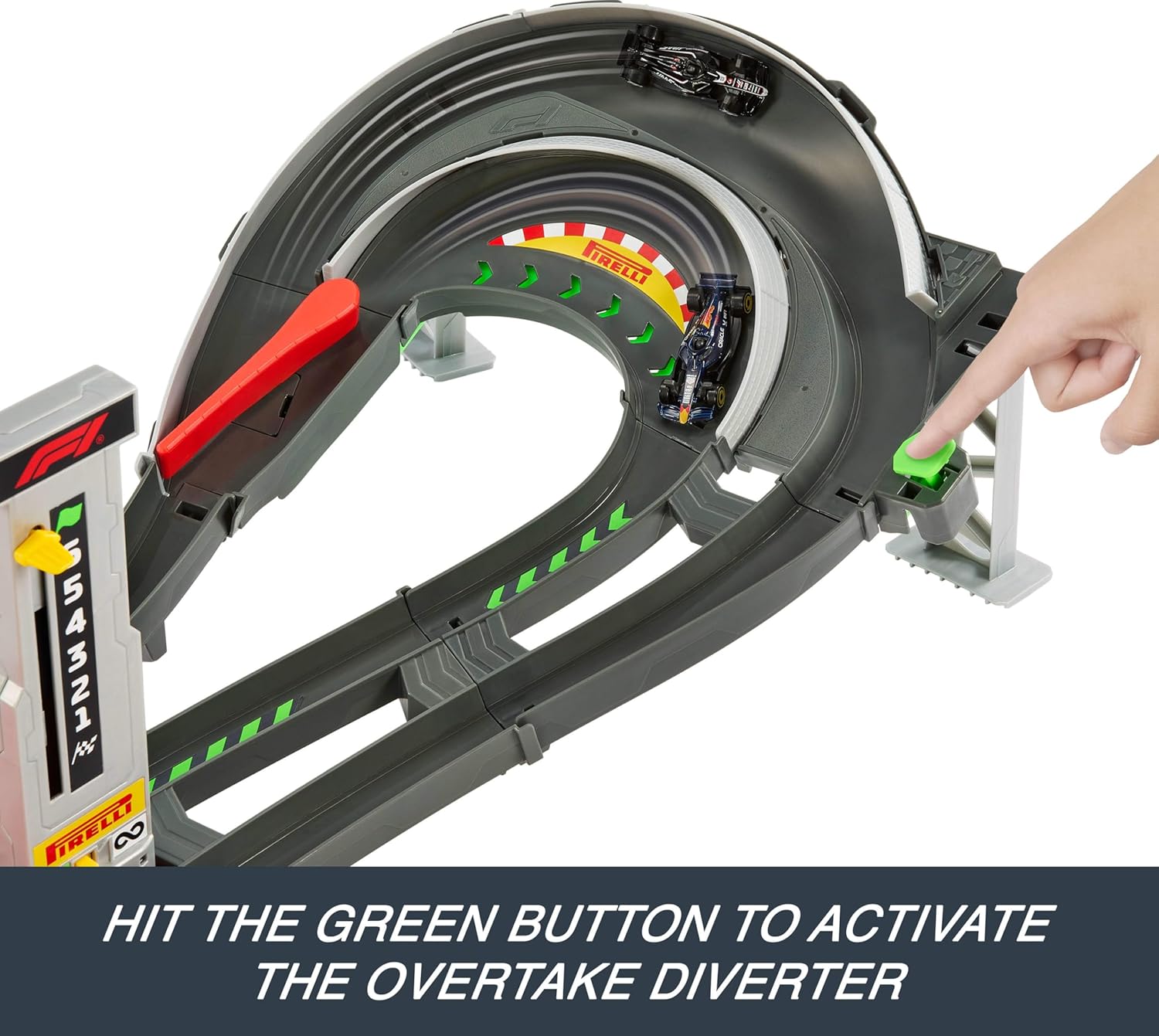
Image: A hand pressing the green button on the track to activate the overtake diverter, allowing cars to change lanes strategically.
Infinite Mode
In Infinite Mode, the lap counter is deactivated, allowing for continuous racing without a set number of laps. This mode is ideal for extended play and practicing car control.
- Switch the starting gate to "infinite mode" to bypass the lap counting mechanism.
- Cars will race continuously around the circuit.
- Manually adjust diverters to boost competition and create dynamic racing scenarios.
Maintenance and Care
Proper care will extend the life and enjoyment of your Hot Wheels track set.
- Cleaning: Wipe down track pieces and cars with a soft, dry cloth. Avoid using harsh chemicals or abrasive cleaners.
- Battery Care: Remove batteries from the motorized booster if the toy will not be used for an extended period to prevent leakage.
- Storage: While the track is designed for robust play, some connections can be tight. If disassembling for storage, apply gentle, even pressure to separate pieces. Avoid excessive force to prevent damage.
- Track Compatibility: The set includes adapters for connecting older standard Hot Wheels track pieces, allowing for expanded layouts.
Troubleshooting
| Problem | Possible Cause | Solution |
|---|---|---|
| Cars are not moving or moving slowly. | Low or dead batteries in the motorized booster. | Replace the 4 D batteries with fresh ones. Ensure correct polarity. |
| Cars are derailing frequently. | Loose track connections or debris on the track. | Check all track connections to ensure they are securely snapped together. Clean the track surface of any dust or small objects. |
| Difficulty disassembling track pieces. | Track connectors are designed for a tight fit. | Apply firm, even pressure when separating track pieces. Avoid twisting or excessive force, which could damage the plastic. Some connections, like the lap tower to the starting gate, are particularly tight and may require careful leverage. |
| Difficulty distinguishing cars during fast races. | Some included F1 cars may have similar dark colors. | Consider using other Hot Wheels cars with more distinct colors for easier identification during races. Ensure any substitute cars are compatible with the track's booster system. |
Specifications
| Feature | Detail |
|---|---|
| Product Dimensions | 17.13 x 66.34 x 12.01 inches (assembled) |
| Item Weight | 4.9 pounds |
| Model Number | JLB13 |
| ASIN | B0DR3XYYB5 |
| Manufacturer Recommended Age | 5 years and up |
| Batteries Required | 4 D batteries (not included) |
| Manufacturer | Mattel |
| Release Date | August 1, 2025 |
Warranty and Support
For information regarding product warranty, please refer to the packaging or contact Mattel customer service directly. Keep your proof of purchase for any warranty claims.
For additional support, frequently asked questions, or to purchase replacement parts, please visit the official Hot Wheels website or contact their customer support.
Mattel Customer Service: Please refer to the contact information provided on the product packaging or the official Mattel website for your region.


