
NVAHVA Y33
NVAHVA Y33 Open Ear Headphones User Manual
Model: Y33 | Brand: NVAHVA
1. Introduction
This manual provides detailed instructions for the NVAHVA Y33 Open Ear Headphones. Please read this manual thoroughly before using the product to ensure proper operation and to maximize its lifespan. The NVAHVA Y33 features an open-ear design for situational awareness, Bluetooth 5.4 connectivity, and a smart charging case with an LED touch screen.

Image 1: NVAHVA Y33 Open Ear Headphones and Smart Charging Case. The image displays two open-ear earbuds and their accompanying charging case, which features a colorful LED touch screen.
2. What's in the Box
Verify that all items are present in the package:
- 2 x NVAHVA Open-ear Earbuds
- 1 x Charging Case
- 1 x Type-C Charging Cable
- 1 x User Manual (this document)
3. Product Overview
3.1 Earbud Design
The NVAHVA Y33 earbuds feature an open-ear design with ear hooks, providing a comfortable and secure fit without entering the ear canal. This design allows for environmental awareness while listening to audio.
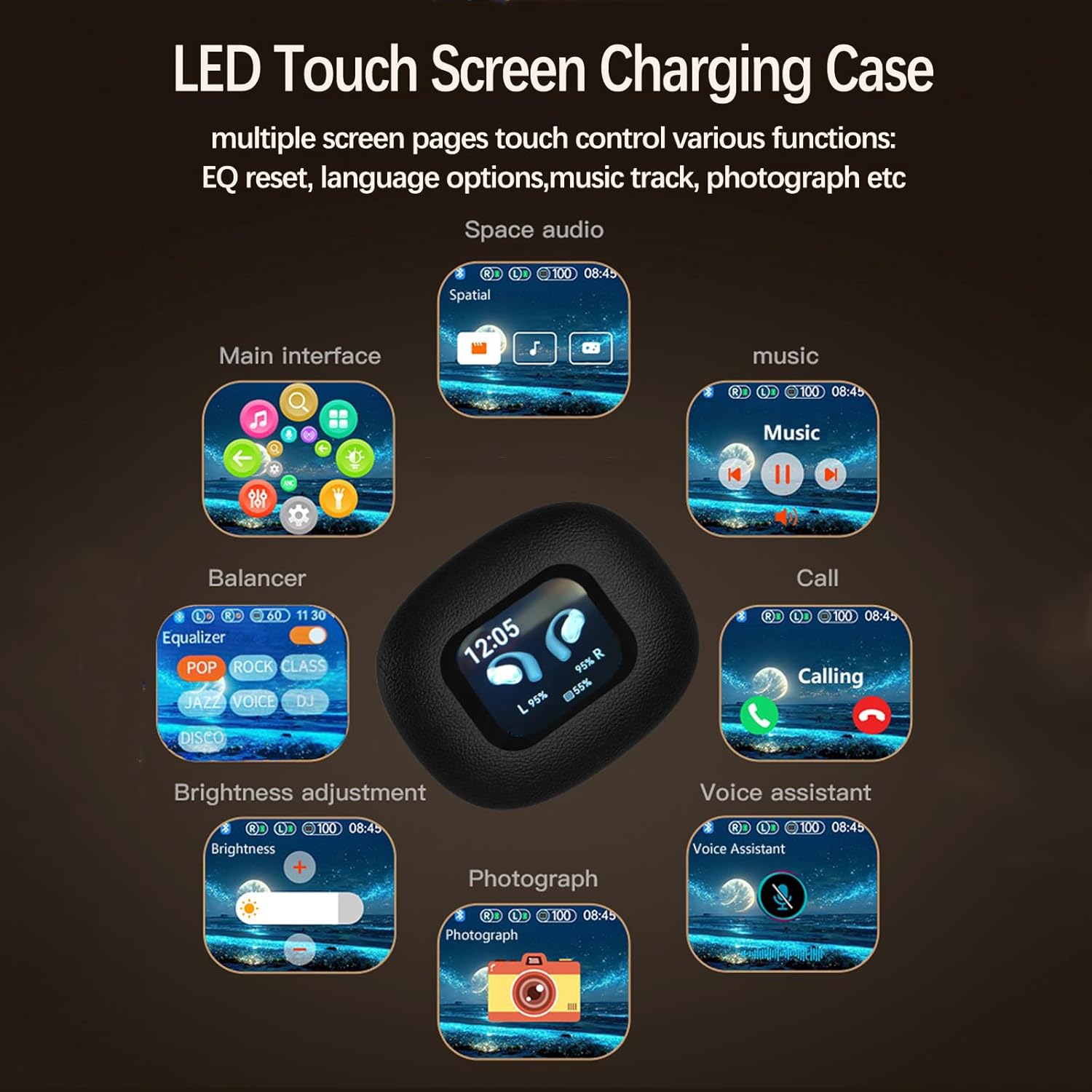
Image 2: An open-ear earbud worn on a person's ear, illustrating the over-ear hook design and how it rests outside the ear canal.
3.2 Smart Charging Case
The charging case is equipped with an LED touch screen, allowing for direct control over various earbud settings and functions without needing a connected device.
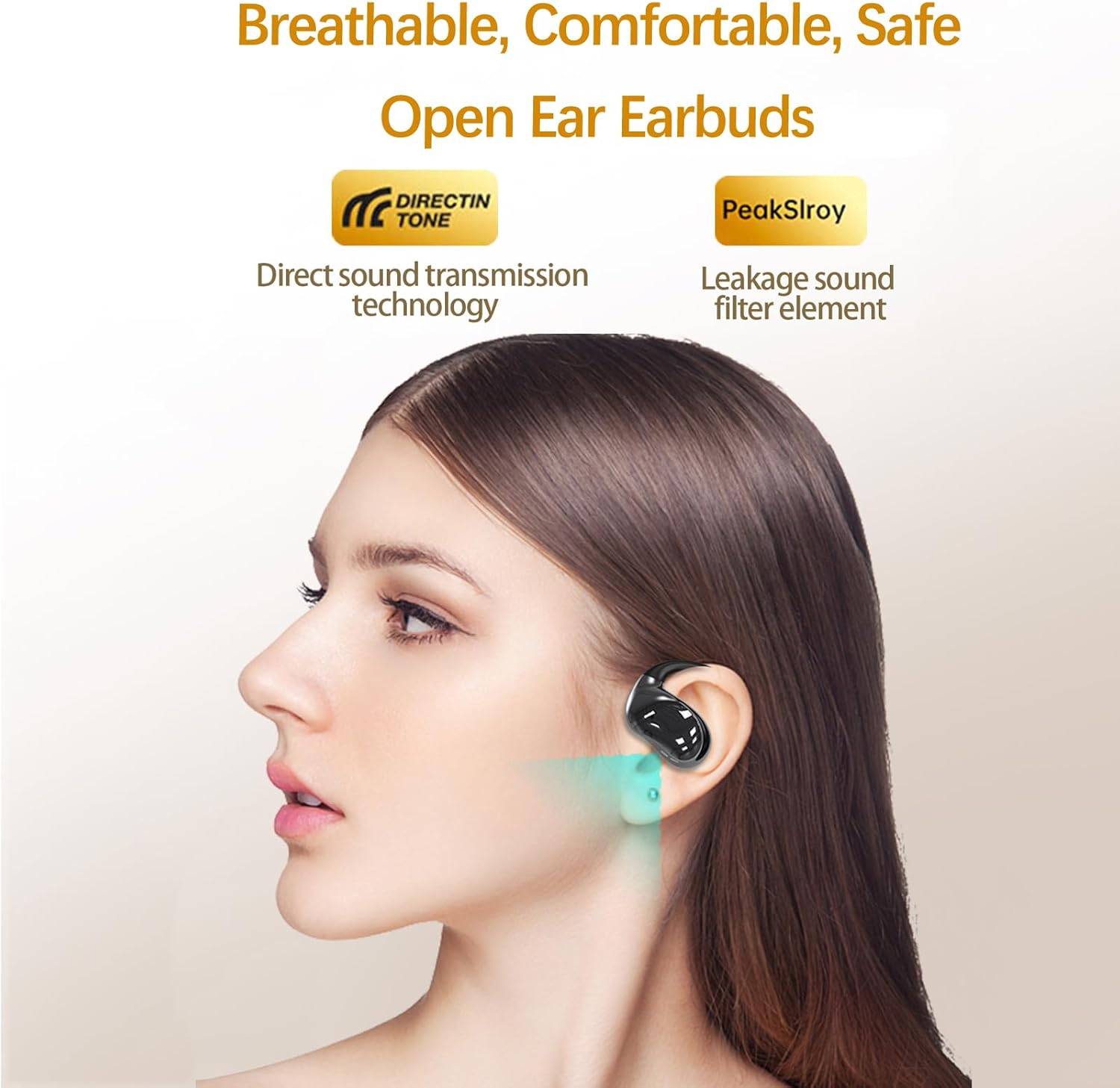
Image 3: The LED touch screen of the charging case displaying various control options such as EQ settings, music playback, call management, and voice assistant activation.
4. Setup
4.1 Charging the Device
Before first use, fully charge the earbuds and the charging case.
- Place the earbuds into the charging case. Ensure they are correctly seated.
- Connect the provided Type-C charging cable to the charging port on the case and to a USB power source.
- The LED screen on the charging case will indicate the charging status. A full charge typically takes approximately 2 hours.
- Once fully charged, disconnect the charging cable. The earbuds provide up to 10 hours of playtime on a single charge, with the charging case extending total playtime to approximately 80 hours.

Image 4: An illustration showing the NVAHVA Y33 earbuds and charging case, highlighting the 10 hours of single charge playtime and 80 hours total playtime with the charging case.
4.2 Bluetooth Pairing
Pair the earbuds with your device via Bluetooth.
- Open the charging case. The earbuds will automatically enter pairing mode.
- On your device (smartphone, tablet, etc.), enable Bluetooth and search for available devices.
- Select "NVAHVA Y33" from the list of found devices.
- Once connected, a confirmation sound will play, and the earbuds will be ready for use.
4.3 Multipoint Connection
The NVAHVA Y33 supports multipoint connection, allowing simultaneous connection to two devices.
- Pair the earbuds with the first device as described in Section 4.2.
- Disable Bluetooth on the first device. The earbuds will re-enter pairing mode.
- Pair the earbuds with the second device.
- Re-enable Bluetooth on the first device. The earbuds should automatically connect to both devices.
- You can now seamlessly switch audio playback between the two connected devices.

Image 5: An illustration depicting the NVAHVA Y33 earbud with Bluetooth signals connecting to two separate mobile devices, demonstrating the multi-point connection feature.
5. Operating Instructions
5.1 Wearing the Earbuds
Gently place the earbud over your ear, ensuring the ear hook rests securely behind your ear and the speaker portion is positioned near your ear canal without entering it. Adjust for comfort and stability.

Image 6: A person wearing an NVAHVA Y33 earbud, demonstrating the secure and comfortable fit of the over-ear hook design.
5.2 Touch Controls (Earbuds)
The earbuds feature touch-sensitive areas for controlling audio playback and calls.
- Play/Pause: Single tap on either earbud.
- Next Track: Double tap on the right earbud.
- Previous Track: Double tap on the left earbud.
- Answer/End Call: Single tap on either earbud.
- Reject Call: Press and hold on either earbud for 2 seconds.
- Activate Voice Assistant: Triple tap on either earbud.
5.3 Smart Charging Case Functions
The LED touch screen on the charging case provides advanced control options:
- Equalizer (EQ) Settings: Adjust sound profiles (e.g., Pop, Rock, Jazz, Voice) directly from the case.
- Music Track Adjustment: Control playback (play, pause, skip) for connected devices.
- Call Management: Answer or end calls.
- Voice Assistant: Activate your device's voice assistant.
- Find Earbuds: Locate misplaced earbuds (if supported by the case's functionality).
- Language Settings: Change the interface language of the charging case.
- Brightness Adjustment: Modify the screen brightness.
- Time Display: View the current time.

Image 7: A detailed view of the NVAHVA Y33 smart charging case's touch screen, showing various interactive icons for functions like EQ, music, calls, and settings.
6. Maintenance
6.1 Cleaning
- Use a soft, dry, lint-free cloth to clean the earbuds and charging case.
- Do not use abrasive cleaners, solvents, or aerosol sprays.
- Avoid getting moisture into any openings.
6.2 Storage
- When not in use, store the earbuds in their charging case to protect them and keep them charged.
- Store the device in a cool, dry place, away from extreme temperatures and direct sunlight.
6.3 Water Resistance
The NVAHVA Y33 earbuds are rated IPX5 water-resistant, meaning they can withstand sweat, light rain, and splashes. They are not designed for submersion in water or for use during swimming. Ensure the earbuds are dry before placing them back into the charging case to prevent damage.
7. Troubleshooting
| Problem | Possible Cause | Solution |
|---|---|---|
| Earbuds not pairing. | Bluetooth is off on device, earbuds not in pairing mode, or out of range. | Ensure Bluetooth is enabled on your device. Open the charging case to activate pairing mode. Move earbuds closer to the device. |
| No sound from earbuds. | Volume too low, earbuds not connected, or incorrect audio output selected. | Increase volume on both earbuds and connected device. Reconnect earbuds. Check device's audio output settings. |
| Charging case not charging. | Cable issue, power source issue, or dirty charging port. | Try a different Type-C cable and USB power adapter. Ensure the charging port is clean and free of debris. |
| Cannot set the time on the charging case. | Specific setting method not clear or feature not directly adjustable. | Refer to the charging case's interface for a "Time" or "Clock" setting. If not found, the time might synchronize automatically with a connected device or require a specific sequence of actions not immediately apparent. |
| Poor call quality. | Environmental noise, weak Bluetooth connection. | Move to a quieter environment. Ensure earbuds are within Bluetooth range of the connected device. |
8. Specifications
| Feature | Detail |
|---|---|
| Model Name | Y33 |
| Brand | NVAHVA |
| Connectivity Technology | Wireless |
| Wireless Communication Technology | Bluetooth 5.4 |
| Bluetooth Range | 10 Meters |
| Ear Placement | Open Ear |
| Earpiece Shape | Hook |
| Control Type | Touch Control |
| Noise Control | Adaptive Noise Cancellation (ENC for calls) |
| Driver Size | 16mm |
| Frequency Range | 20 Hz to 20,000 Hz |
| Impedance | 32 Ohm |
| Earbud Playtime (Single Charge) | Up to 10 hours |
| Total Playtime (with Charging Case) | Up to 80 hours |
| Charging Time | Approximately 2 hours |
| Carrying Case Battery Capacity | 600 Milliamp Hours |
| Water Resistance Level | IPX5 |
| Item Weight | 0.13 Kilograms (approx. 4.6 ounces) |
| Material | Acrylonitrile Butadiene Styrene (ABS) |
| UPC | 797444759938 |
9. Warranty and Support
For warranty information and technical support, please refer to the documentation provided at the time of purchase or contact NVAHVA customer service through their official website or the retailer where the product was purchased. Please retain your proof of purchase for warranty claims.
Ask a question about this manual
Ask about setup, troubleshooting, compatibility, parts, safety, or missing instructions. Manuals+ will review the question and use this page’s manual context to help answer it.