
Introduction
This manual provides essential instructions for the safe and effective use of your Kircuit AC/DC Adapter, specifically designed for the Arcade1Up Photobooth Lite (Model PHO-B-405200, PHOB405200, PHO-B405200, PHOB-405200). This adapter converts standard AC wall power into the DC power required by your device, enabling operation and battery charging (if supported by the device).
Please read this manual thoroughly before using the product and retain it for future reference.

Figure 1: Kircuit AC/DC Adapter. This image displays the main body of the adapter with its specifications label and the attached power cord ending in a barrel connector.
Setup
- Unpack the Adapter: Carefully remove the Kircuit AC/DC Adapter from its packaging. Inspect it for any visible damage.
- Verify Compatibility: Ensure your Arcade1Up Photobooth Lite device requires a power input compatible with the adapter's specifications (refer to the "Specifications" section). The adapter is designed for Arcade1Up Model PHO-B-405200.
- Connect to Device: Locate the power input port on your Arcade1Up Photobooth Lite. Insert the barrel connector of the Kircuit adapter firmly into this port.
- Connect to Power Outlet: Plug the AC prongs of the adapter into a standard electrical wall outlet (100-240VAC, 50/60Hz). Ensure the outlet is easily accessible.
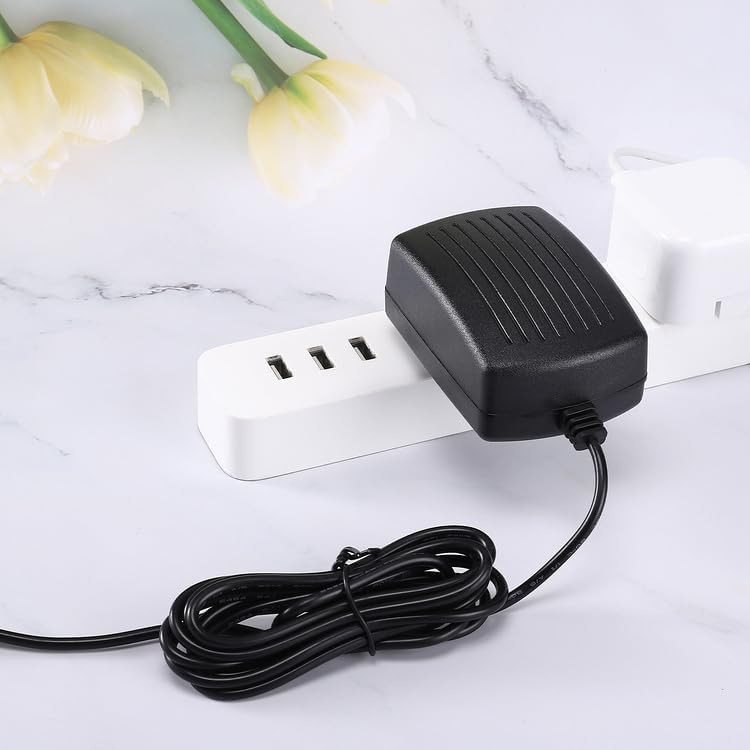
Figure 2: Adapter connected to a power source. This image shows the Kircuit AC/DC adapter plugged into a multi-outlet power strip, demonstrating a typical connection scenario.
Operating Instructions
Once the adapter is correctly connected to both your Arcade1Up Photobooth Lite and a power outlet, your device should receive power. The adapter is designed for continuous operation.
- Powering On: Turn on your Arcade1Up Photobooth Lite using its dedicated power button.
- Charging: If your Arcade1Up Photobooth Lite has an internal rechargeable battery, the adapter will supply power for both operation and charging simultaneously, provided the device supports this functionality.
- Disconnection: To disconnect, first turn off your device, then unplug the adapter from the wall outlet, and finally disconnect the barrel connector from your device.
Maintenance and Safety
- Cleaning: Disconnect the adapter from all power sources before cleaning. Use a soft, dry cloth to wipe the adapter. Do not use liquid cleaners or sprays.
- Storage: When not in use, store the adapter in a cool, dry place, away from direct sunlight and moisture. Avoid tightly coiling the cable to prevent damage.
- Safety Precautions:
- Do not expose the adapter to water or excessive humidity.
- Do not disassemble or attempt to repair the adapter. Refer servicing to qualified personnel.
- Ensure proper ventilation around the adapter during use to prevent overheating.
- This adapter features Over Voltage Protection (OVP), Over Current Protection (OCP), and Short Circuit Protection (SCP) to safeguard your device.
Troubleshooting
| Problem | Possible Cause | Solution |
|---|---|---|
| Device does not power on. | Adapter not properly connected to device or outlet. | Ensure all connections are secure. Try a different wall outlet. |
| Adapter feels hot. | Normal operation, or poor ventilation. | Ensure adapter is in a well-ventilated area. If excessively hot, disconnect and contact support. |
| Device powers on but does not charge. | Device's battery or charging circuit issue, or device does not support charging via this port. | Consult your Arcade1Up Photobooth Lite manual for charging instructions. |
Specifications
| Feature | Detail |
|---|---|
| Brand | Kircuit |
| Model Compatibility | Arcade1Up Model PHO-B-405200, PHOB405200, PHO-B405200, PHOB-405200 Photobooth Lite 7" Touchscreen Monitor |
| Input Voltage | 100-240VAC, 50/60Hz |
| Output | Matches device requirements for Arcade1Up Photobooth Lite Model PHO-B-405200. Specific output voltage and current are typically printed on the adapter's label (not visible in provided images). |
| Connector Type | Barrel Connector |
| Cord Length | Approximately 6.5 ft |
| Safety Features | OVP (Over Voltage Protection), OCP (Over Current Protection), SCP (Short Circuit Protection) |

Figure 3: Adapter with cord length. This image highlights the approximate 6.5 ft cord length of the Kircuit AC/DC adapter, providing context for placement and reach.
Warranty and Support
For warranty information or technical support, please refer to the documentation provided with your purchase or contact the seller directly. Kircuit products are designed for reliability and performance.
For further assistance, please visit the Kircuit support website or contact their customer service department.