
LYCEBELL S8830
LYCEBELL S8830 Digital Manometer Gas Pressure Tester User Manual
Model: S8830 | Brand: LYCEBELL
1. Introduction
The LYCEBELL S8830 Digital Manometer is a high-precision instrument designed for measuring single-pipe air pressure or differential pressure between two pipes. It features a large LCD display with backlight, data storage, data hold, and 12 selectable measurement units. This device is suitable for various applications including natural gas pipelines, HVAC systems, mechanical hydraulics, mining, petrochemicals, and industrial smelting.
Key features include:
- Dual-port design for single or differential pressure measurement.
- Large HD LCD display with backlight for clear readings in various lighting conditions.
- Automatic shutdown after 10 minutes of inactivity to conserve battery life.
- Data storage for up to 99 measurements, data hold, zeroing, and MAX/MIN/AVG data collection.
- High accuracy of ±0.3%FS and fast response time of 0.1 seconds.
- 12 selectable measurement units: kPa, bar, mbar, PSI, inHg, mmHg, ozin², inH²O, ftH²O, cmH²O, mmH²O, kgcm².
2. Product Overview and Components
Familiarize yourself with the manometer's components and controls before operation.

Figure 2.1: Front and side view of the S8830 Manometer with labeled input ports, LCD, and buttons. Dimensions are approximately 15.5 cm (6.10 in) length, 6.1 cm (2.40 in) width, and 3.1 cm (1.22 in) thickness.
2.1 Panel Buttons and Display Elements

Figure 2.2: Detailed LCD display showing data holding symbol, recording, maximum/minimum/average values, retention record number, pressure value display area, pressure unit, time display, low battery symbol, auto power off symbol, backlight symbol, differential pressure mode symbol, and data clear symbol.
The device features a clear LCD and intuitive button layout:
- Positive Pressure Input Port: Connect tubing for positive pressure measurements.
- Negative Pressure Input Port: Connect tubing for negative pressure measurements.
- LCD Display: Shows measurement readings, units, and various indicators.
- Power On/Off Button: Turns the device on or off.
- DIF Button: Activates differential pressure mode or deletes recorded data.
- MAX/MIN/AVG Button: Cycles through maximum, minimum, average, and normal measurement display modes.
- UNITS Button: Changes the measurement unit.
- REC Button: Initiates record saving mode.
- HOLD/Backlight Button: Holds the current data reading or activates/deactivates the backlight.
3. Setup
3.1 Battery Installation
The S8830 Manometer requires three AAA 1.5V batteries for operation. Ensure correct polarity when inserting the batteries.
- Locate the battery compartment cover on the back of the device.
- Open the battery compartment.
- Insert three AAA 1.5V batteries, observing the polarity markings (+/-).
- Close the battery compartment cover securely.
3.2 Connecting Pressure Hoses
Connect the provided rubber tubes to the positive and negative pressure input ports as required for your measurement application.
- For single-pipe pressure measurement, connect the tube to either the positive or negative input port.
- For differential pressure measurement, connect one tube to the positive input port and another to the negative input port.
- Ensure connections are secure to prevent leaks.
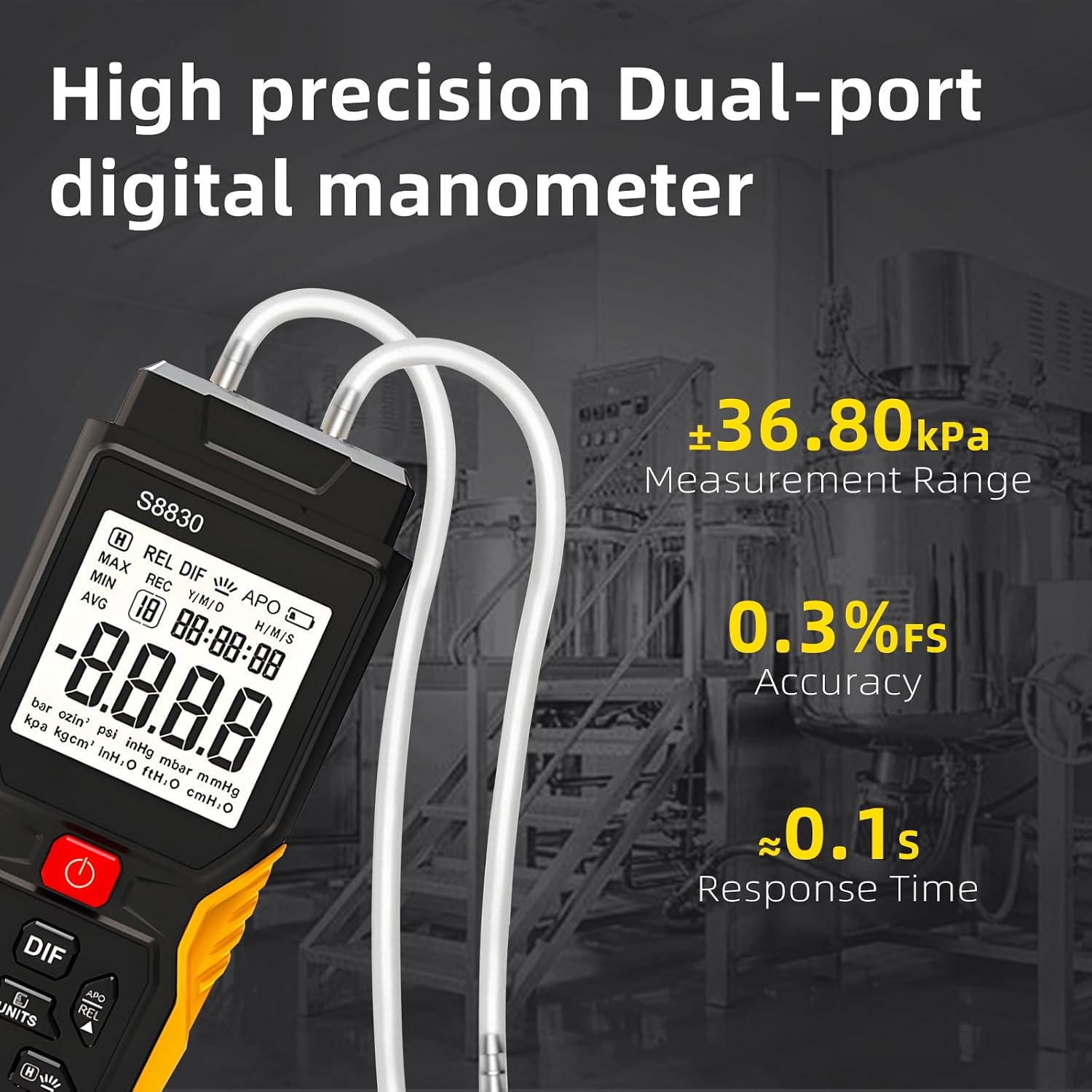
Figure 3.1: S8830 Manometer with connected dual-port tubes, illustrating its high precision and measurement range of ±36.80kPa, 0.3%FS accuracy, and 0.1s response time.
4. Operating Instructions
4.1 Power On/Off
Press the Power On/Off button to turn the manometer on. Press and hold the same button to turn it off. The device will automatically shut down after 10 minutes of inactivity.
4.2 Unit Selection
Press the UNITS button to cycle through the 12 available measurement units: kPa, bar, mbar, PSI, inHg, mmHg, ozin², inH²O, ftH²O, cmH²O, mmH²O, kgcm². Select the unit appropriate for your measurement.

Figure 4.1: The S8830 Manometer's display showing the selection of 12 different measurement units.
4.3 Differential Pressure (DIF) Mode
To measure the differential pressure between two points, connect the higher pressure source to the positive input port and the lower pressure source to the negative input port. Press the DIF button to activate differential pressure mode. The display will show the pressure difference.
4.4 Data Hold and Backlight
Press the HOLD button to freeze the current reading on the display. Press it again to release. To activate or deactivate the backlight, press and hold the HOLD button.
4.5 MAX/MIN/AVG Measurement
Press the MAX/MIN/AVG button repeatedly to cycle through the maximum, minimum, and average pressure readings recorded during a measurement session. The display will indicate the current mode (MAX, MIN, AVG, or normal).
4.6 Data Recording (REC)
The manometer can store up to 99 sets of measurement data. Press the REC button to enter recording mode. The device will save the current reading. To view recorded data, press the REC button again and use the DIF button to scroll through records. To clear recorded data, press and hold the DIF button while in recording mode.
5. Applications
The LYCEBELL S8830 Digital Manometer is a versatile tool suitable for a wide range of industrial and scientific applications, including but not limited to:
- Natural gas pipeline pressure testing.
- Air conditioning and refrigeration ventilation system diagnostics.
- Mechanical hydraulics pressure monitoring.
- Mining operations for pressure assessment.
- Petrochemical industry processes.
- Industrial smelting and manufacturing.
- Aseptic clean room pressure verification.

Figure 5.1: Examples of environments where the S8830 Manometer can be utilized for pressure testing and monitoring.
6. Maintenance
- Cleaning: Wipe the device with a soft, dry cloth. Do not use abrasive cleaners or solvents.
- Storage: When not in use for extended periods, remove the batteries to prevent leakage. Store the manometer in a cool, dry place, away from direct sunlight and extreme temperatures.
- Battery Replacement: Replace batteries when the low battery indicator appears on the display.
- Hose Inspection: Regularly inspect the pressure hoses for cracks, kinks, or blockages that could affect measurement accuracy. Replace damaged hoses as needed.
7. Troubleshooting
| Problem | Possible Cause | Solution |
|---|---|---|
| Device does not power on. | Dead or incorrectly installed batteries. | Check battery polarity and replace with fresh AAA batteries. |
| Inaccurate readings. | Loose hose connections, blocked ports, or incorrect unit selection. | Ensure hoses are securely connected. Check ports for obstructions. Verify the correct measurement unit is selected. |
| Display is dim or unreadable. | Backlight off or low battery. | Press and hold the HOLD button to activate backlight. Replace batteries if the low battery indicator is present. |
| Cannot record data. | Memory full or incorrect operation. | Clear existing records if memory is full. Refer to section 4.6 for correct recording procedure. |
8. Specifications
| Parameter | Value |
|---|---|
| Model Number | T9-S8830 |
| Measuring Range | ±36.80 kPa |
| Accuracy | ±0.3%FS |
| Response Time | Approx. 0.1 seconds |
| Measurement Units | kPa, bar, mbar, PSI, inHg, mmHg, ozin², inH²O, ftH²O, cmH²O, mmH²O, kgcm² |
| Operating Temperature | 0-50°C |
| Storage Temperature | -10-60°C |
| Power Supply | 3 x AAA 1.5V batteries |
| Item Weight | 138 g |
| Product Dimensions | 15.5 x 6.1 x 3.1 cm |
9. Warranty and Support
9.1 Warranty Information
LYCEBELL products are manufactured to high-quality standards. For specific warranty details, please refer to the warranty card included with your product or contact LYCEBELL customer support. The warranty typically covers defects in materials and workmanship under normal use.
9.2 Customer Support
If you encounter any issues or have questions regarding the operation or maintenance of your LYCEBELL S8830 Digital Manometer, please contact our customer support team. You can find contact information on the LYCEBELL official website or through your purchase platform.
Please have your model number (S8830) and purchase date available when contacting support.
Ask a question about this manual
Ask about setup, troubleshooting, compatibility, parts, safety, or missing instructions. Manuals+ will review the question and use this page’s manual context to help answer it.