
1. Product Overview
The Cozylady RGB Neon LED Rope Lights offer versatile and vibrant lighting for various indoor and outdoor applications. Featuring Bluetooth APP and remote control, music synchronization, and a flexible, waterproof design, these lights allow for creative customization of your environment.
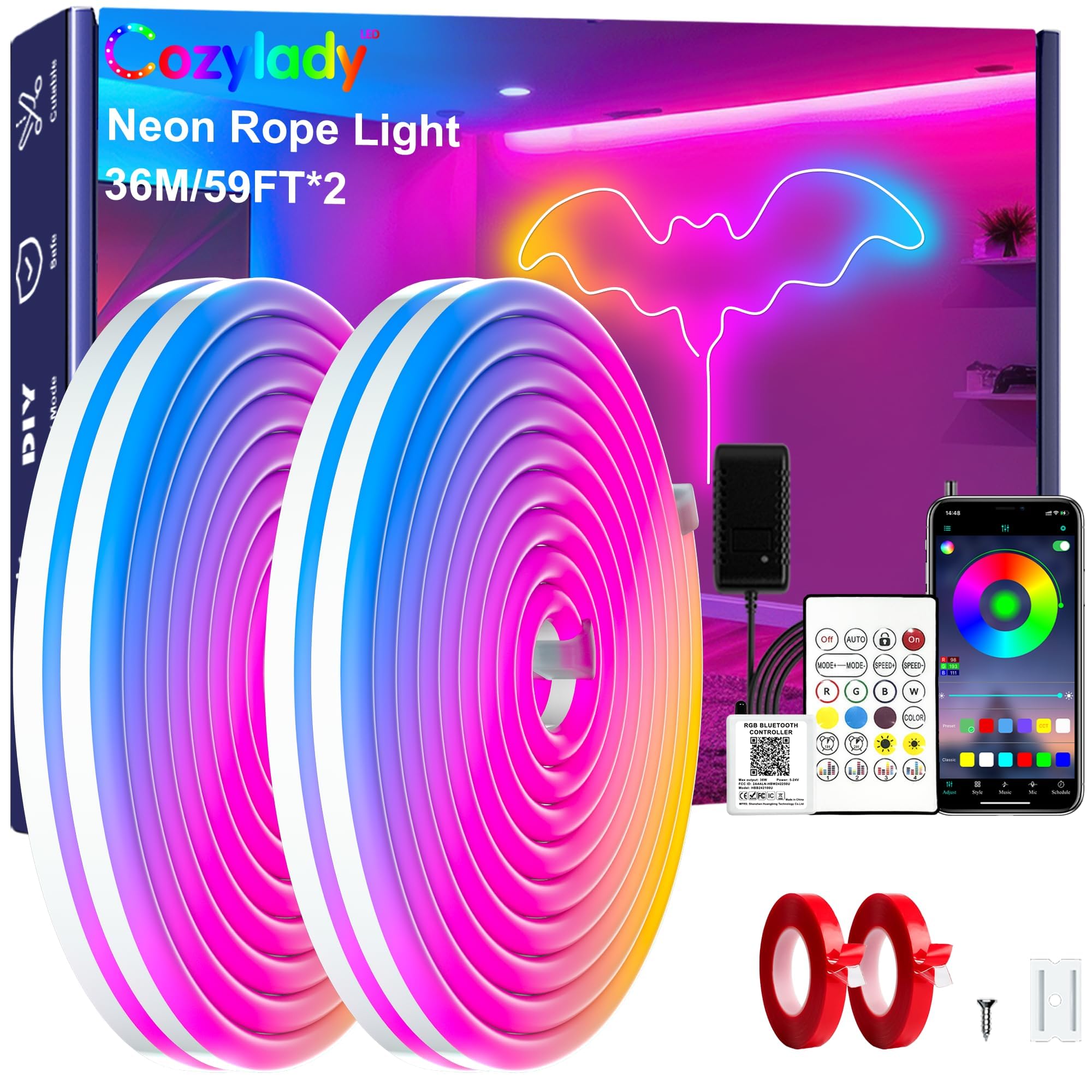
Figure 1.1: Cozylady RGB Neon LED Rope Lights illuminating a house exterior and pool.
2. Safety Instructions
- Keep the lights away from open flames.
- To prevent overheating, ensure the light strip is fully unrolled before connecting power.
- For secure installation, ensure the mounting surface is clean and solid. Use the provided screws or adhesive tape as appropriate.
- Do not use unoriginal accessories or components with this product.
- If you encounter any issues or have questions, please contact customer support.
3. Package Contents
Verify that all items are present in the package:
- Neon Strip Light
- User Manual
- Remote Control
- Controller
- Power Supply
- Mounting Clips/Brackets
- Double-sided Adhesive Tape

Figure 3.1: Components of the Cozylady RGB Neon LED Rope Lights kit.
4. Setup and Installation
4.1 Connecting the Components
- Connect the neon strip light to the controller. Ensure the connectors are aligned correctly.
- Connect the power supply to the controller.
- Plug the power supply into a standard electrical outlet.
4.2 Mounting Options
The flexible silicone design allows for various shapes and designs. Choose between adhesive tape or screw-fixed buckles for installation.

Figure 4.1: Installation using double-sided adhesive tape.
- Adhesive Tape Installation: Design your desired shape. Attach the double-sided adhesive tape to the back of the neon light. Peel off the protective film and firmly stick the light onto a clean, dry, and solid wall surface.

Figure 4.2: Installation using screw-fixed buckles.
- Screw-Fixed Buckle Installation: Design your desired shape. Mark the positions for the buckles. Install the screws into the wall at the marked positions. Secure the light strips into the buckles.
Note: The light strip is cuttable at designated black wire sections. If cutting, ensure a protective cover is installed to maintain IP67 waterproofing and prevent leakage.

Figure 4.3: Custom pattern design and installation methods.
5. Operating Instructions
5.1 Remote Control Operation
The included 44-button remote control allows for basic functions:
- Power On/Off: Use the 'On' and 'Off' buttons.
- Color Selection: Choose from various preset colors.
- Brightness Adjustment: Increase or decrease light intensity.
- Mode Selection: Cycle through different lighting effects (e.g., flash, strobe, fade).
- Speed Adjustment: Control the speed of dynamic lighting modes.
Note: The remote control requires direct line-of-sight to the IR sensor on the controller for proper function.
5.2 Bluetooth APP Control
For advanced control and customization, download the companion Bluetooth APP. Scan the QR code on the controller or user manual to download the app. The app provides:
- Color Wheel: Select any color from a full spectrum.
- Brightness & Speed Control: Fine-tune light intensity and effect speed.
- Style Modes: Access a wider range of dynamic lighting patterns (e.g., gradual changes, cross fades, jumping changes).
- Music Sync Mode: Lights pulse and change with music or ambient sounds detected by your phone's microphone.
- Timer Function: Schedule automatic on/off times for the lights.

Figure 5.1: Overview of the mobile application control interface.
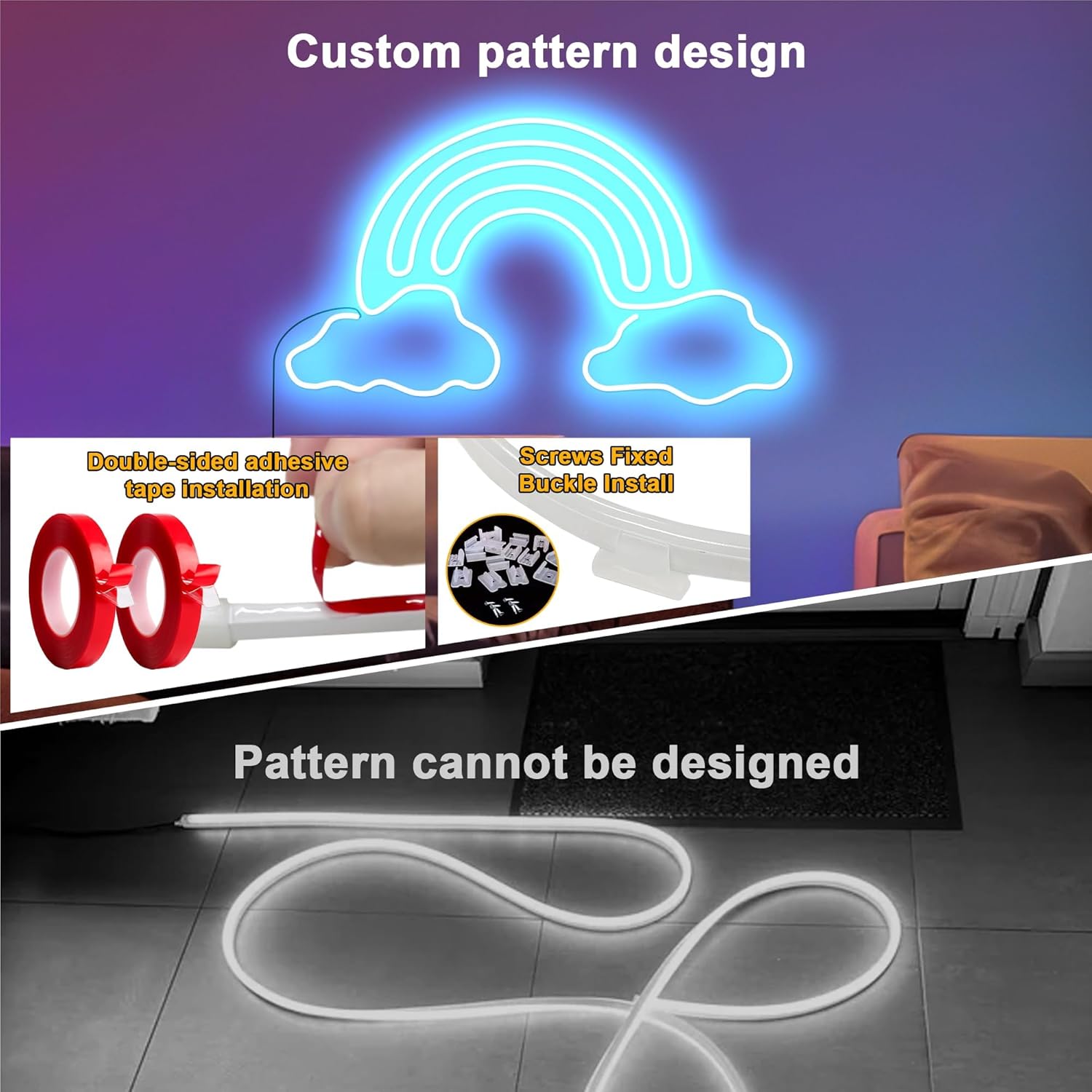
Figure 5.2: Music and Mic Mode in action.

Figure 5.3: Timing function for automated light control.
5.3 Official Product Video
Video 5.1: This video demonstrates the Cozylady LED Neon Light in various settings, showcasing its flexibility, color options, and overall aesthetic appeal for decoration.
6. Maintenance
- Clean the light strip gently with a soft, dry cloth. Avoid abrasive cleaners or solvents.
- Regularly check connections for any signs of wear or damage.
- Ensure the light strip is not exposed to extreme temperatures beyond its operating range.
- If installed outdoors, periodically inspect for any breaches in the waterproof sealing, especially if the strip was cut.
7. Troubleshooting
| Issue | Possible Cause | Solution |
|---|---|---|
| Lights do not turn on. | No power, loose connection, remote battery dead. | Check power supply, ensure all connections are secure. Replace remote battery if necessary. |
| Remote control not responding. | Obstruction to IR sensor, remote battery dead, remote too far. | Ensure clear line-of-sight to the controller's IR sensor. Replace remote battery. Move closer to the controller. |
| Bluetooth APP connection issues. | Bluetooth off, app not paired, interference. | Ensure Bluetooth is enabled on your device. Re-pair the device in the app. Reduce interference from other devices. |
| Lights are dim or inconsistent. | Low power, damaged section, app/remote setting. | Check power supply. Adjust brightness settings via app or remote. Inspect the strip for physical damage. |
8. Specifications
- Brand: Cozylady
- Model Number: HX-WL3035-24V-3M
- Color: Multicolor (RGB)
- Item Length: 120 Feet (36M)
- Voltage: 24 Volts (Power Supply: AC input, 24V output)
- Wattage: 5 watts
- Material Type: Polyimide (Silicone)
- Water Resistance Level: Waterproof (IP67 when properly sealed)
- Control Methods: Bluetooth APP, 44-button Remote Control
- Special Features: Music Sync, Timer Function, Flexible, Cuttable
- Indoor/Outdoor Usage: Indoor and Outdoor
- Item Weight: 0.9 Pounds
9. Warranty and Support
9.1 Manufacturer Warranty
This product comes with a 6-month manufacturer's warranty from the date of purchase. The warranty covers defects in materials and workmanship under normal use. It does not cover damage caused by misuse, accidents, unauthorized modifications, or use of non-original components.
9.2 Customer Support
For any questions, technical assistance, or warranty claims, please contact Cozylady customer support:
- Email: support@cozylady.cn
You can also find the app download link here: http://www.easytrack.net.cn/download/?116CHUANZHIGUANG=