
1. Introduction
Thank you for choosing the LUTEC 35W 4000LM LED Floodlight with Dual Sensors. This manual provides essential information for the safe and efficient installation, operation, and maintenance of your new floodlight. Please read these instructions thoroughly before installation and retain them for future reference.
2. Safety Information
WARNING: Risk of electric shock. Disconnect power at the fuse or circuit breaker before installation or servicing.
- Ensure the power supply is turned off before installation.
- Installation should be performed by a qualified electrician if you are unsure.
- Do not attempt to modify the product. Any modifications may void the warranty and pose safety risks.
- This product is designed for outdoor use only.
- Ensure all connections are secure and properly insulated.
3. Package Contents
Verify that all components are present before beginning installation:
- LUTEC 35W 4000LM LED Floodlight (1 unit)
- Mounting Plate (1)
- Wire Nuts (3)
- Mounting Screws (2)
- Rubber Plug (1)
- Instruction Manual (this document)
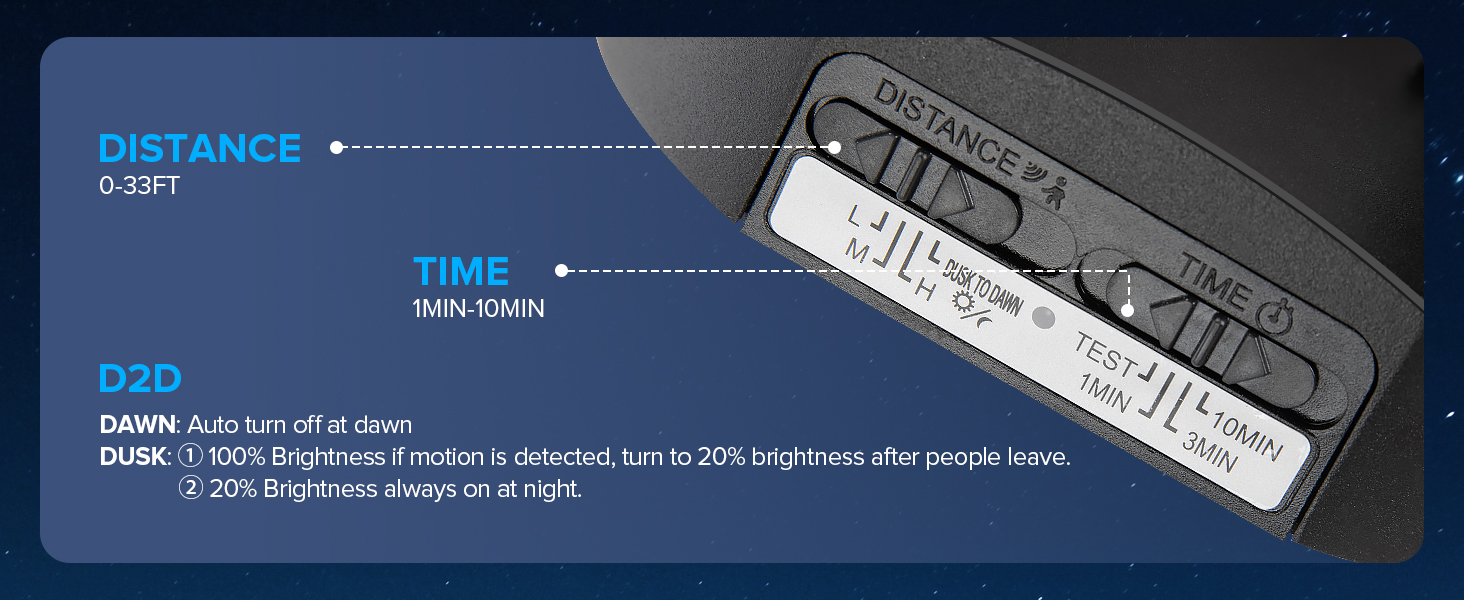
Image: Illustration of included components for installation, including mounting plate, wire nuts, screws, and rubber plug.
4. Product Features and Overview
The LUTEC LED Floodlight is designed for outdoor security and illumination, featuring:
- High Brightness: 35W power output, delivering 4000 lumens of 5000K (daylight white) light.
- Dual Motion Sensors: Two independent sensors provide a wide 240-degree detection angle and up to 33 feet detection distance.
- Adjustable Heads: Rotatable light heads allow for customizable coverage.
- Multiple Lighting Modes: Security Mode, Dusk to Dawn Mode, Manual Override Mode, and Test Mode.
- Durable Construction: Aluminum material with an IP65 waterproof rating, suitable for various weather conditions.
- Energy Efficient: Offers significant energy savings compared to traditional halogen bulbs.
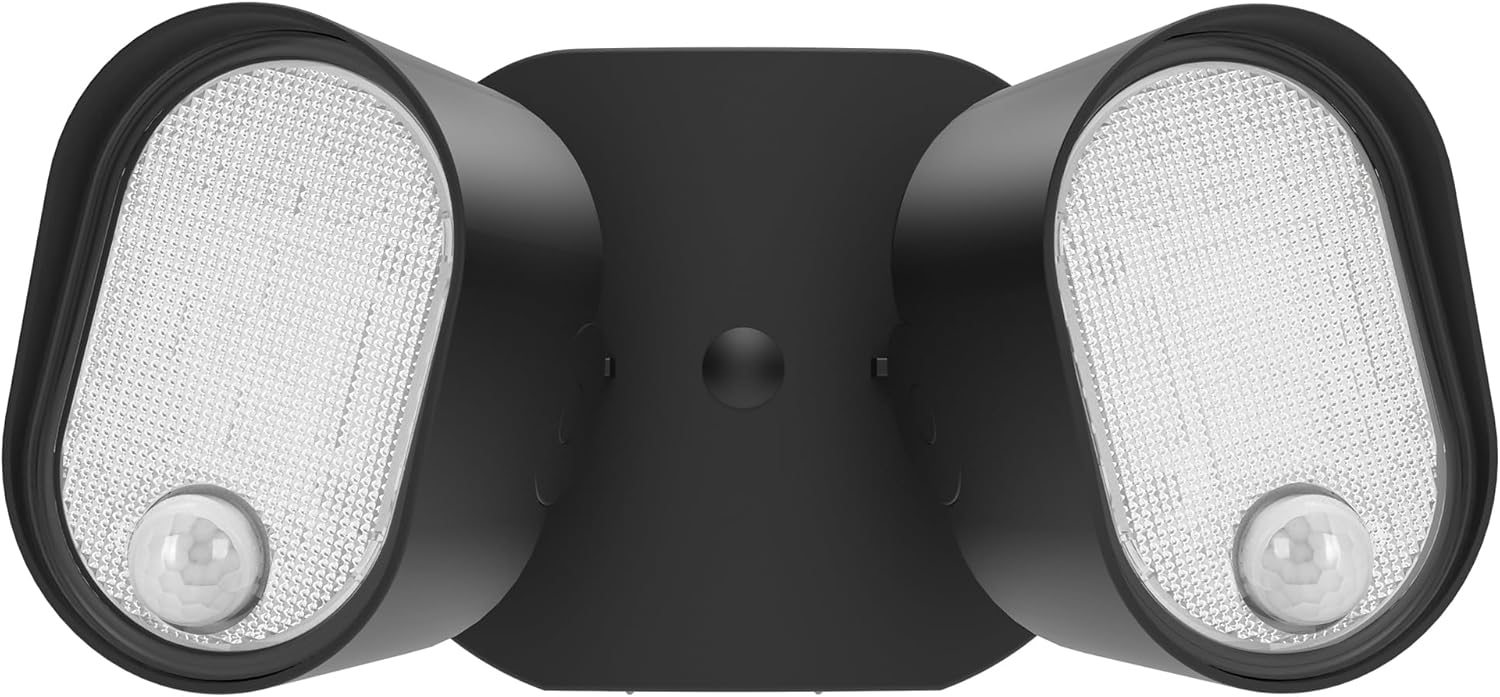
Image: Front view of the LUTEC LED Floodlight, highlighting the two adjustable light heads and integrated sensors.
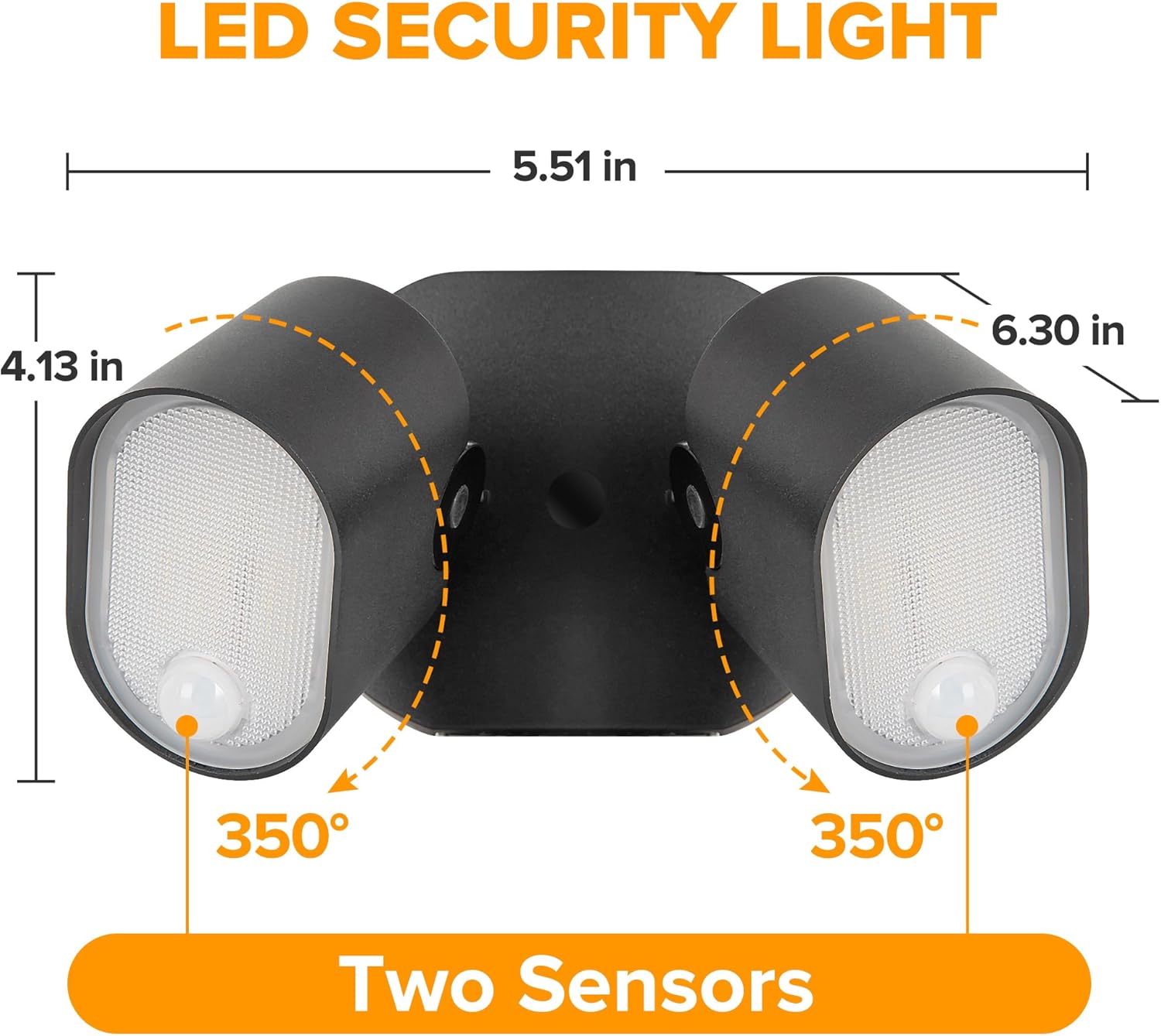
Image: Diagram showing the dimensions of the floodlight and the 350-degree rotation capability of each sensor.
5. Installation Instructions
This floodlight is designed for hardwired installation. A junction box is required but not included. Ensure power is disconnected before proceeding.
5.1 Mounting Options
The floodlight can be mounted on a soffit or a wall.
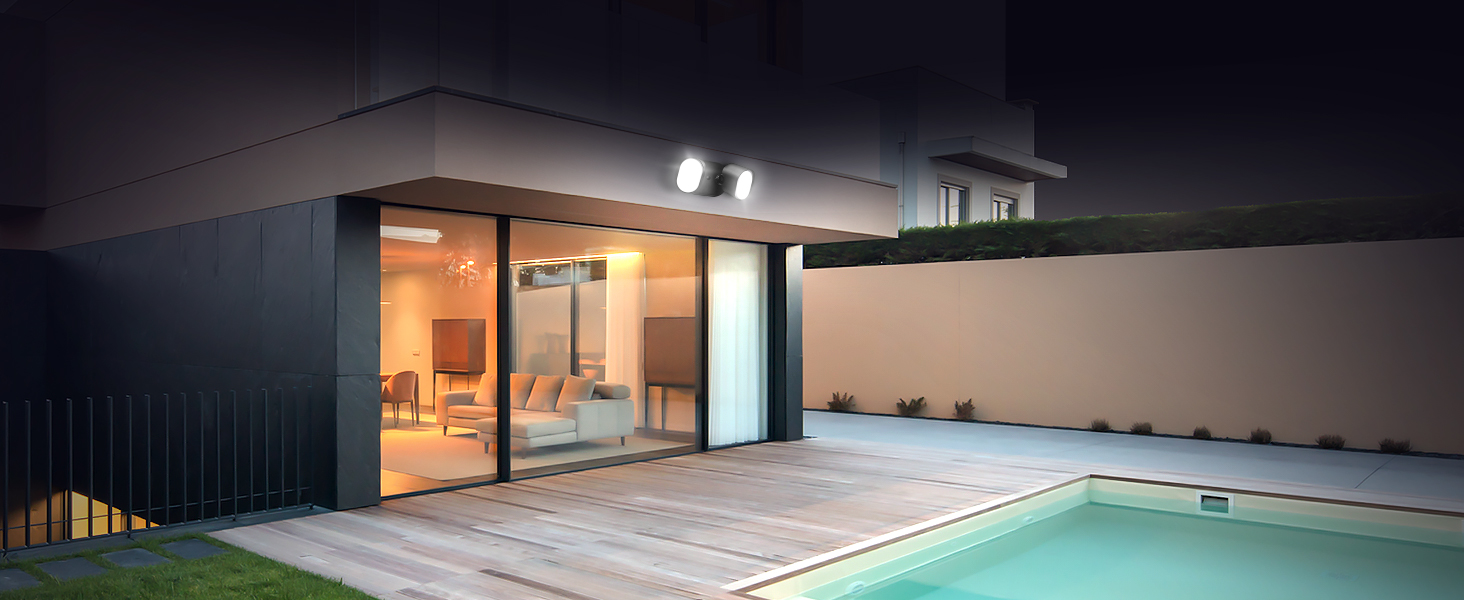
Image: Visual representation of soffit and wall mounting options. When soffit mounted, ensure the motion sensor faces the detection area.
5.2 Wiring and Mounting Steps
- Turn off Power: Locate the circuit breaker or fuse box and turn off the power to the area where the floodlight will be installed.
- Prepare Mounting Surface: Ensure the mounting surface is clean and stable.
- Attach Mounting Plate: Secure the mounting plate to the junction box using the provided mounting screws.
- Wire Connections: Connect the floodlight's wires to your household wiring using the wire nuts. Typically, this involves connecting:
- Black (Live) to Black (Live)
- White (Neutral) to White (Neutral)
- Green/Bare Copper (Ground) to Green/Bare Copper (Ground)
- Mount Floodlight: Carefully align the floodlight with the mounting plate and secure it.
- Seal: Apply the rubber plug and any necessary sealant around the light base to ensure IP65 waterproofing.
- Restore Power: Turn the power back on at the circuit breaker.
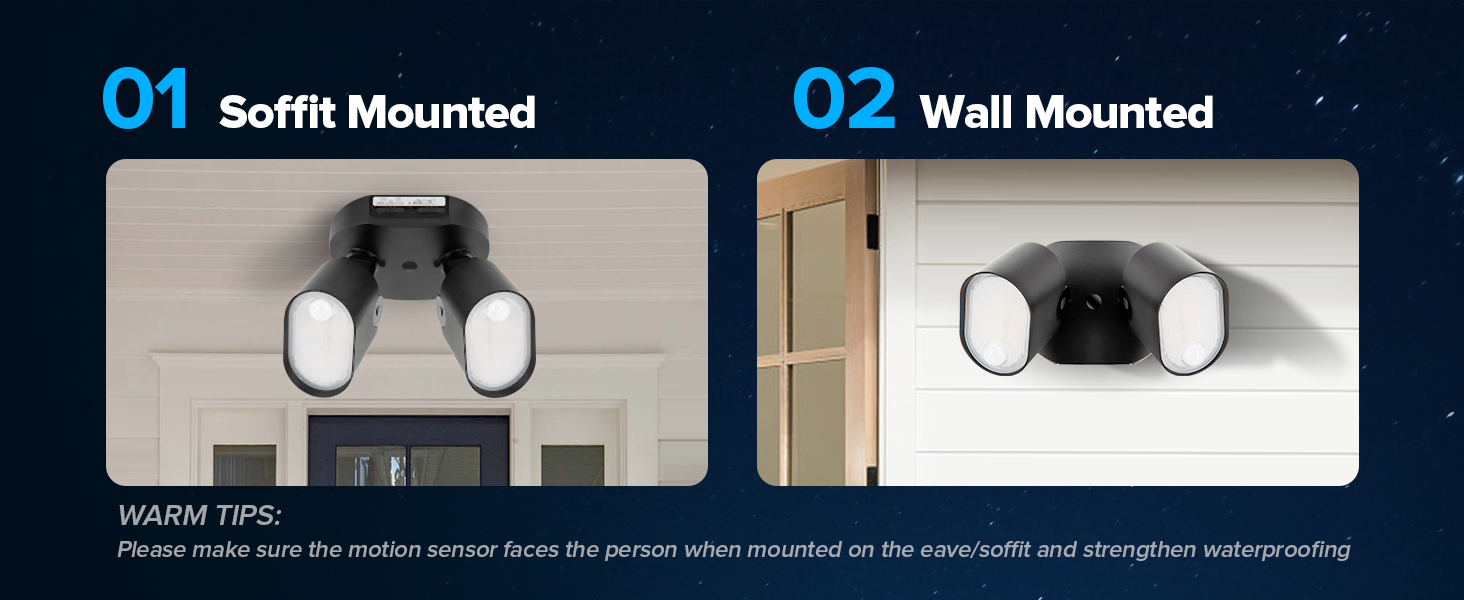
Image: Diagram illustrating the hardwired installation process and components.
6. Operation and Settings
The floodlight features adjustable settings for sensitivity (DISTANCE) and illumination duration (TIME), along with four distinct lighting modes.

Image: Close-up of the control panel showing 'DISTANCE' and 'TIME' adjustment dials and mode indicators.
6.1 Sensor Adjustments
- DISTANCE (Sensitivity): Adjusts the motion detection range.
- L (Low): 0-10 ft
- M (Medium): 0-20 ft
- H (High): 0-33 ft
- TIME (Illumination Duration): Sets how long the light stays on after motion is detected.
- 1 MIN
- 3 MIN
- 10 MIN
- Dusk to Dawn Sensor: The light includes a sensor to detect ambient light levels, enabling dusk-to-dawn functionality.
6.2 Lighting Modes
Select the desired mode using the switch on the control panel:
- Security Mode (Motion-activated): The light activates at 100% brightness when motion is detected during nighttime. It turns off after the set TIME if no further motion is detected.
- Dusk to Dawn Mode: The light stays on at 20% brightness throughout the night. When motion is detected, it brightens to 100% for the set TIME, then returns to 20% brightness. It automatically turns off at dawn.
- Manual Override Mode: The light stays on at 100% brightness for 6 hours, regardless of day or night. This mode can be activated for continuous illumination.
- Test Mode: Used for testing sensor functionality and light coverage during installation. The light will turn on for 1 minute when motion is detected, regardless of ambient light.

Image: Illustration of the Dusk to Dawn mode, showing auto turn-off at dawn, 20% brightness at night, and 100% brightness upon motion detection.
7. Maintenance
Regular maintenance ensures optimal performance and longevity of your floodlight.
- Cleaning: Clean the light fixture and sensor lenses periodically with a soft, damp cloth. Do not use abrasive cleaners or solvents.
- Inspection: Periodically check for any loose wiring or damage to the fixture. If damage is found, disconnect power and contact customer support.
- Bulb Replacement: The LED bulbs are integrated and not user-replaceable. The fixture has a lifespan of approximately 50,000 hours.

Image: The floodlight operating in rainy conditions, demonstrating its IP65 waterproof and weather-resistant features.
8. Troubleshooting
If you encounter issues, refer to the following common problems and solutions:
| Problem | Possible Cause | Solution |
|---|---|---|
| Light does not turn on. | No power; faulty wiring; sensor malfunction. | Check circuit breaker. Verify wiring connections. Ensure sensor is not obstructed. |
| Light stays on continuously. | Sensor set to Manual Override; continuous motion detected; sensor sensitivity too high. | Switch out of Manual Override mode. Reduce sensor sensitivity (DISTANCE). Check for constant heat sources in detection area. |
| Light turns on during the day. | Dusk to Dawn sensor obstructed or faulty; Test Mode active. | Ensure the Dusk to Dawn sensor is not blocked. Switch out of Test Mode. |
| Detection range is too short/long. | DISTANCE setting incorrect. | Adjust the DISTANCE dial to the desired sensitivity (L, M, or H). |
9. Specifications
| Feature | Detail |
|---|---|
| Model | B0DR29JJF5 |
| Brand | LUTEC |
| Wattage | 35W |
| Brightness | 4000 Lumens |
| Color Temperature | 5000K (Daylight White) |
| Motion Sensor Angle | 240 degrees |
| Motion Sensor Distance | Up to 33 ft |
| Water Resistance | IP65 Waterproof |
| Material | Aluminum + PC |
| Lifespan | 50,000 hours |
| Power Source | Corded Electric (120V AC) |
| Product Dimensions | 8.58"L x 7.05"W x 6.77"H |
| Item Weight | 2.33 pounds |
10. Warranty and Support
LUTEC provides dedicated customer support for its products.
- After-Sales Service: We offer 7*24 hour after-sales service. Please contact us if any issue arises with your product.
- Warranty Information: For detailed warranty terms and conditions, please refer to the product packaging or contact LUTEC customer support.


