
1. Product Overview
The Csasan Smart Watch T70 is a versatile wearable device designed to monitor your health, track fitness activities, and keep you connected. It features a 1.91-inch HD touch screen, Bluetooth calling functionality, and compatibility with both Android and iOS devices.
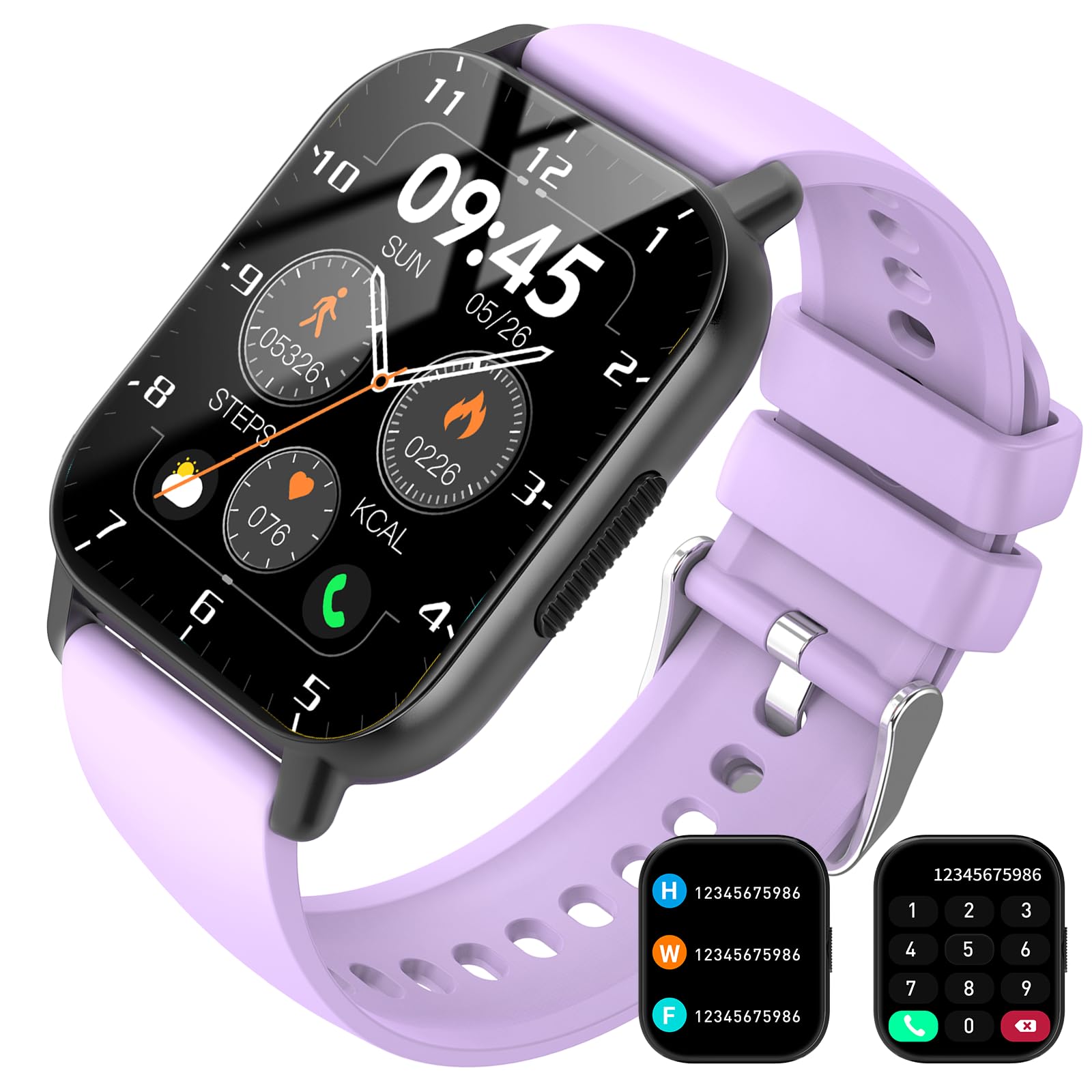
Image: Csasan Smart Watch T70 in purple, showing the main display with time and activity metrics.
2. What's in the Box
- Csasan Smart Watch T70 (1 unit)
- Magnetic Charging Cable (1 unit)
- User Manual (1 unit)
3. Setup Guide
3.1 Charging the Device
Before first use, fully charge your smart watch. Connect the magnetic charging cable to the charging points on the back of the watch and plug the USB end into a power adapter (not included) or a computer's USB port. A full charge typically takes approximately 2 hours.

Image: The Csasan Smart Watch T70 being charged via its magnetic charging cable, with icons indicating battery life.
3.2 App Installation and Pairing
- Download the "Gloryfit" app from your smartphone's app store (compatible with Android 5.0+ and iOS 9.0+).
- Ensure Bluetooth is enabled on your smartphone.
- Open the Gloryfit app and follow the on-screen instructions to create an account and set up your profile.
- In the app, navigate to the device pairing section and select your Csasan T70 Smart Watch from the list of available devices.
- Confirm the pairing request on both your watch and smartphone.
3.3 Customizing Watch Faces
The watch features a 1.91-inch HD full touch display. You can customize your watch face through the Gloryfit app. Select from over 100 watch faces or upload a personal photo to personalize your device.

Image: Various digital watch faces shown on the Csasan Smart Watch T70, highlighting customization options within the Gloryfit app.
4. Operating Instructions
4.1 Basic Navigation
- Touch Screen: Swipe left, right, up, or down to navigate through menus and features. Tap to select.
- Side Button: Press to return to the home screen or wake the display.
- Raise to Wake: The screen will automatically light up when you raise your wrist.
4.2 Bluetooth Calling and Notifications
Once paired, the watch allows you to answer and make calls directly from your wrist. It also displays notifications from various apps (e.g., Instagram, YouTube, Messenger, Gmail, Snapchat, Facebook, Twitter, WhatsApp). Note: The smart watch cannot be used to reply to messages.
- Answering Calls: When a call comes in, tap the green icon on the watch screen.
- Making Calls: Access the dialer or contact list through the watch interface to initiate a call.
- Notifications: Swipe down from the top of the watch face to view recent notifications.
4.3 Health Monitoring
The Csasan T70 Smart Watch includes built-in sensors for continuous health tracking.
- Heart Rate Monitor: The watch continuously monitors your heart rate. View real-time data on the watch or detailed historical data in the Gloryfit app.
- Sleep Tracker: Automatically records your sleep patterns, including awake, light, and deep sleep stages. Access sleep data in the Gloryfit app to help adjust your sleep habits.
- Step Counter: Tracks your daily steps, distance, and calories burned.

Image: The Csasan Smart Watch T70 showing heart rate and sleep tracking features, alongside the Gloryfit app interface displaying detailed health metrics.
Disclaimer: The health data provided by this device is for reference purposes only and should not be used for medical diagnosis or treatment.
4.4 Sports Modes
The watch offers over 110 sports modes, including running, cycling, and swimming. Select your activity to accurately record data such as duration, distance, calories, and heart rate during your workout.

Image: People participating in different sports, illustrating the watch's 110+ sports modes and real-time activity monitoring.
4.5 Additional Functions
The Csasan T70 Smart Watch includes several other useful features:
- Weather Forecast
- Music Control
- Sedentary Reminder
- Stopwatch
- Alarm Clock
- Timer
- Female Cycle Tracking
- Find Phone
5. Maintenance and Care
- Cleaning: Wipe the watch and band regularly with a soft, dry cloth. If necessary, use a slightly damp cloth and dry thoroughly.
- Water Resistance: The watch is IP68 waterproof, suitable for daily activities like washing hands or exercising in the rain. Do not use the watch in hot water, saunas, or for prolonged submersion, as this may affect its waterproof integrity.
- Storage: Store the watch in a cool, dry place when not in use.
6. Troubleshooting
- Watch not turning on: Ensure the watch is fully charged. Connect it to the magnetic charger and allow it to charge for at least 30 minutes before attempting to power it on.
- Cannot pair with phone:
- Ensure Bluetooth is enabled on your phone.
- Make sure the watch is within Bluetooth range of your phone.
- Restart both the watch and your phone.
- Check if the Gloryfit app is updated to the latest version.
- Inaccurate health data: Ensure the watch is worn snugly on your wrist, not too tight or too loose. Clean the sensor on the back of the watch. Remember that health data is for reference only.
- Notifications not received: Check app permissions in your phone settings to ensure the Gloryfit app has access to notifications. Verify that notification settings are enabled within the Gloryfit app.
7. Specifications
| Model Number | T70 |
| Brand | Csasan |
| Screen Size | 1.91 inches |
| Display Type | LCD or OLED |
| Operating System | Wear OS |
| Connectivity Technology | Bluetooth |
| Water Resistance Level | IP68 Waterproof (1.5 meters depth) |
| Battery Type | Lithium Polymer |
| Average Battery Life | 7 days |
| Charging Time | Approx. 2 hours |
| Compatible Devices | Android 5.0+ and iOS 9.0+ Smartphones |
| Metrics Measured | Heart Rate, Sleep Duration, Steps, Calories, Distance |
| Material | Silicone (Band) |
| Item Weight | 90 g |
8. Warranty and Support
For product support, technical assistance, or warranty inquiries, please contact Csasan customer service. Refer to the packaging or official website for the most current contact information.
Manufacturer Contact Information: +8616261135043
Additional functions and updates can be explored through the "Gloryfit" application.