
Introduction
The Arkray Max 01 Mini Blood Glucose Monitor is designed for self-testing of blood glucose levels. This device provides fast and accurate results, assisting individuals in managing their diabetes effectively. It incorporates Japanese technology and meets the ISO 15197:2015 standards for reliable performance.
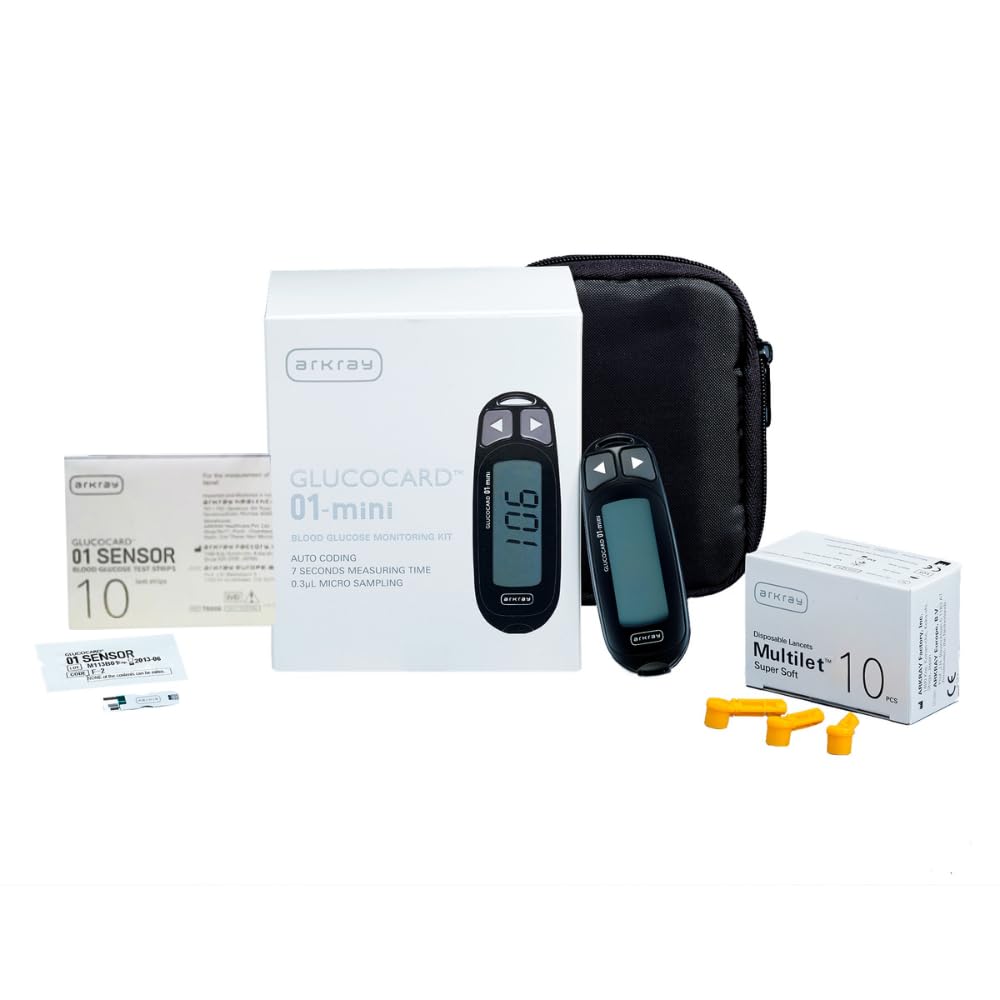
Image: The Arkray Max 01 Mini Blood Glucose Monitor device.
Package Contents
Carefully unpack the box and ensure all items listed below are present. If any items are missing or damaged, contact your supplier immediately.
- 1 x Arkray Max 01 Mini Glucometer
- 1 x 10 Test Strips (GLUCOCARD 01 Sensor)
- 10 x Lancets (Multilet)
- 1 x Lancing Device (contained in a carrying case)
- User Manual (this document)

Image: Contents of the Arkray Max 01 Mini Blood Glucose Monitor kit, including the meter, test strips, lancets, and lancing device.
Product Features
The Arkray Max 01 Mini Blood Glucose Monitor offers several key features designed for ease of use and accuracy:
- Reliable Monitoring: Fulfills the requirements of the New ISO 15197:2015 standards.
- Auto-Coding: Eliminates manual code entry, reducing potential errors.
- Small Sample Size: Requires minimal blood volume, reducing dosing errors and strip wastage.
- Painless Testing: State-of-the-art lancing system for a comfortable experience.
- Results Flagging: Allows marking of fasting and post-meal readings for better monitoring.
- Compact Design: Portable and lightweight for convenient use at home or on the go.
- Fast Results: Provides blood glucose readings in approximately 7 seconds.

Image: Visual representation of the Arkray Max 01 Mini's key features, including auto-coding, small sample size, painless testing, and result flagging.
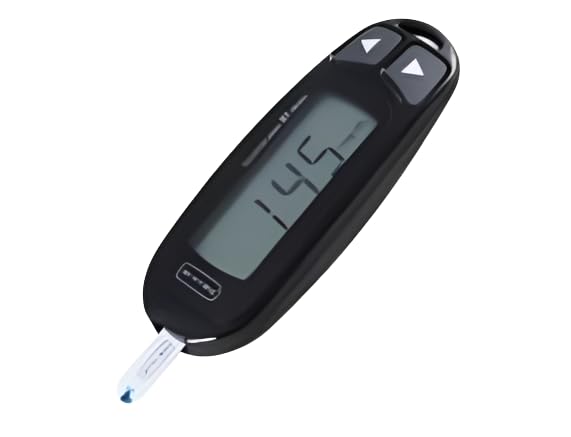
Image: Badge indicating compliance with the ISO 15197:2013 standard for blood glucose monitoring systems.
Device Overview
Familiarize yourself with the components of the Arkray Max 01 Mini meter:

Image: Diagram of the Glucocard 01-Mini meter showing its parts: Strap Hole, Buttons (for reviewing/deleting results, flagging, setting volume/date/time), Display, and Test Strip Slot.
- Strap Hole: For attaching a wrist strap or lanyard.
- Buttons: Use these to review or delete past results, flag test results (fasting/post-meal), and set beeper volume, date, time, and result average display.
- Display: Shows blood glucose readings, error messages, and other information.
- Test Strip Slot: Where the test strip is inserted for blood sample application.
Setup
1. Inserting Batteries
The meter requires batteries to operate. Open the battery compartment cover on the back of the device. Insert the batteries according to the polarity indicators (+/-). Close the cover securely.
2. Setting Date and Time
Upon first use or after battery replacement, you may need to set the date and time. Refer to the device overview for button functions. Use the navigation buttons to adjust the year, month, day, hour, and minute. Confirm each setting to proceed. Correct date and time settings are crucial for accurate record-keeping.
3. Preparing the Lancing Device
- Unscrew the cap of the lancing device.
- Insert a new lancet firmly into the lancet holder.
- Twist off the protective cap from the lancet.
- Replace the lancing device cap.
- Adjust the penetration depth by rotating the cap. Start with a shallower setting and increase if needed to obtain a sufficient blood sample.
- Pull back the cocking mechanism until it clicks, indicating it is ready for use.
Operating Instructions
Performing a Blood Glucose Test:
- Prepare: Wash your hands with soap and warm water, then dry them thoroughly.
- Insert Test Strip: Insert a new test strip into the test strip slot of the meter. The meter will automatically turn on and display a code (due to auto-coding, no manual entry is needed).
- Obtain Blood Sample: Place the lancing device firmly against the side of your fingertip and press the release button. A small drop of blood will form.
- Apply Blood Sample: Gently touch the tip of the test strip to the blood drop. The strip will draw the blood into the reaction area. Ensure the blood sample fills the strip completely. The meter requires a minimal blood sample of 0.3µL.
- Read Results: The meter will begin a countdown (approximately 7 seconds) and then display your blood glucose result.
- Flag Results (Optional): Use the meter's buttons to flag the result as a fasting or post-meal reading if desired.
- Dispose: Carefully remove the used test strip and lancet and dispose of them safely in a sharps container.

Image: The Arkray Max 01 Mini Blood Glucose Monitor with a test strip inserted, ready for a blood sample.
Maintenance
Cleaning the Meter:
Regular cleaning helps maintain the accuracy and longevity of your meter.
- Wipe the exterior of the meter with a soft cloth dampened with mild detergent or a 70% alcohol solution.
- Do not immerse the meter in water or any other liquid.
- Ensure no liquid enters the test strip slot or other openings.
- Clean the lancing device regularly according to its specific instructions.
Storage:
- Store the meter and test strips in a cool, dry place, away from direct sunlight and extreme temperatures.
- Keep test strips in their original vial and close the cap immediately after removing a strip to prevent exposure to air and moisture.
- Do not store test strips in the refrigerator.
- Keep all components out of reach of children.
Troubleshooting
If you encounter issues with your Arkray Max 01 Mini, refer to the following common problems and solutions:
| Problem | Possible Cause | Solution |
|---|---|---|
| Meter does not turn on. | Dead or incorrectly inserted batteries. | Check battery orientation. Replace batteries if necessary. |
| Error message displayed. | Improper test strip insertion, insufficient blood sample, or damaged strip. | Ensure the test strip is fully inserted. Re-test with a new strip and sufficient blood sample. Refer to the full user manual for specific error codes. |
| Inconsistent or unexpected results. | Expired test strips, improper storage, contamination, or incorrect testing procedure. | Check test strip expiry date. Ensure strips are stored correctly. Re-read operating instructions and perform a control solution test if available. Consult a healthcare professional if concerns persist. |
| Cannot obtain enough blood. | Lancing device depth setting is too shallow. | Increase the penetration depth setting on the lancing device. Ensure hands are warm before testing. |
For further assistance, please contact Arkray customer support.
Specifications
- Model Name: Arkray Max Glucocard 01-Mini
- Product Dimensions: 9.3L x 3.2W x 1.6H Centimeters
- Item Weight: 100 Grams
- Operating Time: 7 Seconds
- Minimum Blood Sample Volume: 0.3µL
- Included Components: 1 X Glucometer, 1 X 10 Strips, 10X Lancets
- Country of Origin: Japan
- Manufacturer: ARKRAY HEALTHCARE PVT LTD
Warranty and Support
Warranty:
The Arkray Max 01 Mini Blood Glucose Monitor comes with a Lifetime Warranty. Please retain your purchase receipt for warranty claims. For specific terms and conditions, refer to the warranty card included with your product or contact Arkray customer service.
Customer Support:
For any questions, technical assistance, or warranty claims, please contact:
- Importer Contact Information: ARKRAY Healthcare Pvt. Ltd. 701 / 702, Opulence, TPS III, 6th Road, Santacruz East, Mumbai, Maharashtra 400055
- Manufacturer: ARKRAY HEALTHCARE PVT LTD
- You can also visit the official Arkray India store on Amazon for more information: Arkray India Store
Important Safety Information
This device is intended for monitoring blood glucose levels in individuals with diabetes mellitus. Always consult with your healthcare professional for interpretation of results and treatment decisions. Do not use this device for diagnosis of diabetes.
- Keep out of reach of children.
- Do not use expired test strips.
- Always use fresh lancets to prevent infection and ensure accurate sampling.
- Dispose of used lancets and test strips properly in a sharps container.
- Do not make changes to your medication based on test results without consulting your doctor.


