
1. Introduction
The Retekess T130U Wireless Tour Guide System is designed to provide clear, stable audio communication for various group activities such as guided tours, simultaneous interpretation, factory visits, and assistive listening. This system features a U-band transmission for strong penetration and minimal interference, ensuring a reliable connection over long distances. Its lightweight and portable design, coupled with long-lasting battery life and user-friendly controls, makes it an efficient solution for managing group audio.
This manual provides detailed instructions for the proper setup, operation, and maintenance of your Retekess T130U system.
Video: Retekess T130U tour guide system overview. This video provides a general overview of the system's components and basic functionality.
2. Package Contents
Verify that all items listed below are included in your package:
- Owner's manual (1)
- Tour guide transmitter (2)
- Tour guide receiver (32)
- Lavalier microphone (2)
- Headsets microphone (2)
- Tour guide system lanyard (34)
- 32-slot charging box (1)
- D-shaped tour guide headsets (32)

Image: Visual representation of the items included in the Retekess T130U package.
3. Product Overview
3.1 Transmitter (T130U)
The transmitter is the central unit for broadcasting audio. It features a lightweight design (71g/0.16lb) and intuitive controls for easy operation. It includes a microphone input and an AUX input for external audio sources.
3.2 Receiver (T130U)
The receivers are designed for individual listeners, offering a comfortable and portable experience (38g/0.08lb). Each receiver has individual volume controls and is compatible with D-shaped headsets for comfortable wear.

Image: Demonstrates the lightweight and portable design of the T130U transmitter and receiver units.

Image: Highlights the one-key pairing, mute, and shutdown functions on the transmitter.

Image: Shows the comfortable D-shaped headsets designed for extended wear.
4. Setup
4.1 Charging the Units
The system includes a 32-slot charging box for convenient batch charging of multiple receivers and transmitters. Individual units can also be charged via USB.
- Transmitter: Connect the transmitter to the charging box or a USB power source using the provided cable. A full charge provides approximately 10 hours of operation.
- Receiver: Place receivers in the charging box or connect individually via USB. A full charge provides approximately 40 hours of operation.

Image: Illustrates the 32-slot charging box for simultaneous charging of multiple units.

Image: Shows a unit being used while charging, indicating simultaneous operation and charging is supported.
Video: Retekess T130U upgraded distance and convenient charging. This video demonstrates the charging process and highlights the improved range.
4.2 Connecting Microphones and Headsets
- Transmitter: Plug the lavalier microphone or headset microphone into the MIC port on the transmitter.
- Receiver: Plug the D-shaped headset into the headphone jack on the receiver.

Image: Displays different microphone options for the transmitter, including lavalier and headset microphones.
4.3 Powering On/Off
- To Power On: Press and hold the power button on the transmitter or receiver for approximately 1 second.
- To Power Off: Press and hold the power button for approximately 2 seconds.
5. Operating Instructions
5.1 Automatic Pairing
The T130U system supports automatic pairing for quick setup.
- Ensure both the transmitter and receiver are powered on.
- On the transmitter, press the 'M' button and the 'Play/Pause' button simultaneously. Release the 'M' button after power on, then release the 'Play/Pause' button. The ID number and antenna icon will flash, indicating pairing status.
- On the receiver, press the 'Rewind' and 'Fast Forward' buttons simultaneously. After power on, release the 'Fast Forward' button, then release the 'Rewind' button when the ID number '00' appears.
- The transmitter and receiver will automatically pair. A successful pairing is indicated by a stable signal icon on both devices.
Video: How does Retekess T130 tour guide system automatically pair? This video demonstrates the automatic pairing process between the transmitter and receiver.
Video: How to pair Retekess T130Pro tour guide system headsets. This video illustrates the pairing procedure for the T130Pro system, which is similar to the T130U.
5.2 Manual Channel Search/Setting
If automatic pairing is not desired or fails, channels can be set manually.
- On the transmitter, use the left/right arrow buttons to select the desired channel ID.
- On the receiver, use the left/right arrow buttons to manually search for the transmitter's channel.
- Once the receiver displays the same channel ID as the transmitter, the connection is established.
Video: How does the receiver manually search for the transmitter channel? This video guides users through the manual channel search process.
Video: How to Sync ATG-100T transmitter and receivers? This video demonstrates the synchronization process for a similar system, providing insight into manual channel setting.
5.3 Volume Adjustment
Each receiver unit has independent volume controls. Use the 'VOL+' and 'VOL-' buttons on the receiver to adjust the listening volume to a comfortable level.
5.4 Mute Function
The transmitter features a one-key mute function. Press the mute button on the transmitter to temporarily stop audio transmission to all connected receivers.
5.5 External Audio Input
The transmitter includes a 3.5mm AUX input, allowing you to connect external audio devices (e.g., smartphone, MP3 player) to broadcast pre-recorded messages or music to the receivers.

Image: Shows the 3.5mm AUX input on the transmitter for connecting external audio sources.
Video: Retekess T130U tour guide system external audio input. This video demonstrates how to use the external audio input feature.
5.6 Auto Shut-off
To conserve battery life, receivers are equipped with a smart auto shut-off feature. If no signal is received from the transmitter for 20 minutes, the receiver will automatically power off.

Image: Illustrates the auto power-off feature of the receiver after 20 minutes of no signal.
5.7 Channel Switching (European and American)
The T130U system supports switching between European and American channel frequencies to comply with regional regulations and optimize performance.
Video: How to switch to European and American channels on T130U. This video demonstrates the procedure for changing channel regions.
6. Maintenance
- Cleaning: Use a soft, dry cloth to clean the units. Avoid using harsh chemicals or abrasive cleaners.
- Storage: Store the system in a cool, dry place away from direct sunlight and extreme temperatures. When not in use for extended periods, ensure units are fully charged before storage and periodically recharged to maintain battery health.
- Battery Care: Avoid fully discharging the batteries frequently. Recharge units promptly when the low battery indicator appears.
7. Troubleshooting
- No Sound/Poor Sound Quality:
- Ensure both transmitter and receiver are powered on and fully charged.
- Verify that the transmitter and receiver are on the same channel.
- Check headset connection to the receiver and microphone connection to the transmitter.
- Adjust volume levels on both the transmitter and receiver.
- Ensure units are within the 200m unobstructed working range. Obstacles can reduce range.
- Pairing Failure:
- Repeat the automatic pairing process carefully.
- Attempt manual channel setting if automatic pairing consistently fails.
- Ensure no other wireless devices are causing interference on the same frequency.
- Short Battery Life:
- Ensure units are fully charged before use.
- Verify the auto shut-off feature is functioning correctly.
- Battery performance may degrade over time with extensive use.
8. Specifications
| Feature | Specification |
|---|---|
| Model Number | T130U |
| Connectivity Technology | UHF |
| Working Range | 200m / 656ft (unobstructed) |
| Transmitter Battery Life | Approx. 10 hours |
| Receiver Battery Life | Approx. 40 hours |
| Transmitter Weight | 71g / 0.16lb |
| Receiver Weight | 38g / 0.08lb |
| Product Dimensions | 21.26 x 17.91 x 16.73 inches (overall package) |
| Item Weight | 17.77 pounds (overall package) |
| Batteries | 34 Lithium Ion batteries (included) |
| Color | Black |
| Speaker Type | Stereo (for headsets) |

Image: Illustrates the 200-meter unobstructed working distance of the T130U system.
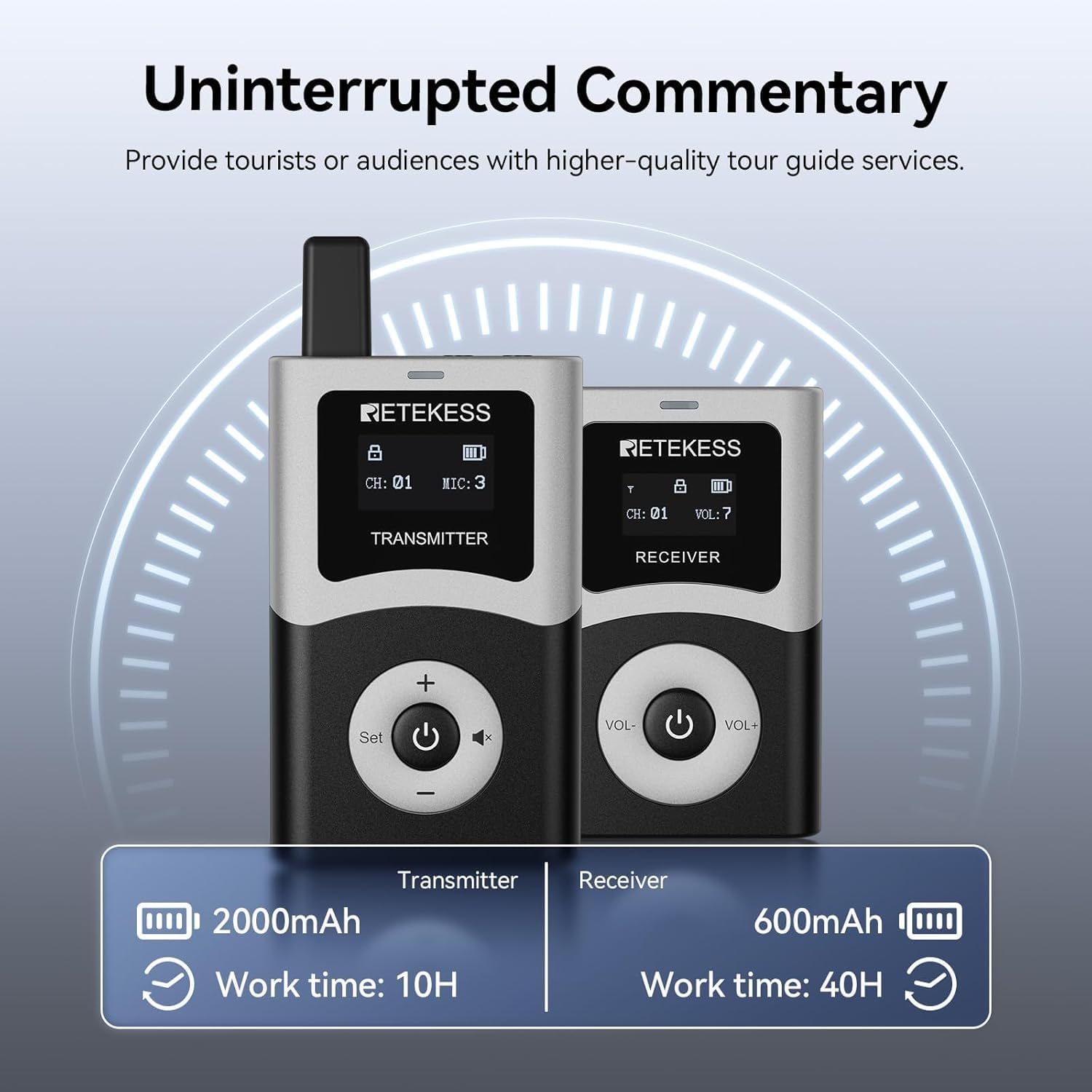
Image: Highlights the long battery life of the transmitter (10H) and receiver (40H).
9. Warranty and Support
The Retekess T130U Wireless Tour Guide System comes with a 12-month guarantee. For any inquiries, technical assistance, or support, please contact our customer service. We offer 24-hour customer support to ensure your satisfaction.


