
Introduction
The Zens 4-in-1 Wireless Charger is a sleek and minimal charging hub designed to seamlessly integrate into any modern space. This device delivers up to 60W of power, keeping your Apple iPhone, Apple Watch, and AirPods organized and ready for use. It features fast wireless charging for your smartphone at 15W, Apple Watch at up to 5W, and AirPods at up to 5W. An additional 60W USB-C port provides flexibility to charge a fourth device via cable. This manual will guide you through the setup, operation, and maintenance of your charging station.
Product Overview
The Zens 4-in-1 Wireless Charger offers comprehensive charging capabilities for multiple Apple devices. Its design prioritizes both aesthetics and functionality, ensuring a clutter-free charging experience.
- 4-in-1 Wireless Charging: MagSafe and Qi2-compatible charger powers your iPhone (15W), Apple Watch (5W), and AirPods (5W) simultaneously.
- Additional USB-C Port: Includes a 60W USB-C port for wired charging of a fourth device.
- Sleek & Modern Design: Minimalist white/silver charging hub designed to blend into any environment.
- Fast & Efficient Charging: Delivers up to 60W total power for quick and reliable charging.
- All-in-One Convenience: Comes with a 65W power adapter (EU/UK/US) and an integrated 1.5m cable for immediate use.

Image: Overview of the Zens 4-in-1 Wireless Charger highlighting its 15W wireless output, 60W USB-C output, and magnetic connection.
Setup
- Unpack the Charger: Carefully remove the Zens 4-in-1 Wireless Charger, 65W power adapter, and integrated 1.5m cable from the packaging.
- Connect Power: Plug the integrated 1.5m cable into the 65W power adapter. Then, plug the power adapter into a suitable wall outlet.
- Position the Charger: Place the charging hub on a flat, stable surface. Ensure there is adequate space around the charger for your devices.
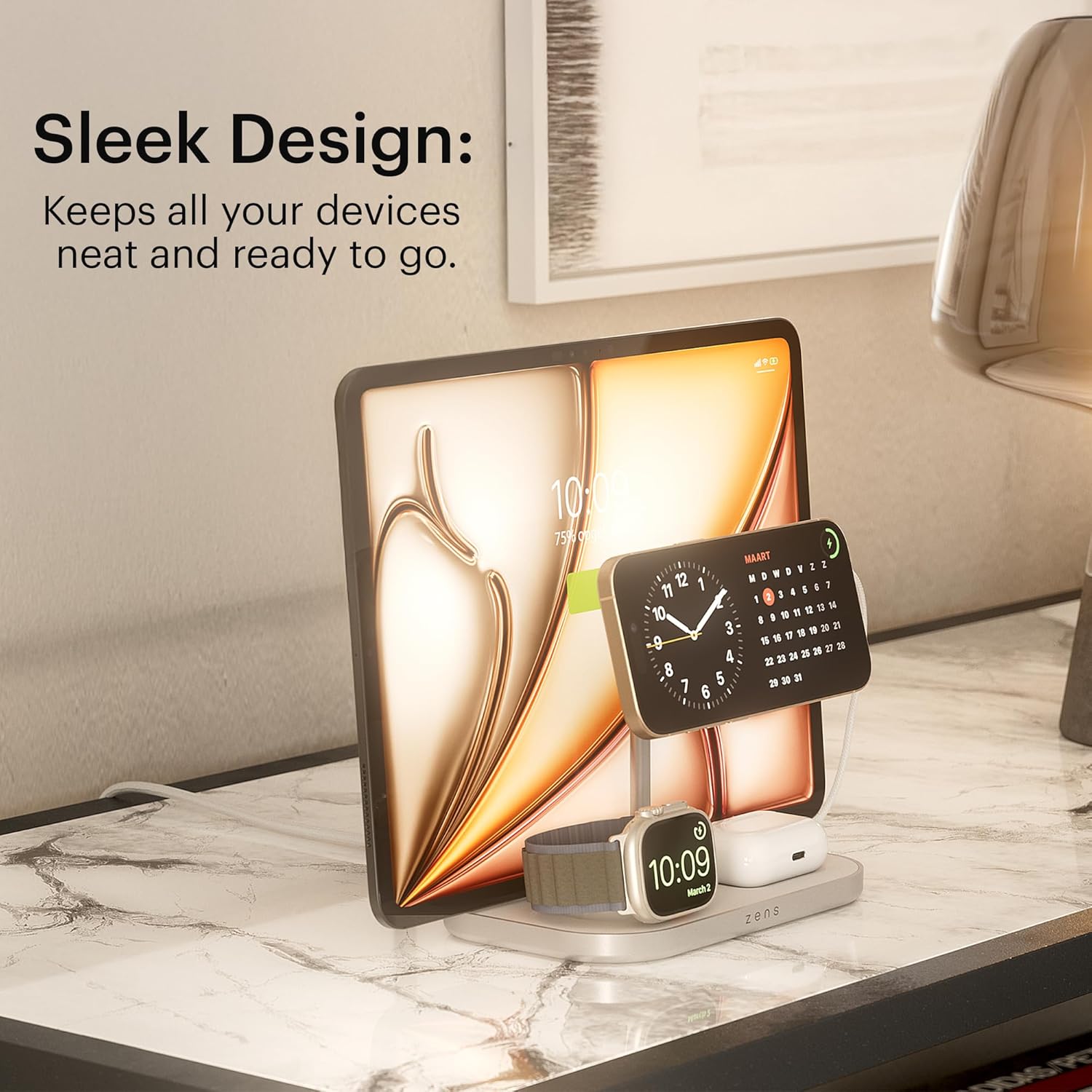
Image: The Zens 4-in-1 Wireless Charger set up on a desk, showcasing its sleek design.
Operating Instructions
Charging Your iPhone (MagSafe & Qi2 Compatible)
- Place your MagSafe or Qi2-compatible iPhone onto the upright magnetic charging pad. The magnets will align your device correctly.
- Ensure the iPhone is centered on the pad for optimal 15W wireless charging.
- The charger supports Apple StandBy mode when the iPhone is placed horizontally.

Image: An iPhone charging on the Zens 4-in-1 Wireless Charger, demonstrating StandBy mode.
Charging Your Apple Watch
- Place your Apple Watch onto the dedicated Apple Watch charging module.
- The module provides up to 5W of power for efficient charging.

Image: Detail of the Apple Watch charging area, indicating 5W output.
Charging Your AirPods
- Place your AirPods (3rd generation AirPods & AirPods Pro 2nd generation) with a MagSafe case onto the flat wireless charging area at the base of the unit.
- The AirPods will receive up to 5W of wireless charging power.
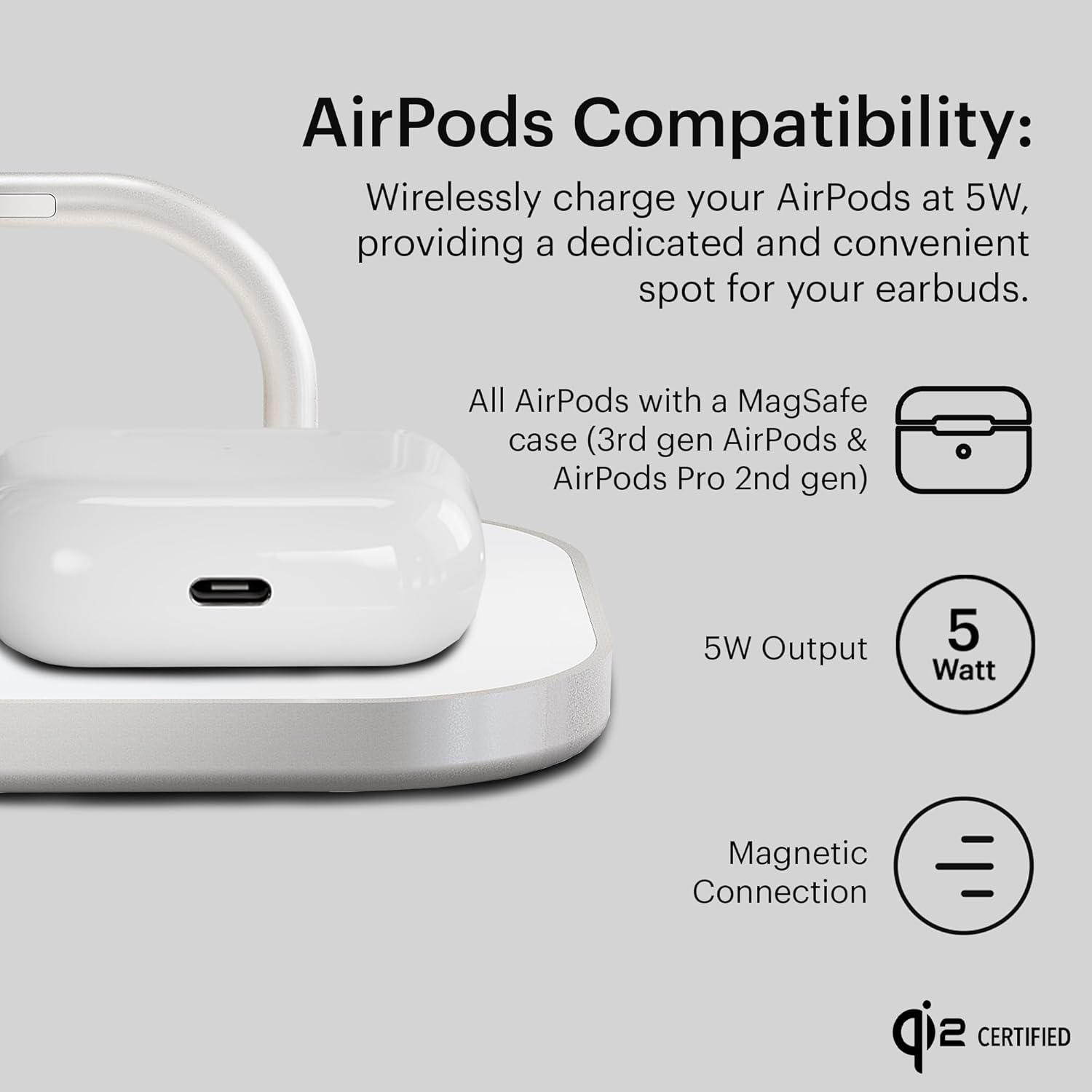
Image: Detail of the AirPods charging area, indicating 5W output and compatible models.
Using the Additional USB-C Port
- Locate the 60W USB-C port on the side of the charging hub.
- Connect a compatible USB-C cable (not included for the fourth device) to this port and to your desired device for wired charging.

Image: The Zens 4-in-1 Wireless Charger, highlighting its premium aluminum construction and the USB-C port.
Maintenance
- Cleaning: Disconnect the charger from the power source before cleaning. Use a soft, dry cloth to wipe the surface of the charger. Avoid using abrasive cleaners, solvents, or aerosol sprays.
- Storage: When not in use for extended periods, store the charger in a cool, dry place away from direct sunlight and extreme temperatures.
- Handling: Handle the charger with care. Avoid dropping it or subjecting it to strong impacts, which could damage internal components.
Troubleshooting
| Issue | Possible Cause | Solution |
|---|---|---|
| Device not charging wirelessly. | Device misalignment, incompatible case, or power issue. | Ensure the device is centered on the charging pad. Remove thick or metallic cases. Verify the power adapter is correctly connected and functioning. |
| Slow charging. | Using a non-compatible power adapter or cable, or device is not optimally placed. | Use the included 65W power adapter. Ensure devices are correctly aligned on their respective charging areas. |
| LED indicator not lighting up. | No power supply or charger malfunction. | Check power connections. Try a different wall outlet. If the issue persists, contact customer support. |
| USB-C port not charging. | Faulty cable or incompatible device. | Try a different USB-C cable. Ensure the device connected to the USB-C port is compatible with 60W charging. |
Specifications
| Brand | ZENS |
| Model Number | ZEDC29W/00 |
| Material Type | High-grade zinc/alloy |
| Wireless Charging Output (iPhone) | Up to 15W (MagSafe & Qi2 compatible) |
| Wireless Charging Output (Apple Watch) | Up to 5W (All Apple Watch Series up to 7.5W) |
| Wireless Charging Output (AirPods) | Up to 5W (3rd generation AirPods & AirPods Pro 2nd generation) |
| USB-C Port Output | 60W |
| Total Wattage | 60 watts |
| Power Source Type | Corded Electric |
| Included Components | 1 adapter, 1 power cable |
| Special Features | Magnetic connection, MagSafe Compatible, Qi2 Certified, Supports Apple StandBy mode |
Warranty and Support
The Zens 4-in-1 Wireless Charger is backed by a 3-year warranty, ensuring long-term reliability and customer satisfaction. For technical support, troubleshooting assistance, or warranty claims, please refer to the contact information provided with your product packaging or visit the official ZENS website.


