
Coolski IM90BX
Coolski Commercial Ice Maker Machine User Manual
Model: IM90BX | Brand: Coolski
Product Overview
The Coolski Commercial Ice Maker Machine is designed for efficient and quiet ice production, suitable for various commercial and home environments. It can produce up to 100 pounds of ice per day and features a 34-pound storage capacity. The unit is equipped with an intelligent control panel for ease of use and maintenance.

Figure 1: Front view of the Coolski Commercial Ice Maker Machine.
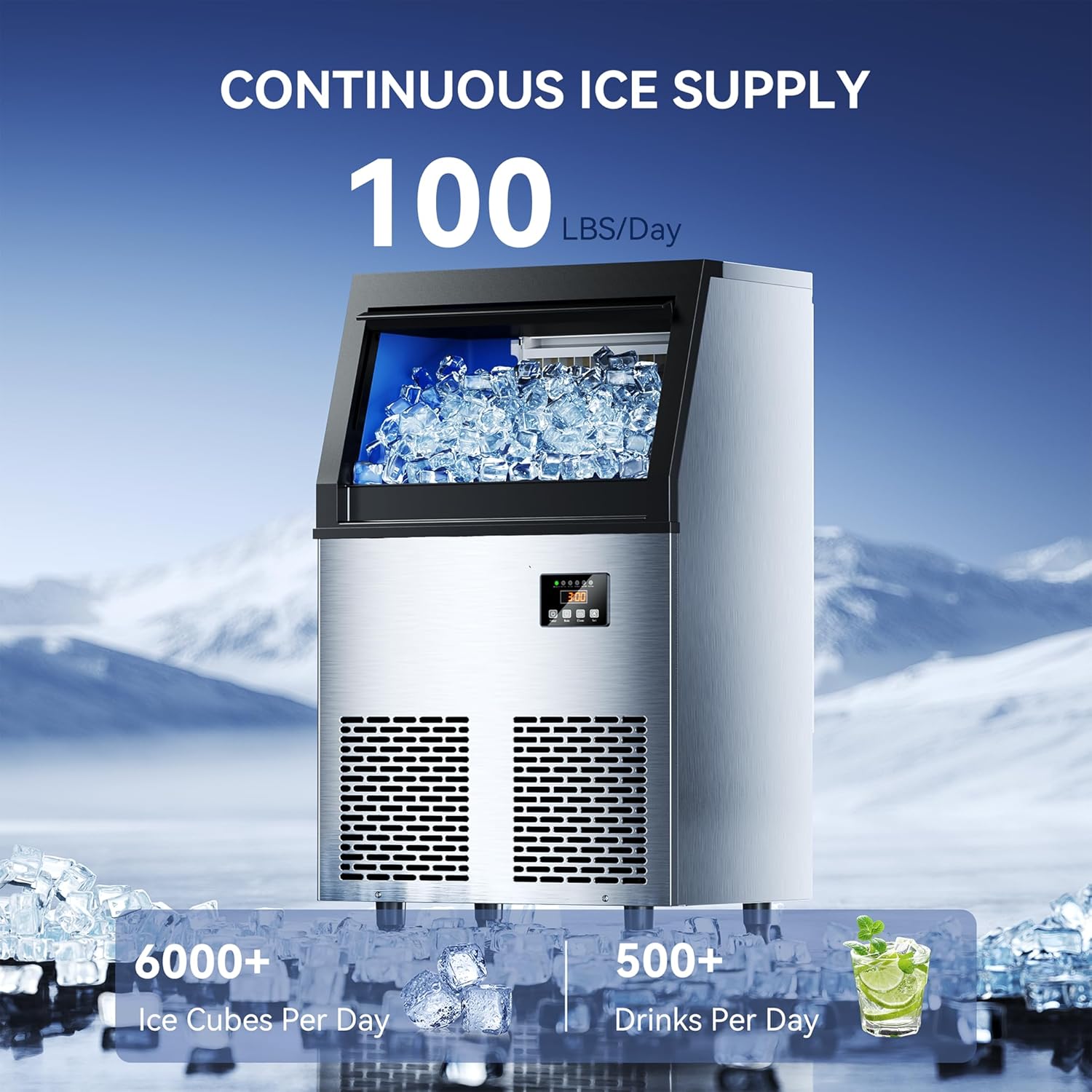
Figure 2: Illustration of continuous ice supply, showing 100 lbs/day production capacity.
Key Features:
- Efficient & Quiet Ice Production: Produces 45 ice cubes per batch, up to 100 lbs daily, with quiet operation.
- Smart Control Panel: LED digital display and mechanical buttons for precise control and ice thickness adjustment.
- Unmatched Insulation Performance: One-piece cyclopentane foam layer and stainless steel exterior maintain ice temperature for 6-8 hours.
- Quality Certifications: ETL and DOE certified for healthy ice production.
Setup and Installation
Before initial use, ensure the unit has been upright for at least 24 hours. The ice maker comes with all necessary accessories for quick setup.
What's in the Box:
- Ice Maker Machine
- Water Filter
- Water Inlet Hose
- Drain Hose
- Ice Scoop
Connection Steps:
- Connect the water inlet hose to a clean water source and to the machine's water inlet.
- Connect the drain hose to the machine's water outlet and route it to a suitable drain.
- Plug the power cord into a grounded electrical outlet.
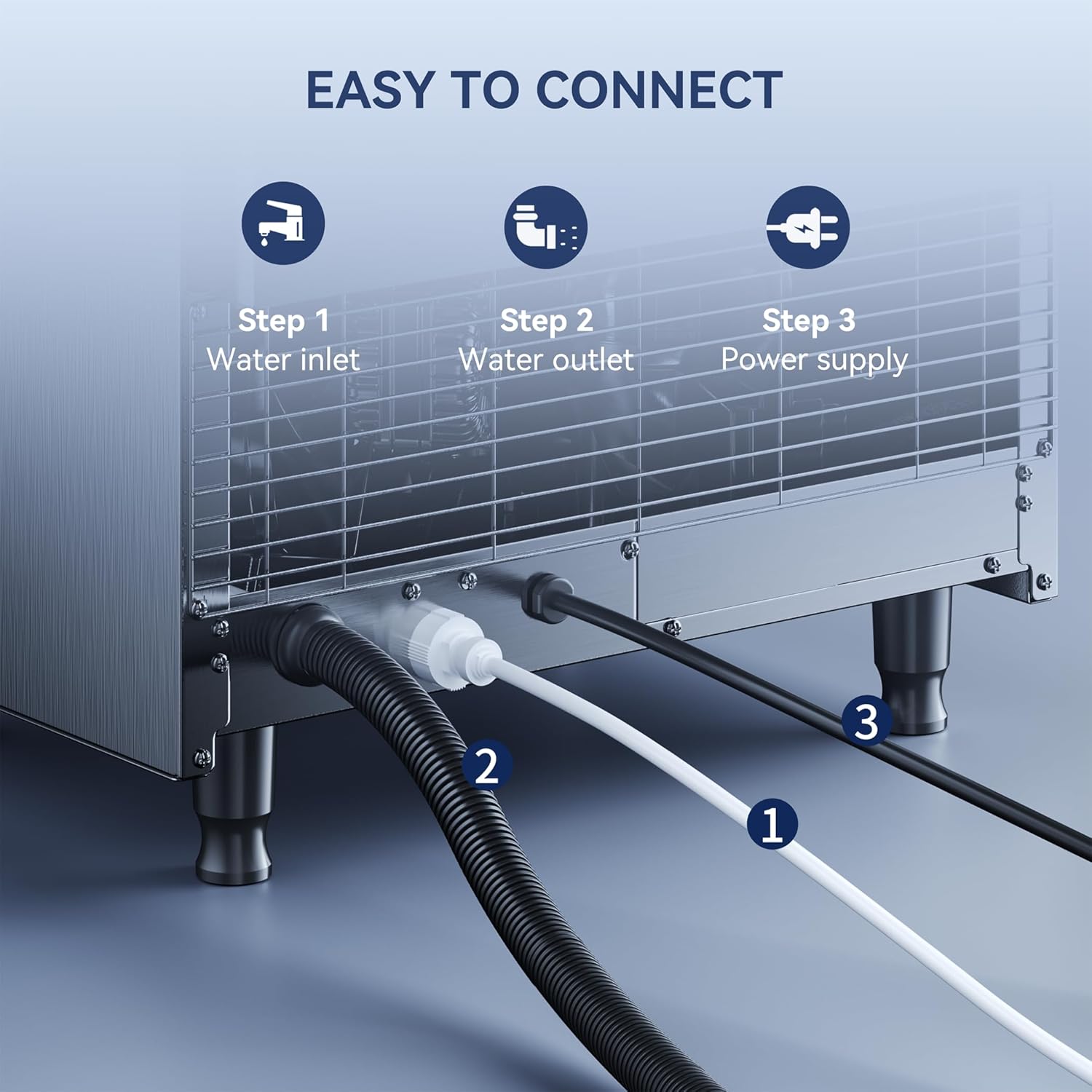
Figure 3: Diagram showing the easy connection points for water inlet, water outlet, and power supply.

Figure 4: Overview of product dimensions and included accessories.
Placement:
The ice maker can be used as a freestanding unit or installed under a counter, adapting to various space requirements.

Figure 5: Examples of freestanding and under-counter placement options.
Operating Instructions
The intelligent operation panel provides intuitive control over the ice-making process.

Figure 6: Detailed view of the LED digital display and control buttons.
Control Panel Functions:
- Power Button: Short press to turn on/off the blue light.
- Mode Button: Used for various settings.
- Clean Button: Long press for 3 seconds to enter or exit the self-cleaning mode.
- Set Button: Press for more than 3 seconds to enter the ice cube thickness setting.
Customizing Ice Cube Thickness:
You can adjust the ice cube thickness to your preference by using the control panel. Ice cubes can be ready in 12, 15, or 18 minutes depending on the selected thickness.

Figure 7: Visual representation of different ice cube thicknesses and their corresponding production times.
Maintenance
Automatic Cleaning Function:
The ice maker features an automatic self-cleaning function for convenient maintenance.
- To start self-cleaning, press and hold the "Clean" button for 3 seconds.
- The cleaning cycle will take approximately 16 minutes to complete.

Figure 8: Illustration of the automatic cleaning process within the ice maker.
General Cleaning:
Regularly wipe down the exterior with a soft, damp cloth. For internal cleaning beyond the automatic cycle, refer to the detailed instructions in the full manual (if provided by manufacturer).
Troubleshooting
This section provides general guidance for common issues. For detailed troubleshooting steps, please refer to the comprehensive manual or contact customer support.
| Problem | Possible Cause | Solution |
|---|---|---|
| No ice production | No water supply, power issue, or high ambient temperature. | Check water connection, ensure power is on, or move to a cooler environment. |
| Ice cubes are too thin/thick | Ice thickness setting needs adjustment. | Use the 'Set' button on the control panel to adjust ice thickness. |
| Machine is noisy | Unit not level, or internal components vibrating. | Ensure the unit is on a stable, level surface. Check for obstructions. |
Specifications
| Feature | Detail |
|---|---|
| Brand | Coolski |
| Model Name | IM90BX |
| Product Dimensions | 15"D x 20"W x 33"H (15 x 20 x 33 inches) |
| Weight | 62 Pounds |
| Ice Production Capacity | 100 lbs/24H |
| Ice Storage Capacity | 34 Pounds |
| Wattage | 255 watts |
| First Available Date | December 19, 2024 |
Efficient Cooling Technology:
The ice maker incorporates efficient cooling technology for optimal performance, featuring environmental protection, a quality compressor, and rapid heat dissipation.

Figure 9: Internal components illustrating the efficient cooling system.
Warranty Information
The Coolski Commercial Ice Maker Machine comes with comprehensive warranty coverage:
- 5-Year Compressor Warranty: Covers the compressor component for five years from the date of purchase.
- 3-Year Parts and Labor Warranty: Covers other parts and labor for three years from the date of purchase.
For detailed terms and conditions, please refer to the warranty card included with your product or contact customer support.
Video 1: An overview of the Coolski Commercial Ice Maker, highlighting its features and warranty.
Customer Support
For any questions, technical assistance, or warranty claims, please contact Coolski customer support through the following channels:
- Visit the official Coolski Store on Amazon: Coolski Store
- Refer to the contact information provided in your product packaging.
Related documentsIM90BX


Ask a question about this manual
Ask about setup, troubleshooting, compatibility, parts, safety, or missing instructions. Manuals+ will review the question and use this page’s manual context to help answer it.