
Introduction
This instruction manual provides essential information for the proper installation, operation, and maintenance of the Sartorius DS050L-R2WL Lid. This lid is specifically designed for use with the Sartorius Biostat RM 50 Rocker Bag Holder, ensuring secure containment and optimal performance in laboratory environments.
Safety Information
Always follow standard laboratory safety procedures when handling and installing this product. Ensure the Biostat RM 50 Rocker Bag Holder is powered off and stable before attempting installation or removal of the lid. Refer to the Biostat RM 50 Rocker Bag Holder's primary manual for its specific safety guidelines.
Unpacking and Inspection
Carefully unpack the Sartorius DS050L-R2WL Lid and inspect it for any signs of damage during transit. Report any damage to the supplier immediately.

Figure 1: The Sartorius DS050L-R2WL Lid securely packaged within its cardboard box, cushioned by white foam inserts.

Figure 2: A closer top-down view of the lid in its packaging, highlighting the design and latching mechanisms.
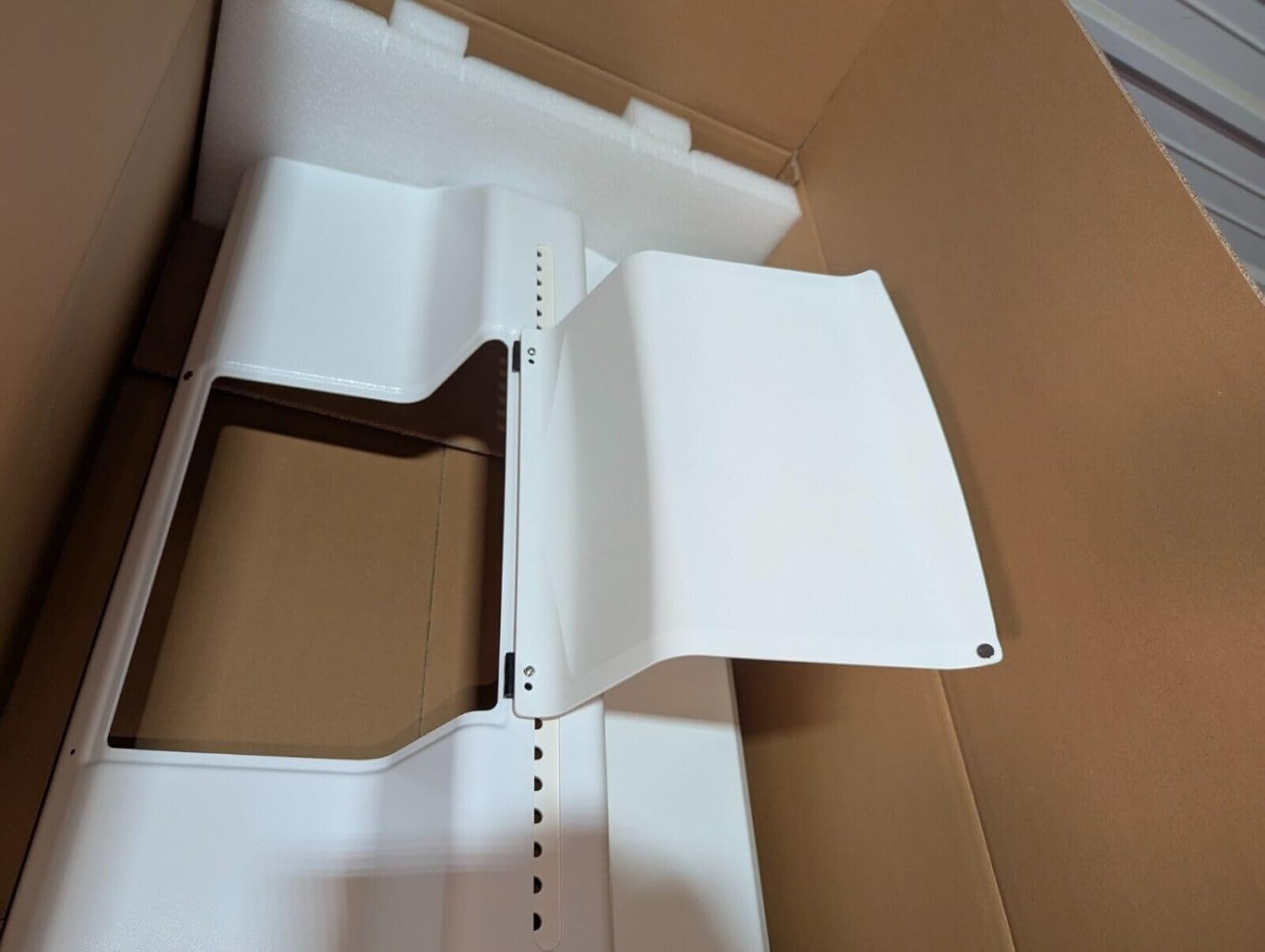
Figure 3: The lid with one of its hinged sections partially open, demonstrating its functional design.

Figure 4: An angled view showing the underside of the lid, still nestled in its foam packaging, indicating potential attachment points.

Figure 5: The shipping box with its top flaps opened, revealing the packaged lid within.

Figure 6: The exterior of the sealed cardboard shipping box, indicating secure transit.

Figure 7: A close-up of the product label on the shipping box, displaying "Sartorius", "White lid for Bag Holder 50 RMII", "Part No.: DS050L-R2WL", "Pcs.: 1", and "Assembled in Switzerland".
Setup and Installation
The Sartorius DS050L-R2WL Lid is designed for straightforward installation onto the compatible Biostat RM 50 Rocker Bag Holder. Ensure the bag holder is clean and free of obstructions before proceeding.
- Prepare the Bag Holder: Ensure the Sartorius Biostat RM 50 Rocker Bag Holder is stable, clean, and powered off.
- Position the Lid: Carefully align the DS050L-R2WL lid over the opening of the bag holder. The lid is designed to fit precisely.
- Secure the Lid: Gently lower the lid into place. Ensure all edges are properly seated. The lid features integrated latches or securing points (refer to Figure 2 and 3) that should engage with the bag holder to provide a secure closure. Apply gentle pressure until the lid is firmly in position.
- Verify Closure: Check that the lid is evenly seated and securely fastened on all sides to prevent contamination or accidental opening during operation.
For detailed instructions on the Biostat RM 50 Rocker Bag Holder itself, please consult its dedicated user manual.
Operating the Lid
The lid provides access to the bag holder while maintaining a controlled environment. Its hinged design allows for partial or full opening as needed.
- Opening the Lid: To open, disengage the latches (if present) and lift the desired section of the lid.
- Closing the Lid: Lower the lid section back into place and ensure the latches are securely engaged. A proper seal is crucial for maintaining sterility and preventing spills.
Maintenance and Cleaning
Regular cleaning and proper maintenance will extend the lifespan of your Sartorius DS050L-R2WL Lid and ensure optimal performance.
- Cleaning: Clean the lid regularly with a mild, non-abrasive laboratory detergent and a soft cloth. Rinse thoroughly with distilled water and dry completely before re-installation.
- Disinfection/Sterilization: Follow your laboratory's standard operating procedures for disinfection or sterilization of surfaces. Ensure any cleaning agents are compatible with the lid's material.
- Inspection: Periodically inspect the lid for any signs of wear, cracks, or damage to the latches or hinges. Replace the lid if any damage is observed that could compromise its function or integrity.
Troubleshooting
This section addresses common issues that may arise during the use of the Sartorius DS050L-R2WL Lid.
| Problem | Possible Cause | Solution |
|---|---|---|
| Lid does not close securely. | Misalignment, obstruction, or damaged latches. |
|
| Lid appears loose after installation. | Improper seating or worn components. |
|
Specifications
- Model: DS050L-R2WL
- Part Number: DS050L-R2WL
- Compatibility: Sartorius Biostat RM 50 Rocker Bag Holder
- Material: White plastic (as observed)
- Assembly Origin: Assembled in Switzerland
- Quantity: 1 piece per package
Warranty Information
Specific warranty details for the Sartorius DS050L-R2WL Lid are not provided in this document. Please refer to your purchase agreement or contact Sartorius directly for warranty terms and conditions.
Customer Support
For technical assistance, spare parts, or further inquiries regarding the Sartorius DS050L-R2WL Lid, please contact your local Sartorius representative or visit the official Sartorius website.
Note: Always provide the model number (DS050L-R2WL) when contacting support for efficient service.