
Jesverty SPS-3020H
Jesverty SPS-3020H DC Power Supply User Manual
Model: SPS-3020H | Brand: Jesverty
1. Introduction
This manual provides detailed instructions for the safe and efficient operation of your Jesverty SPS-3020H DC Power Supply. This device is a variable, regulated bench power supply offering 0-30V and 0-20A output, with a maximum power of 600W. It features an encoder knob for precise adjustments, an output on/off switch, and a 4-digit LED display. Please read this manual thoroughly before use to ensure proper functionality and safety.
2. Safety Instructions
- Always connect the power supply to a grounded electrical outlet.
- Do not operate the device in wet or damp conditions.
- Ensure proper ventilation around the unit to prevent overheating.
- Before connecting or disconnecting loads, ensure the output is turned off.
- Do not attempt to open or modify the power supply. Refer all servicing to qualified personnel.
- Verify the input voltage setting matches your local power supply before connecting the power cord.
3. Product Overview
3.1 Front Panel

Image: Front and rear panel layout of the Jesverty SPS-3020H.
- 4-Digit LED Display: Shows real-time voltage and current output.
- Encoder Knobs (Voltage/Current): Used for precise adjustment of output voltage and current. Press to select digit, rotate to change value.
- Output ON/OFF Switch: Toggles the power output to the terminals.
- Protection Indicators (OVP, OCP): LEDs illuminate when Over Voltage Protection or Over Current Protection is active.
- Output Terminals: Red for positive (+), Black for negative (-).
- Aux Output Terminal: Additional output terminal, typically for lower current applications (e.g., 5A max).
3.2 Rear Panel
- Power Input Socket: For connecting the AC power cord.
- Fuse Holder: Contains the protective fuse.
- Intelligent Cooling Fan: Activates automatically to regulate internal temperature.
4. Setup
- Unpacking: Carefully remove the power supply and all accessories from the packaging. Verify that all items listed in the "What's in the Box" section are present.
- Placement: Place the power supply on a stable, level surface with adequate ventilation. Ensure no objects obstruct the cooling fan vents on the rear and sides.
- Power Connection: Connect the provided power cord to the power input socket on the rear panel of the unit, then plug the other end into a grounded AC power outlet.
- Output Connections: Connect your load to the output terminals. The red terminal is positive (+), and the black terminal is negative (-). Ensure connections are secure.
5. Operating Instructions
5.1 Power On/Off
Toggle the main power switch located on the front panel to the 'ON' position to power on the unit. The LED display will illuminate. To power off, toggle the switch to the 'OFF' position.
5.2 Setting Voltage and Current
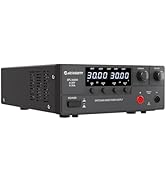
Image: Encoder knob operation for setting values.
- Voltage Adjustment: Press the Voltage encoder knob. A digit on the voltage display will begin to blink. Rotate the knob to change the value of the blinking digit. Press the knob again to move to the next digit. Repeat until the desired voltage is set.
- Current Adjustment: Similarly, press the Current encoder knob. A digit on the current display will blink. Rotate the knob to adjust the value, and press again to select the next digit.
- The setting resolution is 0.01V for voltage and 0.01A for current.
5.3 Output ON/OFF Function
After setting the desired voltage and current, press the 'OUT' button on the front panel to enable or disable the power output to the terminals. This allows you to adjust settings without disconnecting the load or short-circuiting the output.
5.4 Protection Functions (OVP & OCP)

Image: Overcurrent Detection Alarm feature.
- Over Voltage Protection (OVP): This feature protects the connected load from excessive voltage. If the output voltage exceeds a preset limit, the power supply will automatically shut down the output.
- Over Current Protection (OCP): This feature protects the connected load from excessive current. If the output current exceeds a preset limit, the power supply will automatically shut down the output and trigger an alarm.
- The OVP and OCP functions are designed to safeguard your equipment. Refer to the display indicators for active protection status.
5.5 Battery Charging Function
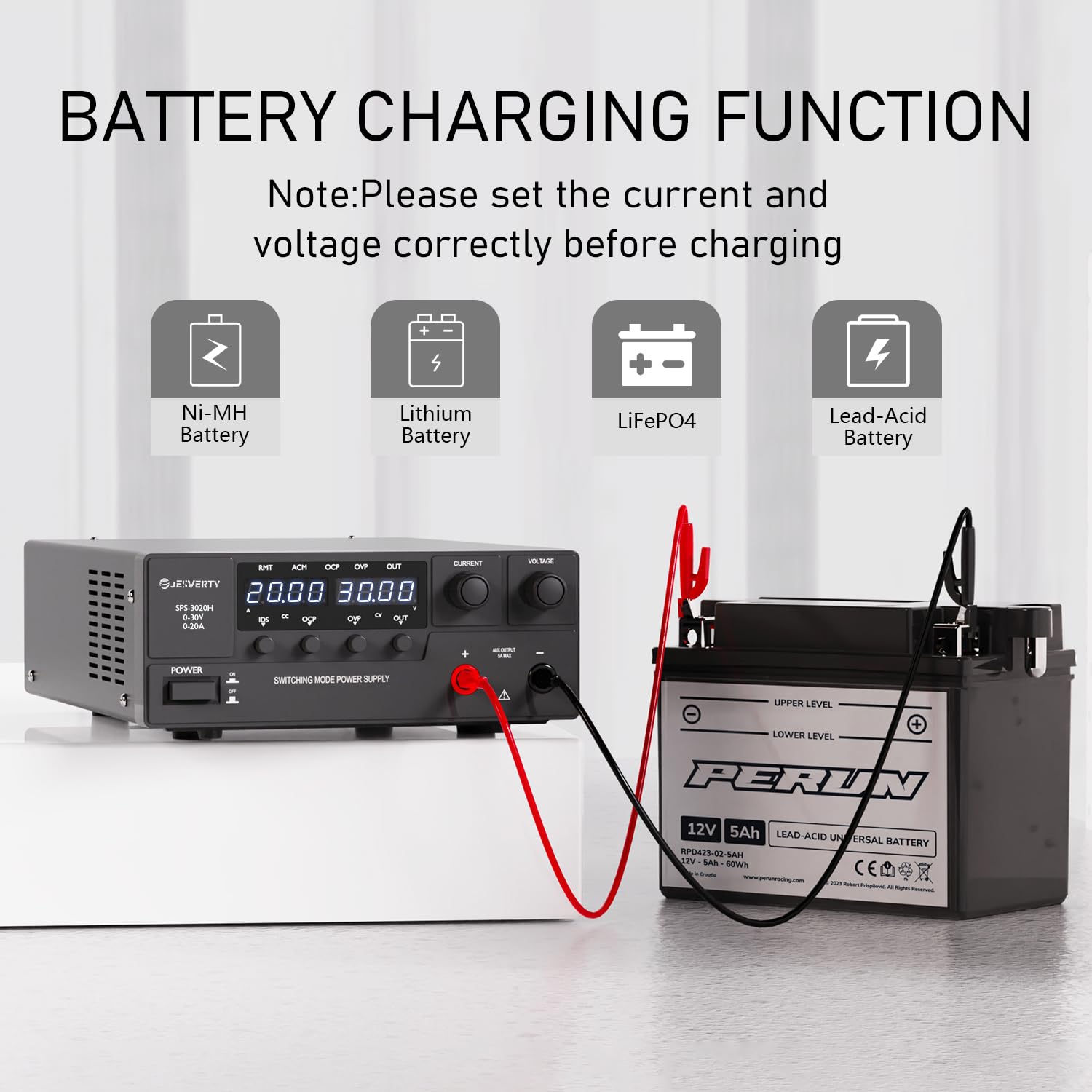
Image: Battery charging function with various battery types.
The Jesverty SPS-3020H can be used for charging various battery types, including Ni-MH, Lithium, LiFePO4, and Lead-Acid batteries. Before charging, ensure you set the correct voltage and current limits appropriate for the battery chemistry and capacity. Always monitor the charging process.
6. Maintenance
- Keep the unit clean and free from dust. Use a soft, dry cloth for cleaning.
- Ensure the ventilation openings are clear of obstructions.
- Store the power supply in a cool, dry environment when not in use.
- Regularly check the power cord and output cables for any signs of damage.
7. Troubleshooting
| Problem | Possible Cause | Solution |
|---|---|---|
| No power when turned on | Power cord not connected; Fuse blown; Main power switch off | Check power cord connection; Replace fuse if necessary; Ensure main power switch is ON. |
| No output voltage/current | Output ON/OFF switch is off; OVP/OCP activated; Load disconnected or faulty | Press the 'OUT' button; Check for OVP/OCP indicators and resolve fault; Verify load connection. |
| Fan not running | Normal operation at low load/temperature | The fan is temperature-regulated and will only activate when needed. This is not a fault. |
| Inaccurate readings | Loose connections; External interference | Ensure all connections are secure; Operate away from strong electromagnetic fields. |
8. Specifications

Image: Physical dimensions of the power supply.
| Feature | Specification |
|---|---|
| Model | SPS-3020H |
| Output Voltage | 0-30V |
| Output Current | 0-20A |
| Output Wattage | 600W |
| Current Rating | 20 Amps |
| Minimum Input Voltage | 120V (AC) |
| Maximum Input Voltage | 240V (AC) |
| Cooling Method | Air (Intelligent Cooling Fan) |
| Item Weight | 3.49 Kilograms (approx. 7.69 Pounds) |
| Package Dimensions | 15.55 x 10.94 x 5.67 inches |
| UPC | 680306176915 |
9. What's in the Box
- 1 x Jesverty SPS-H Unit (SPS-3020H)
- 1 x Power Cord* (Note: Power cords and AC input settings vary by destination)
- 1 x Instruction Manual
10. Warranty and Support
Jesverty provides professional technical support for this product. Should you encounter any problems or have questions regarding your order or the product's operation, please contact Jesverty Customer Service. You can typically reach customer service via the Amazon message system or email.
For further assistance, please refer to the contact information provided with your purchase or visit the official Jesverty brand store on Amazon: Jesverty Store.
Related documentsSPS-3020H


Ask a question about this manual
Ask about setup, troubleshooting, compatibility, parts, safety, or missing instructions. Manuals+ will review the question and use this page’s manual context to help answer it.