
Taurus GRANDEUR TOUCH REC
Taurus GRANDEUR TOUCH REC Blender Instruction Manual
Model: GRANDEUR TOUCH REC | Brand: Taurus
Introduction
The Taurus GRANDEUR TOUCH REC Blender is designed for efficient blending in your kitchen. It features an 800W motor, a 1.5-liter glass jar, and multiple functions for various blending tasks. This manual provides instructions for safe operation, assembly, use, and maintenance of your blender.
Important Safety Instructions
- Read all instructions before using the appliance.
- Do not immerse the motor base in water or other liquids.
- Close supervision is necessary when any appliance is used by or near children.
- Unplug from outlet when not in use, before assembling or disassembling parts, and before cleaning.
- Avoid contact with moving parts.
- Do not operate any appliance with a damaged cord or plug or after the appliance malfunctions or has been dropped or damaged in any manner.
- The use of attachments not recommended or sold by the manufacturer may cause fire, electric shock, or injury.
- Do not use outdoors.
- Do not let cord hang over edge of table or counter or touch hot surfaces.
- Keep hands and utensils out of container while blending to reduce the risk of severe injury to persons or damage to the blender. A scraper may be used but only when the blender is not running.
- Blades are sharp. Handle with care.
- Always operate blender with lid in place.
- Do not blend hot liquids.
Parts and Features
Familiarize yourself with the components of your Taurus GRANDEUR TOUCH REC Blender:
- Motor Base: The main unit housing the 800W motor and control panel.
- Glass Jar (1.5 L): Durable, easy-to-clean container for blending.
- Blade Assembly: Removable stainless steel blades for efficient blending.
- Lid: Airtight lid to prevent spills during operation.
- Measuring Cap: Integrated into the lid, allows adding ingredients during blending.
- Control Panel: Intuitive LED display with touch controls for various functions.
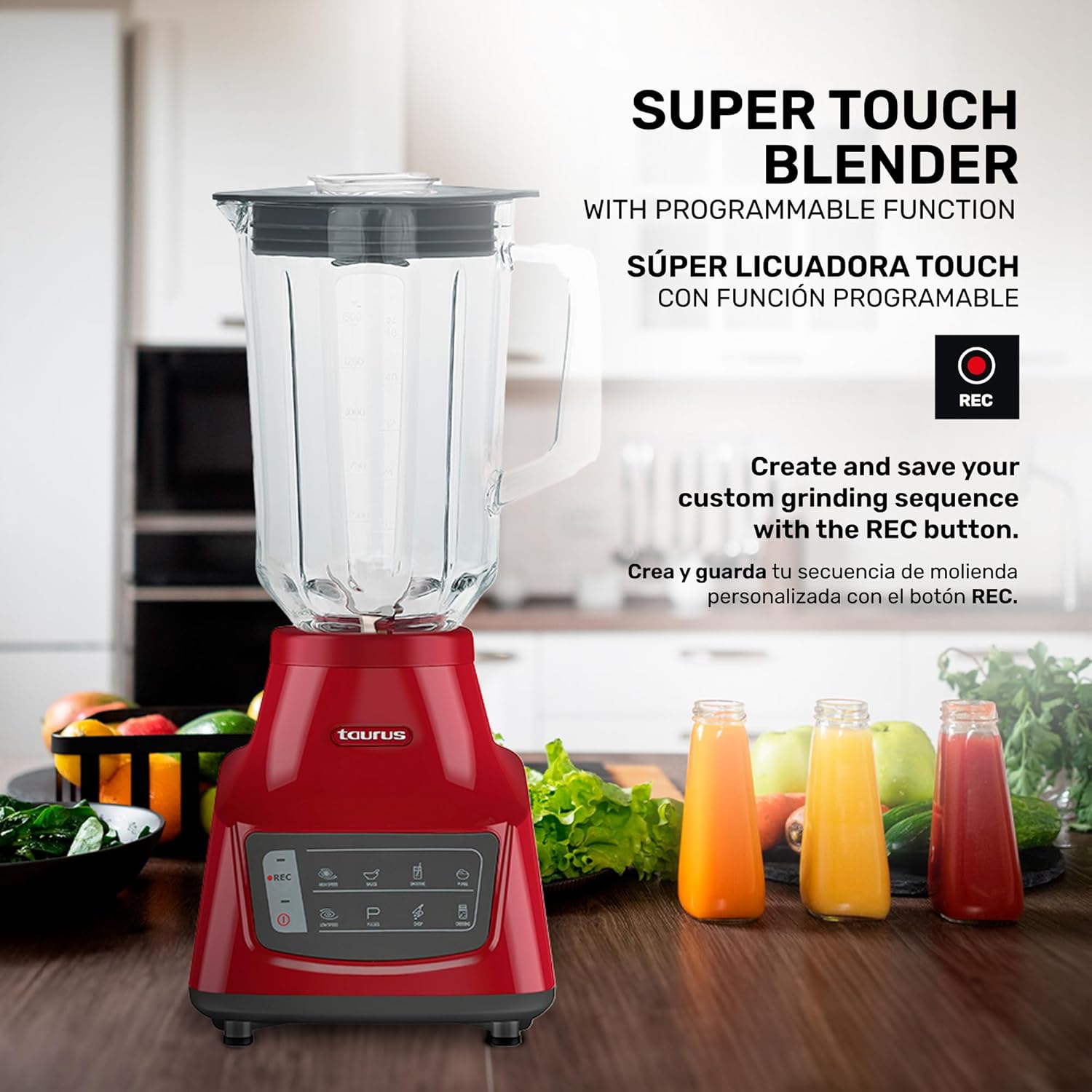
Figure 1: Fully assembled Taurus GRANDEUR TOUCH REC Blender.
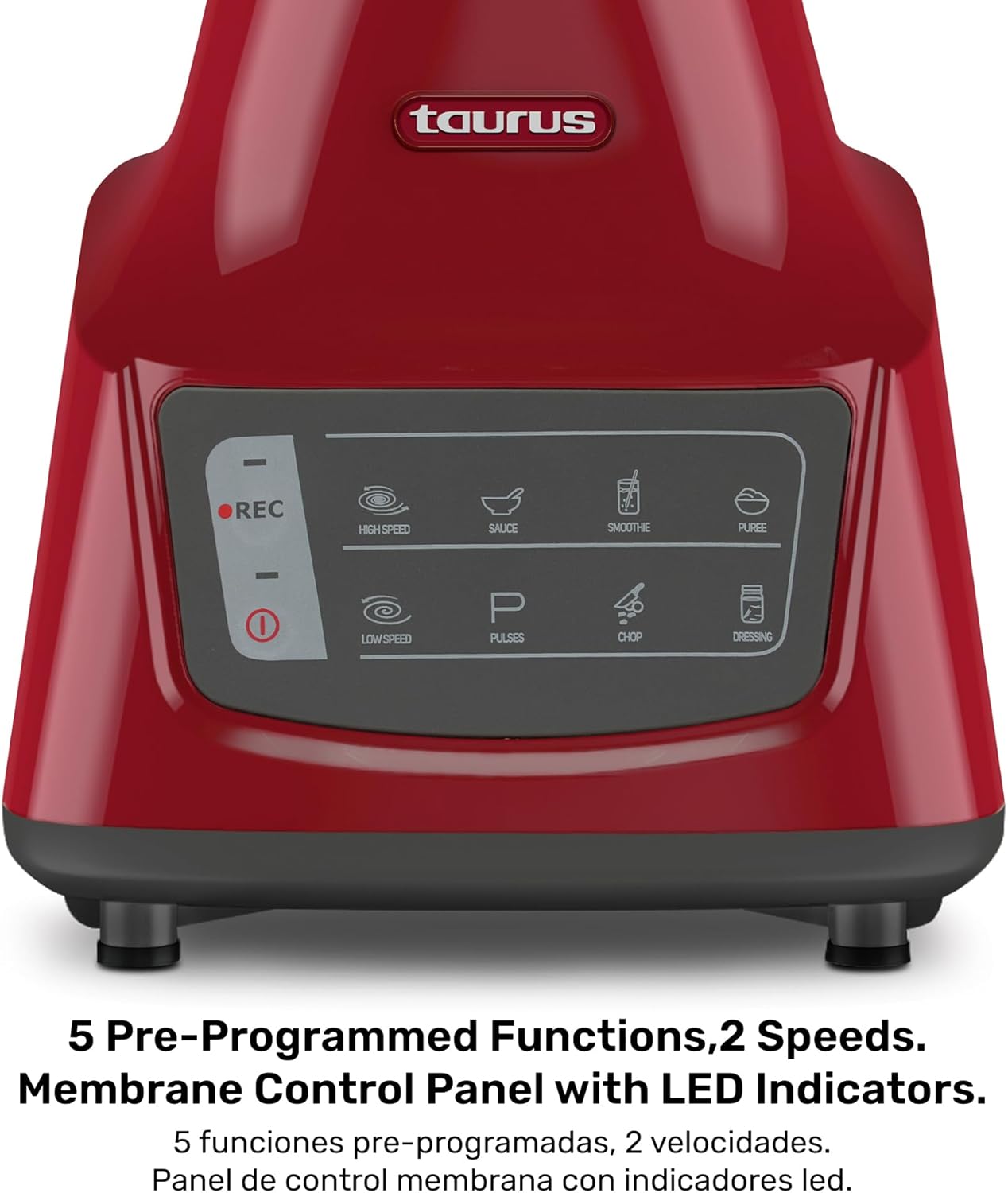
Figure 2: Close-up of the control panel with 5 pre-programmed functions and speed settings.
Setup and Assembly
- Unpack: Carefully remove all components from the packaging.
- Clean: Wash the glass jar, lid, and blade assembly with warm, soapy water before first use. Rinse thoroughly and dry.
- Assemble Blade: Ensure the removable stainless steel blades are securely attached to the base of the glass jar.
- Place Jar: Position the assembled glass jar onto the motor base, ensuring it is seated correctly and stable.
- Secure Lid: Place the airtight lid onto the glass jar and ensure it is firmly closed. Insert the measuring cap into the lid opening.
- Connect Power: Plug the blender into a suitable electrical outlet (127 Volts AC).

Figure 3: Removable stainless steel blades and airtight lid with measuring cap for easy assembly and cleaning.
Operating Instructions
General Blending
- Add ingredients to the glass jar. Do not exceed the maximum fill line.
- Secure the lid and measuring cap.
- Select your desired speed setting (Low or High) using the touch controls.
- Press the "Start" button to begin blending.
- For short bursts of power, use the "Pulse" function.
- To stop blending, press the "Stop" button.
Pre-Programmed Functions
The blender features 5 pre-programmed functions for common blending tasks:
- REC: Custom grinding sequence.
- High Speed: For tough ingredients and quick blending.
- Sauce: Optimized for smooth sauces.
- Smoothie: Ideal for creamy smoothies.
- Puree: For fine purees.
- Low Speed: For delicate ingredients or gentle mixing.
- Pulse: For controlled chopping and mixing.
- Chop: For chopping ingredients.
- Dressing: For emulsifying dressings.
Simply select the desired function from the control panel, and the blender will automatically adjust speed and duration for optimal results.

Figure 4: The blender's 800W power and 1.5L glass jar are suitable for various blending needs.
Cleaning and Maintenance
Daily Cleaning
- Unplug the blender from the power outlet.
- Remove the glass jar from the motor base.
- Disassemble the lid, measuring cap, and blade assembly from the glass jar.
- Wash the glass jar, lid, measuring cap, and blade assembly in warm, soapy water. These parts are also dishwasher safe.
- Wipe the motor base with a damp cloth. Do not immerse the motor base in water.
- Dry all parts thoroughly before reassembling or storing.
Storage
Store the blender in a clean, dry place. Ensure the cord is neatly wrapped or stored to prevent damage.
Troubleshooting
| Problem | Possible Cause | Solution |
|---|---|---|
| Blender does not turn on. | Not plugged in; power outage; jar not correctly seated. | Check power cord; check power supply; ensure jar is securely placed on the base. |
| Ingredients are not blending smoothly. | Too little liquid; too many ingredients; ingredients are too large. | Add more liquid; reduce quantity of ingredients; cut ingredients into smaller pieces. Use Pulse or Turbo function. |
| Blender stops during operation. | Overheating; overload. | Unplug and let cool for 15-20 minutes. Reduce load or add more liquid. |
| Leakage from the bottom of the jar. | Blade assembly not tightened; rubber seal missing or damaged. | Ensure blade assembly is tightly screwed onto the jar; check if the rubber seal is correctly in place and undamaged. |
Specifications
- Brand: Taurus
- Model: GRANDEUR TOUCH REC
- Power: 800W
- Capacity: 1.5 Liters (Glass Jar)
- Control Type: Programmable, Touch Control
- Number of Speeds: 2 (Low, High) + Pulse/Turbo
- Special Features: 5 Pre-Programmed Functions, Removable Stainless Steel Blades, Airtight Lid with Measuring Cap
- Product Dimensions: 7.48"D x 7.08"W x 15.35"H
- Item Weight: 6.04 pounds
- Voltage: 127 Volts (AC)
- Blade Material: Stainless Steel
- Container Material: Glass
- Color: RED
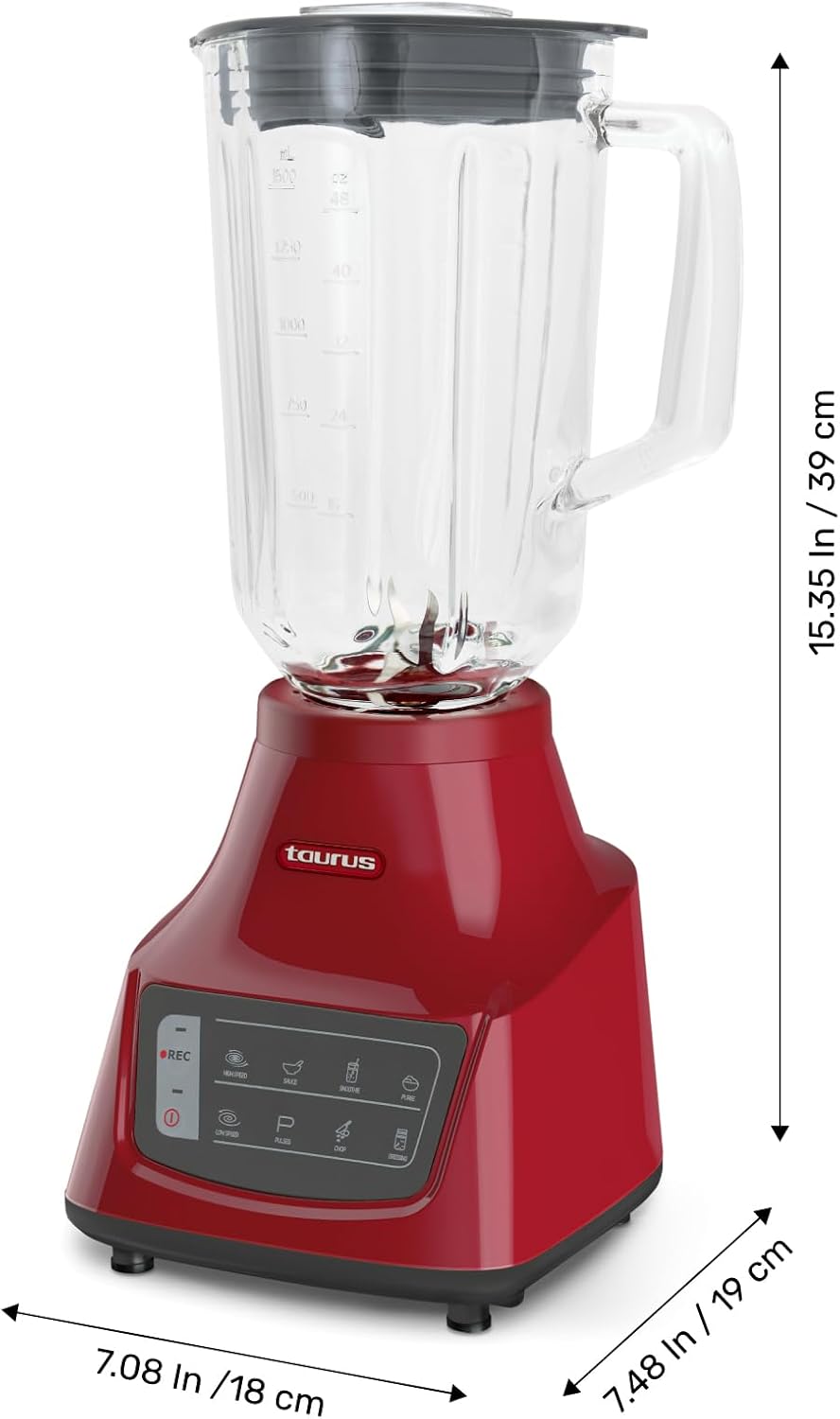
Figure 5: Product dimensions for the Taurus GRANDEUR TOUCH REC Blender.
Warranty and Support
For warranty information, please refer to the warranty card included in your product packaging. For technical support, spare parts, or service, please contact Taurus customer service through their official website or the contact details provided in your product documentation.
Keep your purchase receipt as proof of purchase for any warranty claims.
Ask a question about this manual
Ask about setup, troubleshooting, compatibility, parts, safety, or missing instructions. Manuals+ will review the question and use this page’s manual context to help answer it.