
1. Introduction
This manual provides instructions for the safe and effective use of your Hooga Red Light Therapy Mask, Face & Neck Combo. This device utilizes advanced Tri-Chip LEDs to deliver specific wavelengths of red light (630nm, 660nm) and near-infrared light (850nm) to the face and neck areas. Please read this manual thoroughly before first use and retain it for future reference.
2. Important Safety Information
Always follow basic safety precautions when using electrical products to reduce the risk of fire, electric shock, and personal injury.
- Do not use this device if you are pregnant, have epilepsy, or are taking medications that cause photosensitivity without consulting a healthcare professional.
- Avoid direct eye exposure to the LED lights. While the light is generally safe, prolonged direct exposure may cause discomfort.
- Keep the device away from water and moisture. Do not operate with wet hands.
- Do not use the device on broken, irritated, or infected skin.
- Keep out of reach of children.
- Do not attempt to disassemble or repair the device yourself. Contact customer support for assistance.
- Use only the provided USB-C charging cable and controller.
- If you experience any discomfort or adverse reactions, discontinue use immediately and consult a healthcare professional.
3. Product Components
Your Hooga Red Light Therapy Mask package includes the following items:
- Hooga Red Light Therapy Face Mask
- Hooga Red Light Therapy Neck Piece
- USB-C Rechargeable Controller
- Adjustable Head Straps
- Adjustable Neck Straps
- USB-C Charging Cable
- Storage Bag
- User Manual (this document)

Image: All components of the Hooga Red Light Therapy Mask and Neck Piece, including the face mask, neck piece, controller, straps, and charging cable.

Image: The Hooga Red Light Therapy Face Mask and the detachable Neck Piece shown separately, highlighting their flexible design and LED placement.
4. Specifications
| Feature | Detail |
|---|---|
| LED Wavelengths | 630nm (Red), 660nm (Red), 850nm (Near-Infrared) |
| LED Type | Tri-Chip LEDs |
| Power Source | USB-C Rechargeable Controller (1 Lithium Ion battery included) |
| Irradiance | 50mW/cm² surface irradiance |
| Recommended Dosing | 5-10 minutes daily |
| Dimensions (Package) | 13.98 x 10.59 x 2.24 inches |
| Weight (Package) | 1 pound |
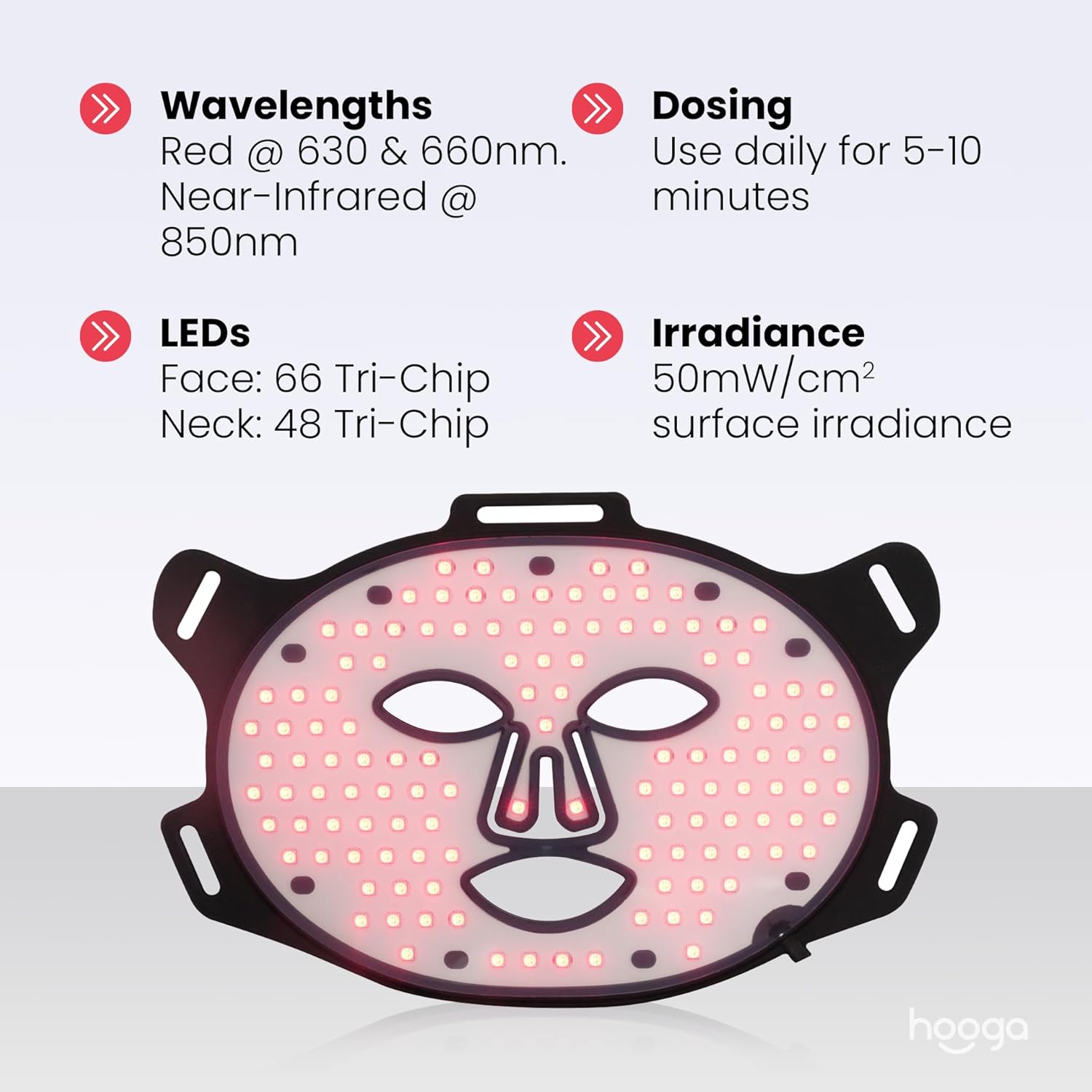
Image: A graphic detailing the technical specifications of the Hooga Red Light Therapy Mask, including LED wavelengths (630nm, 660nm, 850nm), LED count (Face: 66, Neck: 48 Tri-Chip), recommended dosing (5-10 minutes daily), and irradiance (50mW/cm²).
5. Setup
Follow these steps to prepare your Hooga Red Light Therapy Mask for use:
- Charge the Controller: Connect the USB-C charging cable to the controller and a suitable USB power adapter (not included). The controller's display will indicate charging status. Ensure the controller is fully charged before first use.
- Attach Straps: Secure the adjustable head straps to the designated loops on the face mask. Similarly, attach the neck straps to the neck piece. Ensure they are firmly fastened.
- Connect Mask and Neck Piece (Optional): If using both the face mask and neck piece simultaneously, connect them using the provided connectors.
- Connect Controller: Plug the mask's power cable into the USB-C port on the rechargeable controller.
6. Operating Instructions
To begin your red light therapy session:
- Cleanse Skin: Gently clean and dry your face and neck before starting your treatment. Remove any makeup or skincare products that may block light penetration.
- Secure the Mask: Place the face mask comfortably on your face and the neck piece around your neck. Adjust the straps to ensure a snug yet comfortable fit. The mask should sit securely without feeling too tight.
- Power On: Press and hold the power button on the controller to turn on the device. The LEDs will illuminate, and the display will show the default treatment time.
- Select Treatment Mode (if applicable): If your device offers different modes (e.g., red light only, near-infrared only, or combined), use the mode selection button on the controller to cycle through the available options.
- Adjust Time: Use the timer buttons on the controller to set your desired treatment duration. The recommended session time is 5-10 minutes daily.
- Begin Treatment: Once the time is set, the device will automatically begin the countdown. Relax during your session.
- End Session: The device will automatically turn off once the timer expires. You can also manually turn it off by pressing and holding the power button.
- Consistency: For optimal results, use the mask consistently for 5-10 minutes, 3-5 times per week.
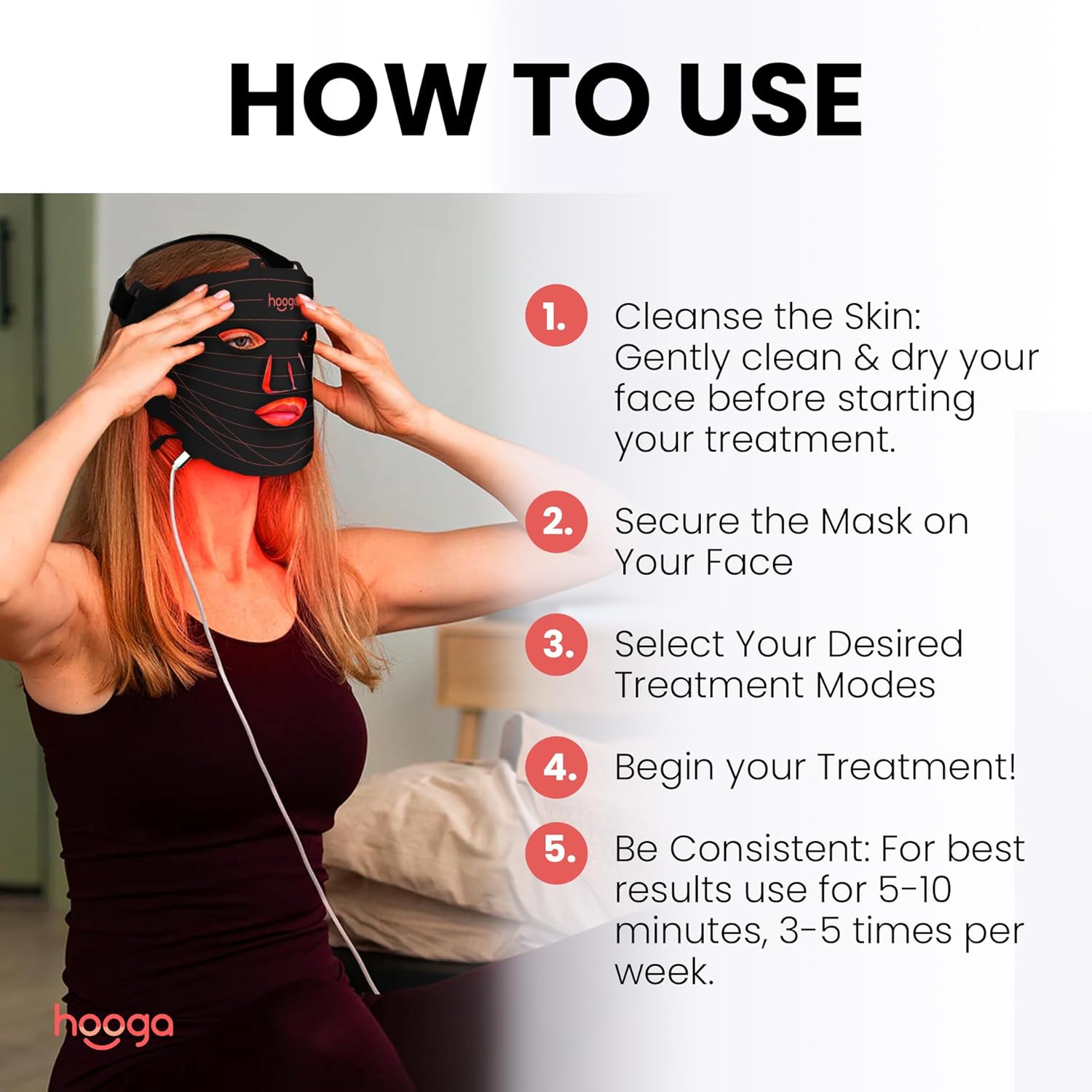
Image: A step-by-step guide on how to use the Hooga Red Light Therapy Mask, including cleansing skin, securing the mask, selecting treatment modes, beginning treatment, and maintaining consistency.
7. Maintenance and Care
Proper maintenance ensures the longevity and optimal performance of your device:
- Cleaning: After each use, gently wipe the mask and neck piece with a soft, damp cloth. Do not use abrasive cleaners, alcohol, or harsh chemicals. Ensure the device is completely dry before storing.
- Storage: Store the device in a cool, dry place, away from direct sunlight and extreme temperatures. Use the provided storage bag to protect it from dust and damage.
- Battery Care: To maintain battery health, avoid fully discharging the controller frequently. Charge it regularly, even if not in constant use.
8. Troubleshooting
If you encounter any issues with your Hooga Red Light Therapy Mask, refer to the following common problems and solutions:
- Device does not turn on:
- Ensure the controller is fully charged.
- Check that the mask's power cable is securely connected to the controller.
- Press and hold the power button for a few seconds to ensure it registers.
- LEDs are dim or flickering:
- The battery level might be low. Recharge the controller.
- Ensure all connections are secure.
- Controller display is not working:
- Try charging the controller.
- If the issue persists after charging, contact customer support.
- Mask feels uncomfortable:
- Adjust the head and neck straps to find a comfortable fit. The straps are designed to be adjustable.
- Ensure the mask is positioned correctly on your face and neck.
If you experience a problem not listed here, or if the suggested solutions do not resolve the issue, please contact Hooga customer support.
9. Warranty Information
Hooga products are manufactured with quality and durability in mind. For specific warranty details regarding your Hooga Red Light Therapy Mask, please refer to the warranty card included in your product packaging or visit the official Hooga website. Keep your proof of purchase for warranty claims.
10. Customer Support
For technical assistance, troubleshooting, or general inquiries about your Hooga Red Light Therapy Mask, please contact Hooga customer support through their official website or the contact information provided in your product documentation.
Manufacturer: Hooga
Legal Disclaimer: Statements regarding dietary supplements have not been evaluated by the FDA and are not intended to diagnose, treat, cure, or prevent any disease or health condition. This device is intended for general wellness and cosmetic purposes.