
Introduction
This manual provides detailed instructions for the setup, operation, and maintenance of your PopBloom K212 Foldable Bluetooth Keyboard. Please read this manual thoroughly before using the product to ensure proper function and longevity.
Package Contents
Verify that all items listed below are included in your package:
- 1 x PopBloom K212 Foldable Bluetooth Keyboard
- 1 x Protective Carrying Case
- 1 x Type-C Charging Cable
- 1 x User Manual (this document)

Image: The PopBloom K212 Foldable Bluetooth Keyboard in Elegant Blue-Black, shown with its protective carrying case, Type-C charging cable, and user manual.
Product Overview
The PopBloom K212 is a compact, foldable Bluetooth keyboard designed for portability and ease of use across multiple operating systems. It features a scissor-foot key structure for quiet and comfortable typing.

Image: The PopBloom K212 Foldable Bluetooth Keyboard shown in both its compact folded state and its fully unfolded, ready-to-use configuration.

Image: An exploded view diagram illustrating the internal scissor-foot key structure, which contributes to quiet and comfortable keystrokes.
Setup
1. Charging the Keyboard
Before initial use, fully charge the keyboard. Connect the provided Type-C charging cable to the keyboard's charging port and the other end to a USB power source (e.g., computer, wall adapter).
- Charging Time: Approximately 2 hours for a full charge.
- Battery Life: Up to 48 hours of continuous operation or 180 days standby time.
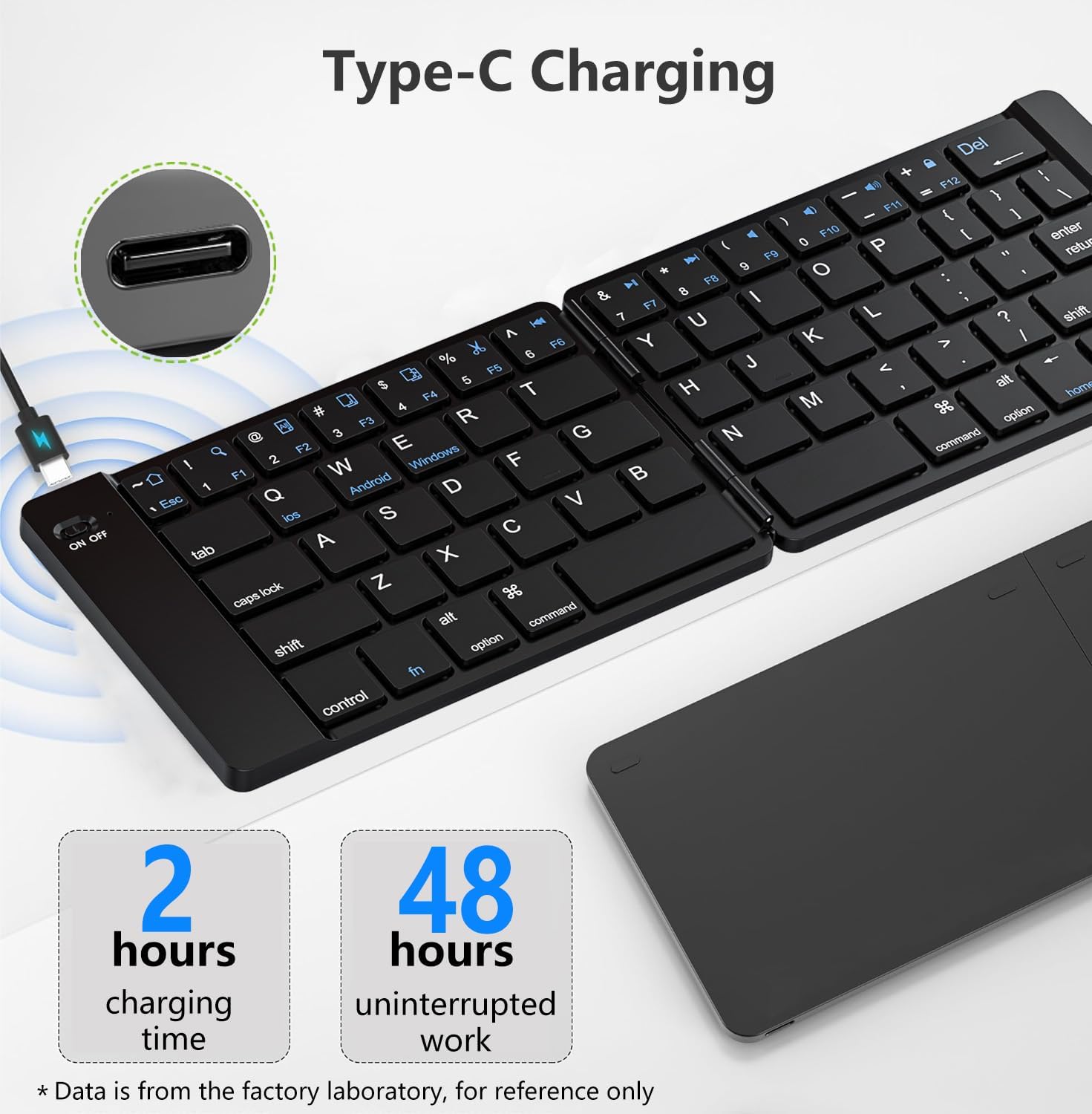
Image: The PopBloom K212 keyboard being charged via its Type-C port, with an indicator showing 2 hours charging time for 48 hours of uninterrupted work.
2. Bluetooth Pairing
Follow these steps to connect your keyboard to your device:
- Unfold the keyboard to power it on. The indicator light will illuminate.
- Press the Fn + C keys simultaneously to enter Bluetooth pairing mode. The Bluetooth indicator light will flash.
- On your device (smartphone, tablet, laptop), enable Bluetooth and search for available devices.
- Select "PopBloom Keyboard" (or similar name) from the list of found devices.
- If prompted, enter the pairing code displayed on your device using the keyboard and press Enter.
- Once connected, the Bluetooth indicator light on the keyboard will stop flashing and remain solid or turn off, indicating successful pairing.
Operating Instructions
1. System Switching
The keyboard supports iOS, Android, and Windows operating systems. Switch between modes for optimal compatibility:
- For iOS devices: Press Fn + Q
- For Android devices: Press Fn + W
- For Windows devices: Press Fn + E

Image: A close-up of the keyboard highlighting the 'Fn' key and the 'Q', 'W', 'E' keys, indicating their use for switching between iOS, Android, and Windows modes respectively.
2. Multimedia Function Keys
The top row of keys (F1-F12) can be used as multimedia function keys when pressed in combination with the Fn key. Specific functions may vary slightly depending on your operating system.
- Fn + F1: Home
- Fn + F2: Search
- Fn + F3: Select All
- Fn + F4: Copy
- Fn + F5: Paste
- Fn + F6: Cut
- Fn + F7: Previous Track
- Fn + F8: Play/Pause
- Fn + F9: Next Track
- Fn + F10: Mute
- Fn + F11: Volume Down
- Fn + F12: Volume Up

Image: A visual representation of the keyboard's top row, highlighting the multimedia function icons associated with the F1-F12 keys when used with the 'Fn' modifier.
3. Folding and Unfolding
The keyboard is designed to fold compactly for portability. Gently fold or unfold the keyboard along its hinge. The magnetic mechanism will assist in securing it in the folded or unfolded position.

Image: A sequence illustrating the magnetic folding action of the keyboard, demonstrating its compact storage capability and durability over many folds.
Maintenance
To ensure the longevity and optimal performance of your keyboard, follow these maintenance guidelines:
- Cleaning: Use a soft, dry cloth to wipe the keyboard surface. For stubborn dirt, a slightly damp cloth with mild soap can be used, ensuring no liquid enters the keyboard.
- Storage: When not in use, fold the keyboard and store it in the provided protective carrying case to prevent dust and scratches.
- Avoid Extremes: Do not expose the keyboard to extreme temperatures, direct sunlight, or high humidity.
- Charging: Use only the provided Type-C cable or a certified equivalent for charging.

Image: The black protective carrying case with a brown accent, designed to store and protect the folded keyboard, featuring a Velcro closure for full protection.
Troubleshooting
If you encounter issues with your PopBloom K212 keyboard, refer to the following common solutions:
- Keyboard not turning on: Ensure the keyboard is fully charged.
- Unable to pair via Bluetooth:
- Ensure the keyboard is in pairing mode (Bluetooth indicator flashing).
- Make sure Bluetooth is enabled on your device.
- Move the keyboard closer to your device.
- Forget the keyboard from your device's Bluetooth settings and attempt to re-pair.
- Restart both the keyboard (fold and unfold) and your device.
- Keys not responding or typing incorrectly:
- Check if the correct operating system mode is selected (Fn + Q/W/E).
- Ensure the keyboard is fully charged.
- Reconnect the Bluetooth connection.
- Short battery life: Ensure the keyboard is fully charged before use. Battery performance can degrade over time with extensive use.
Specifications
| Feature | Detail |
|---|---|
| Model Number | K212 Foldable Keyboard |
| Connectivity Technology | Bluetooth |
| Compatible Devices | iOS, Android, Windows (Smartphone, Tablet, Laptop) |
| Keyboard Description | Ergonomic, Scissor-foot key structure |
| Special Features | Foldable, Lightweight, Portable, Rechargeable, Quiet keys |
| Material | Plastic |
| Product Dimensions (Unfolded) | 12"L x 4"W x 0.3"H (30.48 cm x 10.16 cm x 0.76 cm) |
| Item Weight | 9.1 ounces (258 grams) |
| Battery Type | Nonstandard Battery (Rechargeable Lithium) |
| Charging Port | Type-C |
| Charging Time | < 2 Hours |
| Continuous Operation Time | Up to 48 Hours |
| Standby Time | Up to 180 Days |
Warranty and Support
PopBloom provides comprehensive customer support for its products. If you have any questions or require assistance, please contact us:
- Email Support: 24-hour email response service.
- Technical Support: Lifetime technical support is available.
- Satisfaction Service: PopBloom offers 100% satisfaction service.
Please refer to your purchase documentation or the PopBloom official website for specific warranty terms and contact information.