
1. Introduction
This instruction manual provides essential information for the safe and effective installation and use of your Duotipa A3018 replacement battery, compatible with iPhone 15 series devices. Please read this manual thoroughly before proceeding with installation.
The Duotipa A3018 battery is designed to be perfectly compatible with the original battery of your iPhone 15 series, offering a brand new, high-quality solution to power issues.
1.1. Compatibility
This battery is compatible with the following iPhone 15 series models:
- iPhone 15 Model A3090
- iPhone 15 Model A2846
- iPhone 15 Model A3089
- iPhone 15 Model A3092
Please verify your device model number before purchasing and installing the battery.
2. Package Contents
Your Duotipa A3018 replacement battery package includes the following items:
- 1 x Duotipa A3018 Replacement Battery
- 1 x Professional Tool Kit for Installation
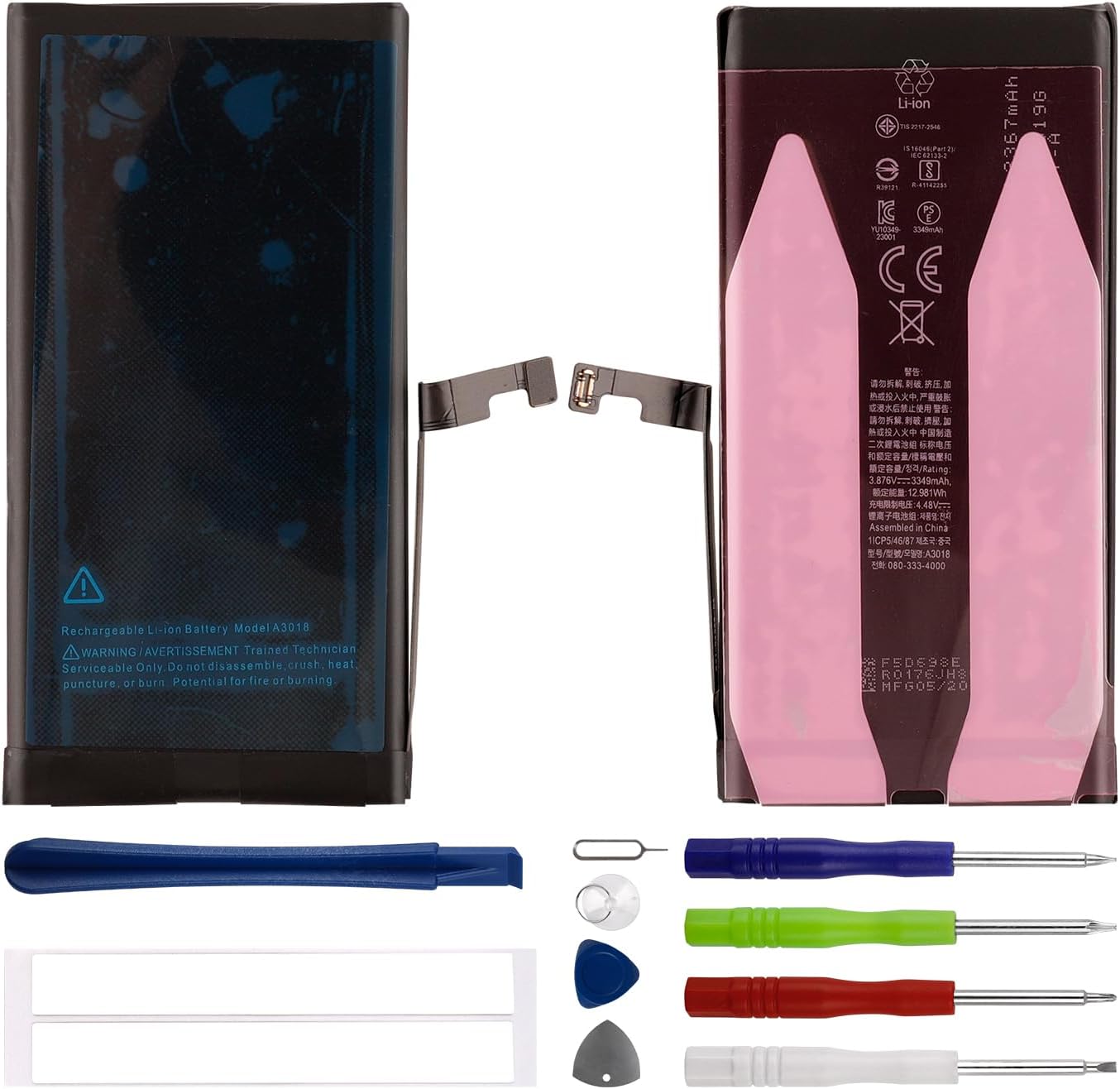
Image 2.1: Contents of the Duotipa A3018 replacement battery package, showing the battery and the included repair tools.

Image 2.2: A detailed view of the professional tool kit provided for battery installation, including various screwdrivers, prying tools, and a suction cup.
3. Safety Information and Warnings
Please observe the following safety precautions to prevent damage to your device or personal injury:
- Trained Technician Serviceable Only: Battery replacement should ideally be performed by a trained technician. If you choose to install it yourself, proceed with extreme caution.
- Do Not Disassemble: Do not attempt to disassemble, crush, heat, puncture, or burn the battery. This can lead to fire or explosion.
- Overheating Protection: The battery features built-in microchip protection against overcharging, over-discharging, and overheating to ensure safety and extend battery life.
- Original Charger: Always use the original charger for your device. Using incompatible chargers can negatively impact battery life and safety.
- Professional Installation Recommended: While a tool kit is provided, we strongly recommend professional installation to avoid damaging your device during the process.

Image 3.1: Front view of the Duotipa A3018 battery, showing the warning label indicating "Trained Technician Serviceable Only" and precautions against disassembly, crushing, heating, puncturing, or burning.
4. Setup and Pre-Installation
- Backup Your Device: Before starting any repair, it is highly recommended to back up all data on your iPhone to prevent data loss.
- Discharge Battery: For safety, discharge your iPhone's battery below 25% before beginning the replacement process. A fully charged lithium-ion battery can be dangerous if accidentally punctured.
- Power Off Device: Ensure your iPhone is completely powered off before proceeding.
- Gather Tools: Organize the provided tool kit and ensure you have a clean, well-lit workspace.
- Watch Tutorial Videos: As there are no printed installation instructions, it is crucial to watch comprehensive tutorial videos on platforms like YouTube. Search for "iPhone 15 battery replacement guide" to find relevant visual instructions.
5. Installation Guide
The following is a general outline of the battery replacement process. Detailed visual instructions are best followed via online video tutorials.
- Remove Pentalobe Screws: Use the appropriate screwdriver from the kit to remove the two pentalobe screws located at the bottom edge of the iPhone, next to the charging port.
- Heat and Open Display: Carefully apply heat to the edges of the iPhone's display to soften the adhesive. Use the suction cup and prying tools to gently separate the display assembly from the phone's body. Be extremely careful not to damage internal cables.
- Disconnect Battery Connector: Once the display is partially open, locate the battery connector. Use a plastic prying tool to carefully disconnect it from the logic board. This is a critical step to prevent short circuits.
- Remove Adhesive Strips: The original battery is secured with adhesive strips. Carefully pull these strips out from underneath the battery. If they break, you may need to gently pry the battery out.
- Install New Battery: Place the new Duotipa A3018 battery into the battery tray. Ensure it sits flush.
- Connect New Battery: Reconnect the new battery's connector to the logic board.
- Test Functionality: Before fully reassembling, briefly power on the iPhone to ensure the new battery is recognized and the device functions correctly. Power off the device again.
- Reassemble Device: Carefully re-seat the display assembly, ensuring all clips and connections are aligned. Apply new adhesive if necessary (not included). Reinsert the pentalobe screws.
Important: Refer to a specific video tutorial for your iPhone 15 model for precise steps and visual guidance. Incorrect installation can lead to device damage.
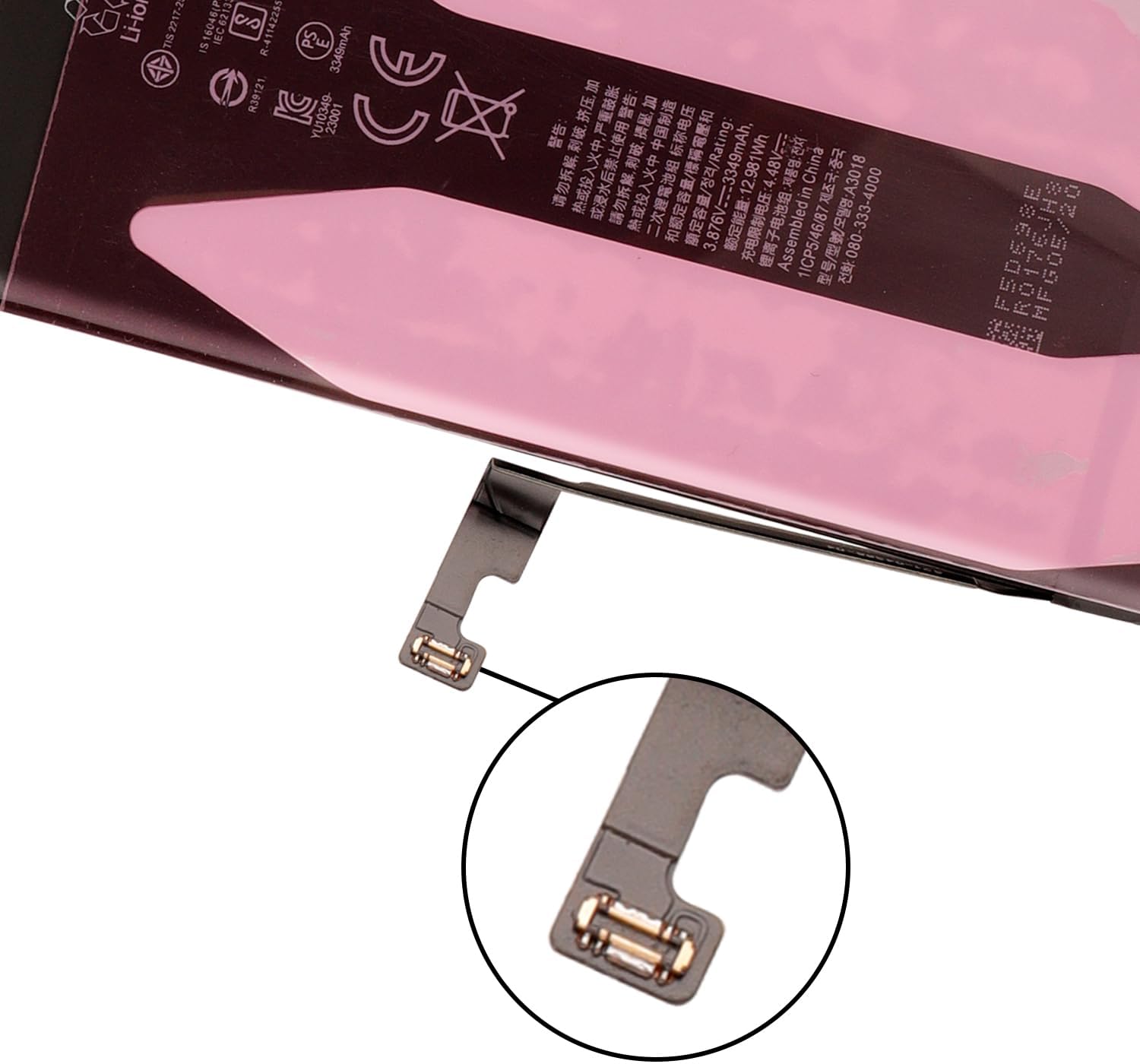
Image 5.1: A close-up view of the Duotipa A3018 battery connector, highlighting the delicate component that needs to be carefully connected to the iPhone's logic board during installation.
6. Operating Instructions
6.1. Initial Charging Cycles
New batteries require a few charge/discharge cycles to reach their optimal performance. After installation, please follow these steps:
- Fully charge the battery to 100%.
- Use your iPhone normally until the battery completely drains and the phone shuts off.
- Repeat this full charge and discharge cycle three to four times.
This process helps calibrate the battery and ensures it achieves its full capacity.
7. Maintenance and Battery Care
To maximize the lifespan and performance of your Duotipa A3018 battery, consider the following maintenance tips:
- Avoid Extreme Temperatures: Do not expose your iPhone to very high or very low temperatures, as this can degrade battery health.
- Regular Charging: Avoid frequently draining the battery to 0% or keeping it at 100% for extended periods. Aim to keep the charge between 20% and 80% for optimal long-term health.
- Use Original Charger: Continue to use your iPhone's original or certified MFi (Made For iPhone) charger and cable.
- Software Updates: Keep your iPhone's operating system updated, as software optimizations often improve battery efficiency.
8. Troubleshooting
If you encounter issues after replacing your battery, consider the following:
- Battery Not Holding Charge / Frequent Shutdowns:
- Ensure the battery connector is securely seated on the logic board.
- Complete the recommended three to four full charge/discharge cycles to calibrate the new battery.
- Verify that the battery is indeed compatible with your specific iPhone 15 model.
- If issues persist, the battery itself might be faulty, or there could be an underlying issue with the device's charging circuitry.
- Phone Not Powering On:
- Double-check all internal connections, especially the battery and display connectors.
- Ensure the battery has some charge. Try connecting it to a charger for at least 30 minutes.
- Perform a force restart on your iPhone (refer to Apple's support for your specific model's force restart procedure).

Image 8.1: An illustrative image depicting common issues such as automatic shutdown, frequent charging, and low battery warnings, which a new battery aims to resolve.
9. Specifications
| Feature | Specification |
|---|---|
| Battery Model | A3018 |
| Capacity | 3349mAh |
| Watt-Hours | 12.98Wh |
| Voltage | 3.876V |
| Battery Cell Composition | Lithium Polymer |
| Compatible iPhone Models | iPhone 15 (A3090, A2846, A3089, A3092) |
| Safety Features | Integrated overheating, overvoltage, and short-circuit protection |
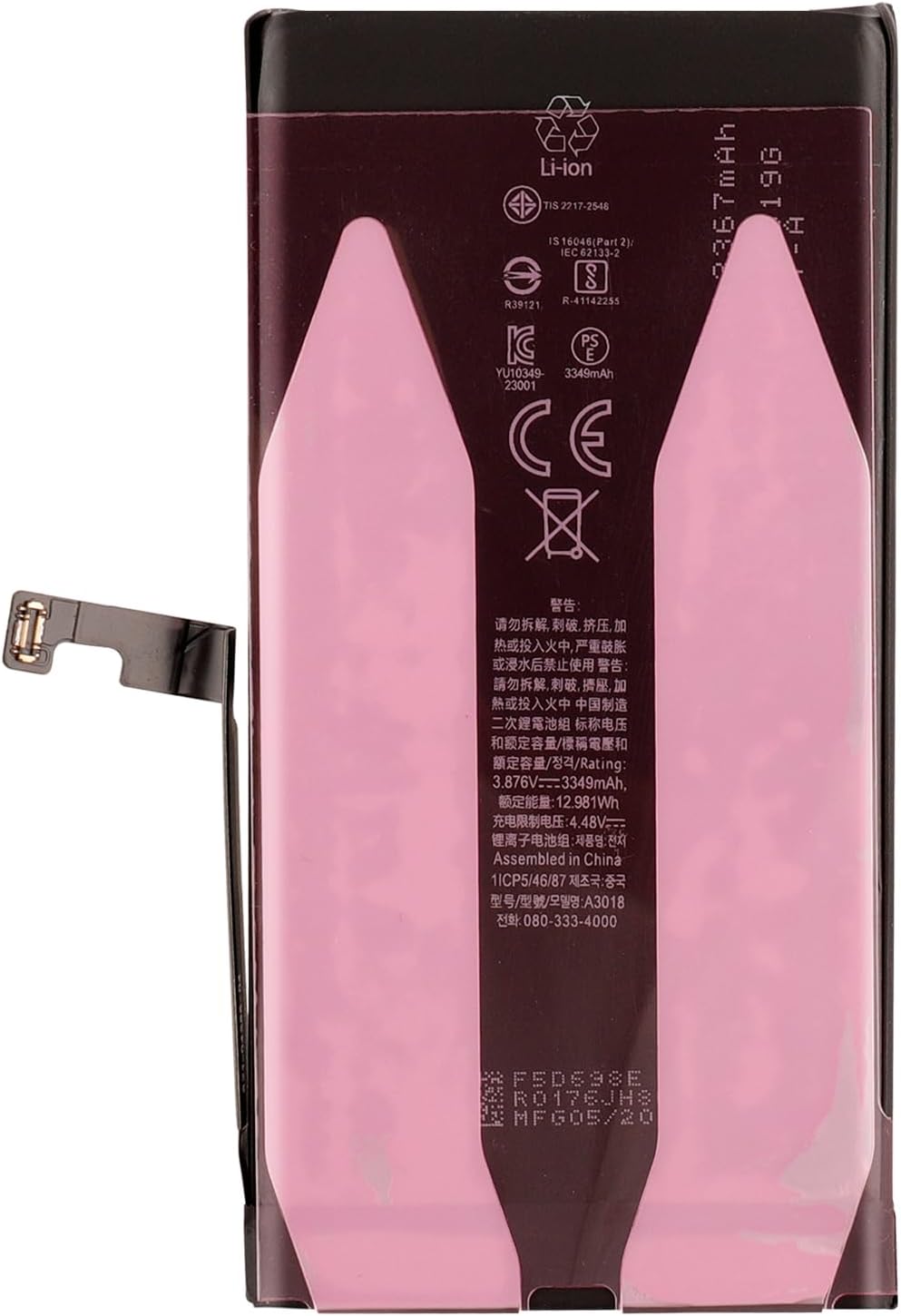
Image 9.1: Rear view of the Duotipa A3018 battery, displaying its model number, capacity, voltage, and various safety certifications.
10. Warranty and Support
10.1. Warranty Information
The Duotipa A3018 replacement battery comes with a six-month guarantee from the date of purchase. This warranty covers manufacturing defects and ensures reliable peace of mind.
10.2. Customer Support
If you have any questions, concerns, or require assistance with your Duotipa A3018 battery, please do not hesitate to contact our customer support team. We are committed to responding to your inquiries within 24 hours to help resolve any issues you may encounter.
Please refer to your purchase documentation or the seller's contact information for specific support channels.