
1. Introduction
This manual provides essential information for the safe and effective use of your UpBright 29V 2-Pin AC DC Adapter. This power supply is designed for compatibility with specific electric standing height adjustable desk frames, including the Huanuo HNESD106B-US, JSM-BLDC-01, CL2901-E, and CL2902-E models.
Please read this manual thoroughly before installation and operation to ensure proper function and to prevent damage to the adapter or connected devices.
2. Safety Information
Adherence to the following safety guidelines is crucial for preventing electric shock, fire, or damage to the product and connected equipment.
- Indoor Use Only: This adapter is designed for indoor use in dry locations. Do not expose it to water, moisture, or high humidity.
- Proper Voltage: Ensure the input voltage of the power outlet matches the adapter's specifications (100-240VAC, 50/60Hz).
- Overload Protection: Do not overload the adapter. Connect only devices that are within the adapter's specified output capacity (29V DC).
- Cable Management: Avoid kinking, pinching, or placing heavy objects on the power cord. Damaged cords can lead to electric shock or fire.
- Ventilation: Ensure adequate ventilation around the adapter. Do not cover it or place it in an enclosed space that could restrict airflow.
- Disconnection: Disconnect the adapter from the power outlet before cleaning or if it will not be used for an extended period.
- Damage: Do not use the adapter if it is damaged, has a frayed cord, or if it has been exposed to liquid. Contact support for assistance.
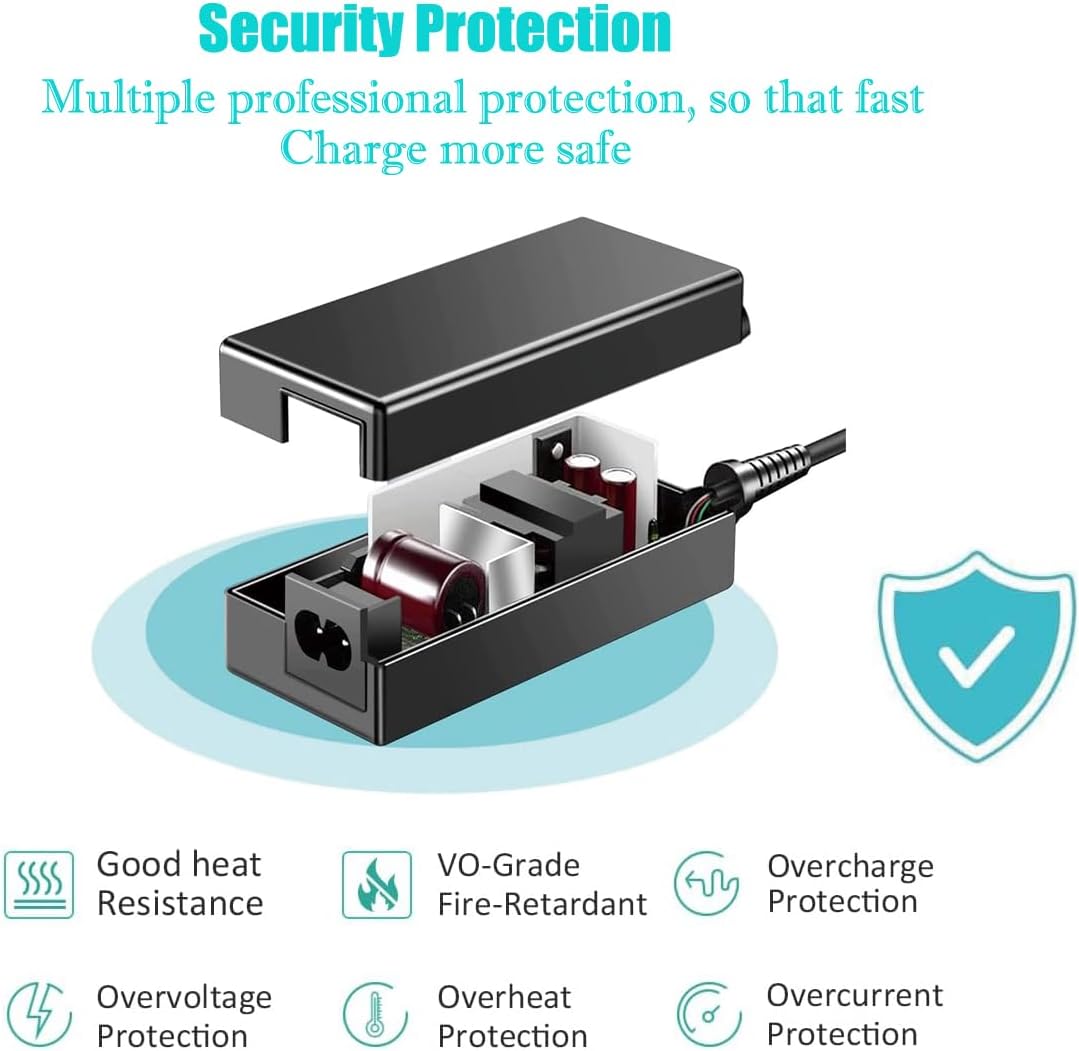
Figure 1: Security Protection Features. This diagram highlights the built-in safety mechanisms of the UpBright AC DC adapter, designed to ensure safe and stable power delivery.
3. Setup
Follow these steps to properly set up your AC DC adapter.
- Unpack: Carefully remove the AC DC adapter and its power cord from the packaging. Verify that all components are present (1 AC Adapter).
- Inspect: Before connecting, visually inspect the adapter and cables for any signs of damage. Do not use if damaged.
- Connect to Device: Locate the 2-pin power input port on your compatible electric standing desk frame (e.g., Huanuo HNESD106B-US, JSM-BLDC-01, CL2901-E, CL2902-E). Insert the 2-pin connector from the adapter firmly into this port.
- Connect to Power Outlet: Plug the AC power cord into the adapter's input port. Then, insert the other end of the AC power cord into a standard wall power outlet (100-240VAC).

Figure 2: UpBright AC DC Adapter and Cable. This image shows the main components of the power supply unit.

Figure 3: Adapter Connected to Power Outlet. This image demonstrates the adapter properly connected to a wall socket.
4. Operating Instructions
Once the adapter is properly connected, it will supply power to your compatible electric standing desk frame. The adapter operates automatically to provide the necessary 29V DC output.
- The adapter is designed for continuous operation within its specified limits.
- It features built-in protections including Over Voltage Protection (OVP), Over Current Protection (OCP), and Short Circuit Protection (SCP) to safeguard both the adapter and the connected device.
- No user interaction is required for the adapter's power delivery once connected. Control of the desk's height adjustment will be managed through the desk's own control panel.

Figure 4: Compatible Desk Frames. This image illustrates the types of electric standing desk frames that are compatible with this UpBright AC DC adapter.
5. Maintenance
Proper maintenance ensures the longevity and safe operation of your adapter.
- Cleaning: Disconnect the adapter from the power outlet before cleaning. Use a dry, soft cloth to wipe the exterior. Do not use liquid cleaners or sprays.
- Storage: When not in use, store the adapter in a cool, dry place away from direct sunlight and extreme temperatures.
- Cable Care: Regularly check the power cord and adapter casing for any signs of wear, cuts, or damage. If damage is found, discontinue use immediately.
6. Troubleshooting
If you encounter issues with your UpBright AC DC adapter, refer to the following common problems and solutions.
| Problem | Possible Cause | Solution |
|---|---|---|
| No power to the desk frame. |
|
|
| Adapter feels excessively hot. |
|
|
If the problem persists after attempting these solutions, please contact UpBright customer support.
7. Specifications
| Feature | Detail |
|---|---|
| Brand | UPBRIGHT |
| Model Number | Huanuo HNESD106B-US Power Supply (Compatible with CL2901-E, CL2902-E, JSM-BLDC-01) |
| Input Voltage | 100-240VAC, 50/60Hz (Worldwide Compatible) |
| Output Voltage | 29V DC |
| Connector Type | 2-Pin Connector |
| Special Features | OVP (Over Voltage Protection), OCP (Over Current Protection), SCP (Short Circuit Protection) |
| Included Components | 1 AC Adapter |
| Product Dimensions | 6 x 4 x 2 inches |
| Item Weight | 10 ounces |
| Color | Black |
8. Warranty and Support
UpBright products are manufactured with quality and reliability in mind. This adapter comes with the following support:
- Refund Policy: UpBright offers a 30-day refund policy from the date of purchase.
- Exchange Policy: A 24-month exchange policy is provided for units found to be in great working condition but requiring replacement due to manufacturing defects.
For technical support, warranty claims, or any inquiries, please contact UpBright customer service through the retailer where the product was purchased or visit the official UpBright store page for contact information.
Note: Keep your purchase receipt as proof of purchase for warranty claims.