
Introduction
This manual provides comprehensive instructions for the safe and effective operation of your VOLANTEXRC F-16 Fighting Falcon RC Jet Plane. Please read this manual thoroughly before operating the aircraft to ensure proper setup, flight, and maintenance. This remote control plane is designed for experienced users due to its advanced features and aerobatic capabilities.
Safety Information
Operating remote control aircraft requires caution. Failure to operate safely can result in injury or property damage. Adhere to the following safety guidelines:
- Always operate the aircraft in open, clear areas, away from people, animals, buildings, and power lines.
- Do not fly in strong winds, rain, or other adverse weather conditions.
- Ensure all batteries (aircraft and transmitter) are fully charged before each flight.
- Inspect the aircraft for any damage before and after each flight. Do not fly if damaged.
- Keep hands and loose clothing away from the propeller when the aircraft is powered on.
- Adult supervision is recommended for all flights, especially for less experienced pilots.
- Store batteries in a cool, dry place and follow all charging instructions to prevent fire hazards.
What's in the Box
Your VOLANTEXRC F-16 Fighting Falcon package includes the following items:
- RC Jet Plane (F-16 Fighting Falcon)
- Remote Control Transmitter
- Flight Battery
- Charging Cable
- Extra Propellers
- Product Manual (this document)
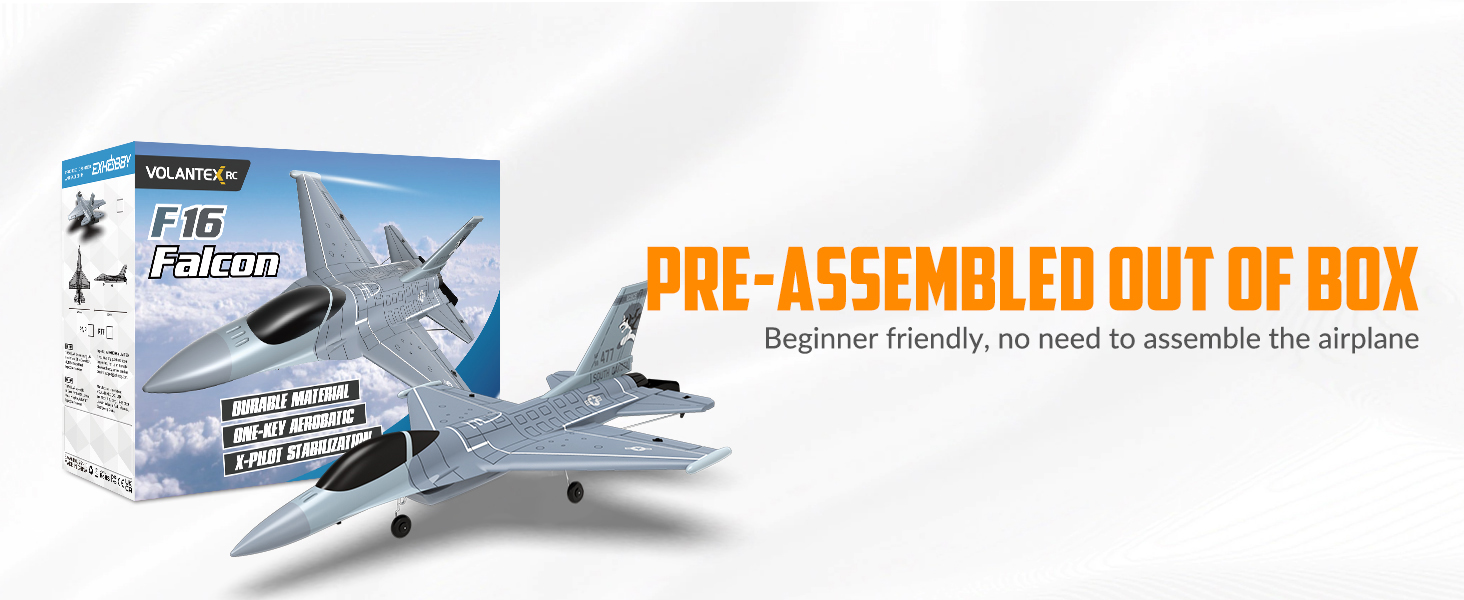
Figure 1: Package contents, highlighting the pre-assembled aircraft and accessories.
Setup
The VOLANTEXRC F-16 Fighting Falcon comes largely pre-assembled. Follow these steps to prepare for your first flight:
- Charge the Flight Battery: Connect the flight battery to the charging cable and then to a suitable USB power source. Ensure the battery is fully charged before use. Refer to the battery and charger instructions for specific charging times and indicators.
- Install Transmitter Batteries: Open the battery compartment on the back of the remote control transmitter. Insert 4 AA batteries (not included, or as specified in the product packaging) ensuring correct polarity. Close the compartment securely.
- Power On Sequence: First, turn on the transmitter. Then, connect the flight battery to the aircraft. Place the aircraft on a flat, level surface for gyroscope calibration.
- Binding (if necessary): If the aircraft and transmitter do not connect automatically, refer to the specific binding instructions in the included product manual.
Operating Instructions
The F-16 Fighting Falcon offers an engaging flight experience with advanced stabilization and aerobatic features.
Xpilot Stabilizer System
The integrated Xpilot gyro stabilizer system provides enhanced stability, making the aircraft easier to control, especially in windy conditions. This system assists in maintaining level flight and smooth maneuvers.

Figure 2: Xpilot Stabilization System in action, providing flight assistance.
3-Level Flight Control
Adjust the flight control mode to match your skill level:
- Full Assist (Beginner Mode): Provides maximum stabilization and restricted control angles for easy learning.
- Soft Assist (Intermediate Mode): Offers increased control angles with moderate stabilization.
- Slight Assist (Expert Mode): Minimal stabilization, allowing for complete manual control and advanced maneuvers.

Figure 3: Visual representation of the 3-Level Flight Control modes.
One-Key Aerobatics
Perform impressive aerobatic maneuvers with a single button press. Ensure sufficient altitude and clear airspace before attempting these:
- One-Key Roll: Initiates a barrel roll.
- One-Key Flip: Executes a flip maneuver.
- One-Key U-Turn: The aircraft will automatically turn around and fly in the opposite direction.

Figure 4: One-Key Aerobatics feature for performing rolls and flips.

Figure 5: One-Key U-Turn function, allowing the aircraft to reverse direction automatically.
Takeoff Procedure
For optimal takeoff, especially for beginners, hand-throwing is recommended:
- Hold the middle of the plane firmly.
- Select beginner or intermediate flight mode on your transmitter.
- Push the throttle to full (3/3).
- Throw the plane forward horizontally into the wind with a gentle, firm toss.

Figure 6: Recommended hand-throw method for takeoff.
2.4GHz Remote Control
The 2.4GHz radio control system provides a reliable operating range of up to 656 feet (200 meters) with strong anti-interference capabilities, allowing multiple aircraft to fly simultaneously without signal conflicts.

Figure 7: 2.4GHz remote control system for extended range and interference-free operation.
Official Product Video
Video 1: Official product video demonstrating the VOLANTEXRC F-16 Fighting Falcon in flight, showcasing its features and aerobatic capabilities.
Maintenance
Regular maintenance ensures the longevity and optimal performance of your RC jet plane:
- Cleaning: After each flight, gently wipe down the aircraft with a soft, dry cloth to remove dirt, dust, or moisture. Avoid using harsh chemicals.
- Propeller Inspection: Regularly check the propeller for cracks, bends, or damage. Replace damaged propellers immediately using the provided extra propellers. A damaged propeller can affect flight performance and safety.
- Battery Care: Always store batteries in a cool, dry place. Do not overcharge or over-discharge batteries. Disconnect batteries from the aircraft when not in use.
- Structural Integrity: Periodically inspect the foam body, wings, and tail for any signs of damage or loose parts. Use appropriate foam-safe adhesive for minor repairs.
- Storage: Store the aircraft in its original packaging or a protective case to prevent damage when not in use. Keep it away from direct sunlight and extreme temperatures.
Troubleshooting
If you encounter issues with your F-16 Fighting Falcon, refer to the following common problems and solutions:
| Problem | Possible Cause | Solution |
|---|---|---|
| Aircraft veers or does not take off straight. | Incorrect trim settings; damaged landing gear/wheels; uneven thrust. | Adjust trim on the transmitter. Inspect landing gear for damage. Ensure propeller is undamaged and motor is functioning correctly. Hand-launch if ground takeoff is problematic. |
| Aircraft struggles to gain altitude or nose dives. | Insufficient throttle; incorrect launch technique; low battery; damaged propeller. | Ensure full throttle during launch. Perform a firm, horizontal hand-throw into the wind. Fully charge the flight battery. Replace damaged propellers. |
| Gyro stabilization not working or plane is unstable. | Improper calibration; sensor malfunction; incorrect flight mode. | Ensure the aircraft is placed on a flat, level surface during power-on for proper gyro calibration. Verify the selected flight mode. If issues persist, contact support. |
| One-Key Aerobatics (e.g., U-turn) not responding. | Insufficient altitude; incorrect button sequence; system glitch. | Ensure the aircraft is at a safe altitude. Follow the exact button sequence as described in the manual. Restart the aircraft and transmitter. |
| Controller disconnects during flight. | Low transmitter battery; out of range; signal interference. | Replace transmitter batteries. Ensure you are within the specified operating range (up to 656 ft). Avoid areas with strong radio interference. |
| Physical damage (e.g., battery compartment door, wheels, missile rails). | Impact during flight/landing; manufacturing defect. | For minor damage, use appropriate foam-safe adhesive for repair. For significant damage or manufacturing defects, contact customer support for assistance or replacement parts. |
Specifications
| Feature | Detail |
|---|---|
| Brand | volantexrc |
| Model Name | US-EXA76110 |
| Age Range | Adult (Manufacturer Maximum Age: 120 months) |
| Material Type | Foam, Plastic |
| Power Source | Battery Powered |
| Operation Mode | Remote Control (2.4GHz) |
| Flight Time | Up to 20 minutes per battery (approximate) |
| Control Distance | Up to 656 ft (200 meters) |
| Number of Channels | 4 Channels with Aileron |
| Motor Type | Powerful Coreless Motor |
| Stabilization System | Xpilot Gyro Stabilizer System |
| Flight Control Modes | 3-Level (Full Assist, Soft Assist, Slight Assist) |
| Aerobatic Features | One-Key Roll, One-Key Flip, One-Key U-Turn |
| Included Components | RC Jet Plane, Remote, Battery, Charging Cable, Extra Propellers, Product Manual |
| Color | Gray |
| Dimensions (L x W x H) | 13.23 x 10.24 x 3.82 inches |
| Indoor/Outdoor Usage | Outdoor |
| Educational Objective | Develop remote control flying skills, hand-eye coordination, strategic thinking |
Warranty Information
VOLANTEXRC products are covered by a manufacturer's warranty against defects in materials and workmanship. The specific terms and duration of the warranty may vary. Please retain your proof of purchase for warranty claims. For detailed warranty information, refer to the official VOLANTEXRC website or contact customer support.
Customer Support
If you have any questions, require technical assistance, or need replacement parts, please contact VOLANTEXRC customer support. Contact information can typically be found on the product packaging, the official VOLANTEXRC website, or through your retailer.
Manufacturer: EXHOBBY


