Introduction
Thank you for choosing the Ohniyou 96-inch Industrial Ceiling Fan. This powerful and efficient ceiling fan is designed to provide exceptional airflow and bright illumination for large spaces such as warehouses, garages, barns, gyms, and large rooms. Featuring a high-efficiency DC motor, 10 aluminum blades, and convenient remote and app control, this fan offers year-round comfort and superior performance. Please read this manual thoroughly before installation and operation to ensure safe and proper use.

Figure 1: Ohniyou 96-inch Industrial Ceiling Fan (Black with Light)
Safety Information
Always follow basic safety precautions when installing and operating electrical appliances. Failure to do so may result in fire, electric shock, or personal injury.
- Ensure the power is turned OFF at the circuit breaker before installation or maintenance.
- Installation must be performed by a qualified electrician in accordance with all local and national electrical codes.
- The mounting structure must be capable of supporting the fan's weight (approximately 48.4 lbs / 22 kg) plus the dynamic load of the fan in operation.
- Maintain a minimum clearance of 7 feet (2.1 meters) from the floor to the bottom of the fan blades.
- Do not insert objects into the path of the rotating blades.
- This fan is designed for indoor and covered outdoor use. Avoid direct exposure to water.
Package Contents
Verify that all components are present and undamaged before beginning installation.
- Ceiling Fan Motor Assembly with Integrated LED Light
- 10 Aluminum Blades
- Remote Control
- Downrods (2 x 19.6 inches, 1 x 39 inches)
- Mounting Bracket and Hardware
- User Manual (this document)

Figure 2: Fan components including downrods and control accessories.
Specifications
| Feature | Detail |
|---|---|
| Brand | Ohniyou |
| Model Name | GLX (GLX049) |
| Electric Fan Design | Ceiling Fan |
| Color | Black with Light |
| Product Dimensions | 96"D x 96"W x 30"H (with shortest downrod) |
| Item Weight | 48.4 pounds (22 Kilograms) |
| Power Source | AC |
| Voltage | 120 Volts (AC) |
| Wattage | 145 watts |
| Number of Blades | 10 |
| Blade Length | 96 Inches (overall span) |
| Air Flow Capacity | Up to 18000 Cubic Feet Per Minute (CFM) |
| Speed Settings | 6 |
| Max Speed | 77 RPM |
| Noise Level | Under 40 dB |
| Light Output | 100W LED, 6800 Lumens (White Light Only, Not Dimmable) |
| Control Method | App, Remote Control |
| Downrod Lengths Included | 2 x 19.6", 1 x 39" (connectable up to 78" / 6.5 ft) |
| Sloped Ceiling Compatibility | Up to 15° |
| Indoor/Outdoor Usage | Indoor, Covered Outdoor |
Setup and Installation
Proper installation is crucial for the safe and efficient operation of your ceiling fan. Refer to the detailed diagrams and instructions provided.
1. Pre-Installation Checks
- Ensure the electrical box is securely mounted and rated for ceiling fan support.
- Verify that the ceiling structure can support the fan's weight (48.4 lbs).
- Turn off power at the main circuit breaker before proceeding.
2. Mounting the Bracket
Attach the mounting bracket to the electrical box using the provided screws. Ensure it is firmly secured.
3. Assembling the Downrod
Select the appropriate downrod length (19.6", 39", or combine them for up to 78") based on your ceiling height and desired fan clearance. Securely attach the chosen downrod to the fan motor assembly.

Figure 3: Fan dimensions and downrod configuration for sloped ceilings.
4. Wiring Connections
Connect the fan's electrical wires to the household wiring according to standard electrical codes. Ensure all connections are secure and insulated. The control box should be housed within the canopy if space permits, or mounted securely nearby.
5. Attaching Blades
Carefully attach the 10 aluminum blades to the fan motor hub using the provided screws. Ensure each blade is securely fastened.
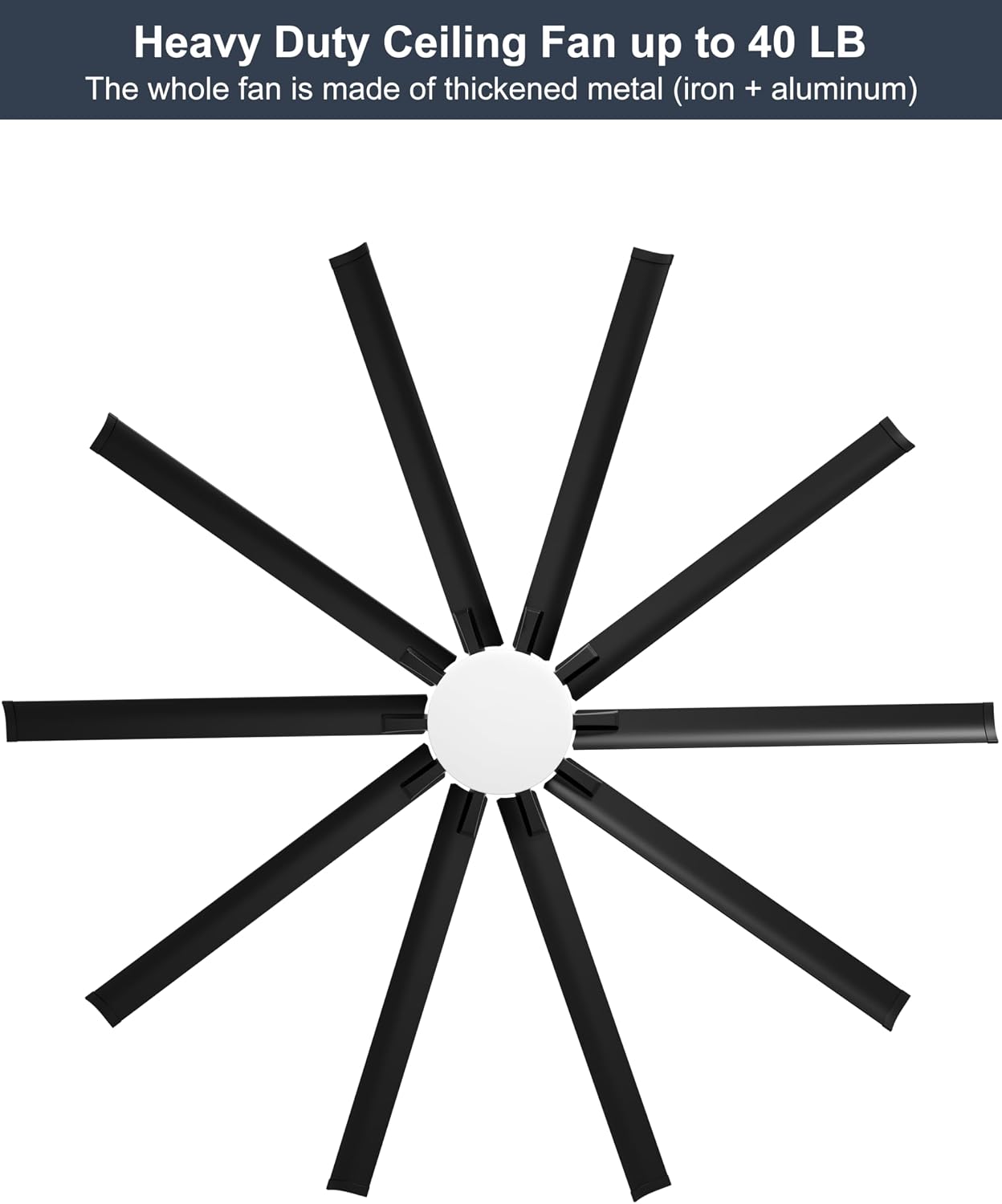
Figure 4: Heavy-duty construction with 10 aluminum blades.
6. Final Assembly
Lift the fan assembly and hang it on the mounting bracket. Secure the canopy to cover the wiring connections. Restore power at the circuit breaker.
Operating Instructions
Your Ohniyou ceiling fan can be controlled via the included remote control or a dedicated smartphone application.
Remote Control Operation
The multifunctional remote control allows for easy adjustment of fan speed, light, and other features.

Figure 5: Multifunctional Remote Control Layout.
- Fan ON/OFF: Press the "FAN/OFF" button to turn the fan on or off.
- Light ON/OFF: Press the "LIGHT ON/OFF" button to toggle the integrated LED light. The light is 100W, 6800 lumens, and is not dimmable.
- Speed Control: Use buttons 1-6 to select desired fan speed (1 being lowest, 6 being highest).
- Natural Wind: Activates a mode where fan speed randomly changes to simulate natural breeze.
- Timer Setting: Set the fan to turn off automatically after 1, 2, or 4 hours.
- Reversible Motor:
- Press "F" for Summer Downdraft Mode: Creates a cooling breeze by pushing air downwards.
- Press "R" for Winter Updraft Mode: Circulates warm air by drawing air upwards, distributing heat evenly.
- Turn Off The Beep: Mutes the audible feedback from the fan.
- Pairing & Fan Off: Used for pairing the remote with the fan.
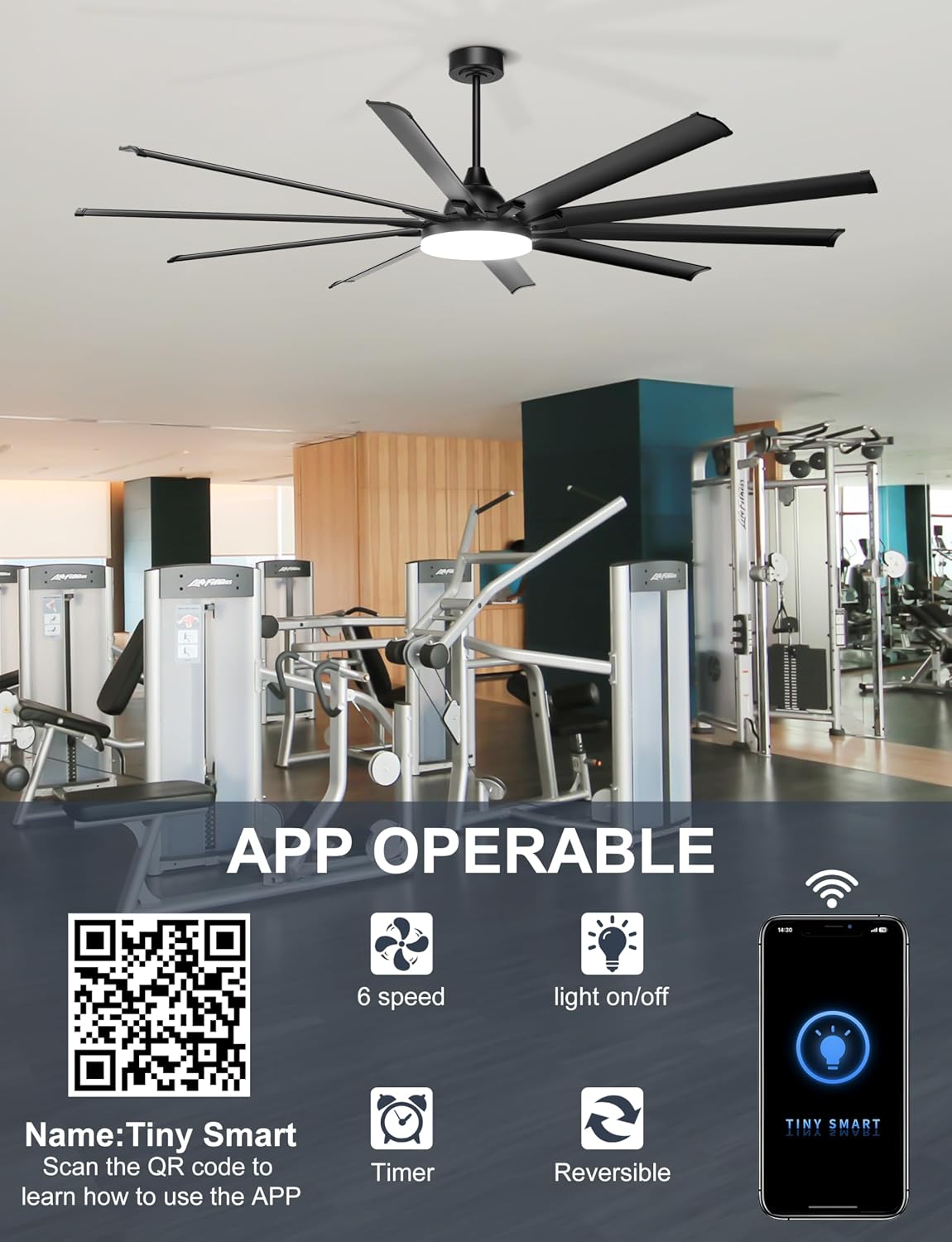
Figure 6: Reversible Motor for Year-Round Comfort.
Smartphone App Control
Control your fan conveniently from your smartphone using the "Tiny Smart" app. Scan the QR code below to download the app and follow the in-app instructions for pairing.
Figure 7: App Control Interface and QR Code for "Tiny Smart" App.
- App Features: The app provides control over fan speed (6 levels), light on/off, timer settings, and reversible motor function.
- Pairing: Follow the instructions within the "Tiny Smart" app to connect your fan. Ensure your phone's Bluetooth and Wi-Fi are enabled during the pairing process.
Maintenance
Regular maintenance will help prolong the life and performance of your Ohniyou ceiling fan.
- Cleaning: Dust the fan blades and motor housing regularly with a soft, damp cloth. Do not use abrasive cleaners or solvents. Ensure the fan is turned off and power is disconnected before cleaning.
- Blade Inspection: Periodically check the blade attachments to ensure they are secure. The aluminum blades are designed for durability, but ensure no deformation has occurred.
- Motor: The DC motor is designed for long-term, maintenance-free operation. No lubrication is required.
Troubleshooting
If you encounter issues with your fan, refer to the following common problems and solutions:
| Problem | Possible Cause | Solution |
|---|---|---|
| Fan does not start. | No power; loose wiring; remote control battery dead or not paired. | Check circuit breaker. Verify all wire connections are secure. Replace remote battery (2x AAA, not included). Re-pair remote with fan. |
| Light does not turn on. | Loose wiring; light function off; LED failure. | Check light wiring connections. Ensure light is turned on via remote/app. Contact support if LED is faulty. |
| Fan makes excessive noise. | Loose blades; loose mounting hardware; unbalanced blades. | Ensure all blade screws are tight. Check mounting bracket and downrod connections. Balance blades if necessary (balancing kit not included). |
| Remote control or App not working. | Battery issues; pairing issues; app not updated. | Replace remote batteries. Re-pair remote/app with fan. Ensure app is updated to the latest version. Check Wi-Fi/Bluetooth connection for app. |
| Fan wobbles. | Loose mounting; unbalanced blades; bent downrod. | Ensure mounting bracket and downrod are securely installed. Check for bent blades. Balance blades if needed. |
Warranty and Support
Ohniyou stands behind the quality of its products. For specific warranty details, please refer to the warranty card included with your purchase or contact Ohniyou customer support.
For technical assistance, troubleshooting beyond this manual, or to inquire about replacement parts, please contact Ohniyou customer service through the retailer where the product was purchased or visit the official Ohniyou store on Amazon:
Visit the Ohniyou Store on Amazon
You may also find additional resources and a PDF version of this manual at: Ohniyou 96'' Shop Ceiling Fan User Manual (PDF)


