
Toputure TEB2-03
Toputure Indoor Cycling Bike TEB2-blu User Manual
Model: TEB2-03
1. Introduction
Thank you for choosing the Toputure TEB2-blu Indoor Cycling Bike. This manual provides essential information for the safe and effective use of your new fitness equipment. Please read it thoroughly before assembly and operation, and keep it for future reference.
Product Overview
The Toputure TEB2-blu is a high-quality indoor cycling bike designed for home use, offering a comprehensive and engaging workout experience. It features a magnetic resistance system, a 15kg flywheel for smooth operation, and a spring shock absorption system for enhanced comfort. The integrated LCD display tracks key workout metrics, and its compatibility with popular fitness apps like Z-Sport, Zwift, and Kinomap allows for interactive and personalized training sessions.

Figure 1.1: Toputure TEB2-blu Indoor Cycling Bike. This image shows the complete assembled bike from a front-right angle, highlighting its sleek design and robust frame.
Safety Information
- Consult a physician before starting any exercise program.
- Ensure all parts are securely fastened before each use.
- Keep children and pets away from the equipment during operation.
- Place the bike on a flat, stable surface.
- Wear appropriate athletic footwear and clothing.
- Do not exceed the maximum user weight of 160 kg (350 lbs).
- Use the emergency brake knob to stop the flywheel immediately if needed.
2. Setup and Assembly
Your Toputure Indoor Cycling Bike comes 70% pre-assembled, making the setup process quick and straightforward. Most users can complete assembly within 30 minutes by following the included instructions and video tutorials.
Unpacking and Preparation
- Carefully remove all components from the packaging.
- Check the packing list to ensure all parts are present.
- Lay out all parts on a clean, flat surface.
Assembly Steps
Refer to the detailed assembly diagram and step-by-step instructions provided in the separate assembly guide. All necessary tools are included. Key assembly components typically include:
- Stabilizer bars (front and rear)
- Pedals (note L/R markings)
- Seat post and seat
- Handlebar post and handlebar
- LCD display console

Figure 2.1: Assembly components. This image displays the main parts of the bike laid out, including the frame, seat, handlebars, pedals, and display, indicating the pre-assembled nature of the product.
3. Operating Instructions
This section details how to operate your Toputure Indoor Cycling Bike, including adjustments, resistance control, and smart app connectivity.
Adjusting the Bike
For optimal comfort and performance, adjust the seat and handlebars to fit your body. The bike accommodates users with heights ranging from 140cm to 190cm.
- Seat Adjustment: The seat can be adjusted in four directions (up, down, forward, and backward). Loosen the adjustment knobs, slide the seat to the desired position, and tighten the knobs securely.
- Handlebar Adjustment: The handlebar can be adjusted in two directions (up and down). Loosen the adjustment knob, raise or lower the handlebar to your preferred height, and tighten the knob firmly.

Figure 3.1: Ergonomic Adjustments. This image illustrates the adjustable seat and handlebar, demonstrating how users can customize the bike for optimal comfort and fit, accommodating various body types.
Resistance Control
The bike features a magnetic resistance system with 0-100 levels of precise adjustment. Turn the red knob clockwise to increase resistance and counter-clockwise to decrease it. For emergency stops, press the red knob down firmly.

Figure 3.2: Magnetic Resistance Control. This close-up image shows the red resistance knob, indicating its function for adjusting resistance levels from 0-100% and its emergency stop capability.
LCD Display Functions
The integrated LCD display provides real-time feedback on your workout. It monitors four fundamental training parameters:
- TIME: Duration of your workout.
- SPD (Speed): Current cycling speed.
- DST (Distance): Distance covered during the current session.
- CAL (Calories): Estimated calories burned.
The display also features an innovative unit switching function (km/miles) to suit user preferences.
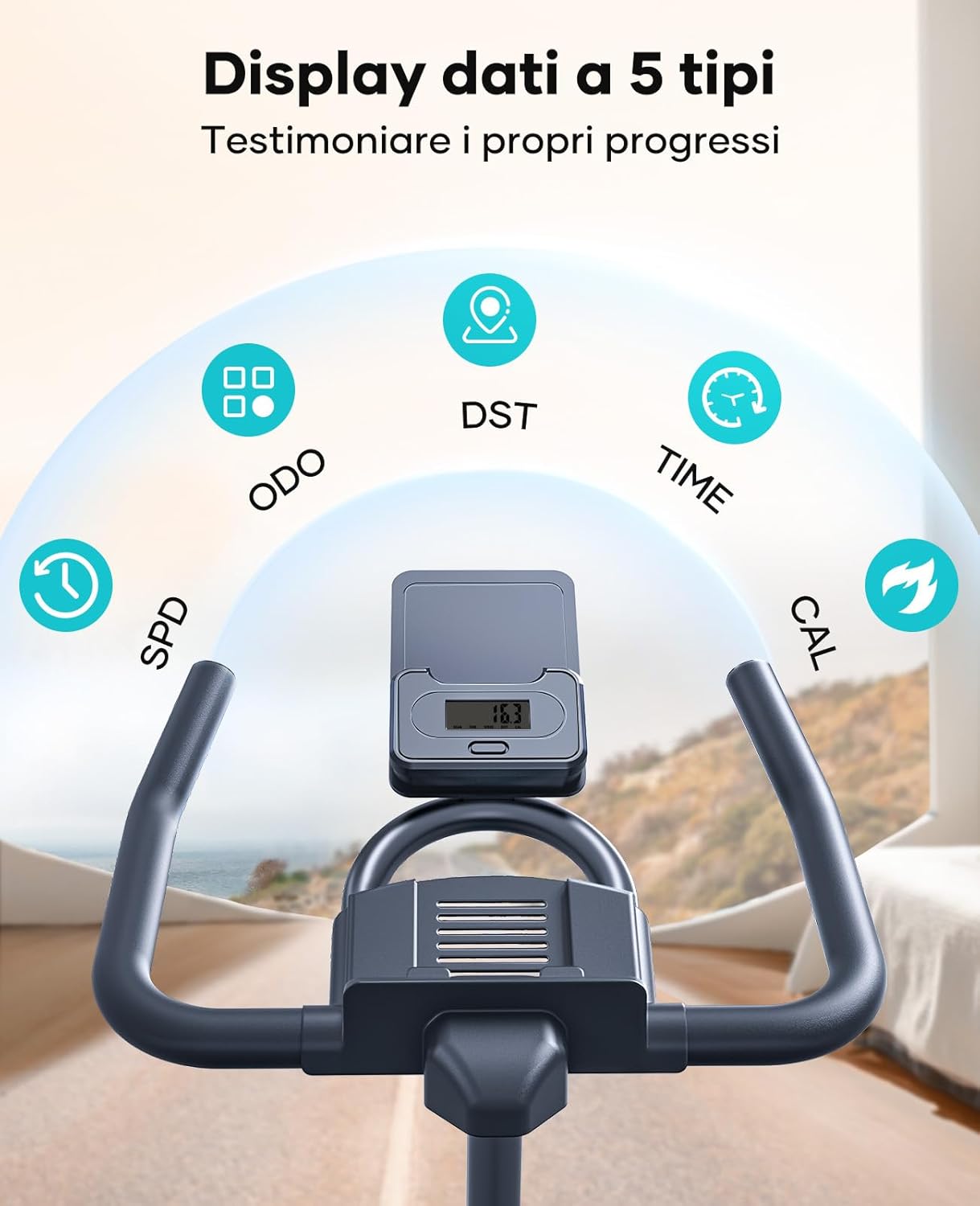
Figure 3.3: LCD Display. This image focuses on the bike's LCD screen, showing the various data points it tracks, such as time, speed, distance, and calories, providing essential workout metrics.
Smart App Connectivity
The Toputure TEB2-blu is compatible with popular fitness applications such as Z-Sport, Zwift, and Kinomap. Connect your device via Bluetooth to synchronize real-time workout data and access virtual cycling scenes, personalized fitness plans, and interactive challenges.
- Download the desired fitness app from your device's app store.
- Enable Bluetooth on your device.
- Follow the app's instructions to pair with your Toputure cycling bike.

Figure 3.4: App Compatibility. This image highlights the bike's connectivity with fitness apps like Z-Sport, Zwift, and Kinomap, showing how users can integrate their workouts with virtual environments and data tracking.
Silent Operation and Shock Absorption
The bike features an innovative spring shock absorption system that effectively reduces impact during pedaling, protecting your knees and ankles. The combination of a belt drive and magnetic control technology minimizes noise, ensuring a quiet workout environment, even comparable to a library (below 25dB).

Figure 3.5: Quiet and Comfortable Ride. This image illustrates the bike's low noise level (below 25dB) and its spring shock absorption system, emphasizing a smooth and quiet workout experience.
4. Maintenance
Regular maintenance ensures the longevity and optimal performance of your Toputure Indoor Cycling Bike.
- Cleaning: Wipe down the bike with a damp cloth after each use to remove sweat and dust. Avoid abrasive cleaners.
- Check Connections: Periodically check all bolts, nuts, and screws to ensure they are tight and secure. Tighten any loose connections.
- Lubrication: The magnetic resistance system and belt drive are generally maintenance-free. However, if you notice any squeaking from moving parts (e.g., seat post, handlebar post), apply a small amount of silicone-based lubricant.
- Storage: Store the bike in a dry, cool place away from direct sunlight and extreme temperatures. The bike features transport wheels for easy relocation.

Figure 4.1: Space-Saving Design and Portability. This image shows the compact footprint of the bike (less than 0.5 m²) and highlights the integrated transport wheels, making it easy to move and store.
5. Troubleshooting
If you encounter any issues with your Toputure Indoor Cycling Bike, refer to the following common problems and solutions:
| Problem | Possible Cause | Solution |
|---|---|---|
| Squeaking or unusual noise | Loose parts; friction in adjustable components. | Check and tighten all bolts and nuts. Apply silicone lubricant to adjustable posts if needed. |
| LCD display not working | Batteries are dead or incorrectly installed; loose connection. | Replace batteries (if applicable). Check the cable connection to the display console. |
| Resistance not changing | Resistance knob not properly engaged or internal mechanism issue. | Ensure the resistance knob is fully engaged. If the issue persists, contact customer support. |
| Bike feels unstable | Uneven floor; stabilizer feet not adjusted. | Ensure the bike is on a flat surface. Adjust the leveling feet on the stabilizer bars until the bike is stable. |
If the problem persists after attempting these solutions, please contact Toputure customer support for assistance.
6. Specifications
Detailed technical specifications for the Toputure TEB2-blu Indoor Cycling Bike:
| Feature | Specification |
|---|---|
| Model Number | TEB2-03 |
| Dimensions (L x W x H) | 118 x 60 x 78 cm (approx. 46.5 x 23.6 x 30.7 inches) |
| Item Weight | 30 kg (approx. 66 lbs) |
| Maximum User Weight | 160 kg (approx. 350 lbs) |
| Flywheel Weight | 15 kg (approx. 33 lbs) |
| Resistance Mechanism | Magnetic (0-100 levels) |
| Drive System | Belt Drive |
| Noise Level | Below 25 dB |
| Adjustability | 4-way adjustable seat, 2-way adjustable handlebar |
| Recommended User Height | 140 cm - 190 cm (approx. 4'7" - 6'3") |
| Display | LCD (Time, Speed, Distance, Calories) |
| Connectivity | Bluetooth (Compatible with Z-Sport, Zwift, Kinomap) |
| Special Features | Spring Shock Absorption, Emergency Brake, Transport Wheels |
7. Warranty and Support
Toputure is committed to providing high-quality products and excellent customer service.
Warranty Information
Your Toputure Indoor Cycling Bike comes with a free parts replacement service. Please refer to the warranty card included in your package for specific terms and conditions regarding coverage and duration.
Customer Support
For any questions, concerns, or assistance with your product, please contact Toputure customer support. We aim to respond to all inquiries within 24 hours.
- Online Support: Visit the official Toputure website for FAQs, video tutorials, and contact forms.
- Email Support: Refer to your product packaging or warranty card for the dedicated support email address.
Ask a question about this manual
Ask about setup, troubleshooting, compatibility, parts, safety, or missing instructions. Manuals+ will review the question and use this page’s manual context to help answer it.