
binROC B0DQTLRVMW
binROC Electric Conical Burr Coffee Grinder Instruction Manual
Model: B0DQTLRVMW
Brand: binROC
1. Product Overview
The binROC Electric Conical Burr Coffee Grinder is designed for precision coffee grinding, offering 48 adjustable settings and a 35-second timer. Its anti-static technology and detachable components ensure a clean and efficient grinding experience for various brewing methods.
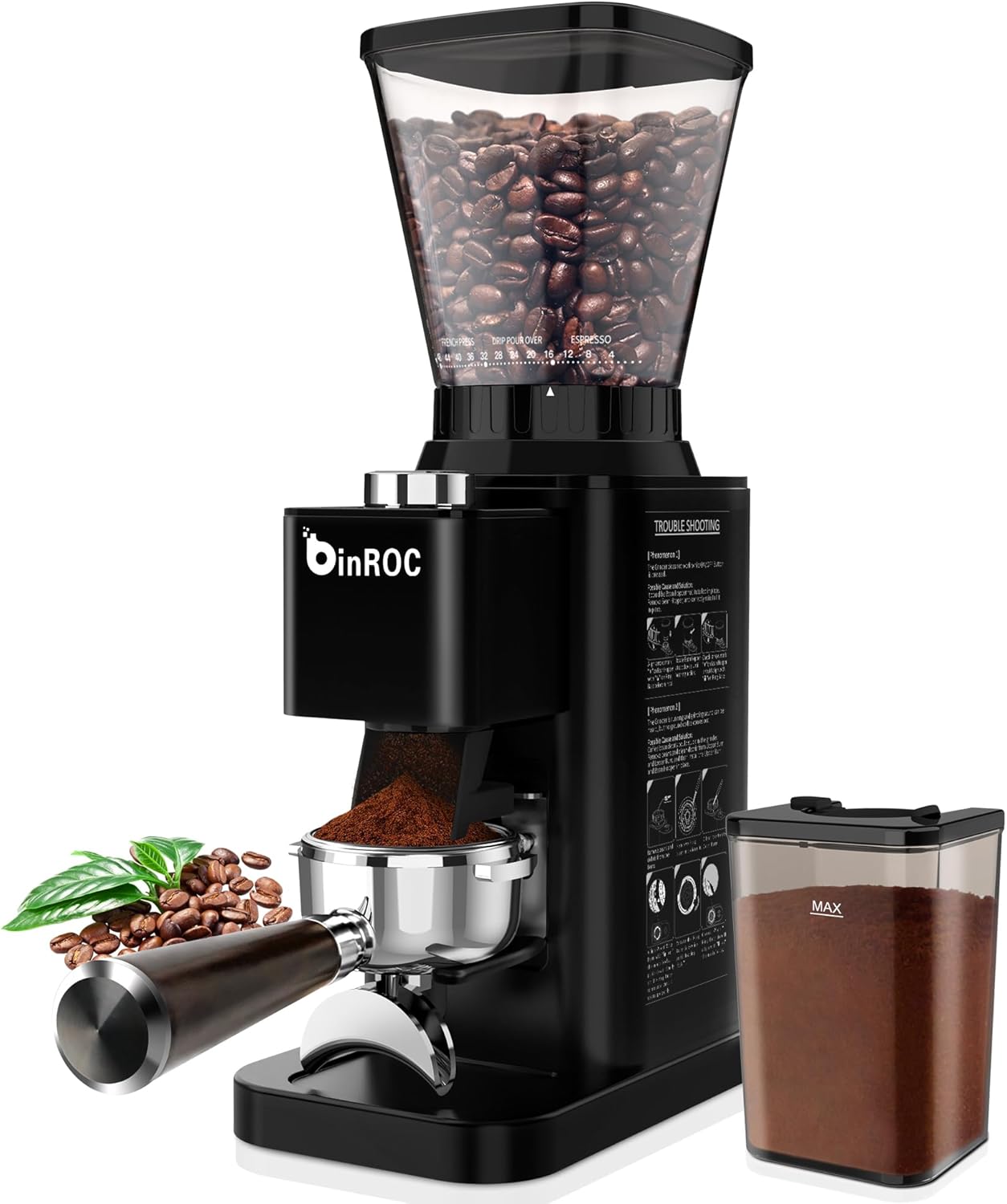
Image: The binROC Electric Conical Burr Coffee Grinder, showcasing its sleek design and compact footprint.
Included Components
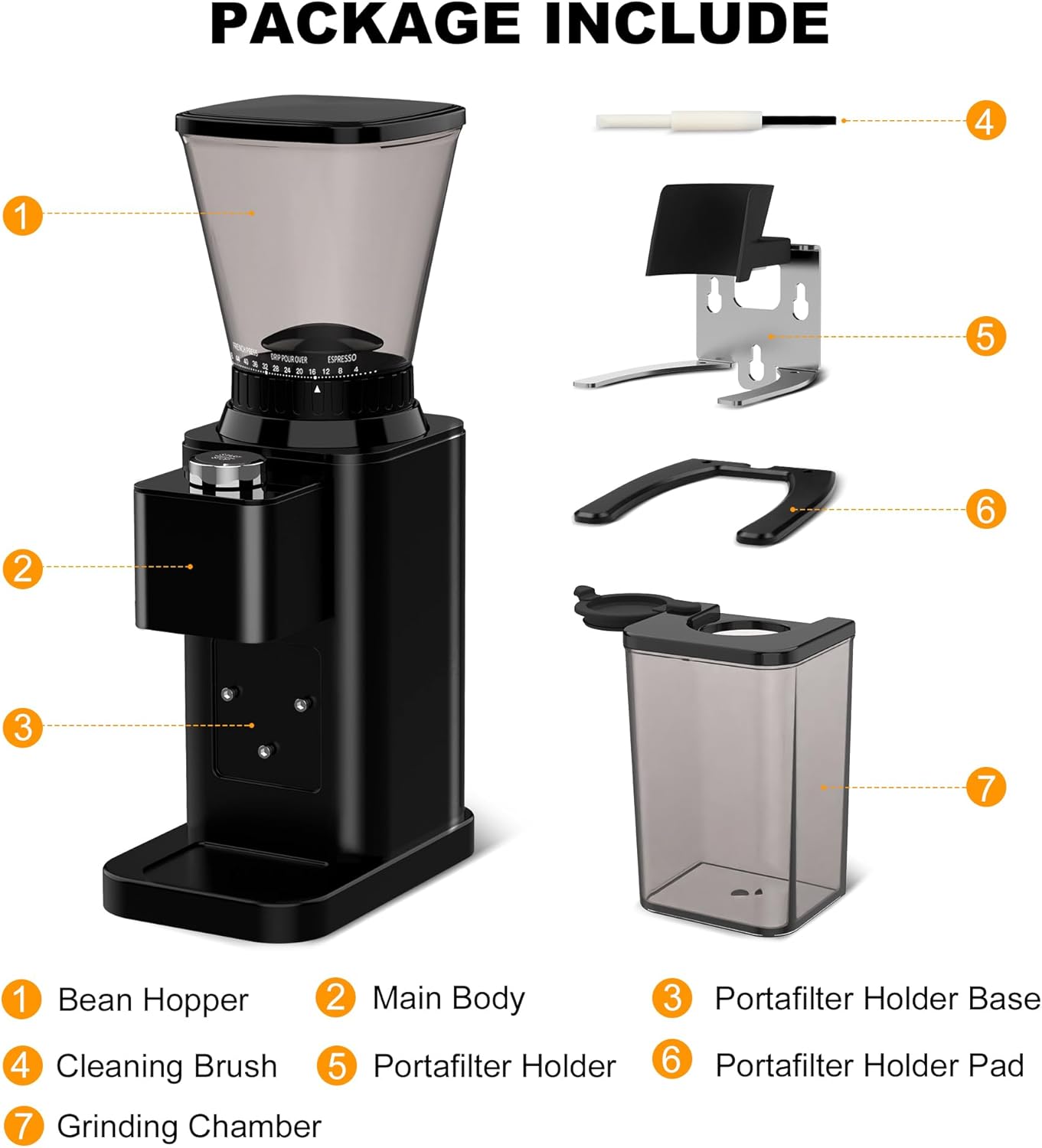
Image: A visual representation of all components included in the package: Bean Hopper, Main Body, Portafilter Holder Base, Cleaning Brush, Portafilter Holder, Portafilter Holder Pad, and Grinding Chamber.
- Electric Coffee Grinder Main Unit
- Bean Hopper
- Grinding Chamber
- Detachable Portafilter Holder (48-51mm)
- Cleaning Brush
- User Manual
2. Setup
Unboxing and Initial Assembly
Carefully remove all components from the packaging. Ensure all parts listed in the 'Included Components' section are present. Place the main unit on a stable, flat surface.
Video: A demonstration of the binROC Electric Coffee Grinder in use, highlighting its ease of operation for fresh coffee preparation at home.
Attaching the Bean Hopper and Grinding Chamber
- Place the Bean Hopper onto the top of the main unit, aligning the arrows and twisting clockwise until it locks securely.
- Insert the Grinding Chamber into its designated slot at the front of the grinder.
- If using a portafilter, attach the Detachable Portafilter Holder to the front of the unit. It is compatible with 48-51mm portafilters.

Image: Illustrates the two grinding methods: directly into a portafilter for espresso or into the included seal-proof container for storage.
3. Operating Instructions
Filling the Bean Hopper
Open the lid of the Bean Hopper and pour in your desired amount of whole coffee beans. Close the lid securely before operating.
Adjusting Grind Settings
The grinder features 48 precise grind settings. Rotate the grind adjustment dial to select your desired fineness:
- Fine (0-12): Ideal for Espresso.
- Medium (12-32): Suitable for Drip Coffee and Pour Over.
- Coarse (32-48): Best for French Press and Cold Brew.

Image: Close-up of the grind setting dial, illustrating the 48 precise options ranging from fine (Espresso) to coarse (French Press).
Setting the Grinding Time
Use the precision timer dial to select the grinding duration, from 10 to 35 seconds. This ensures consistent dosing for your coffee.

Image: A hand adjusting the 35-second digital timer on the coffee grinder, with coffee beans in the hopper and ground coffee in the container.
Starting the Grinder
Press the 'Start/Stop' button to begin grinding. The grinder will automatically stop once the set time has elapsed.
Video: A short clip demonstrating the binROC Coffee Grinder in action, emphasizing its efficiency and quality for coffee lovers.
4. Maintenance
Cleaning the Grinder
Regular cleaning ensures optimal performance and prevents flavor crossover. The grinder features a detachable design for easy cleaning.
- Unplug the grinder before cleaning.
- Remove the Bean Hopper by twisting counter-clockwise.
- Remove the Grinding Chamber.
- The upper burr is removable for deep cleaning. Use the included cleaning brush to remove any residual coffee grounds from the burrs and grinding chamber.
- Wipe the exterior of the main unit with a damp cloth. Do not immerse the main unit in water.
- Ensure all parts are completely dry before reassembling.
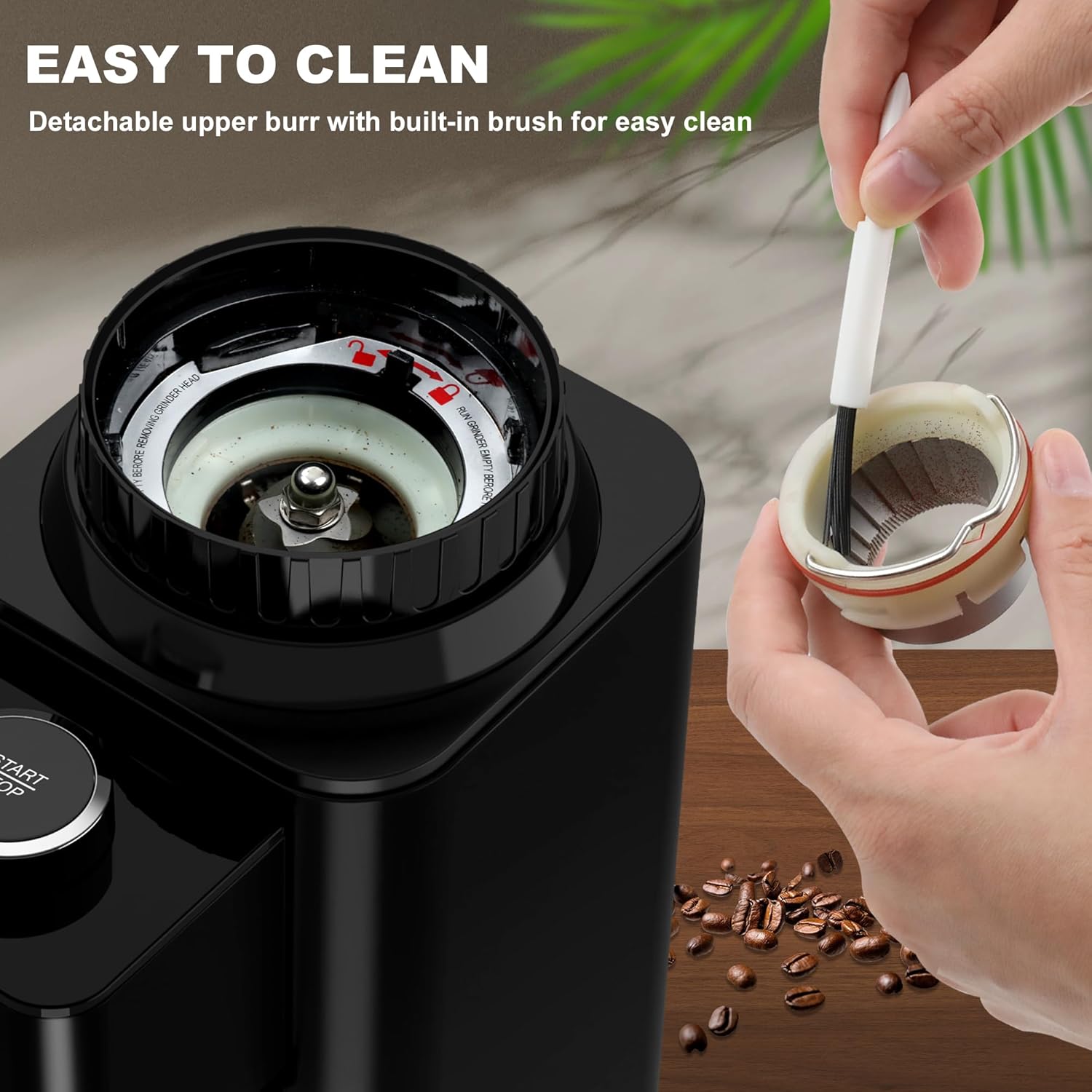
Image: Shows the detachable upper burr and the included cleaning brush, emphasizing the ease of cleaning for maintaining optimal performance.
Anti-Static Technology
The upgraded anti-static technology minimizes coffee grounds sticking to the grinding chamber and reduces flying powder, keeping your countertop clean.

Image: A visual comparison demonstrating the effectiveness of the anti-static design in preventing coffee grounds from sticking, compared to a conventional grinder.
5. Troubleshooting
If you encounter any issues with your binROC coffee grinder, please refer to the following common solutions:
- Grinder not starting: Ensure the power cord is securely plugged in and the bean hopper is correctly locked into place.
- Inconsistent grind: Check that the burrs are clean and free of obstructions. Adjust the grind setting as needed for your brewing method.
- Beans not feeding: Ensure there are enough beans in the hopper and that they are not stuck. Gently shake the grinder to dislodge any blockages.
- Excessive noise: While the grinder is designed for low noise, unusual sounds may indicate a blockage or improper assembly. Disassemble and reassemble the components, ensuring they are correctly seated.
6. Specifications
| Feature | Detail |
|---|---|
| Brand | binROC |
| Model | B0DQTLRVMW |
| Color | Upgraded Black |
| Material | Food Grade Plastic, Stainless Steel |
| Grind Settings | 48 Precise Settings |
| Timer | 35s Precision Timer |
| Portafilter Holder | Detachable 48-51mm Universal |
| Anti-Static Technology | Yes |
| Noise Level | Low Noise |
| Wattage | 150 watts |
| Voltage | 120 Volts |
7. Warranty and Support
Protection Plans
This product may be eligible for extended protection plans:
- 3-Year Protection Plan
- 4-Year Protection Plan
- Complete Protect (monthly renewal)
Please refer to your purchase documentation for details on available protection plans and coverage.
Customer Support
For any questions, technical assistance, or warranty claims, please contact binROC customer support through the retailer's platform or visit the official binROC website for contact information.
Related documentsB0DQTLRVMW


Ask a question about this manual
Ask about setup, troubleshooting, compatibility, parts, safety, or missing instructions. Manuals+ will review the question and use this page’s manual context to help answer it.