
Introduction
Thank you for choosing KSIPZE LED Strip Lights. This manual provides detailed instructions for the installation, operation, and maintenance of your new LED strip lights. Please read this manual thoroughly before use to ensure proper functionality and safety.
Package Contents
Verify that all components are present in your package:
- LED Strip Light (32.8ft / 10m)
- IR Remote Control
- Power Adapter
- IR Receiver Box
- User Manual (this document)
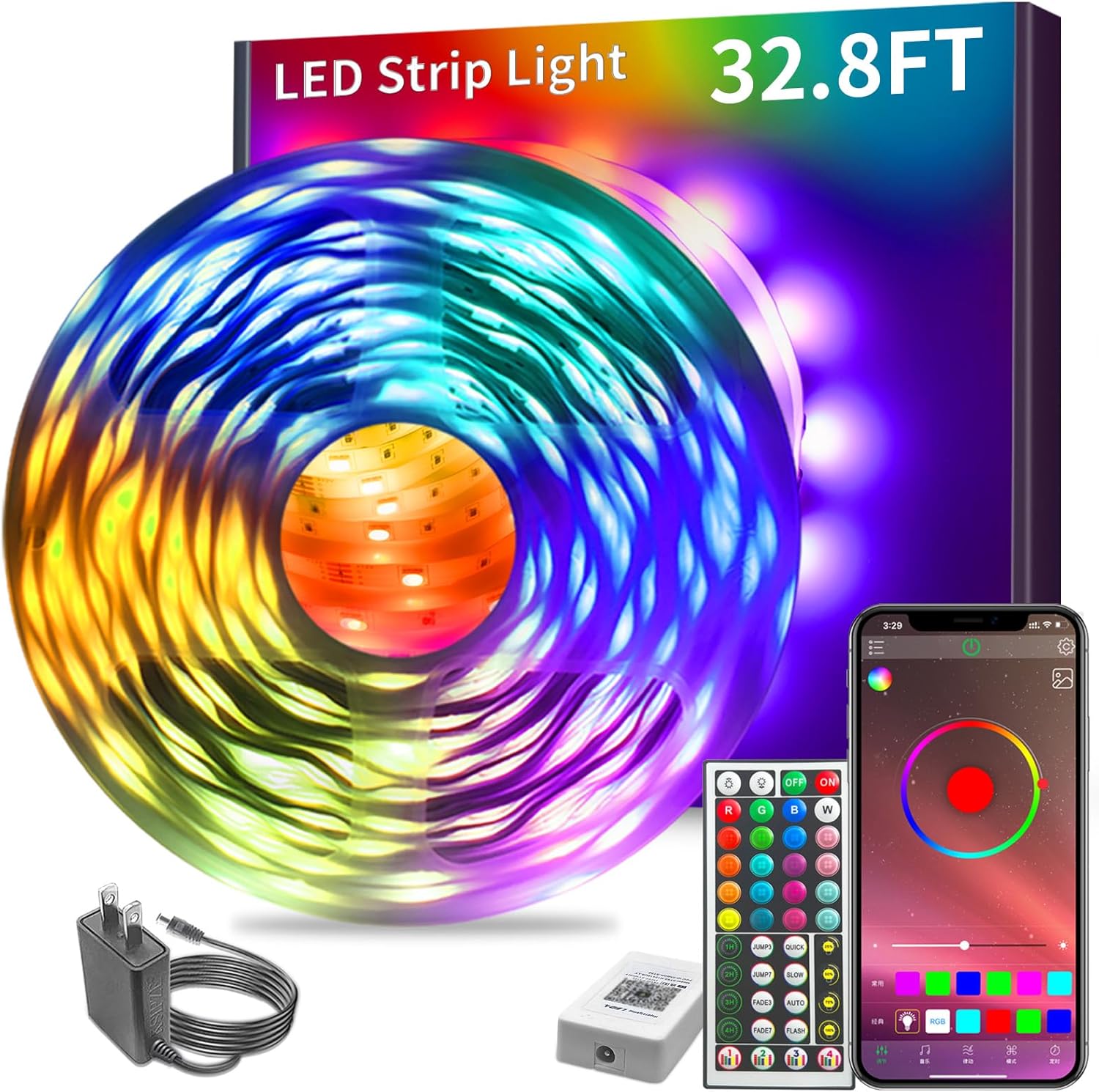
Image: Overview of the KSIPZE LED Strip Light kit, showing the coiled LED strip, remote control, power adapter, and a smartphone displaying the control app interface.
Safety Information
Please observe the following safety precautions:
- Ensure the power supply is disconnected before installation or maintenance.
- Do not connect the LED strip to the power supply while it is still coiled. Unfold the strip completely before powering on to prevent overheating.
- Use only the provided power adapter. Using an incompatible adapter may damage the product or pose a fire hazard.
- The LED strip is not waterproof unless specified. Avoid exposure to water or high humidity.
- Do not cut the LED strip at any point other than the designated cutting marks.
- Keep out of reach of children.

Image: An illustration detailing the LED strip's features, including points where it can be cut, the strong adhesive backing, and a crucial warning icon indicating that the strip must be fully unfolded before being powered on.
Setup and Installation
- Clean the Surface: Ensure the surface where you plan to install the LED strip is clean, dry, and smooth. Dust or moisture can affect the adhesive.
- Unroll the Strip: Completely unroll the LED strip from its reel. Do not power on the strip while it is still coiled.
- Connect Components:
- Connect the LED strip to the IR receiver box.
- Connect the power adapter to the IR receiver box.
- Plug the power adapter into a suitable wall outlet.
- Test Functionality: Before peeling off the adhesive, briefly plug in the lights to ensure they function correctly.
- Peel and Stick: Carefully peel off the protective backing from the adhesive tape on the back of the LED strip. Press the strip firmly onto the desired surface, ensuring good contact.
- Secure Connections: Ensure all connections are secure to prevent flickering or power issues.
Image: An illustration detailing the LED strip's features, including points where it can be cut, the strong adhesive backing, and a crucial warning icon indicating that the strip must be fully unfolded before being powered on.
Operating Instructions
A. Remote Control Operation
The included IR remote control allows for basic functions. Ensure the remote is pointed towards the IR receiver box for optimal response.
- ON/OFF: Power the lights on or off.
- RGB Buttons: Select Red, Green, or Blue primary colors.
- Color Buttons: Choose from various preset colors.
- Brightness Adjustment: Increase or decrease the light intensity.
- DIY Buttons: Customize and save your preferred colors.
- Mode Buttons (JUMP, FADE, FLASH, AUTO): Select different dynamic lighting modes.

Image: A split image showcasing both the smartphone application interface for controlling the LED lights and the physical infrared remote control, highlighting the dual control options available.
B. Smart App Control (Bluetooth)
For advanced features and greater control, download the dedicated smart app (usually named "HappyLighting" or similar, check product packaging for QR code). The app connects via Bluetooth.
- Download App: Scan the QR code on the controller or packaging, or search for the app in your device's app store.
- Enable Bluetooth: Ensure Bluetooth is enabled on your smartphone.
- Open App and Connect: Open the app. It should automatically detect and connect to your LED strip lights. If not, follow the in-app instructions to add a device.
- App Features:
- 16 Million Colors: Access a full spectrum of colors.
- Music Sync: Lights change color and rhythm with music played through your phone's microphone or the app.
- Timing Setting: Schedule lights to turn on/off at specific times.
- Custom Modes: Create and save personalized lighting effects.
- Brightness/Speed Adjustment: Fine-tune brightness and dynamic mode speed.
Image: A split image showcasing both the smartphone application interface for controlling the LED lights and the physical infrared remote control, highlighting the dual control options available.

Image: A scene depicting individuals enjoying a room illuminated by the LED strip lights, with a smartphone displaying a music application, illustrating the product's music synchronization capability.
Maintenance
- Cleaning: Gently wipe the LED strip with a dry, soft cloth to remove dust. Do not use liquid cleaners.
- Connections: Periodically check all connections (strip to receiver, receiver to adapter) to ensure they are secure.
- Storage: If storing the lights for an extended period, disconnect them from power and store them in a cool, dry place.
Troubleshooting
| Problem | Possible Cause | Solution |
|---|---|---|
| Lights do not turn on. | No power, loose connection, faulty adapter. | Check power outlet. Ensure all connections are secure. Try a different outlet. |
| Remote control not working. | Battery depleted, remote not pointed at receiver, obstruction. | Replace remote battery. Point remote directly at the IR receiver. Remove any obstacles between remote and receiver. |
| App cannot connect to lights. | Bluetooth off, app not paired, lights too far. | Ensure Bluetooth is enabled on your phone. Restart the app and lights. Move closer to the lights. |
| Lights are flickering. | Loose connection, insufficient power. | Check all connections. Ensure the power adapter is correctly plugged in. |
| Some sections of the strip are not lighting up. | Damage to the strip, incorrect cutting. | Inspect the strip for physical damage. Ensure cuts were made only at designated marks. This may indicate a faulty section requiring replacement. |
Specifications
| Feature | Detail |
|---|---|
| Brand | KSIPZE |
| Model Number | ST51_K2430 |
| Length | 32.8 feet (10 meters) |
| Control Methods | IR Remote Control, Bluetooth Smart App Control |
| Color Options | RGB Color Changing (16 Million Colors via App) |
| Special Features | Music Sync, Timing Function, Brightness Adjustment |
| Item Weight | 7 ounces |
| Package Dimensions | 8.35 x 8.04 x 0.75 inches |
Warranty and Support
KSIPZE products are designed for reliability and performance. For any issues or questions not covered in this manual, please contact KSIPZE customer support through the retailer's platform or the official brand website. Please retain your proof of purchase for warranty claims.
No official seller videos were found that meet the criteria for inclusion in this manual.


