Introduction
This manual provides detailed instructions for the assembly, operation, and maintenance of your Coleshome L-Shaped Gaming Desk. Please read all instructions carefully before assembly and use to ensure safe and optimal performance.
Safety Information
Important Safety Precautions:
- Always ensure the desk is correctly assembled and securely installed against a wall or floor to prevent tipping.
- Do not overload the desk, especially the reversible top shelf.
- Exercise caution when using the power outlets and USB ports to prevent electrical hazards.
- Keep the desk and its components away from heat sources and liquids.
Package Contents
Before beginning assembly, verify that all parts are present and undamaged. The package should include:
- Desk panels (L-shaped main desk, top shelf)
- Metal frame components
- 4 Fabric storage drawers
- Grid pegboard
- LED light strip
- Power outlet strip with 2 AC outlets and 2 USB ports (200cm power cord)
- Movable CPU stand
- Headphone hook
- Assembly hardware (screws, bolts, etc.)
- Assembly tools (screwdriver, Allen keys)
- Instruction manual
Setup and Assembly
Assembly is straightforward with the provided detailed instructions and tools. All parts are clearly labeled. Follow the steps below:
- Unpack and Identify Parts: Lay out all components and hardware. Refer to the parts list in the manual to ensure everything is present.
- Assemble the Frame: Connect the metal frame components according to the diagrams. Ensure all screws are tightened securely.
- Attach Desk Panels: Secure the L-shaped main desk panels to the assembled frame.
- Install Reversible Top Shelf: The top shelf can be installed on either the left or right side of the desk, depending on your preference and room layout. Secure it firmly.
- Insert Drawers: Slide the 4 fabric storage drawers into their designated compartments.
- Mount Grid Pegboard and Headphone Hook: Attach the grid pegboard to the back of the top shelf and install the headphone hook as desired.
- Install LED Strip: Adhere the LED light strip to the underside of the top shelf or other desired location. Connect it to the power source.
- Integrate Power Strip: Install the power outlet strip into the designated slot on the desk. Plug the 200cm power cord into a wall outlet.
- Position CPU Stand: Place the movable CPU stand in your preferred location under the desk.
Desk Dimensions: The desk measures 110 x 80 cm. The overall height with the top shelf is 134.7 cm. The main desk surface height is 75.7 cm.

Image: Detailed dimensions of the Coleshome L-Shaped Gaming Desk.

Image: Fully assembled Coleshome L-Shaped Gaming Desk with accessories.
Operating Instructions
Your gaming desk is equipped with several features to enhance your experience:
- LED Lighting System:
The integrated LED strip offers 10 colors and 10 brightness levels. Use the control button (usually located on the LED strip or its cable) to cycle through colors and adjust brightness. The system includes a memory function, retaining your last selected setting when powered off and on.

Image: Top shelf with grid pegboard and LED illumination.

Image: LED lighting with multiple color variations.
- Integrated Power Outlets and USB Ports:
The desk features a built-in power strip with 2 standard AC outlets and 2 USB charging ports (5V/2A). Plug in your electronic devices, smartphones, gaming equipment, and Bluetooth devices for convenient power access. Ensure the desk's main power cord is connected to a functional wall outlet.
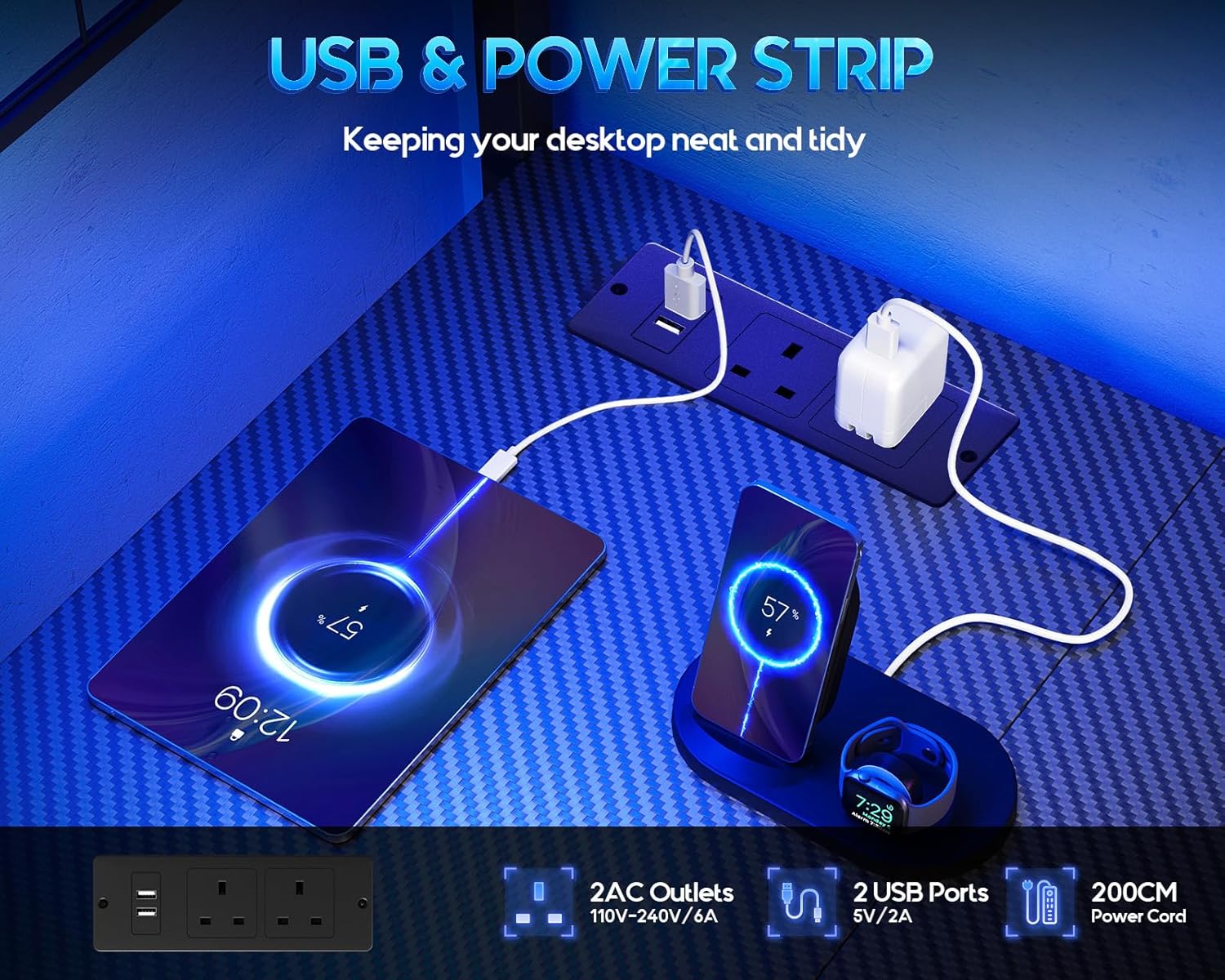
Image: Integrated power outlets and USB charging ports.
- Storage Drawers:
Utilize the 4 fabric storage drawers to keep your gaming accessories, office supplies, and other small items organized and out of sight, maintaining a tidy desktop.

Image: Four fabric storage drawers for organization.
- Movable CPU Stand:
The included CPU stand is movable, allowing you to position your computer tower conveniently and keep it off the floor, improving airflow and protecting it from dust.

Image: Movable CPU stand.
- Headphone Hook:
Use the headphone hook to conveniently hang your headphones, keeping them within reach and off the desk surface.
Maintenance
To ensure the longevity and appearance of your desk:
- Cleaning: Wipe surfaces with a soft, damp cloth. Avoid harsh chemicals or abrasive cleaners that could damage the carbon fiber finish.
- Dusting: Regularly dust the desk, especially around the LED strip and power outlets, to prevent buildup.
- Hardware Check: Periodically check all screws and fasteners to ensure they remain tight. Retighten if necessary.
- Cable Management: Organize cables to prevent tangles and reduce strain on the power outlets.
Troubleshooting
If you encounter any issues with your desk, refer to the following common solutions:
- LED Lights Not Working:
- Ensure the LED strip is properly connected to its power source.
- Check if the main power cord for the desk's power strip is plugged into a live outlet.
- Verify the LED control button is functioning.
- Power Outlets/USB Ports Not Functioning:
- Confirm the desk's main power cord is securely plugged into a working wall outlet.
- Test the wall outlet with another device to ensure it has power.
- Avoid overloading the power strip with too many high-power devices.
- Desk Wobbles:
- Check all assembly screws and bolts. Tighten any loose connections.
- Ensure the desk is placed on a flat, even surface. Adjust leveling feet if present.
- Missing or Damaged Parts:
If any parts arrived damaged or are missing, please contact customer support immediately for assistance.
Specifications
| Feature | Detail |
|---|---|
| Brand | Coleshome |
| Model Number | B02022701004 |
| Color | Carbon Fiber Black |
| Product Dimensions | 80 cm (Depth) x 110 cm (Width) x 134.7 cm (Height) |
| Main Material | Carbon Fiber, Metal |
| Special Features | Reversible L-shape, LED lights, Power outlets, USB ports, Ample storage space |
| Item Weight | 18.44 Kilograms |
| Desk Design | Computer Desk |
| Style | Modern |
Warranty and Support
Your Coleshome L-Shaped Gaming Desk comes with a commitment to quality. If you receive a damaged, missing, or scratched computer desk, please do not hesitate to contact us. Our professional customer support team is available to assist you and resolve any issues within 24 hours.
For support, please refer to the contact information provided with your purchase or visit the official Coleshome website.

