1. Introduction
Thank you for choosing the Xech BreezX Rechargeable Table Fan. This compact and versatile fan is designed to provide powerful, quiet, and portable cooling with added features like oscillation, tilt adjustment, and an integrated night light. Please read this manual carefully before use to ensure proper operation and maintenance.
2. Safety Instructions
- Do not insert fingers or any objects into the fan grill when the fan is operating.
- Keep the fan away from water or other liquids to prevent electric shock.
- Do not use the fan in extremely hot or humid environments.
- Ensure the fan is placed on a stable, flat surface to prevent it from tipping over.
- Keep out of reach of children and pets.
- Only use the provided USB-C cable for charging.
- Do not attempt to disassemble or repair the fan yourself. Contact customer support for assistance.
- Unplug the fan before cleaning or when not in use for extended periods.
3. Package Contents
- Xech BreezX Rechargeable Table Fan
- USB-C Charging Cord
- User Manual
4. Product Overview
The Xech BreezX fan combines powerful airflow with portability and smart features for your comfort.

Figure 4.1: Xech BreezX Rechargeable Table Fan (Front View)

Figure 4.2: Wide 100° Oscillation and 90° Vertical Tilt for comprehensive air circulation.
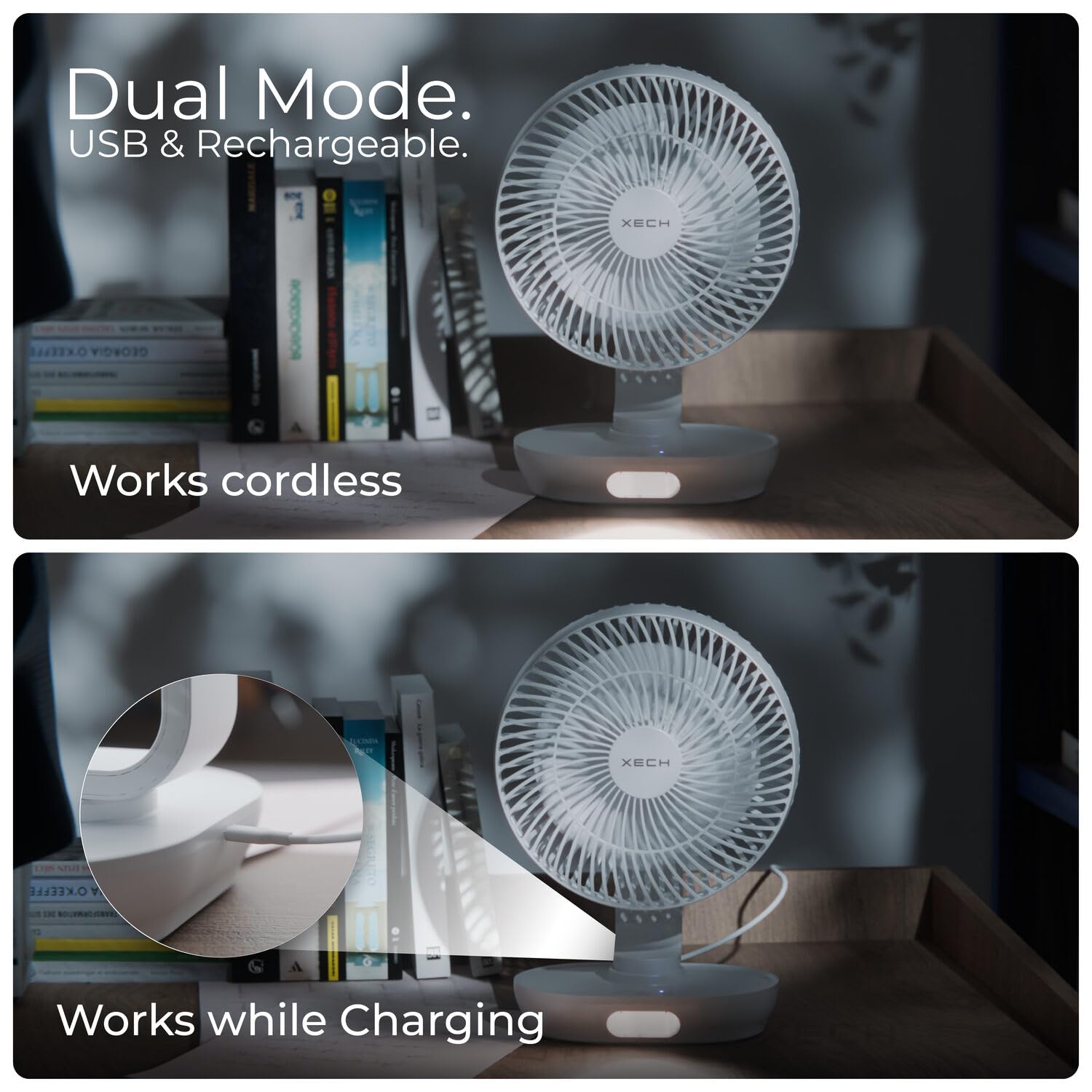
Figure 4.3: Dual Mode operation allows the fan to work cordless or while charging via USB-C.

Figure 4.4: Super-Quiet Brushless Motor ensures whisper-quiet operation, ideal for sleep or study.
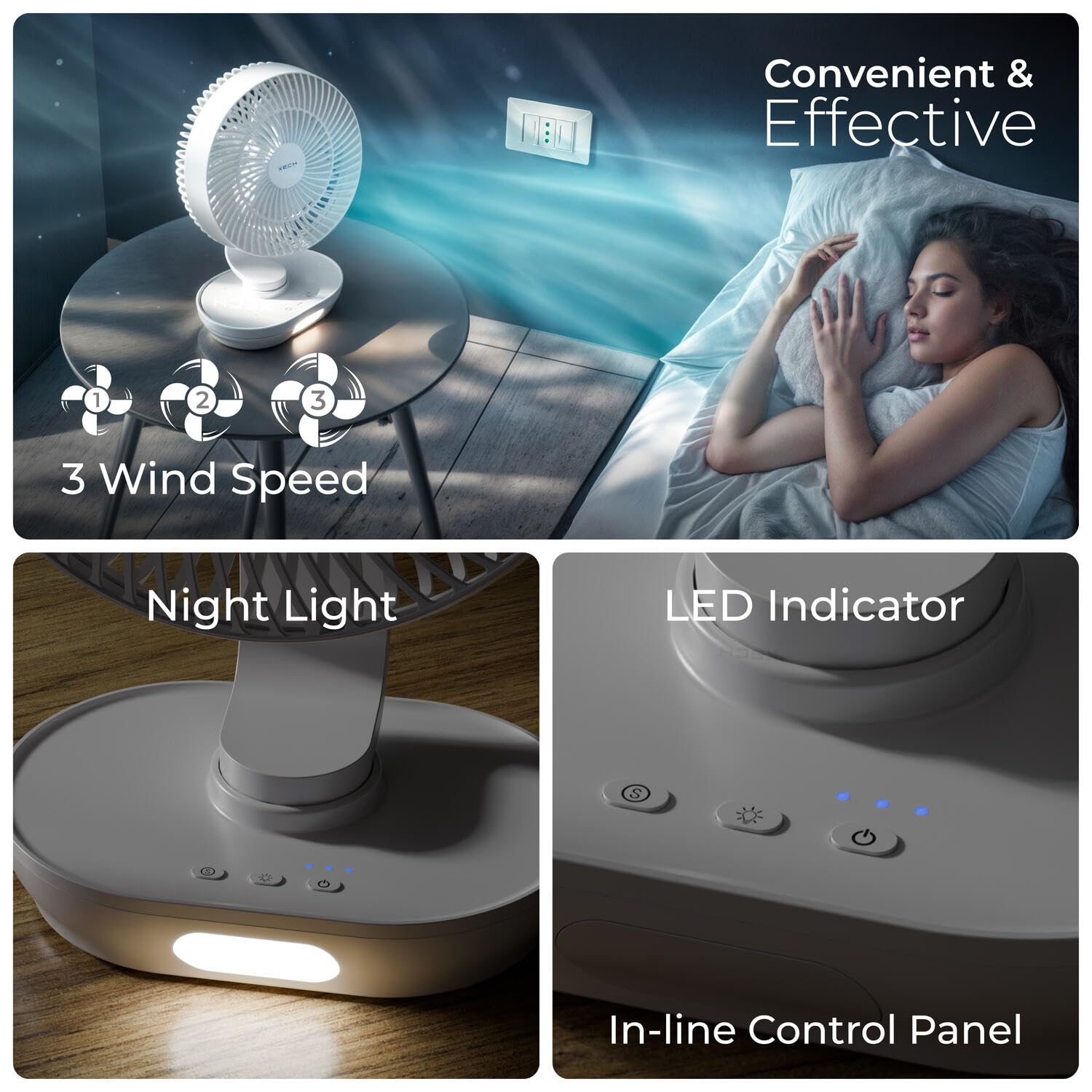
Figure 4.5: In-line Control Panel with buttons for power, speed, oscillation, and night light, along with LED indicators.

Figure 4.6: Engineered for Convenience: Features replaceable rechargeable batteries, easy-to-clean fan grills, an energy-efficient 2200 RPM motor, and aerodynamic fan blades.
5. Setup
- Unpack: Carefully remove the fan and all accessories from the packaging.
- Initial Charge: Before first use, fully charge the fan using the provided USB-C cable. Connect the USB-C end to the fan's charging port and the USB-A end to a compatible USB power adapter (not included) or computer USB port. The LED indicator will show charging status.
- Battery Installation (if applicable): The fan comes with pre-installed rechargeable batteries. If replacement is needed, open the battery compartment at the base and insert new compatible batteries, ensuring correct polarity.
- Placement: Place the fan on a stable, flat surface.
6. Operating Instructions
- Power On/Off: Press the Power button (U) on the control panel to turn the fan on or off.
- Adjust Fan Speed: While the fan is on, press the Speed button (fan icon) repeatedly to cycle through 3 wind speeds (Low, Medium, High).
- Oscillation Function: Press the Oscillation button (oscillation icon) to activate or deactivate the 100° automatic oscillation.
- Adjust Tilt Angle: Manually adjust the fan head up or down to achieve the desired 90° vertical tilt angle.
- Night Light: Press the Light button (light bulb icon) to turn the LED night light on or off. Some models may have multiple brightness levels; press repeatedly to cycle through them.
7. Maintenance
- Cleaning the Fan: Ensure the fan is turned off and unplugged before cleaning.
- Grill and Blades: The front grill and blades are removable for easy cleaning. Gently twist or unclip the front grill (refer to product diagrams if available) to access the blades. Wipe the blades and grill with a soft, damp cloth. Do not use abrasive cleaners or solvents.
- Exterior: Wipe the exterior of the fan with a soft, dry cloth.
- Storage: When not in use for extended periods, store the fan in a cool, dry place, away from direct sunlight and moisture.
8. Troubleshooting
| Problem | Possible Cause | Solution |
|---|---|---|
| Fan does not turn on. | Battery is depleted. | Charge the fan using the USB-C cable. |
| Power button not pressed correctly. | Ensure the Power button is pressed firmly. | |
| Weak airflow. | Fan speed is set too low. | Increase the fan speed. |
| Fan grill or blades are dirty. | Clean the fan grill and blades as per maintenance instructions. | |
| Fan makes unusual noise. | Obstruction in the fan blades. | Turn off and unplug the fan, then check for any obstructions and remove them carefully. |
| Fan not on a stable surface. | Place the fan on a flat, stable surface. | |
| Night light not working. | Night light function is off. | Press the Light button to turn it on. |
| Battery is too low. | Charge the fan. |
9. Specifications
| Feature | Detail |
|---|---|
| Brand | Xech |
| Model Name | BreezX (X-803) |
| Electric Fan Design | Table Fan |
| Power Source | Battery Powered |
| Product Dimensions | 12.5D x 20W x 30.5H Centimeters |
| Special Features | Portable, Quiet Operation, LED Light, Adjustable Tilt, Oscillating |
| Noise Level | 58 dB |
| Wattage | 6 Watts |
| Number of Blades | 3 |
| Blade Length | 200 Millimetres |
| Speed | 2200 RPM |
| Voltage | 5 Volts |
| Switch Type | Push Button |
| Item Weight | 575 Grams |
| Connector Type | USB Type C |
| Reusability | Rechargeable |
| Number of Power Levels | 3 |
| Country of Origin | China |
10. Warranty and Support
The Xech BreezX fan is manufactured by XECH Technologies Pvt Ltd. For any warranty claims, technical support, or service inquiries, please contact XECH Technologies Pvt Ltd directly. Please retain your proof of purchase for warranty validation.
For further assistance, please visit the official Xech store on Amazon or contact their customer service channels.


