
EFFORTWAY F-3000P
EFFORTWAY 3000W Pure Sine Wave Inverter F-3000P User Manual
Model: F-3000P
1. Introduction
Thank you for choosing the EFFORTWAY 3000W Pure Sine Wave Inverter. This device is designed to convert 12V DC battery power into 110V/120V AC household power, providing a stable and reliable energy source for various applications. This manual provides essential information for the safe and efficient operation, installation, and maintenance of your inverter. Please read it thoroughly before use and retain it for future reference.
2. Safety Instructions
To ensure safe operation and prevent damage to the inverter or connected devices, observe the following safety precautions:
- Ventilation: Ensure the inverter is installed in a well-ventilated area. Do not block the cooling fan or air vents.
- Environment: Avoid exposing the inverter to water, rain, snow, spray, or excessive dust. Do not operate in areas with flammable fumes or gases.
- Connections: Always connect the inverter to a 12V DC power source. Ensure all connections are tight and correct polarity is observed (red to positive, black to negative). Loose connections can cause overheating.
- Load Capacity: Do not exceed the inverter's continuous power rating of 3000W or peak power rating of 6000W. Overloading can cause damage and trigger safety protections.
- Grounding: The inverter must be properly grounded.
- Internal Components: Do not attempt to open or modify the inverter. There are no user-serviceable parts inside. Refer all servicing to qualified personnel.
- Children: Keep the inverter out of reach of children.
- Emergency: In case of smoke, strange odors, or unusual noise, immediately disconnect the inverter from the power source and connected devices.
The inverter features multiple built-in safety protections including over-current, short circuit, low load, overload, overheat, and overvoltage protection to safeguard the unit and your appliances.

Image: Inverter with labels for 6 safety protection features.
3. Package Contents
Verify that all items are present in your package:
- EFFORTWAY 3000W Pure Sine Wave Inverter
- Wireless Remote Control
- Wired Remote Control with LCD Display
- Instruction Manual (this document)
- 2 Battery Cables (1 red, 1 black)

Image: EFFORTWAY 3000W Inverter and its accessories.
4. Product Overview
The EFFORTWAY 3000W Pure Sine Wave Inverter is designed for high efficiency and stable power output, suitable for sensitive electronics. It features multiple AC outlets, USB ports, and convenient remote control options.
Inverter Components

Image: Labeled diagram of the inverter's front and rear panels.
- Positive Power Input Terminal: Connects to the positive terminal of the 12V DC battery.
- Negative Power Input Terminal: Connects to the negative terminal of the 12V DC battery.
- Cooling Fan: Automatically activates to dissipate heat and maintain optimal operating temperature.
- Ground Connector: For safety grounding.
- 4 USB Ports: For charging USB-powered devices.
- COMM Port: For connecting the wired remote control.
- ON/OFF Switch: Main power switch for the inverter.
- LCD Display: Shows real-time operating status, including input/output voltage, load, frequency, and error codes.
- 4 AC Sockets: Standard 110V/120V AC outlets for connecting appliances.
Remote Control Features

Image: Wired Remote Control Panel with USB and Type-C outputs.
- Wired Remote Control Panel: Features a dual LCD screen to track inverter status (input voltage, output wattage, battery level, load capacity, frequency, error codes). Includes a 5V 3.1A USB port and a 20W Type-C port for charging devices.
- Wireless Remote Control: Allows for convenient ON/OFF control from a distance of up to 164 feet (50 meters).

Image: Smart LCD display features.
5. Setup and Installation
Proper installation is crucial for the inverter's performance and safety.
5.1 Mounting the Inverter
- Choose a dry, well-ventilated, and cool location. Avoid direct sunlight or heat sources.
- Mount the inverter securely on a flat, stable surface. Ensure there is adequate space around the unit for airflow.
5.2 Battery Connection
- Ensure the inverter's main ON/OFF switch is in the "OFF" position before making any connections.
- Connect the red battery cable to the positive (+) terminal of your 12V DC battery and the positive (+) input terminal of the inverter.
- Connect the black battery cable to the negative (-) terminal of your 12V DC battery and the negative (-) input terminal of the inverter.
- Tighten all connections securely to prevent arcing and overheating.
5.3 Grounding
- Connect a grounding wire (not included) from the inverter's ground connector to a proper earth ground or vehicle chassis.
5.4 Remote Control Connection
- Wired Remote: Plug the provided Ethernet cable into the COMM port on the inverter and the corresponding port on the wired remote control panel.
- Wireless Remote: The wireless remote is pre-paired. Ensure the inverter is off before using the remote to power it on.
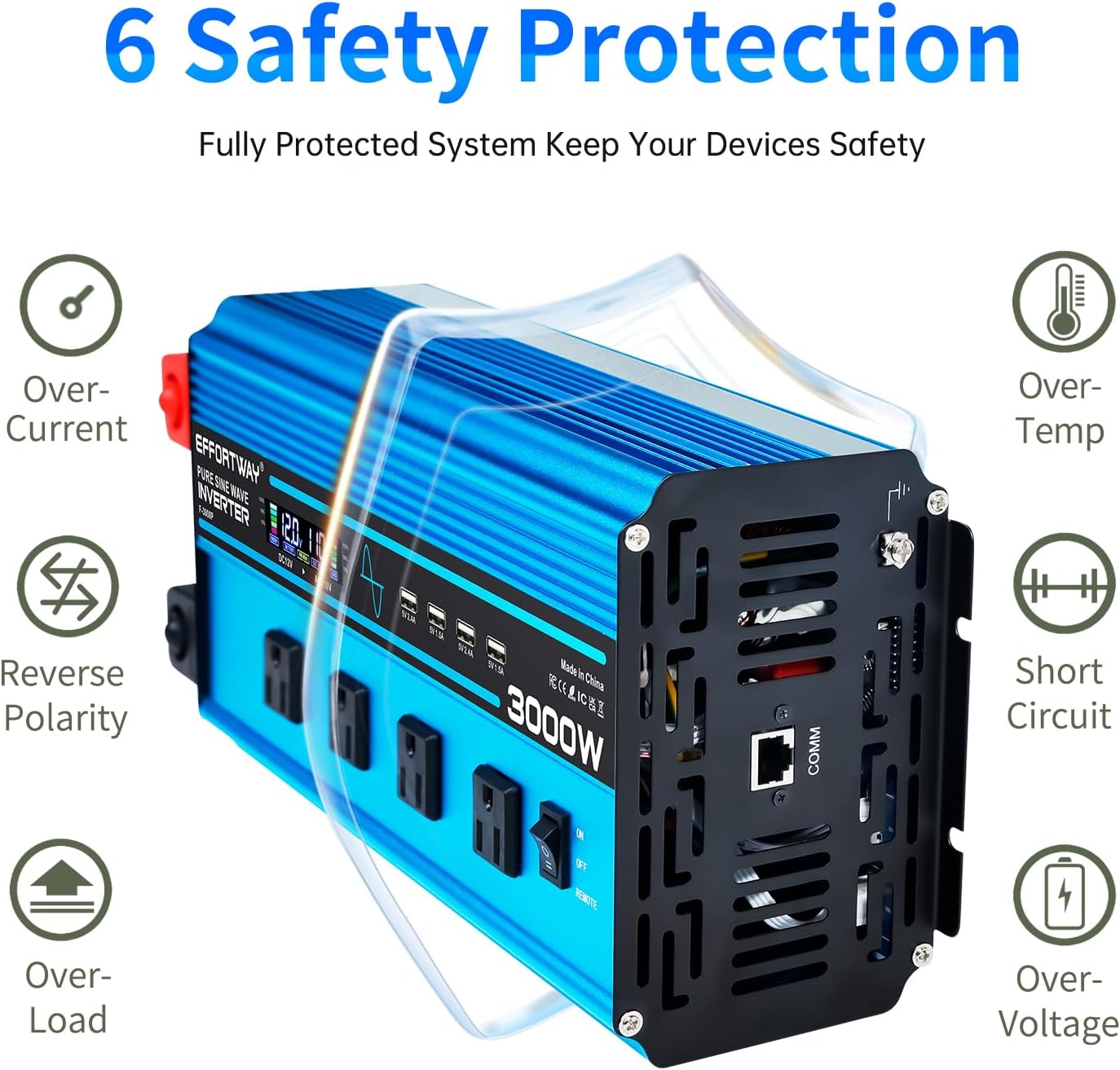
Image: Inverter dimensions and remote control specifications.
6. Operating Instructions
Follow these steps to operate your EFFORTWAY inverter:
6.1 Powering On/Off
- Main Switch: Flip the ON/OFF switch on the inverter to the "ON" position. The LCD display will illuminate.
- Remote Control: If using a remote, ensure the inverter's main switch is OFF. Then, use the ON button on either the wired or wireless remote to power on the inverter.
- Important: When using one of the three control methods (main switch, wired remote, wireless remote), ensure the other two are in the OFF state to avoid conflicts.

Image: Inverter control methods.
6.2 Connecting Appliances
- Once the inverter is powered on, plug your AC appliances into the 4 AC outlets.
- For USB charging, connect your devices to the 4 USB ports on the inverter or the USB/Type-C ports on the wired remote control panel.
- Ensure the total wattage of all connected appliances does not exceed 3000W.
6.3 Understanding the LCD Display
The LCD display provides real-time information about the inverter's status:
- Input Voltage: Displays the current DC voltage from the battery.
- Output Voltage: Shows the AC output voltage (110V/120V).
- Load Capacity: Indicates the percentage of the inverter's capacity being used.
- Frequency: Displays the output frequency (60Hz).
- Error Code: In case of a fault, an error code will be displayed (refer to Troubleshooting section).
7. Maintenance
Regular maintenance helps prolong the life of your inverter:
- Cleaning: Keep the inverter clean and free from dust and debris. Use a dry cloth to wipe the exterior. Do not use liquid cleaners.
- Ventilation: Periodically check that the cooling fan and air vents are clear and unobstructed.
- Connections: Regularly inspect battery cables and terminals for tightness and corrosion. Clean any corrosion with a wire brush and baking soda solution.
- Fuse Replacement: The inverter contains internal fuses for protection. If a fuse blows, it indicates an internal fault or severe overload. Fuse replacement should only be performed by a qualified technician. Do not attempt to replace internal fuses yourself.
8. Troubleshooting
If you encounter issues with your inverter, refer to the following table for common problems and solutions:
| Problem | Possible Cause | Solution |
|---|---|---|
| No power output / Inverter not turning on | Loose battery connections Low battery voltage Inverter main switch OFF Remote control conflict | Check and tighten battery cables. Charge or replace battery. Ensure inverter main switch is ON or use only one remote control method. Verify correct polarity. |
| Low output voltage / Inverter shuts down | Overload Overheat Low battery voltage | Reduce connected load. Ensure proper ventilation, clear fan/vents. Allow to cool. Charge or replace battery. |
| Fan not running | Normal operation (fan activates under load/heat) Fan obstructed Fan malfunction | Observe if fan activates under load. If not, check for obstructions. If still not working, contact support. |
| Error code on LCD | Specific fault detected (e.g., overvoltage, undervoltage, overload, short circuit) | Consult the manual for specific error code meanings (if provided by manufacturer) or contact customer support with the error code. Generally, disconnect load, check connections, and restart. |
If the problem persists after attempting these solutions, please contact EFFORTWAY customer support.
9. Specifications
Technical specifications for the EFFORTWAY 3000W Pure Sine Wave Inverter F-3000P:
| Feature | Specification |
|---|---|
| Model Name | F-3000P |
| Continuous Power | 3000 Watts |
| Peak Power | 6000 Watts |
| Input Voltage | DC 12V |
| Output Voltage | AC 110V/120V |
| Output Frequency | 60Hz |
| Waveform | Pure Sine Wave |
| Conversion Efficiency | >90% |
| AC Outlets | 4 |
| USB Output (Inverter) | 4 ports |
| USB Output (Wired Remote) | 5V 3.1A USB, 20W Type-C |
| Dimensions (L x W x H) | 15.16 x 6.3 x 4.02 inches |
| Item Weight | 7.72 pounds |
| Safety Protections | Over-current, Short Circuit, Low Load, Overload, Overheat, Overvoltage |
10. Warranty and Support
The EFFORTWAY 3000W Pure Sine Wave Inverter comes with a 12-month warranty from the date of purchase. This warranty covers manufacturing defects and workmanship under normal use.
For technical assistance, troubleshooting, or warranty claims, please contact EFFORTWAY customer service. Have your model number (F-3000P) and purchase information ready when contacting support.
We are committed to providing friendly and patient customer service to ensure your satisfaction.
Ask a question about this manual
Ask about setup, troubleshooting, compatibility, parts, safety, or missing instructions. Manuals+ will review the question and use this page’s manual context to help answer it.