
Introduction
Thank you for choosing the STUDIOFINIX ST-602BT-US1 Outdoor Bluetooth Speaker System. This system is designed to provide high-quality audio for various outdoor and indoor environments, including patios, gardens, poolside areas, and homes. Featuring 6.5-inch waterproof speakers and a multifunctional amplifier, this system offers versatile connectivity options and robust performance. The system includes four speakers, each capable of 200 watts output, totaling 800 watts. Please read this manual thoroughly before installation and operation to ensure proper use and longevity of your product.
What's in the Box
Carefully unpack all components and ensure all items are present. If any items are missing or damaged, please contact customer support.
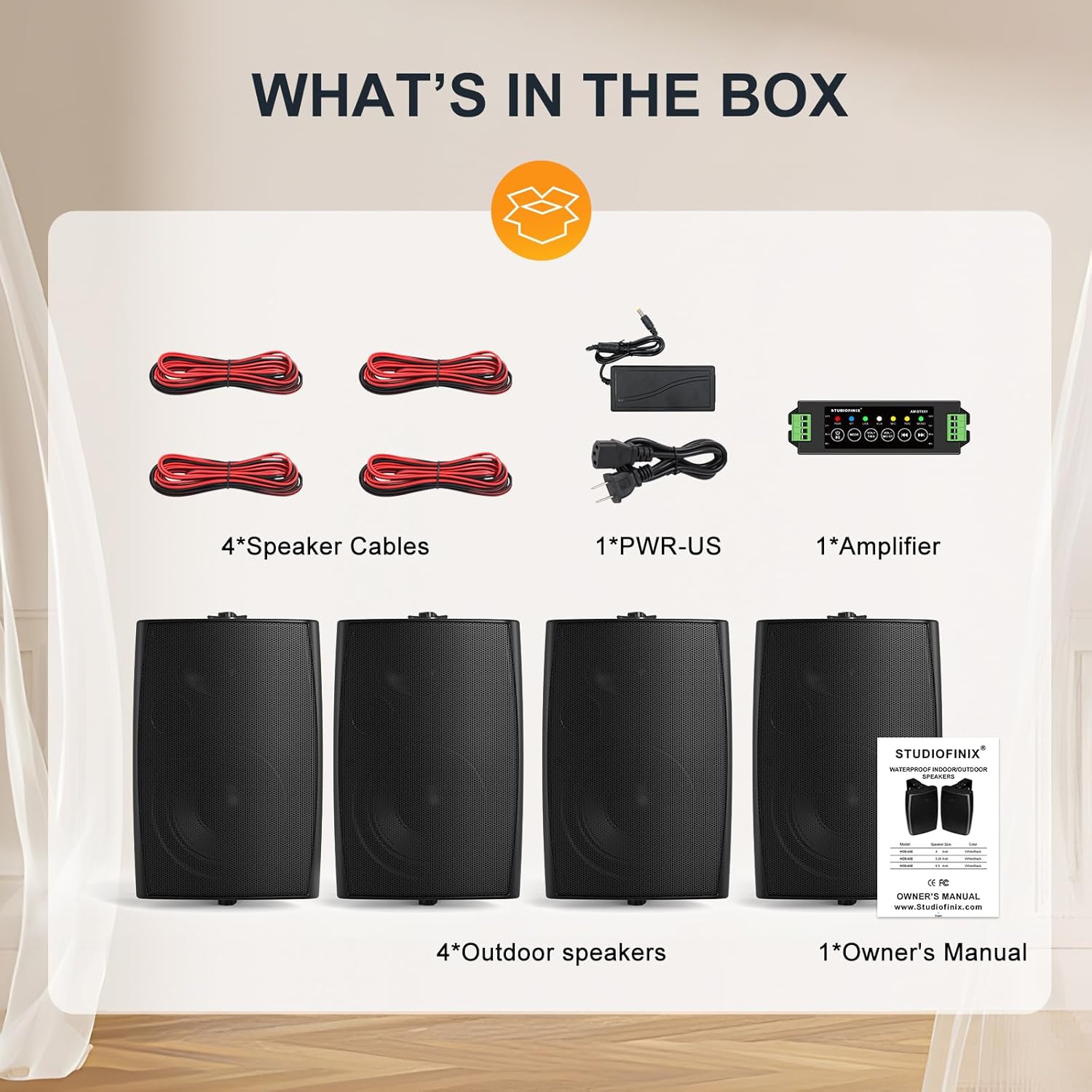
Image: All components included in the package, laid out for clear viewing. This includes four passive speakers, a Bluetooth amplifier box, a power adapter, four speaker cables, and the owner's manual.
- 4 x Passive Speakers
- 1 x Bluetooth Amplifier Box (AMP68)
- 1 x Power Adapter
- 4 x Speaker Cables (5 Meters Each)
- 1 x Owner's Manual
Specifications
| Feature | Detail |
|---|---|
| Model Name | ST-602BT-US1 |
| Speaker Type | Outdoor |
| Speaker Size | 6.5 Inches |
| Maximum Output Power (per speaker) | 200 Watts |
| Impedance | 6 Ohm |
| Connectivity Technology | Bluetooth 5.0, AUX, USB, MIC, TWS |
| Water Resistance Level | IP44 Waterproof |
| Mounting Type | Wall Mount |
| Product Dimensions (L x W x H) | 30cm x 17cm x 21cm (11.81" x 6.69" x 8.27") |
| Item Weight | 11.34 Kilograms (24.9 pounds) |
| Manufacturer | STUDIOFINIX |

Image: Detailed view of a speaker's internal structure, emphasizing its 6.5-inch woofer and 200W maximum power output.

Image: Visual representation of the speaker dimensions, indicating length (30cm / 11.81in), width (17cm / 6.69in), and height (21cm / 8.27in).
Setup Instructions
1. Mounting the Speakers
The speakers are designed for wall mounting and come with adjustable brackets. Choose a suitable location that provides optimal sound dispersion and is protected from direct, heavy weather exposure, despite their waterproof rating.
- Identify the desired mounting location. Ensure the surface is sturdy enough to support the speaker's weight.
- Use the included mounting brackets as a template to mark drilling points.
- Drill pilot holes and secure the brackets to the wall using appropriate screws and anchors (not included, depending on wall material).
- Attach the speakers to the mounted brackets. Adjust the angle for optimal sound direction.

Image: Front and side views of the outdoor speakers, demonstrating their compact design and integrated mounting hardware.
2. Wiring the Speakers to the Amplifier
The amplifier (AMP68) supports up to four passive speakers. Use the provided speaker cables to connect each speaker to the amplifier.
- Locate the speaker terminals on the back of each passive speaker and on the amplifier.
- Connect one end of a speaker cable to the positive (+) and negative (-) terminals of a speaker. Ensure correct polarity (red to red, black to black).
- Connect the other end of the same speaker cable to the corresponding speaker output terminals on the amplifier.
- Repeat this process for all four speakers.

Image: A schematic showing four speakers connected to the central amplifier unit, detailing the wiring configuration.
3. Power Connection
Connect the provided power adapter to the amplifier and then plug it into a suitable power outlet.
- Ensure the amplifier's power switch is in the "OFF" position before connecting the power adapter.
- Plug the DC output of the power adapter into the power input jack on the amplifier.
- Plug the AC input of the power adapter into a wall outlet.
- Turn the amplifier's power switch to "ON". The power indicator light should illuminate.
Operating Instructions
1. Amplifier Overview (AMP68)
The AMP68 amplifier serves as the central control unit for your speaker system, offering multiple input options and controls.
- Power Button: Turns the amplifier on/off.
- Mode Button: Cycles through input modes (Bluetooth, AUX, USB).
- Volume Control: Adjusts the overall system volume.
- Input Ports: Bluetooth, AUX (3.5mm), USB, MIC.
2. Bluetooth Connection
Connect your smartphone or other Bluetooth-enabled device to the amplifier wirelessly.
- Turn on the amplifier.
- Press the "Mode" button until the Bluetooth indicator light flashes, indicating pairing mode.
- On your device, enable Bluetooth and search for available devices.
- Select "STUDIOFINIX AMP68" (or similar name) from the list.
- Once connected, the Bluetooth indicator light will become solid. You can now stream audio from your device.

Image: Outdoor setting showing speakers wirelessly connected via Bluetooth to a smartphone, playing music.
3. AUX Connection
For wired audio input, use the AUX port.
- Connect a 3.5mm audio cable (not included) from your audio source (e.g., TV, MP3 player) to the AUX input on the amplifier.
- Press the "Mode" button until the AUX indicator light illuminates.
- Play audio from your connected device.
4. USB Playback
Play audio files directly from a USB drive.
- Insert a USB drive containing audio files into the USB port on the amplifier.
- Press the "Mode" button until the USB indicator light illuminates.
- The amplifier should automatically begin playing audio from the USB drive. Use the amplifier's controls (if available) or your connected device (if in Bluetooth mode) to navigate tracks.
5. Microphone Use
The amplifier includes a microphone input for karaoke or public address functions.
- Plug a microphone (not included) into the MIC input jack on the amplifier.
- Adjust the microphone volume control on the amplifier as needed.
6. TWS Function (True Wireless Stereo)
If you have two STUDIOFINIX AMP68 amplifiers, you can pair them together for a true wireless stereo experience, expanding your sound coverage.
- Ensure both AMP68 amplifiers are powered on and in Bluetooth pairing mode (indicator flashing).
- On one amplifier, press and hold the TWS button (if available, refer to amplifier manual for specific button).
- The two amplifiers will attempt to pair with each other. Once connected, one will act as the master (left channel) and the other as the slave (right channel).
- Connect your device to the master amplifier via Bluetooth as described in step 2.
Maintenance
Proper maintenance ensures the longevity and optimal performance of your speaker system.
- Cleaning: Wipe the speakers and amplifier with a soft, damp cloth. Avoid using harsh chemicals or abrasive cleaners.
- Water Exposure: While the speakers are IP44 waterproof, prolonged exposure to heavy rain or direct water jets should be avoided. Ensure all connections are secure to prevent water ingress.
- Storage: If storing the system for an extended period, especially in harsh weather conditions, consider bringing the amplifier indoors and covering the speakers.
- Cable Inspection: Periodically check speaker cables for any signs of wear or damage. Replace damaged cables immediately.

Image: An outdoor speaker being splashed with water, illustrating its IP44 water resistance for outdoor use.
Troubleshooting
If you encounter issues with your speaker system, refer to the following common problems and solutions.
| Problem | Possible Cause | Solution |
|---|---|---|
| No sound from speakers |
|
|
| Bluetooth device cannot pair |
|
|
| Distorted or poor sound quality |
|
|
Warranty and Support
STUDIOFINIX is committed to your satisfaction. This product comes with a 1-year warranty service. If you have any technical questions, require assistance, or need to claim warranty service, please contact our professional customer support team.
For support, please visit the STUDIOFINIX store on Amazon or refer to the contact information provided in your owner's manual.
STUDIOFINIX Store Link: Visit the STUDIOFINIX Store