
Introduction
Thank you for choosing the STUDIOFINIX 6.5-inch Outdoor Bluetooth Speaker System. This system is designed to provide high-quality audio in various outdoor and indoor environments. Featuring an IP44 waterproof rating, Bluetooth 5.0 connectivity, and a versatile amplifier, it offers a robust and flexible audio solution. This manual provides essential information for setup, operation, maintenance, and troubleshooting to ensure optimal performance and longevity of your speaker system.

Image: Detailed view of the speaker highlighting its components and sound specifications.
Package Contents
Please verify that all items listed below are included in your package:
- 4 x Passive Speakers
- 1 x Bluetooth Amplifier Box (AMP68)
- 1 x Power Adapter
- 4 x Speaker Cables (5 Meters Each)
- 1 x User Manual (this document)
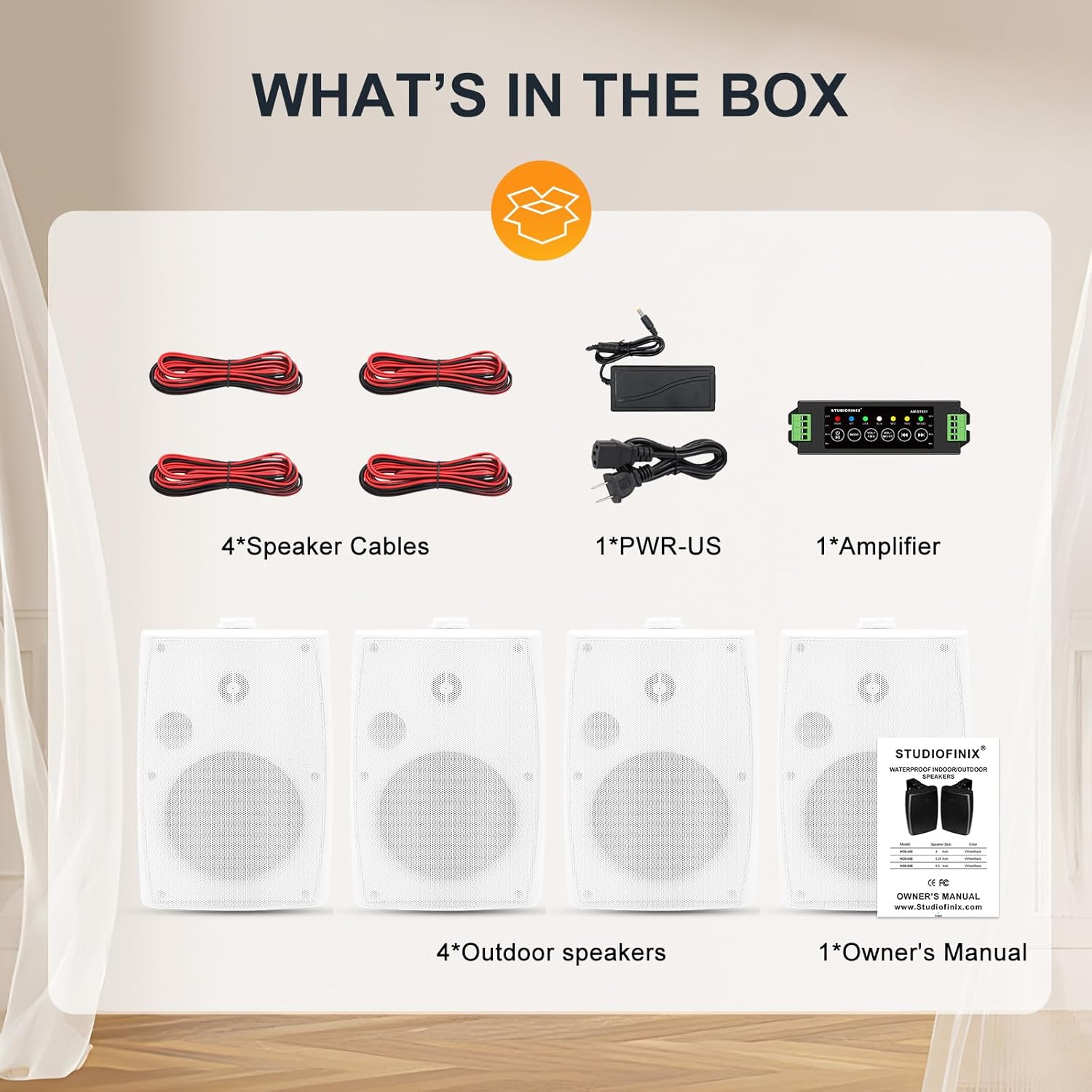
Image: All components included in the STUDIOFINIX speaker system package.
Specifications
- Brand: STUDIOFINIX
- Model Number: ST-602BT-US1
- Speaker Size: 6.5 Inches
- Speaker Maximum Output Power: 200 Watts per speaker (800W total for 4 speakers)
- Connectivity Technology: Bluetooth 5.0, AUX, USB, MIC, TWS
- Audio Output Mode: Stereo
- Mounting Type: Wall Mount
- Enclosure Material: Plastic
- Water Resistance Level: IP44 Waterproof (Dust-proof and resistant to water spray from all angles)
- Impedance: 6 Ohms
- Signal-to-Noise Ratio: 89 dB
- Item Dimensions (D x W x H): 13.78"D x 9.05"W x 15.75"H (30cm x 17cm x 21cm)
- Item Weight: 11.52 Kilograms (total package)

Image: Product dimensions for installation planning.
Setup
1. Speaker Placement
For optimal sound distribution, position the speakers evenly in your desired area. Consider mounting them at a height that allows sound to project effectively across the listening space. The adjustable wall mounts allow for flexible angling.
2. Wiring Speakers to Amplifier
Connect the passive speakers to the Bluetooth amplifier using the provided speaker cables. Ensure correct polarity: connect the red wire to the positive (+) terminal and the black wire to the negative (-) terminal on both the speaker and the amplifier. The AMP68 amplifier supports up to four speakers.
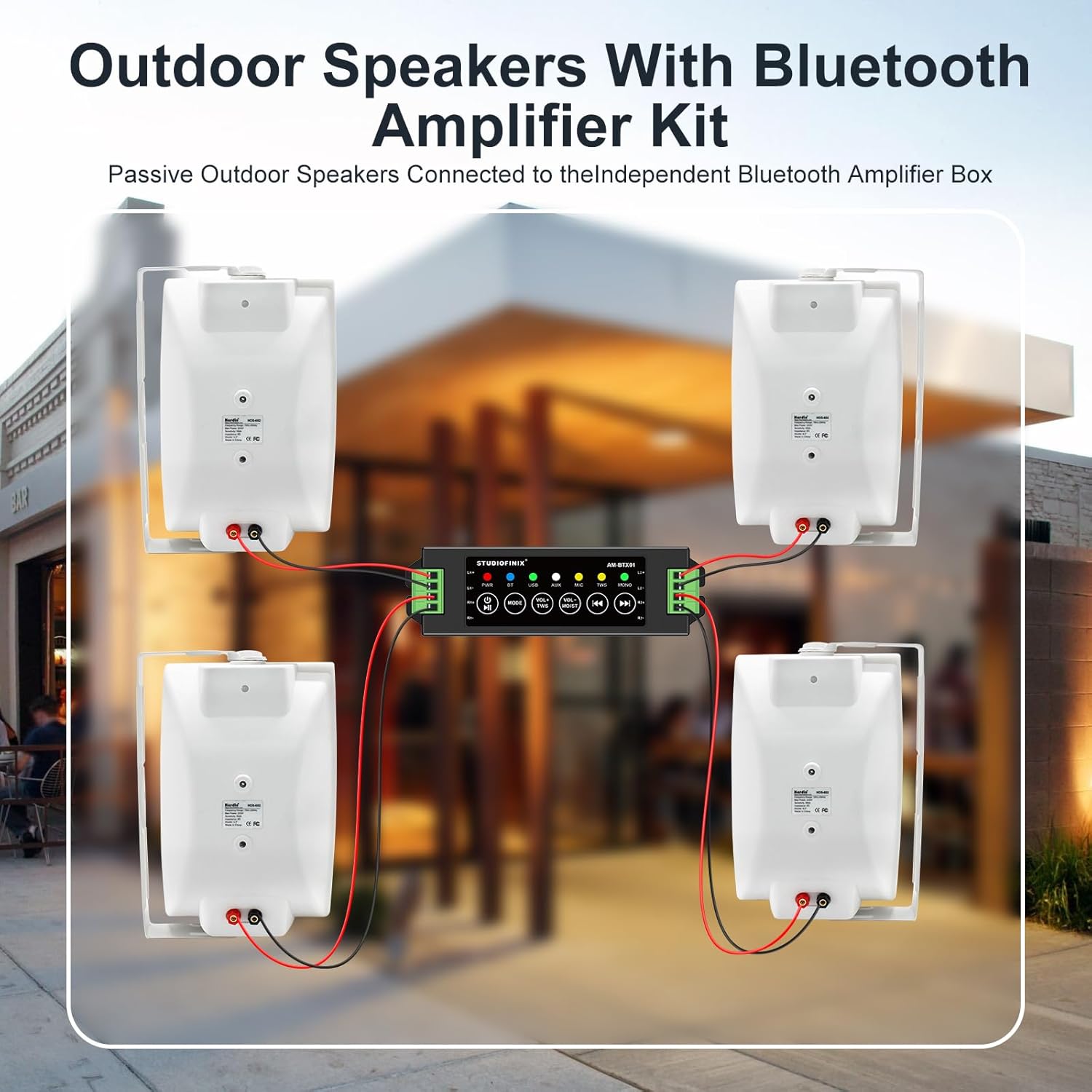
Image: Wiring diagram for connecting speakers to the amplifier.
3. Power Connection
Connect the power adapter to the amplifier's power input, then plug the adapter into a standard electrical outlet. The amplifier will power on automatically.
4. Mounting Speakers
Use the included wall mount brackets to securely attach the speakers to a stable surface. Fix the bracket with screws, then place the speaker onto the bracket and tighten it with the knob for desired angle adjustment.
Video: A demonstration of the STUDIOFINIX 6.5-inch Outdoor Bluetooth Speakers, including unboxing, connection, and mounting procedures.
Operating Instructions
1. Power On/Off
The amplifier powers on automatically when connected to power. To turn off, disconnect the power adapter.
2. Bluetooth Pairing
- Ensure the amplifier is powered on. The Bluetooth indicator light will flash, indicating it's in pairing mode.
- On your device (smartphone, tablet, etc.), enable Bluetooth and search for available devices.
- Select "STUDIOFINIX" or the amplifier's model name from the list.
- Once connected, the Bluetooth indicator light will become solid, and you will hear a confirmation tone.

Image: Speakers in an outdoor setting, demonstrating Bluetooth connectivity with a smartphone.
3. Input Modes
Press the MODE button on the amplifier to cycle through available input sources: Bluetooth (BT), AUX, USB, and MIC. The corresponding indicator light will illuminate.
4. Volume Control
Use the VOL+ and VOL- buttons on the amplifier to adjust the master volume. For TWS (True Wireless Stereo) mode, use the VOL+ TWS and VOL- TWS buttons to control volume for both paired units.
5. TWS (True Wireless Stereo) Function
To pair two STUDIOFINIX amplifier units for stereo sound, ensure both are powered on and in Bluetooth mode. Press and hold the TWS button on one amplifier until it pairs with the other. Once connected, they will function as a stereo pair.
Maintenance
1. Cleaning
Wipe the speaker enclosures with a soft, damp cloth. Avoid using harsh chemicals or abrasive cleaners, as these can damage the finish or internal components. Ensure the speakers are dry before prolonged use.
2. Water Resistance (IP44)
The speakers have an IP44 rating, meaning they are protected against solid objects larger than 1mm and splashing water from any direction. While suitable for outdoor use in various weather conditions, they are not designed for submersion in water. Avoid direct high-pressure water jets.
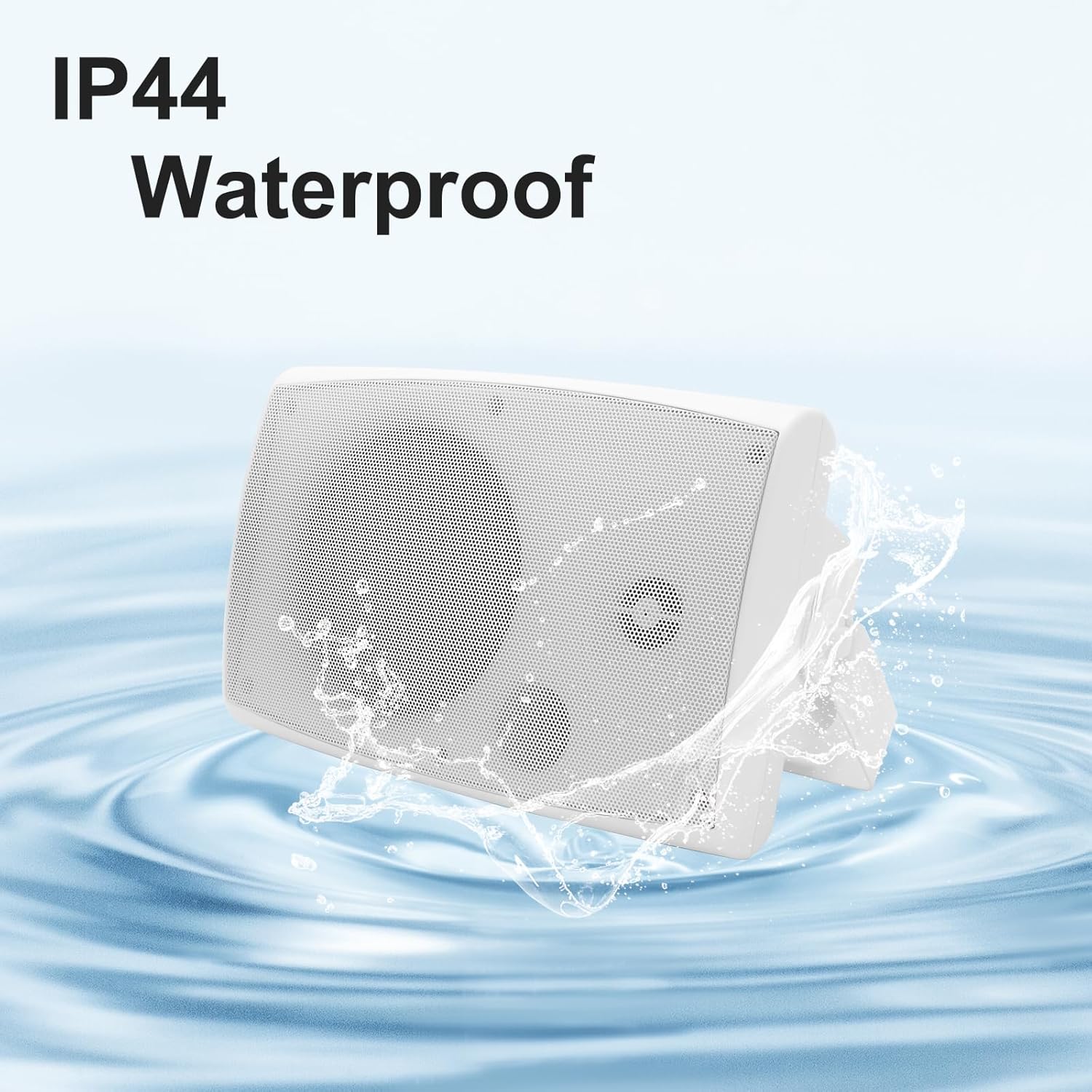
Image: Speaker demonstrating its IP44 water resistance.
3. Storage
If storing the speakers for an extended period, especially in harsh weather conditions, it is recommended to disconnect them from power and store them in a dry, protected environment to prolong their lifespan.
Troubleshooting
- No Power:
Ensure the power adapter is securely connected to both the amplifier and a working electrical outlet. Check if the outlet is functional by plugging in another device. - No Sound:
Verify that the speakers are correctly wired to the amplifier with correct polarity. Check the volume levels on both the amplifier and your connected device. Ensure the correct input mode (Bluetooth, AUX, USB, MIC) is selected on the amplifier. - Bluetooth Connection Issues:
Make sure the amplifier is in Bluetooth pairing mode (flashing indicator). Ensure your device's Bluetooth is enabled and within range (typically up to 10 meters). Try unpairing and re-pairing the device. If multiple devices are connected, disconnect others. - Distorted Audio:
Reduce the volume on both the amplifier and your source device. Check speaker cable connections for any loose wires. Ensure the audio source is of good quality. - TWS Pairing Failure:
Ensure both amplifiers are powered on and in Bluetooth mode. Keep them close during pairing. If issues persist, try resetting both amplifiers by disconnecting and reconnecting power.
Warranty and Support
The STUDIOFINIX 6.5-inch Outdoor Bluetooth Speaker System comes with a 1-year warranty from the date of purchase. This warranty covers manufacturing defects and ensures reliable performance under normal use.
For technical questions, troubleshooting assistance, or warranty claims, please contact our professional customer support team. Refer to the contact information provided on the product packaging or the official STUDIOFINIX website.