
1. Introduction
Thank you for choosing the FAHEFANA M3 2-in-1 Laser Tape Measure. This innovative device combines a 40-meter laser distance meter with a 5-meter traditional tape measure, offering versatility and precision for various measurement tasks. Designed for both DIY enthusiasts and professionals, it simplifies complex measurements for distance, area, volume, and Pythagorean calculations. Please read this manual thoroughly before use to ensure safe and optimal operation.
2. Safety Information
WARNING: LASER RADIATION. DO NOT STARE INTO BEAM. CLASS 2 LASER PRODUCT.
- Do not look directly into the laser beam. Direct exposure can cause eye damage.
- Do not disassemble or modify the device. Unauthorized modifications may result in hazardous laser radiation exposure.
- Keep the device out of reach of children.
- Avoid using the device in explosive environments or near flammable materials.
- Ensure the device is clean and dry before use. Do not expose to extreme temperatures or humidity.
3. Package Contents
- FAHEFANA M3 2-in-1 Laser Tape Measure
- USB-C Charging Cable
- User Manual (in five languages)
- Wrist Strap

Image: The FAHEFANA M3 device shown alongside its included accessories: a USB-C charging cable, a user manual, and a wrist strap.
4. Product Overview
The FAHEFANA M3 features a robust design with intuitive controls and a clear display for efficient operation.
4.1 Components and Controls

Image: A close-up diagram illustrating the functions of the control buttons on the FAHEFANA M3 device, including Auto Lock, Unit Change, Mode Change, Reference Selection, Power On/Measure, and Cancel/Off.
- ON/MEASURE Button (Center): Press to power on the device or initiate a laser measurement.
- C/OFF Button (Bottom): Press to cancel the current operation or long-press to power off the device.
- +/-U Button (Top): Press to switch measurement units (meters, inches, feet).
- MODE Button (Left): Press to cycle through different measurement modes (single, continuous, area, volume, Pythagorean).
- REFERENCE Button (Right): Press to change the measurement reference point (front or rear of the device).
- Tape Measure Lock: Located on the side, this mechanism automatically locks the tape in place when extended.
- Magnetic Hook: The end of the tape measure features a magnetic hook for easy attachment to metal surfaces.
4.2 HD-LCD Digital Display
The device is equipped with a high-definition LCD screen that provides clear, immediate measurement results and mode indicators.

Image: A detailed view of the FAHEFANA M3's HD-LCD digital display, showcasing various measurement readings and icons for different modes and settings.
5. Setup
5.1 Charging the Device
The FAHEFANA M3 is powered by a built-in Lithium Polymer battery and supports USB-C fast charging.
- Connect the provided USB-C cable to the charging port on the device.
- Connect the other end of the cable to a standard USB power adapter (not included) or a computer USB port.
- The battery indicator on the display will show charging status. A full charge takes approximately 30 minutes and provides over three hours of continuous laser measurement.
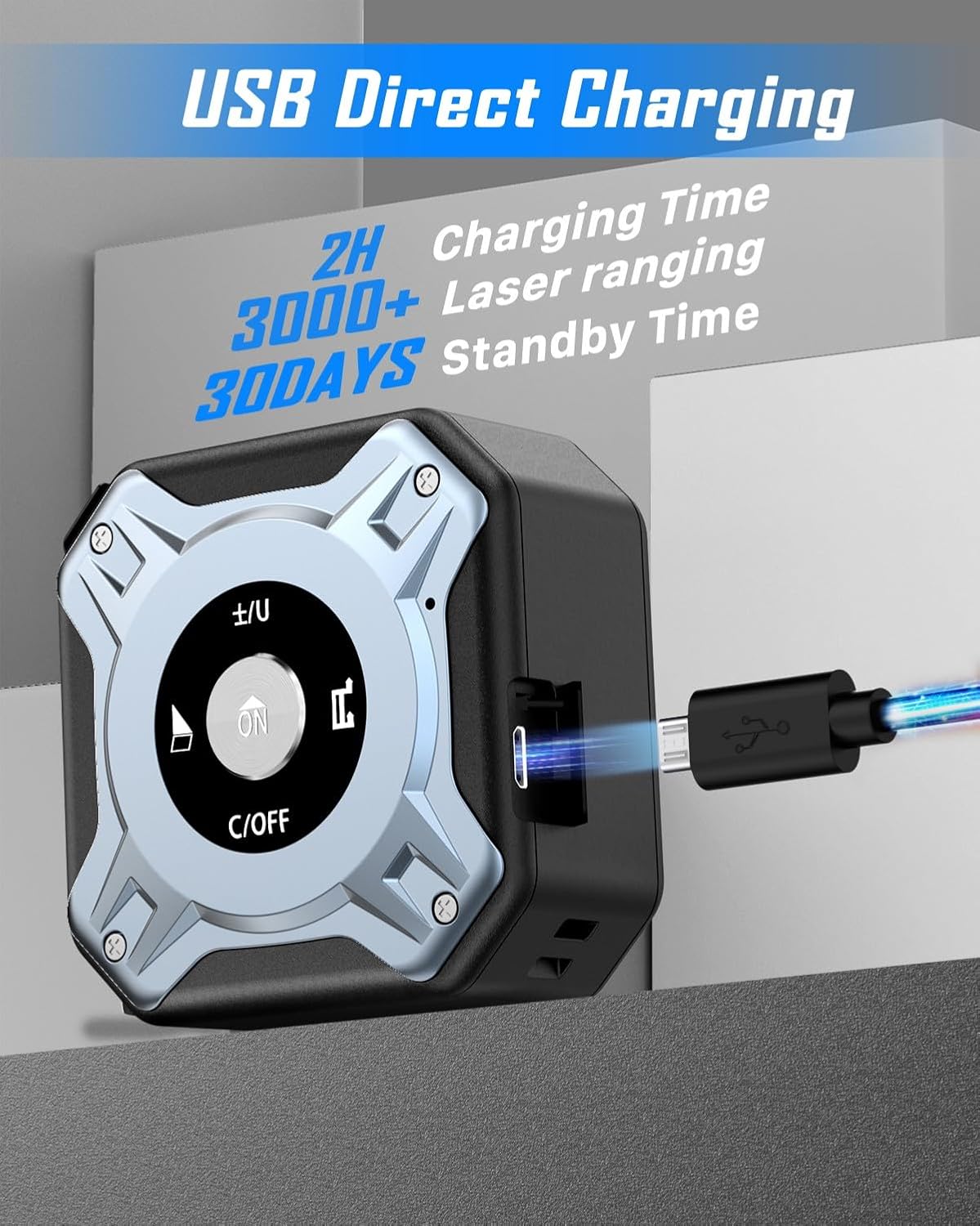
Image: The FAHEFANA M3 laser tape measure connected to a USB-C charging cable, illustrating its fast charging capability.
6. Operating Instructions
6.1 Power On/Off
- To Power On: Press the ON/MEASURE button. The display will light up.
- To Power Off: Long-press the C/OFF button for approximately 3 seconds. The device also features an intelligent automatic shutdown function to conserve battery.
6.2 Switching Measurement Units
To change the measurement unit (meters, inches, feet):
- Press the +/-U button to cycle through the available units. The selected unit will be displayed on the screen.
6.3 Selecting Measurement Reference Point
The device can measure from its front or rear edge. This is important for accurate measurements, especially in tight spaces.
- Press the REFERENCE button to switch between the front and rear reference points. An icon on the display will indicate the active reference point.

Image: Illustration of how to select the measurement reference point, either from the front or the back of the device, for accurate readings.
6.4 Using the Laser Distance Meter (40m)
The laser measurement function is ideal for longer distances and various calculations.

Image: The FAHEFANA M3 device highlighting its dual functionality: a 40m laser ranging capability and a 5m steel tape measure.
- Single Measurement: Press the ON/MEASURE button once to activate the laser. Press it again to take a single measurement. The result will appear on the display.
- Continuous Measurement: From single measurement mode, long-press the ON/MEASURE button. The device will continuously measure and display the current distance. Press ON/MEASURE again to stop.
- Area Measurement: Press the MODE button until the area icon appears. Take two consecutive measurements (length and width). The device will automatically calculate and display the area.
- Volume Measurement: Press the MODE button until the volume icon appears. Take three consecutive measurements (length, width, height). The device will calculate and display the volume.
- Pythagorean Measurement: Press the MODE button until the Pythagorean icon appears. Follow the on-screen prompts to take the required measurements (e.g., hypotenuse and one side) to calculate the unknown side.

Image: Visual representation of the FAHEFANA M3's six smart ranging modes: single measurement, continuous measurement, area, volume, Pythagorean, and repeated Pythagorean measurement.

Image: Detailed illustrations demonstrating how the laser measurement function is used for calculating area, volume, and applying the Pythagorean theorem for indirect measurements.
6.5 Using the Tape Measure (5m)
The traditional tape measure is suitable for shorter distances and direct measurements.
- Pull out the tape measure to the desired length. The automatic lock feature will hold it in place.
- To retract the tape, press the tape release button (usually located on the bottom or side of the device).
- Utilize the magnetic hook for secure attachment to metallic surfaces, ensuring stable and accurate measurements.

Image: The FAHEFANA M3's 5-meter tape measure extended, highlighting its robust construction and magnetic fixation at the end for secure attachment during measurements.

Image: A close-up view of the magnetic hook at the end of the tape measure, demonstrating its strong magnetic attachment points.

Image: A magnified view of the tape measure, showing clear and precise markings in both metric and imperial units.
6.6 Video Demonstration
For a visual guide on operating the FAHEFANA M3, please watch the following video:
Video: A demonstration of the FAHEFANA M3 Laser Tape Measure in use, showcasing its various functions and how to operate the device for different measurements.
7. Maintenance
- Cleaning: Use a soft, damp cloth to clean the device. Do not use abrasive cleaners or solvents.
- Storage: Store the device in a cool, dry place away from direct sunlight and extreme temperatures.
- Durability: The device is constructed with ABS material and features a stable hexagonal structural design for enhanced drop resistance. It has an IP56 rating, providing protection against dust and water splashes.

Image: The FAHEFANA M3 device is depicted in a scenario suggesting its robust construction and resistance to accidental drops, highlighting its durability.
8. Troubleshooting
- Laser not visible: In bright sunlight or over long distances, the laser dot may be difficult to see. This is normal for laser devices. Try shading the target area or using a laser target plate.
- Inaccurate measurements: Ensure the reference point is correctly set (front/rear). Check for obstructions in the laser path. Ensure the device is held steady.
- Device not powering on: Check battery level and recharge if necessary.
- Tape measure retraction issues: Ensure the tape is not twisted or obstructed. Press the release button firmly.
9. Specifications
| Feature | Specification |
|---|---|
| Brand | FAHEFANA |
| Model Number | M3 |
| Laser Measuring Range | 40 meters |
| Tape Measure Length | 5 meters |
| Measurement Units | Meters (M), Inches (In), Feet (Ft) |
| Measurement Modes | Single, Continuous, Area, Volume, Pythagorean |
| Display | HD-LCD Digital Display |
| Charging Type | USB-C Fast Charging |
| Battery Type | Lithium Polymer (included) |
| Material | Acrylonitrile Butadiene Styrene (ABS), Aluminum |
| Color | Silver |
| Weight | 280 grams |
| Dimensions | 13.2 x 10.2 x 5.2 cm (packaging) |
| Ingress Protection (IP) Rating | IP56 |
10. Warranty and Support
FAHEFANA is committed to providing high-quality products. This device comes with a standard manufacturer's warranty against defects in materials and workmanship. For warranty claims, technical support, or any questions regarding the product, please contact your retailer or FAHEFANA customer service through the contact information provided with your purchase. Please retain your proof of purchase for warranty purposes.