
Product Overview
The Brrnoo Volume Controller is designed for precise audio level adjustment in smart home and background music systems. It features a durable ABS panel and offers five levels of volume control for dual-channel stereo audio.
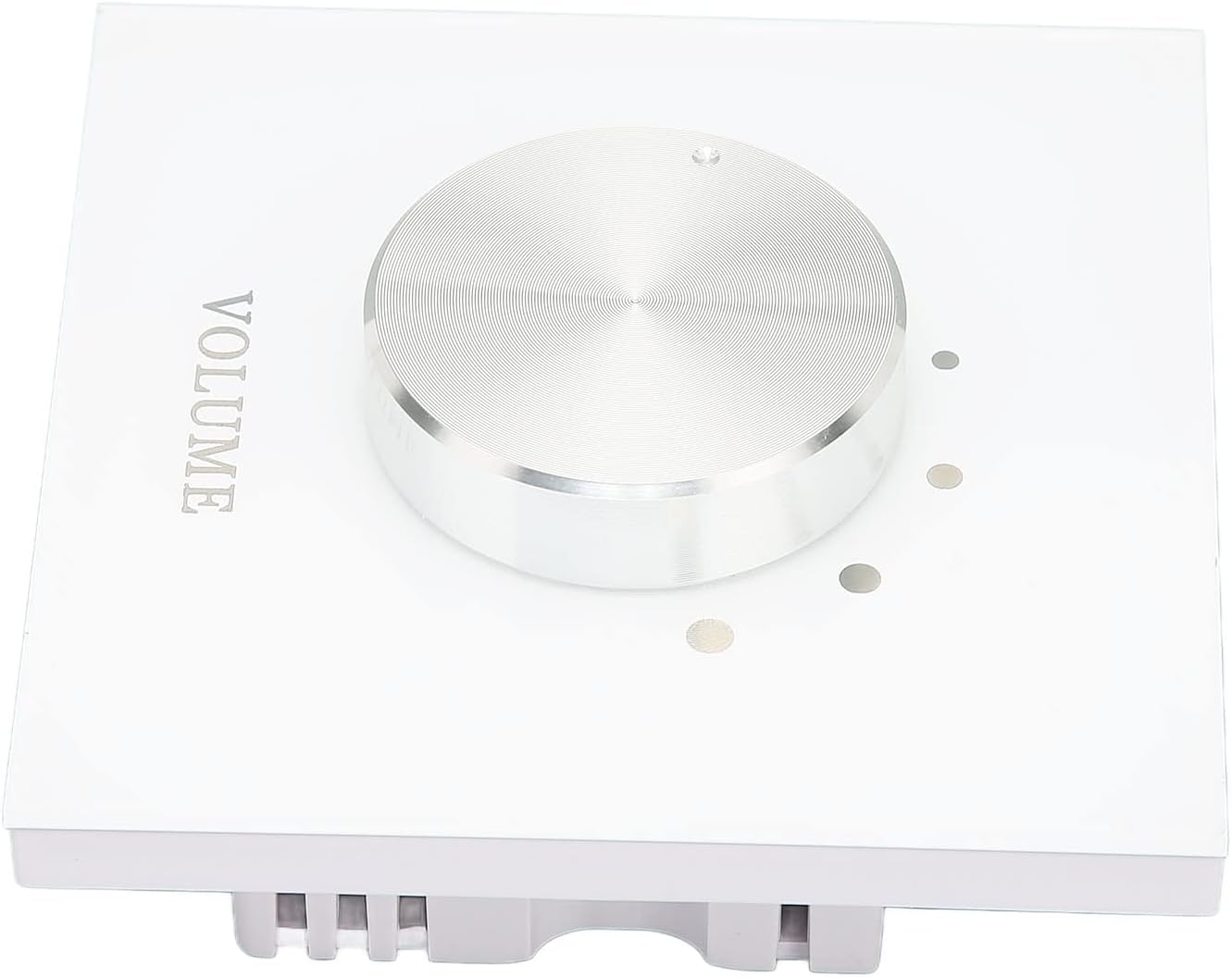
Image 1: Front view of the Brrnoo Volume Controller, showcasing the central silver volume knob and the 'VOLUME' label on its transparent ABS panel.
Package Contents
Verify that all items are present in the package:
- 1 x Brrnoo Volume Controller
- 2 x Mounting Screws

Image 2: The Brrnoo Volume Controller shown alongside the two included mounting screws, ready for installation.
Setup and Installation
The Brrnoo Volume Controller is designed for easy wiring and installation. Follow these steps for proper setup:
- Preparation: Ensure power to the audio system is turned off before beginning installation.
- Wiring: Connect the audio input and output cables to the appropriate terminals on the back of the volume controller. The unit supports dual-channel stereo adjustment.
- Mounting: Secure the volume controller to a suitable surface using the provided screws.
- Power On: Once wiring and mounting are complete, restore power to your audio system.

Image 3: Rear view of the Brrnoo Volume Controller, displaying the wiring diagram for R-IN, R-OUT, L-IN, L-OUT connections to power amplifiers and speakers.
Wiring Diagram Details:
- R-IN / L-IN: Right and Left channel audio input from the power amplifier.
- R-OUT / L-OUT: Right and Left channel audio output to the speakers.
Operating Instructions
The Brrnoo Volume Controller provides intuitive control over your audio system's volume.
- Volume Adjustment: Rotate the central knob clockwise to increase volume and counter-clockwise to decrease volume.
- Volume Levels: The controller offers 5 distinct levels of volume adjustment, allowing for precise tuning to your preferred listening environment.
- Dual Channel Control: This unit allows simultaneous volume adjustment for two speakers, ensuring a balanced stereo audio experience.

Image 4: A close-up view of the volume knob and the five indicator dots on the Brrnoo Volume Controller, representing the adjustable volume levels.
Maintenance
To ensure the longevity and optimal performance of your Brrnoo Volume Controller, follow these simple maintenance guidelines:
- Cleaning: Use a soft, dry cloth to wipe the transparent ABS panel. Avoid abrasive cleaners or solvents that could damage the finish.
- Environment: Keep the device in a dry environment, away from direct sunlight, extreme temperatures, and excessive dust.
- Connections: Periodically check all wiring connections to ensure they are secure.
Troubleshooting
If you encounter issues with your Brrnoo Volume Controller, refer to the following common troubleshooting steps:
- No Sound:
- Ensure all audio input and output cables are correctly connected and secure.
- Verify that the power amplifier and speakers are turned on and functioning correctly.
- Check the volume knob position; it may be set to the lowest level.
- Distorted Sound:
- Check for loose or damaged audio cables.
- Ensure the audio source is not overdriven.
- Uneven Volume Between Channels:
- Verify that the R-IN/L-IN and R-OUT/L-OUT connections are correctly matched.
If problems persist after attempting these steps, contact customer support.
Specifications
| Feature | Detail |
|---|---|
| Brand | Brrnoo |
| Model Number | BRRNOO06ezvycpgk |
| Item Type | Volume Controller |
| Panel Material | ABS |
| Tuning Levels | 5 Levels |
| Channel Support | Dual Channel Stereo |
| Package Dimensions | 3.54 x 3.54 x 1.97 inches |
| Item Weight | 3.35 ounces |
| Manufacturer | BRRNOO |
Warranty and Support
For warranty information and customer support, please refer to the official Brrnoo website or contact your retailer. Keep your purchase receipt for warranty claims.
Online Resources: For additional support and product information, visit the Brrnoo Store on Amazon.