
TIMEKNOW ZONE 1
TIMEKNOW Wireless CarPlay & Android Auto Adapter AI Box 2.0
Model: ZONE 1 - User Manual
Introduction
This manual provides detailed instructions for the installation, operation, and maintenance of your TIMEKNOW Wireless CarPlay & Android Auto Adapter AI Box 2.0, Model ZONE 1. This device is designed to convert your vehicle's existing wired CarPlay system into a wireless one, offering enhanced connectivity and entertainment options. Please read this manual thoroughly before use to ensure proper functionality and safety.
Safety Information
- Do not operate the device in wet conditions or expose it to extreme temperatures.
- Ensure the device is securely placed and does not obstruct your view or vehicle controls.
- Avoid prolonged exposure to direct sunlight, which may cause overheating.
- Do not attempt to disassemble or modify the device. This will void the warranty and may cause damage.
- Always prioritize safe driving. Do not operate the device in a manner that distracts you from the road.
Package Contents
Verify that all items are present in the package:
- TIMEKNOW CarPlay AI Box 2.0 (Model ZONE 1)
- USB to Type-C Cable
- Type-C to Type-C Cable
- HDMI Cable
- User Manual
- Packaging Box

Figure 1: Package Contents and Device Ports. The image displays the Smart Box with labeled ports for Type-C power, USB for file transfer, and HDMI for video streaming. Below it are the included cables and documentation.
Product Overview
The TIMEKNOW AI Box 2.0 is a compact device designed to enhance your in-car experience. It features a 4-core smart chip for efficient performance and supports both 2.4GHz and 5GHz Wi-Fi for stable connections. The device enables wireless CarPlay and Android Auto, along with access to popular streaming applications.

Figure 2: TIMEKNOW Smart Box Device. This image shows the sleek design of the adapter with its distinctive light pattern.

Figure 3: Internal Components and Performance. This diagram highlights the 4-core smart chip and 5GHz connectivity for stable performance.
Setup Instructions
Follow these steps to set up your TIMEKNOW AI Box 2.0:
- Connect the Wireless Adapter: Plug the TIMEKNOW Smart Box into your car's USB port (the one typically used for wired CarPlay) using the provided USB to Type-C cable. Ensure your car's ignition is on.
- Turn on Bluetooth and Wi-Fi: On your iPhone or Android phone, enable both Bluetooth and Wi-Fi.
- Connect to the Device: Search for the device's Bluetooth name (e.g., "Smart-xxxx") on your phone and pair with it. Follow any on-screen prompts on your car's display to confirm the connection.
- Automatic Connection: Once successfully paired, the device will automatically connect to your phone each time you start your car, enabling wireless CarPlay or Android Auto.

Figure 4: Easy Setup Steps. This visual guide illustrates the simple three-step process for connecting the adapter.

Figure 5: Automatic Connection Feature. The image demonstrates the seamless automatic connection between the phone and the car's display via the Smart Box.
Operating Instructions
The TIMEKNOW AI Box 2.0 provides a versatile in-car experience:
Wireless CarPlay & Android Auto
Once connected, your car's display will show the CarPlay or Android Auto interface wirelessly. You can access navigation, music, calls, and messages directly from your car's screen.

Figure 6: 3-in-1 Wireless Connectivity. This image shows the main interface on the car's screen, offering Android 11, Wireless CarPlay, and Wireless Android Auto options.
Multimedia Streaming
The device supports direct access to streaming applications like YouTube, Netflix, and TikTok on your car's display, providing entertainment for passengers.
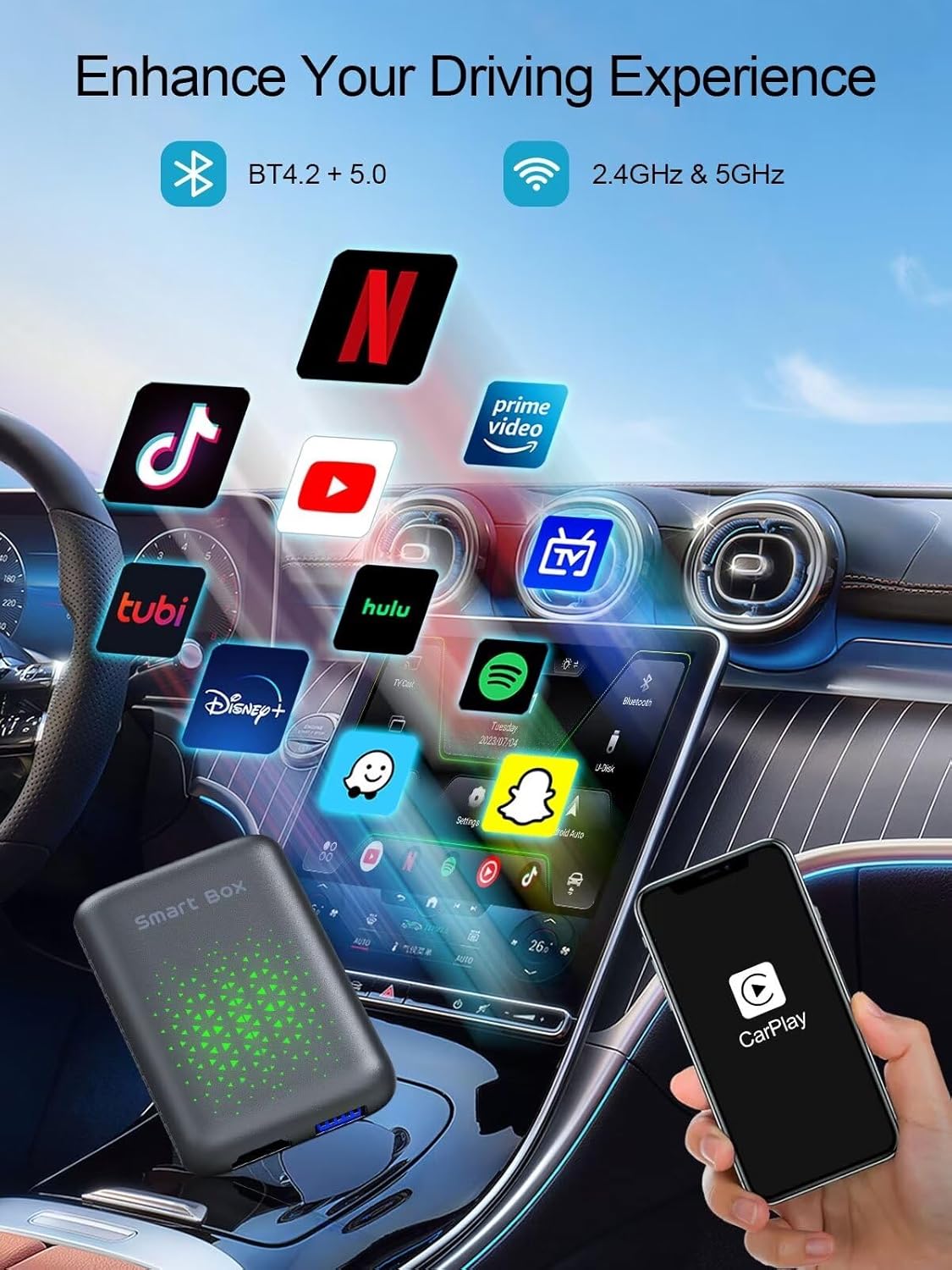
Figure 7: Enhanced Driving Experience with Apps. This image illustrates the availability of various entertainment apps directly on the car's display.
Voice Control
Utilize your car's voice assistant (e.g., Siri for CarPlay) to control navigation, music playback, and make calls hands-free, ensuring a safer driving experience.

Figure 8: Multifunctional CarPlay and Control Options. This image highlights the integration of maps, phone, and music, along with various control methods including voice commands.

Figure 9: Voice Control in Action. This image demonstrates hands-free operation of multimedia and navigation using voice commands.
HDMI Output and TV Casting
The device includes an HDMI output, allowing you to stream content to external displays such as rear-seat monitors or even a home TV. This feature enables versatile entertainment options beyond the car's main display.

Figure 10: HDMI Output and TV Casting Capabilities. This diagram illustrates the device's ability to connect to various screens and cast content from mobile devices.
Compatibility
The TIMEKNOW AI Box 2.0 is compatible with most factory-wired CarPlay vehicles. It supports both iOS (Wireless CarPlay) and Android (Wireless Android Auto) smartphones.
- Vehicle Compatibility: Compatible with over 800 car models that feature factory-wired CarPlay. Check Apple's official list for CarPlay compatible models.
- Phone Compatibility: Supports iOS devices for Wireless CarPlay and Android devices for Wireless Android Auto.
- Note: Not applicable to BMW vehicles.

Figure 11: Wide Compatibility. This image emphasizes the broad range of compatible vehicles and mobile operating systems.
Troubleshooting
- No Connection: Ensure the adapter is firmly plugged into the car's USB port. Restart your phone's Bluetooth and Wi-Fi, then try pairing again.
- Lag or Slow Performance: Check for firmware updates for the device. Ensure your phone's operating system is up to date. Close unnecessary applications on your phone.
- Audio Issues: Verify that your car's audio input is set to the correct source (e.g., USB or CarPlay/Android Auto).
- Apps Not Loading: Ensure your car has a stable internet connection (if required by the app) or that your phone is providing a hotspot.
- Device Overheating: Ensure the device is placed in a well-ventilated area and not exposed to direct sunlight. If overheating persists, disconnect and allow it to cool.
Specifications
| Feature | Specification |
|---|---|
| Brand | TIMEKNOW |
| Model Name | ZONE 1 |
| Item Weight | 7 ounces |
| Package Dimensions | 4.21 x 4.06 x 2.44 inches |
| Connectivity Technology | HDMI, Bluetooth, Wi-Fi |
| Connector Type | HDMI, USB Type-C |
| Resolution | 1080p |
| Supported Internet Services | YouTube, Netflix, TikTok |
| Controller Type | Voice Control |
| Special Features | Wireless CarPlay & Android Auto, App Support, Voice Control |
Maintenance
- Keep the device clean and free from dust. Use a soft, dry cloth for cleaning.
- Avoid spilling liquids on the device.
- Store the device in a cool, dry place when not in use for extended periods.
- Regularly check for and install firmware updates to ensure optimal performance and compatibility.
Warranty and Support
For warranty information and technical support, please refer to the contact details provided with your purchase or visit the official TIMEKNOW website. Keep your proof of purchase for warranty claims.
Related documentsZONE 1

Ask a question about this manual
Ask about setup, troubleshooting, compatibility, parts, safety, or missing instructions. Manuals+ will review the question and use this page’s manual context to help answer it.