
Celly 08021735212188
Celly Smartwatch User Manual
Model: 08021735212188
Introduction
This manual provides essential information for the proper setup, operation, and maintenance of your Celly Smartwatch, model 08021735212188. Please read this manual thoroughly before using your device to ensure optimal performance and longevity.

Figure 1: Front view of the Celly Smartwatch, displaying various health metrics on its circular screen.
Setup
1. Unboxing and Components
Upon opening the package, ensure all components are present:
- Celly Smartwatch (Model: 08021735212188)
- Magnetic Charging Cable
- User Manual (this document)
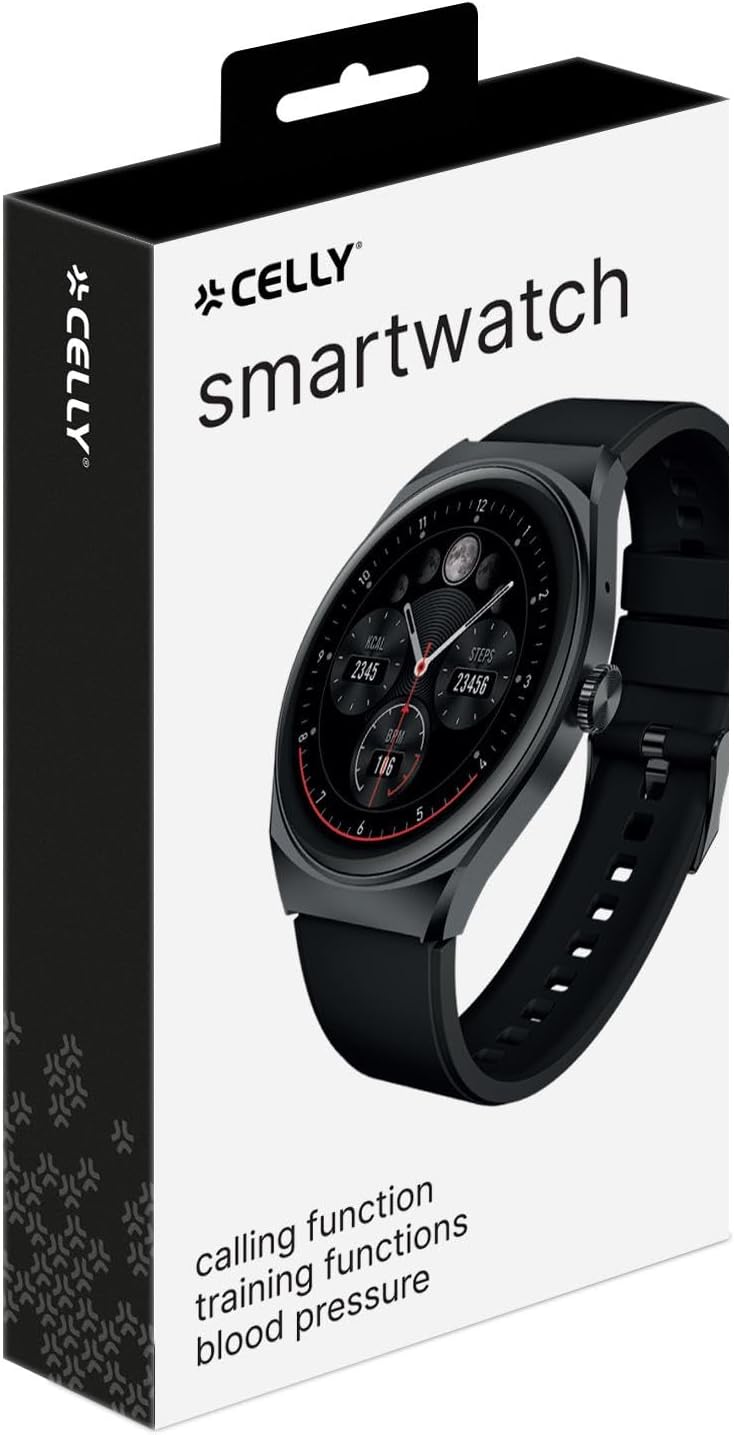
Figure 2: The retail packaging of the Celly Smartwatch, indicating the product and its brand.
2. Initial Charging
Before first use, fully charge your smartwatch. Connect the magnetic charging cable to the charging points on the back of the watch and plug the USB end into a compatible USB power adapter (not included) or a computer USB port.
- Charging Time: Approximately 2.5 hours for a full charge.
- Battery Life: Up to 5 days of typical use.
- Standby Time: Up to 9 days.

Figure 3: Rear view of the smartwatch, highlighting the optical sensors for health monitoring and the magnetic charging contacts.
3. Pairing with Your Smartphone
To unlock the full potential of your Celly Smartwatch, pair it with your smartphone via Bluetooth. Ensure Bluetooth is enabled on your phone.
- Download the official Celly Smartwatch application from your smartphone's app store (iOS or Android).
- Open the application and follow the on-screen instructions to create an account or log in.
- Navigate to the device pairing section within the app.
- Select "Celly Smartwatch" or the specific model number (08021735212188) from the list of available devices.
- Confirm the pairing request on both your smartphone and the smartwatch if prompted.
Operating Instructions
1. Basic Navigation
The Celly Smartwatch features a 1.38'' color touch display for intuitive interaction.
- Touch Screen: Tap to select, swipe to navigate through menus and notifications.
- Side Button: Typically used to wake the screen, return to the home screen, or access the app list. Refer to the in-app guide for specific button functions.

Figure 4: Detailed view of the smartwatch display, showcasing its vibrant color and touch capabilities.
2. Health Monitoring Features
Your smartwatch is equipped with advanced sensors to monitor your health metrics:
- Heart Rate Monitoring: Continuously tracks your heart rate. View real-time data on the watch or detailed history in the app.
- Blood Pressure Monitoring: Provides estimates of blood pressure. For medical accuracy, consult a professional medical device.
- Blood Oxygen (SpO2) Monitoring: Measures the oxygen saturation level in your blood.
- Pedometer: Counts your daily steps.
- Calorie Tracking: Estimates calories burned based on activity and personal data.
- Sleep Tracking: Monitors your sleep patterns, including deep sleep, light sleep, and awake times.
3. Fitness Tracking and GPS
Utilize the integrated GPS and various sports modes to track your workouts:
- GPS Integration: Tracks distance and routes for outdoor activities.
- Multi-Sport Modes: Select specific modes for activities like running, walking, cycling, etc., for tailored data collection.
- Workout Customization: Personalize your training settings through the companion app.
4. Communication Features
Stay connected directly from your wrist:
- Bluetooth Calling: Make and receive calls directly from the smartwatch when connected to your smartphone.
- Notifications: Receive alerts for calls, messages, and app notifications from your paired smartphone.
Maintenance
1. Cleaning Your Smartwatch
To maintain the appearance and functionality of your device:
- Wipe the screen and body with a soft, lint-free cloth.
- For stubborn marks, slightly dampen the cloth with water. Avoid using harsh chemicals or abrasive materials.
- Clean the charging contacts and sensors on the back of the watch regularly to ensure proper charging and accurate readings.
2. Water Resistance (IP67)
The Celly Smartwatch is IP67 water-resistant, meaning it is protected against dust and can withstand immersion in water up to 1 meter for up to 30 minutes. While it is resistant to splashes and brief immersion, it is not recommended for swimming, showering with hot water, or diving.
- Do not press buttons while the watch is submerged.
- Dry the watch thoroughly after exposure to water, especially the charging contacts.
3. Battery Care
To prolong battery life:
- Avoid extreme temperatures.
- Charge the device regularly, but avoid leaving it fully discharged for extended periods.
- If storing the device for a long time, charge it to about 50% before storage.
Troubleshooting
| Problem | Possible Cause | Solution |
|---|---|---|
| Device won't turn on. | Low battery. | Charge the smartwatch for at least 30 minutes. |
| Cannot pair with smartphone. | Bluetooth off on phone; app issue; watch not in pairing mode. | Ensure Bluetooth is on. Restart both devices. Reinstall the app. Check watch settings for pairing mode. |
| Inaccurate health readings. | Improper fit; dirty sensors; movement during measurement. | Ensure watch is snug but comfortable. Clean sensors. Remain still during measurement. |
| Notifications not received. | App permissions; Bluetooth disconnected; notification settings. | Check app permissions on phone. Verify Bluetooth connection. Ensure notifications are enabled in the app and on the watch. |
| Short battery life. | Frequent use of power-intensive features (GPS, calls); high screen brightness. | Reduce screen brightness. Limit continuous GPS use. Disable unnecessary features. |
Specifications
| Feature | Detail |
|---|---|
| Model Name | Celly Smartwatch TRAINERHALOBK |
| Model Number | 08021735212188 |
| Display | 1.38-inch Color Touch OLED |
| Resolution | 320 x 320 pixels (Assumed from "Scanner resolution") |
| Battery Capacity | 300 mAh Lithium Polymer |
| Battery Life (Typical Use) | Up to 5 days |
| Standby Time | Up to 9 days |
| Charging Time | Approximately 2.5 hours |
| Water Resistance | IP67 (Dust and water resistant up to 1 meter for 30 minutes) |
| Connectivity | Bluetooth (for smartphone pairing and calling) |
| GPS | Integrated GPS |
| Compatible Devices | Smartphones (iOS and Android) |
| Included Components | Smartwatch, Magnetic Charging Cable, User Manual |
| Dimensions (Package) | 19.5 x 10 x 4.2 cm |
| Weight (Item) | 180 grams |
Warranty & Support
1. Product Warranty
Your Celly Smartwatch comes with a 24-month warranty from the date of purchase. This warranty covers manufacturing defects and material faults under normal use. It does not cover damage caused by misuse, accidents, unauthorized modifications, or normal wear and tear.
Please retain your proof of purchase for warranty claims.
2. Customer Support
For technical assistance, warranty claims, or further inquiries, please contact Celly customer support. Refer to the official Celly website or the contact information provided on your product packaging for the most up-to-date support channels.
You can also visit the Celly Store on Amazon for additional product information and resources.
Related documents08021735212188


Ask a question about this manual
Ask about setup, troubleshooting, compatibility, parts, safety, or missing instructions. Manuals+ will review the question and use this page’s manual context to help answer it.