
1. Introduction
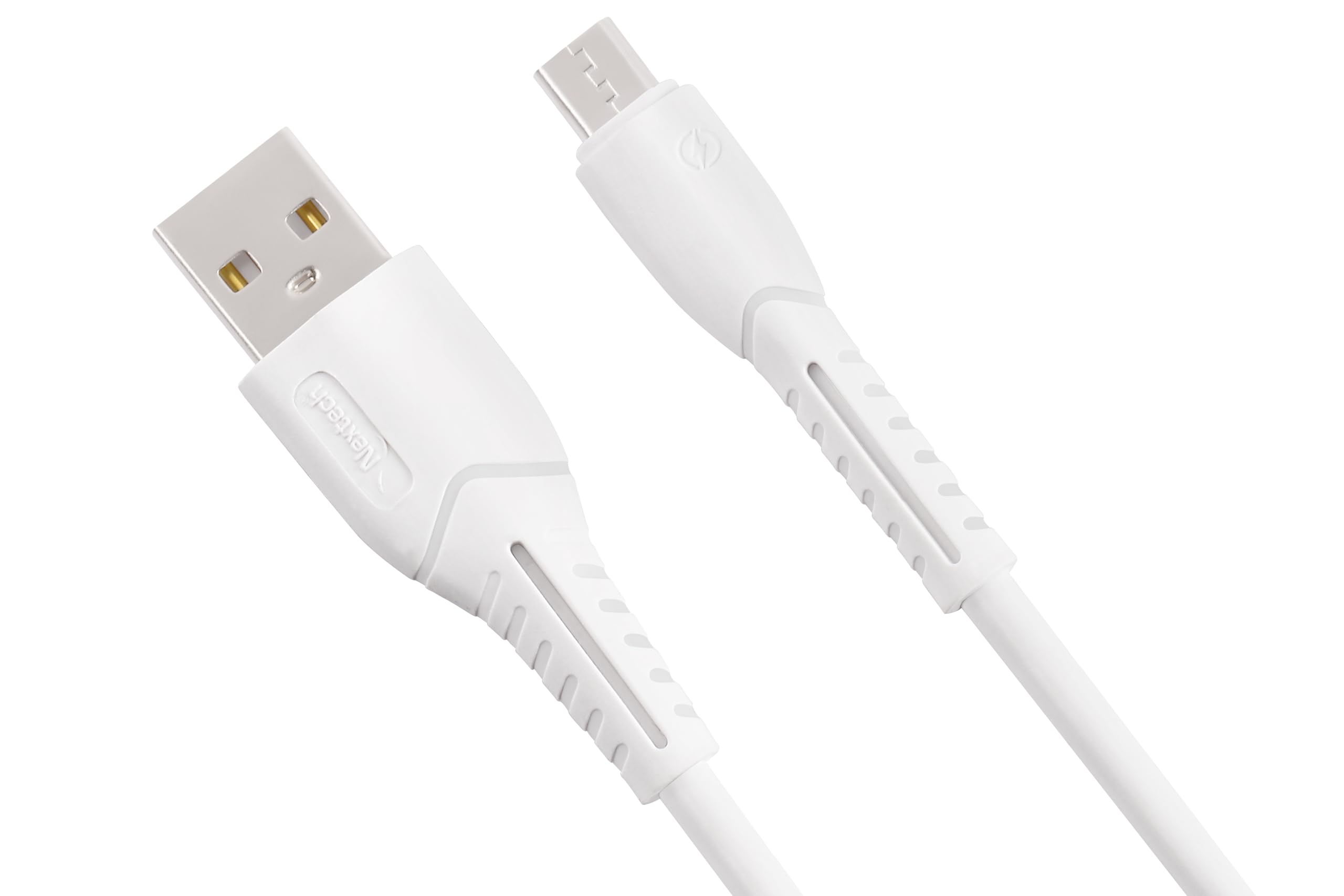
Thank you for choosing the Nextech Fast Sync & Charge Micro USB Cable. This cable is designed for efficient charging and high-speed data transfer for a wide range of Micro USB-compatible devices. Its robust construction ensures durability and reliable performance.
Key Features:
- Fast Charging: Supports up to 2.4A for quick power delivery.
- High-Speed Data Sync: Achieves data transfer speeds of up to 480 Mbps.
- Universal Compatibility: Works with Android smartphones, tablets, power banks, and other Micro USB devices.
- Durable Design: Reinforced and flexible construction for enhanced longevity.
- Safety Features: Built-in overcharge and heat protection.

Image: Illustration demonstrating fast charging capabilities of the cable, showing a smartphone charging at 15W with 3A high-speed charging.
2. Setup
Setting up your Nextech Micro USB Cable is straightforward. Follow these steps to begin charging or transferring data:
- Identify Connectors: The cable has two distinct ends: a standard USB Type-A connector and a Micro USB connector.
- Connect to Device: Insert the Micro USB connector into the Micro USB port of your smartphone, tablet, or other compatible device. Ensure it is fully inserted.
- Connect to Power/Data Source: Insert the USB Type-A connector into a compatible USB port on a wall charger, power bank, laptop, or desktop computer.
- Verify Connection: For charging, your device should indicate that it is receiving power. For data transfer, your computer should recognize the connected device.
3. Operating Instructions
Charging Your Device:
- Connect the Micro USB end to your device and the USB-A end to a compatible USB wall adapter or power bank.
- Ensure the power source provides sufficient output (e.g., 5V/2.4A) for fast charging.
- The device's battery indicator will show charging status.
Data Transfer:
- Connect the Micro USB end to your device and the USB-A end to a USB port on your computer.
- Your computer should detect the connected device. You may need to select a 'File Transfer' or 'MTP' mode on your device if prompted.
- You can now access your device's storage to transfer files.

Image: Image depicting data synchronization and charging, highlighting a data transfer speed of 480 Mbps between a smartphone and a laptop.
4. Maintenance
Proper care and maintenance will extend the life of your Nextech Micro USB Cable:
- Storage: Store the cable in a cool, dry place away from direct sunlight and extreme temperatures.
- Cleaning: Use a soft, dry cloth to gently wipe the cable and connectors. Avoid using liquids or abrasive cleaners.
- Handling: Avoid sharp bends, kinks, or excessive pulling on the cable, especially near the connectors, to prevent internal damage. Always grasp the connector head when plugging or unplugging, not the cable itself.
- Inspection: Periodically check the cable for any signs of wear, fraying, or damage. Discontinue use if damage is observed.
5. Troubleshooting
If you encounter issues with your Nextech Micro USB Cable, refer to the following common solutions:
| Problem | Possible Cause | Solution |
|---|---|---|
| Device not charging | Loose connection, faulty power source, damaged cable, dirty device port. | Ensure connectors are fully inserted. Try a different wall adapter or USB port. Inspect cable for damage. Clean device's Micro USB port carefully. |
| Slow charging | Low-power charger, background apps, cable damage. | Use a charger with appropriate output (e.g., 2.4A). Close unnecessary apps on your device. Check cable for damage. |
| No data transfer | Loose connection, incorrect device settings, faulty computer USB port, damaged cable. | Ensure connections are secure. On your device, select 'File Transfer' or 'MTP' mode. Try a different USB port on your computer. Inspect cable for damage. |
| Cable appears damaged | Physical stress, wear and tear. | Discontinue use immediately to prevent potential hazards. Replace the cable. |
6. Specifications
Detailed specifications for the Nextech Fast Sync & Charge Micro USB Cable (Model NC61):
- Brand: Nextech
- Model Name: Micro USB Cable
- Model Number: NC61
- Connector Type: Micro USB (Male), USB Type-A (Male)
- Cable Type: USB
- Compatible Devices: Smartphones, Tablets, Laptops, Power Banks, Charging Adapters, Headphones
- Special Features: Data Transfer, Fast Charging, High Speed
- Data Transfer Rate: 480 Megabytes Per Second
- Maximum Current: 3 Amps
- Wattage: 15 Watts
- Cable Length: 1 Meter
- Color: White
- Item Weight: 30 Grams
- Country of Origin: India

Image: Diagram illustrating the universal compatibility of the Micro USB cable with various devices including smartphones, laptops, power banks, and chargers.
7. Warranty and Support
For warranty information, technical support, or any inquiries regarding your Nextech Micro USB Cable, please contact the manufacturer directly:
- Manufacturer: Amson Interconnect Pvt Ltd
- Contact Number: +91-9953694939
- Email: Social@amson.in
Please retain your proof of purchase for any warranty claims.