
MONODEAL YJCA01
MONODEAL Sleep Headphones User Manual
Model: YJCA01
Brand: MONODEAL
Introduction
This user manual provides comprehensive instructions for the MONODEAL Sleep Headphones, model YJCA01. It covers product features, setup, operation, maintenance, and troubleshooting to ensure optimal performance and user experience. These invisible sleep headphones are designed for comfort and effective noise isolation, making them ideal for sleeping and relaxation.

Image: MONODEAL Sleep Headphones, showing the earbuds and their charging case, with a person sleeping in the background, illustrating their intended use.
Package Contents
Please verify that all items are present in the package:
- MONODEAL Sleep Headphones (2 earbuds)
- Charging Case
- Charging Cable
- User Manual
Setup
1. How to Wear
For optimal comfort and noise isolation, ensure the earbuds are correctly inserted and tucked into your ear canal.
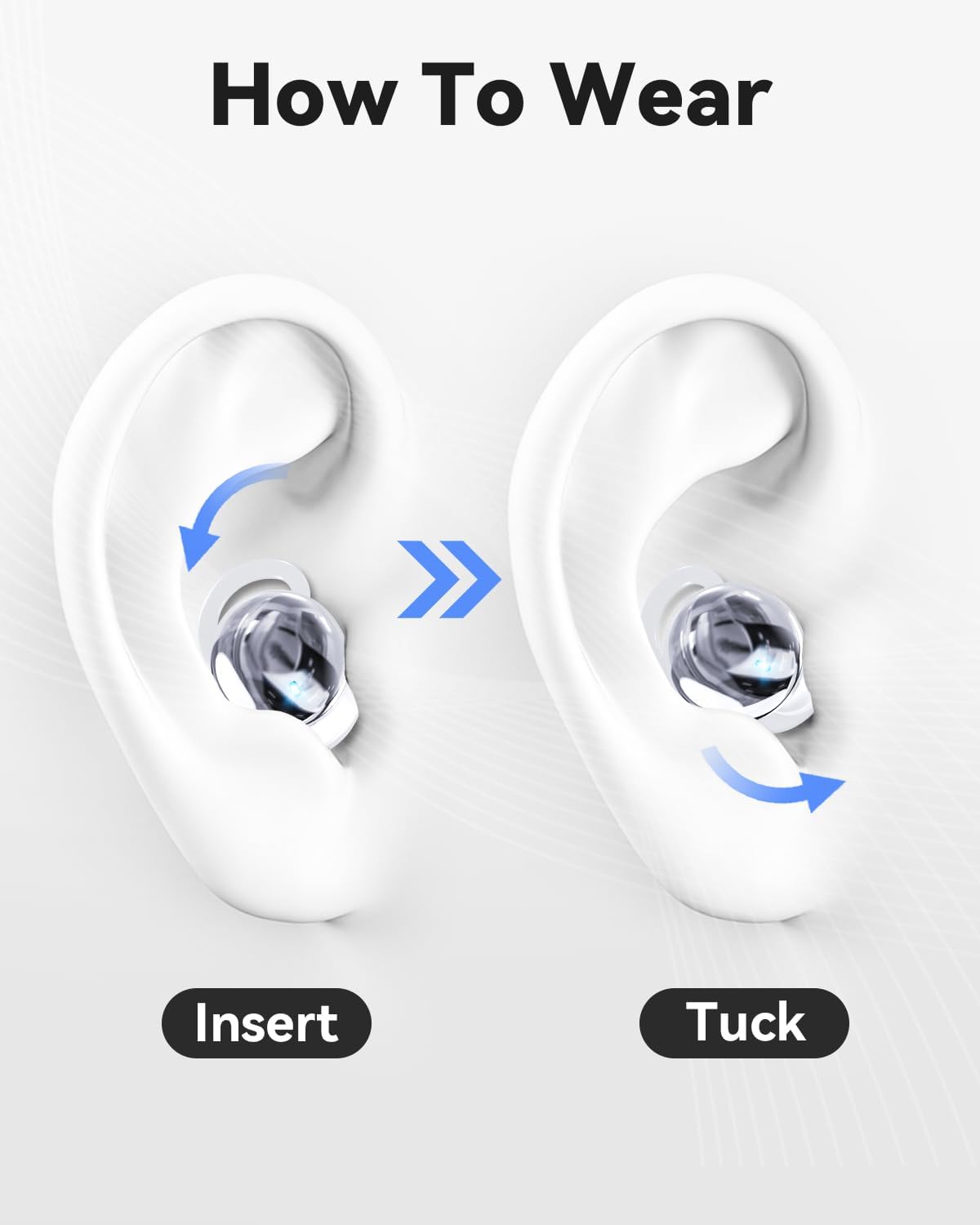
Image: Visual guide demonstrating the two-step process of inserting the earbud into the ear and then tucking it for a secure and comfortable fit.
- Insert: Gently place the earbud into your ear canal.
- Tuck: Rotate and tuck the earbud to ensure it sits snugly and comfortably, minimizing pressure, especially for side sleepers.
2. Charging the Earbuds and Case
Before first use, fully charge the earbuds and the charging case. Place the earbuds into the charging case. Connect the charging cable to the case and a compatible USB power source.
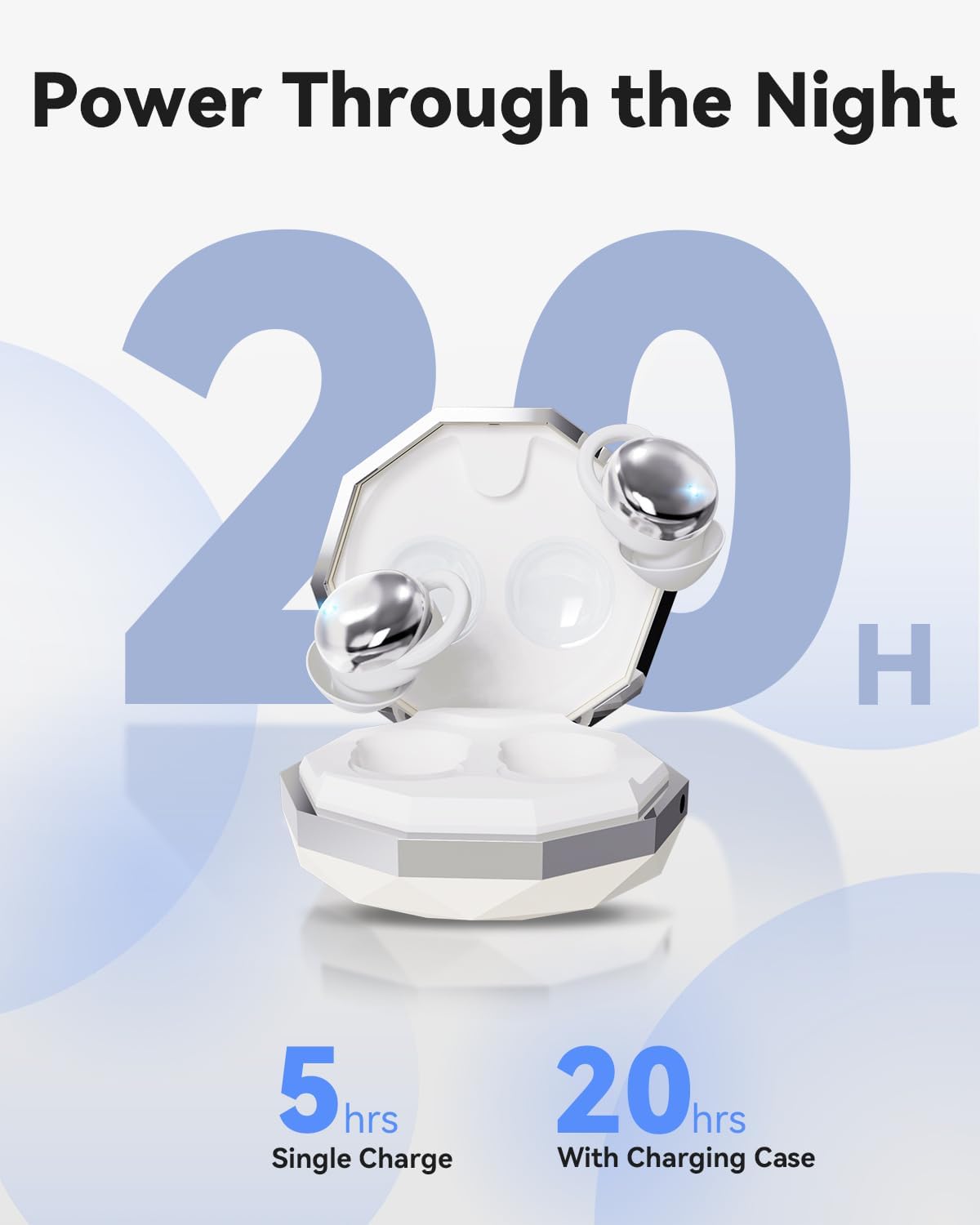
Image: The charging case for the MONODEAL Sleep Headphones, illustrating the battery life: 5 hours on a single charge for the earbuds, and up to 20 hours total with the charging case.
- A single charge provides up to 5 hours of playback.
- The charging case extends the total battery life to approximately 20 hours.
3. Bluetooth Pairing
The earbuds utilize Bluetooth 5.4 for stable and fast connectivity.
- Ensure the earbuds are charged and removed from the charging case. They will automatically enter pairing mode.
- On your device (smartphone, tablet, etc.), enable Bluetooth.
- Search for "MONODEAL YJCA01" or a similar name in the list of available Bluetooth devices.
- Select the device to connect. Once paired, you will hear an audible confirmation.
Operating Instructions
Basic Controls
The MONODEAL Sleep Headphones feature intuitive controls for media playback and calls.
| Function | Action |
|---|---|
| Power On | Remove from charging case. |
| Power Off | Place back into charging case. |
| Play/Pause | Single tap on either earbud. |
| Next Track | Double tap on the right earbud. |
| Previous Track | Double tap on the left earbud. |
| Volume Up | Triple tap on the right earbud. |
| Volume Down | Triple tap on the left earbud. |
Call Management
| Function | Action |
|---|---|
| Answer/End Call | Single tap on either earbud. |
| Reject Call | Press and hold either earbud for 2 seconds. |
Maintenance
Cleaning
Regular cleaning ensures hygiene and extends the lifespan of your earbuds. The earbuds are made of liquid silicone, which is easy to clean.
- Wipe the earbuds and charging case with a soft, dry, lint-free cloth.
- For stubborn dirt, slightly dampen the cloth with water. Avoid using harsh chemicals or abrasive materials.
- Ensure the charging contacts on both the earbuds and the case are clean and dry before charging.
Storage
When not in use, store the earbuds in their charging case to protect them from dust and damage.
- Store in a cool, dry place away from direct sunlight and extreme temperatures.
- Avoid exposing the earbuds to excessive moisture.
Troubleshooting
If you encounter issues with your MONODEAL Sleep Headphones, refer to the following common solutions:
| Problem | Possible Cause / Solution |
|---|---|
| Earbuds not powering on | Ensure earbuds are charged. Place them in the charging case for a few minutes, then remove. |
| Cannot pair with device |
|
| No sound or low volume |
|
| Earbuds not charging |
|
| Poor sound quality |
|
Specifications
Key technical specifications for the MONODEAL Sleep Headphones YJCA01:
- Model: YJCA01
- Brand: MONODEAL
- Connectivity Technology: Wireless (Bluetooth 5.4)
- Form Factor: In Ear
- Material: Silicone
- Color: Silver White
- Earbud Weight: Approximately 2.5 grams per earbud
- Battery Life (Earbuds): Up to 5 hours on a single charge
- Total Battery Life (with Charging Case): Up to 20 hours
- Noise Isolation: Up to 24 dB (passive noise isolation)
- Recommended Use: Sleep, relaxation
- Dimensions (Parcel): 10.4 x 10.3 x 3.4 cm
- Total Weight (Parcel): 100 g

Image: The MONODEAL Sleep Earbuds, highlighting their cloud-like softness, 2.5g weight, noise reduction capabilities, comfort, and snug fit, all contributing to a better sleep experience.
Warranty and Support
For warranty information and customer support, please refer to the contact details provided on the product packaging or the official MONODEAL website. Keep your purchase receipt for warranty claims.
Manufacturer: MONODEAL
ASIN: B0DQL8GWFZ
Ask a question about this manual
Ask about setup, troubleshooting, compatibility, parts, safety, or missing instructions. Manuals+ will review the question and use this page’s manual context to help answer it.