
1. Introduction
This manual provides essential instructions for the proper installation, operation, and maintenance of your Insta360 Connect TV Mount. Please read this manual thoroughly before use to ensure safe and efficient operation. Keep this manual for future reference.
2. Product Overview
The Insta360 Connect TV Mount is designed to securely position your Insta360 Connect device either above or below your television. It features VESA-compatible support and a multifunctional arm for versatile placement and adjustment.

Figure 1: A full view of the Insta360 Connect TV Mount, showcasing its V-shaped design and adjustable arms.
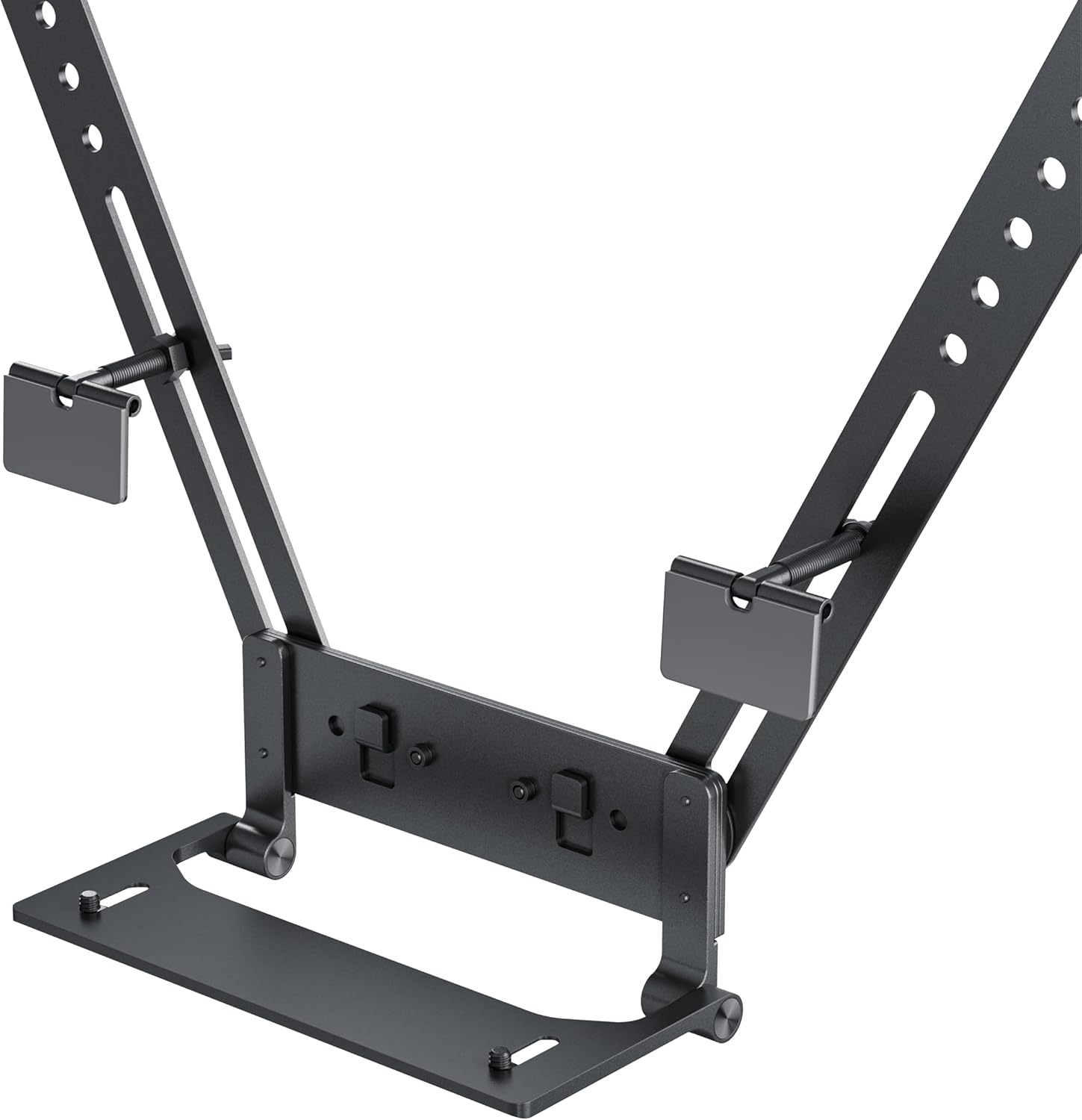
Figure 2: A detailed view of the mount's base and connection points, highlighting the adjustable screws and VESA compatibility.
Key Features:
- Mounts your Insta360 Connect above or below your TV.
- VESA-compatible support with multifunctional arm.
- Swivel and depth adjustment for full-room coverage.
- Designed for quick installation and removal.
3. Package Contents
Verify that all components are present before proceeding with installation:
- Insta360 Connect TV Mount assembly
- Mounting hardware (screws, washers)
- Instruction Manual

Figure 3: Individual components of the mount, including the main arms and connection pieces, laid out for assembly.
4. Setup and Installation
Follow these steps to install your Insta360 Connect TV Mount:
4.1 Attaching to the TV
- Identify the VESA mounting holes on the back of your television.
- Align the mount's arms with the VESA holes. The mount can be positioned to place the Insta360 Connect device either above or below the TV.
- Secure the mount to the TV using the provided screws and washers. Ensure the screws are tightened firmly but do not overtighten.

Figure 4: An illustration showing the Insta360 Connect TV Mount positioned above a television, with the device attached.
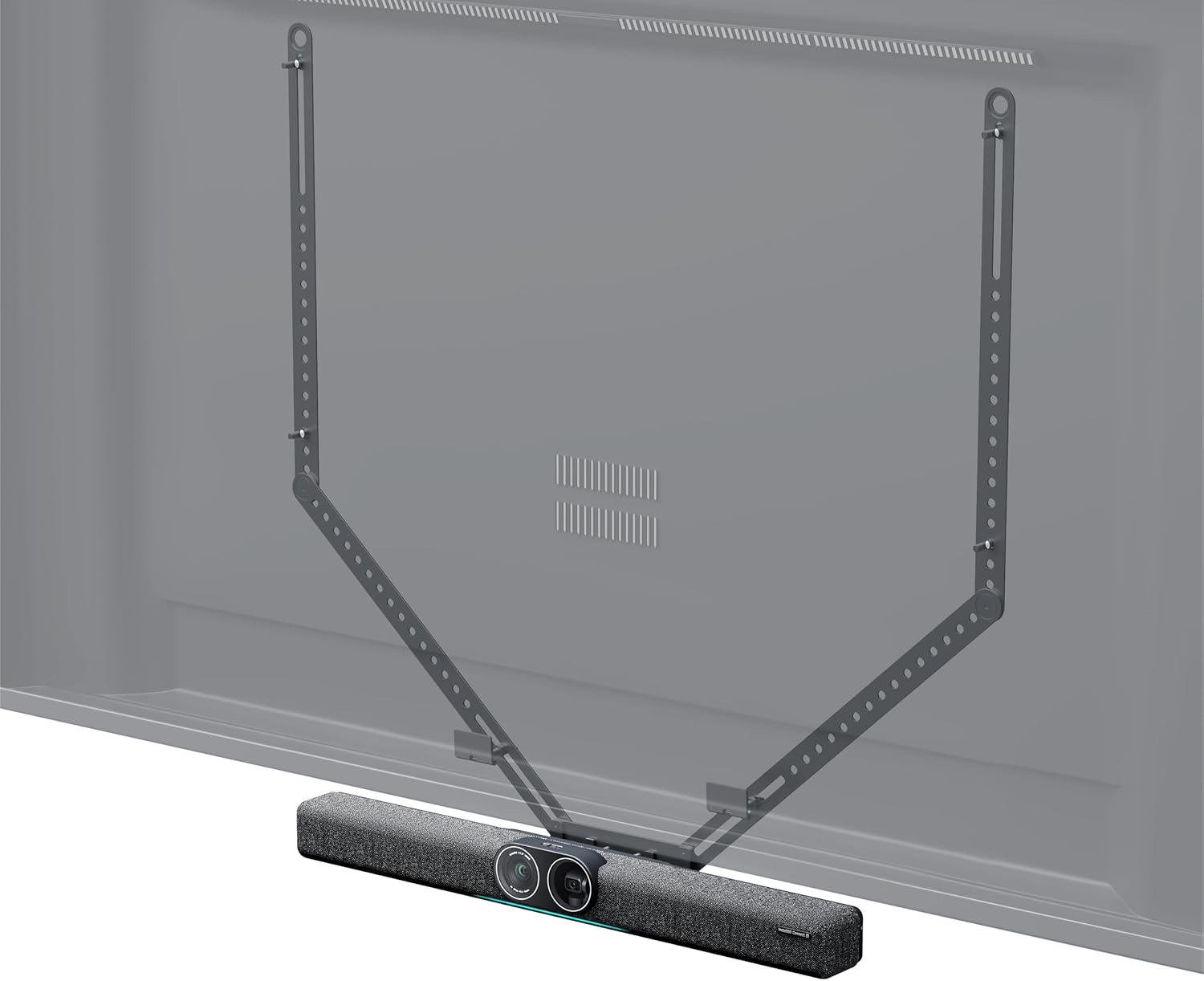
Figure 5: An illustration showing the Insta360 Connect TV Mount positioned below a television, with the device attached.
4.2 Attaching the Insta360 Connect Device
- Place your Insta360 Connect device onto the designated platform of the TV mount.
- Secure the device using its integrated mounting mechanism or any additional fasteners provided with your Insta360 Connect device.
5. Operating and Adjustments
The Insta360 Connect TV Mount allows for flexible positioning of your device to achieve optimal room coverage.
5.1 Swivel Adjustment
The mount features a swivel mechanism. Gently rotate the mounted device to adjust its horizontal angle for desired room coverage. Ensure the device is stable after adjustment.
5.2 Depth Adjustment
The mount offers 50mm (2.0in) depth and 15mm (0.6in) front-to-back adjustment capabilities. Loosen the adjustment screws, slide the device to the desired depth, and then re-tighten the screws to secure its position.

Figure 6: A diagram illustrating the 50mm depth and 15mm front-to-back adjustment capabilities of the mount.
6. Maintenance
To ensure the longevity and proper function of your TV mount, follow these maintenance guidelines:
- Cleaning: Wipe the mount with a soft, dry cloth. Avoid using abrasive cleaners or solvents that may damage the finish.
- Inspection: Periodically check all screws and connections to ensure they remain tight and secure. Re-tighten if necessary.
- Storage: If storing the mount for an extended period, ensure it is clean and dry, and store it in a cool, dry place away from direct sunlight.
7. Troubleshooting
If you encounter issues with your Insta360 Connect TV Mount, refer to the following common problems and solutions:
- Mount feels unstable: Ensure all mounting screws attaching the mount to the TV are securely tightened. Verify that the TV's VESA holes are not stripped or damaged.
- Difficulty adjusting swivel or depth: Check if the adjustment screws are sufficiently loosened before attempting to move the mount. If resistance persists, inspect for any obstructions or debris in the mechanism.
- Device not sitting flush: Confirm that the Insta360 Connect device is correctly aligned and secured to the mount's platform according to its own instructions.
8. Specifications
| Attribute | Value |
|---|---|
| Brand | Insta360 |
| Model Number | CINSBABC |
| Item Weight | 2.2 pounds |
| Package Dimensions | 39.37 x 7.28 x 4.21 inches |
| Color | Black |
| Mounting Type | Wall Mount (VESA compatible) |
| Movement Type | Swivel |
| Material | Plastic |
| Compatible Devices | Television |
| Maximum Tilt Angle | 15 Degrees |
| UPC | 842126108310 |
9. Warranty and Support
For warranty information and customer support, please refer to the official Insta360 website or contact their customer service directly. Keep your proof of purchase for warranty claims.
