
1. Introduction
This manual provides essential information for the safe and efficient operation of your ZDSSY E2 Mini Projector. Please read it thoroughly before use and retain it for future reference.
2. Setup
2.1 Unboxing and Components
Carefully unpack all items from the box. Ensure the following components are present:
- Mini Projector
- Remote Control
- Power Cord
- User Manual (this document)
2.2 Powering On
- Connect the power cord to the projector's power input port.
- Plug the other end of the power cord into a suitable electrical outlet.
- Press the power button on the projector or the remote control to turn on the device.
2.3 Initial Placement
Place the projector on a stable, flat surface. For optimal viewing, ensure the projection surface (wall or screen) is clean and smooth. The projector supports various mounting options including table placement, tripod mount, and ceiling mount.
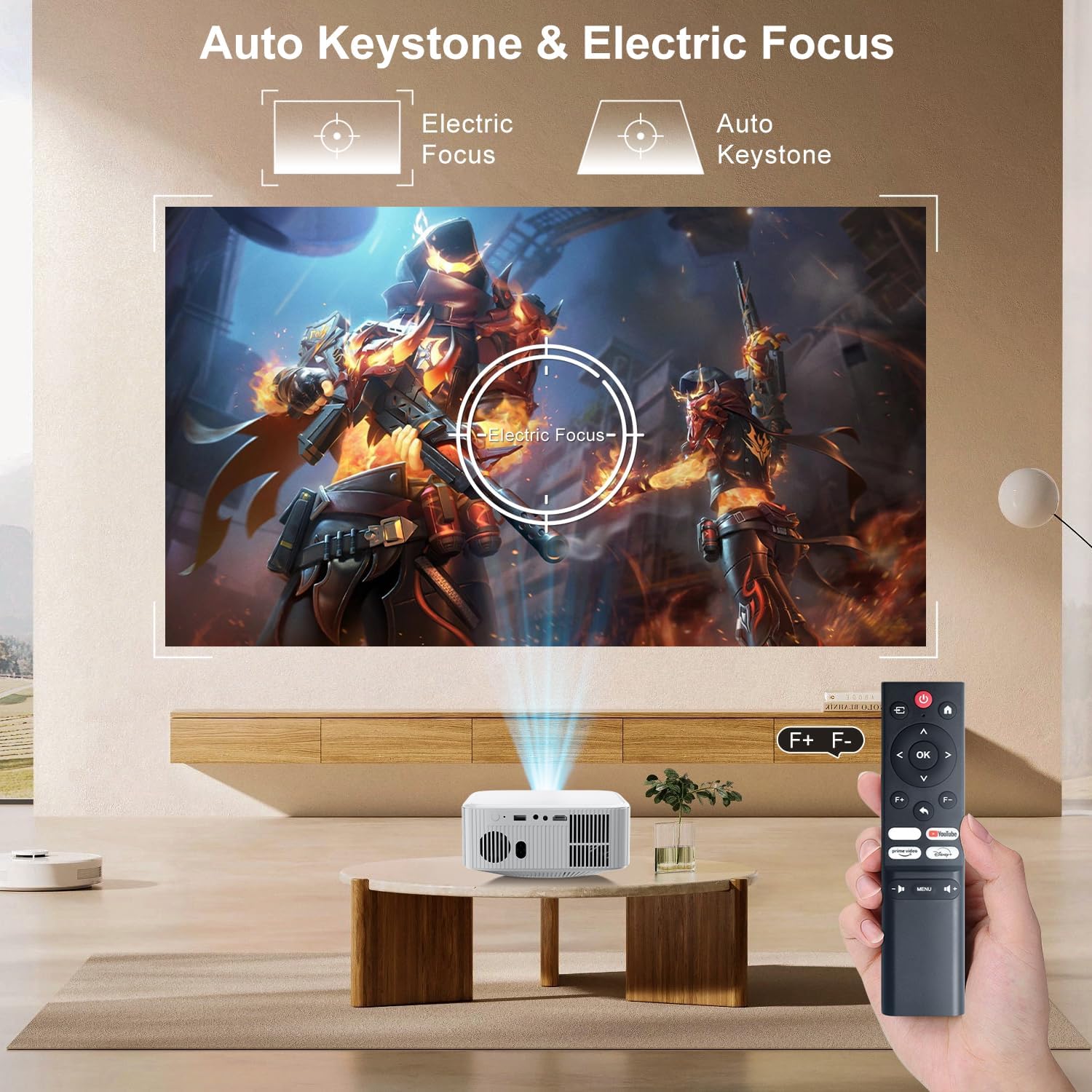
Image: The ZDSSY E2 Mini Projector demonstrating flexible placement options and screen sizes from 40 to 300 inches.
3. Operation
3.1 Navigation and Remote Control
Use the provided remote control to navigate the projector's interface. The remote allows you to select apps, adjust settings, and control media playback.
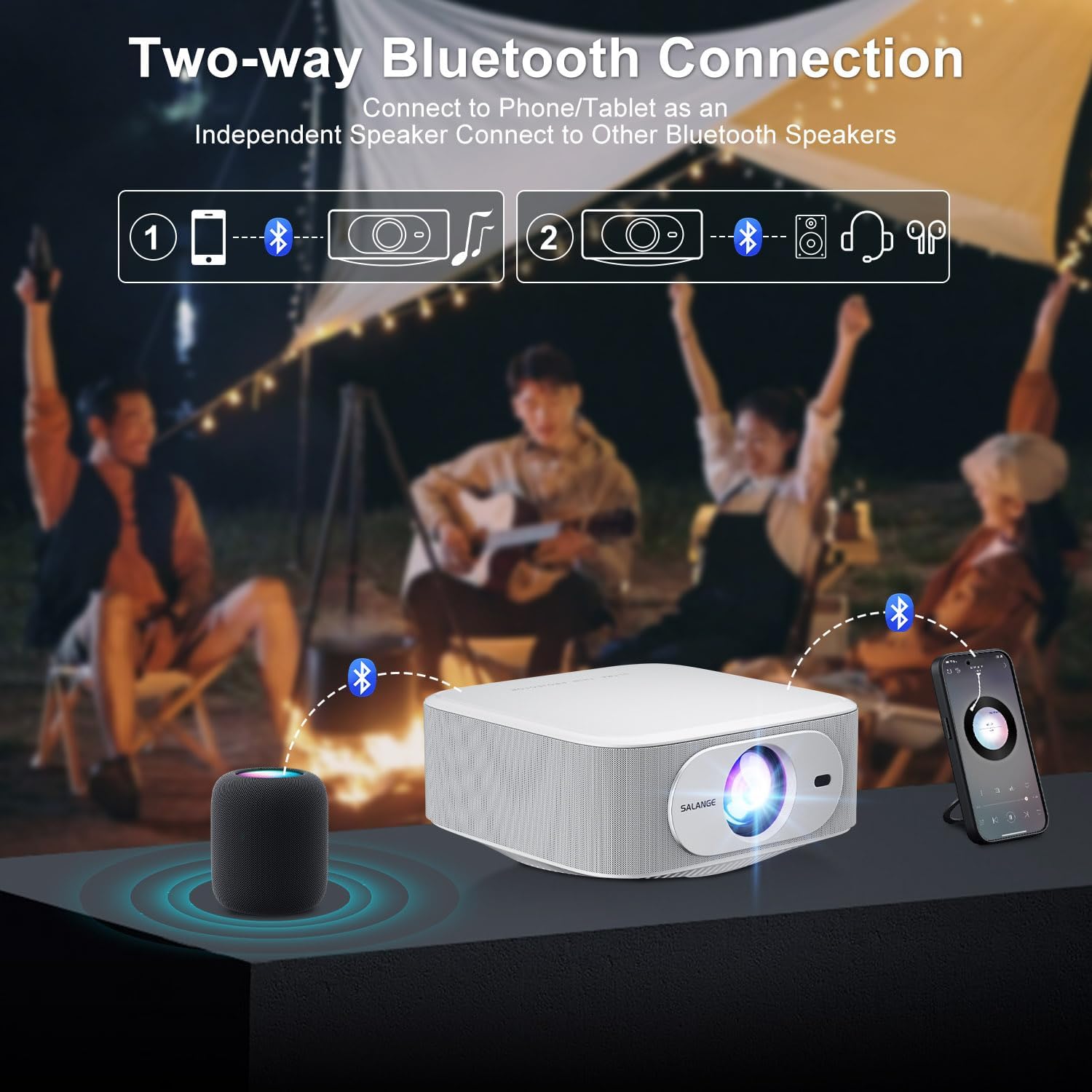
Image: The ZDSSY E2 Mini Projector and its remote control, highlighting the user interface.
3.2 Auto Keystone and Electric Focus
The projector features automatic keystone correction and electric focus for a clear and properly aligned image. These functions adjust the picture automatically upon startup or when the projector is moved.
- Electric Focus: Provides instant, crystal-clear images.
- 4-Point Keystone Correction: Smoothly adjusts the screen across a wide ±45° range from any direction.
- Zoom Function: Adjust the screen size from 100% to 50% without moving the projector.

Image: Visual representation of the auto keystone and electric focus features of the ZDSSY E2 Mini Projector.
3.3 Connecting to Wi-Fi
The ZDSSY E2 supports dual-band 5G/2.4G Wi-Fi for fast and stable internet connectivity.
- Navigate to the 'Settings' menu on the projector.
- Select 'Network' or 'Wi-Fi settings'.
- Choose your desired Wi-Fi network from the list.
- Enter the password if prompted and connect.
3.4 Bluetooth Connection
The projector features two-way Bluetooth 5.2, allowing it to function as a standalone speaker or connect to external Bluetooth audio devices.
- As a Bluetooth Speaker: Connect your mobile device to the projector via Bluetooth to use the projector's built-in speakers for audio playback.
- Connecting External Speakers: Pair the projector with external Bluetooth speakers, headphones, or soundbars for an enhanced audio experience. (Note: Bluetooth is for audio transmission only and does not support video.)

Image: Illustration of the two-way Bluetooth connectivity of the ZDSSY E2 Mini Projector.
3.5 Using Built-in Apps
The ZDSSY E2 comes with officially licensed apps like Prime Video, YouTube, and more, pre-installed on its Android 13 Whale OS system. Access these apps directly from the home screen for instant entertainment.

Image: The ZDSSY E2 Mini Projector's home screen showing pre-installed streaming applications.
3.6 External Device Connection
The projector is equipped with multiple ports for connecting external devices:
- HDMI Port: Connect gaming consoles, laptops, Fire Sticks, or other HDMI-enabled devices.
- USB Port: Play media directly from USB drives.
- 3.5mm Headphone Jack: Connect wired headphones or external speakers.

Image: Close-up of the ZDSSY E2 Mini Projector's connectivity ports.
4. Maintenance
4.1 Cleaning
- Lens: Use a soft, lint-free cloth specifically designed for optical lenses. Do not use abrasive cleaners or cloths.
- Exterior: Wipe the projector's exterior with a soft, dry cloth. For stubborn marks, a slightly damp cloth can be used, followed by a dry wipe.
- Ventilation: Ensure the ventilation openings are clear of dust and obstructions to prevent overheating.
4.2 Storage
When not in use for extended periods, store the projector in a cool, dry place, away from direct sunlight and extreme temperatures. Use the original packaging or a protective case to prevent dust accumulation and damage.
5. Troubleshooting
| Problem | Possible Cause | Solution |
|---|---|---|
| No Power | Power cord not connected; Power outlet faulty | Ensure power cord is securely connected; Try a different outlet. |
| Blurry Image | Focus not adjusted; Projector too far/close to screen | Allow auto-focus to complete or manually adjust focus; Adjust projector distance. |
| No Sound | Volume too low; External audio device not connected/paired | Increase volume; Check Bluetooth connection or wired audio cable. |
| Wi-Fi Connection Issues | Incorrect password; Router issues; Signal interference | Verify Wi-Fi password; Restart router; Move projector closer to router. |
| Apps Not Working | No internet connection; App requires update | Check Wi-Fi connection; Update the app from the app store. |
6. Specifications
| Feature | Detail |
|---|---|
| Brand | ZDSSY |
| Model Number | E2 |
| Display Resolution | 1920 x 1080 (Native 1080P, 4K Support) |
| Brightness | 400 ANSI Lumens |
| Operating System | Smart Android 13.0 NTV (Whale OS) |
| Memory | RAM 1GB + ROM 8GB |
| Connectivity | Wi-Fi 5G/2.4G, Two-way Bluetooth 5.2 |
| Special Features | Electric Focus, Auto Keystone Correction (4D/4P), Zoom (100%-50%), Built-in Apps (Prime Video, YouTube, etc.) |
| Ports | 1 HDMI, 1 USB, 1 3.5mm Headphone Jack |
| Product Dimensions | 7.67 x 7.67 x 3.54 inches |
| Item Weight | 3.3 pounds |
| Recommended Use | Indoor/Outdoor |
7. Warranty and Support
The ZDSSY E2 Mini Projector comes with a standard manufacturer's warranty. For specific warranty details, including coverage and duration, please refer to the warranty card included in your product packaging or contact ZDSSY customer support.
Customer Support
If you encounter any issues or have questions regarding your projector, please contact ZDSSY customer support through the retailer's platform or the official ZDSSY website. Our support team is available to assist you with troubleshooting, technical inquiries, and service requests.