
OUTON 42-inch Black RGB Ceiling Fan
OUTON 42-inch Black RGB Ceiling Fan with Light User Manual
Model: 42-inch Black RGB Ceiling Fan
1. Introduction
This manual provides detailed instructions for the installation, operation, and maintenance of your OUTON 42-inch Black RGB Ceiling Fan with Light. Please read this manual thoroughly before installation and use to ensure safe and efficient operation. Keep this manual for future reference.
2. Safety Information
WARNING: To reduce the risk of fire, electric shock, or personal injury, always follow these basic precautions:
- Ensure the power is turned off at the circuit breaker before installation or servicing.
- All wiring must be in accordance with national and local electrical codes.
- Consult a qualified electrician if you are unsure about wiring procedures.
- Mount the fan directly to a structural ceiling joist or an outlet box marked "Acceptable for Fan Support of 35 lbs (15.9 kg) or less."
- Do not operate the fan with damaged parts.
- Do not insert objects into the path of the fan blades.
3. Package Contents
Verify that all components are present and undamaged before beginning installation. If any parts are missing or damaged, contact OUTON customer support.
- Ceiling Fan Motor Housing
- Fan Blades (5x)
- LED Light Kit
- Remote Control
- Wall Holder for Remote
- Downrods (5-inch and 8-inch options)
- Mounting Bracket
- Hardware Pack (screws, wire nuts, washers)
- Instruction Manual

4. Setup and Installation
Before installation, ensure the power supply is disconnected at the main circuit breaker. Installation requires basic electrical knowledge. If you are uncomfortable with electrical work, consult a qualified electrician.
4.1 Mounting Options
The fan supports both flat and sloped ceiling installations (up to 15 degrees slope).
4.2 Installation Steps
- Turn off Power: Locate the circuit breaker and turn off the power to the ceiling fan location.
- Install Mounting Bracket: Secure the mounting bracket to the ceiling outlet box. Ensure the box is rated for fan support.
- Assemble Downrod: Insert the chosen downrod (5-inch or 8-inch) into the fan motor housing and secure it with the provided pin and screw.
- Hang Fan: Carefully lift the fan assembly and hang it from the mounting bracket using the hanger ball.
- Wire Connections: Connect the fan's electrical wires to the house wiring according to the wiring diagram in the detailed instructions (refer to the included paper manual for specific diagrams). Use the provided wire nuts.
- Secure Canopy: Slide the canopy up to the ceiling and secure it to the mounting bracket with screws.
- Attach Fan Blades: Securely attach the five fan blades to the motor housing.
- Install Light Kit: Connect the LED light kit wires and attach the light kit to the bottom of the fan motor housing.
- Restore Power: Once all connections are secure and the fan is fully assembled, restore power at the circuit breaker.
For a visual guide, refer to the video tutorials available on the OUTON support website (link not provided in source data, but implied by feature bullet).
5. Operating Instructions
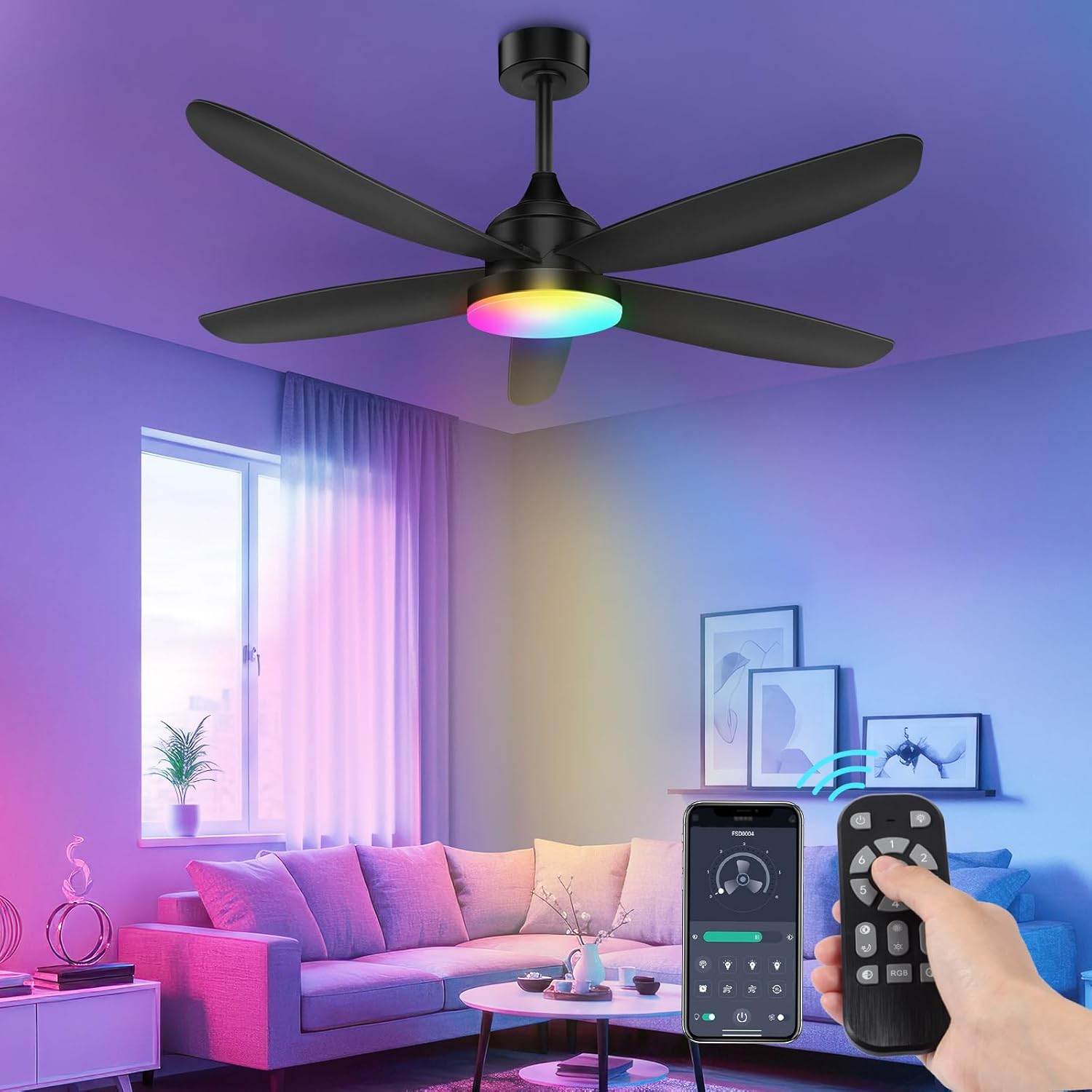
Your OUTON ceiling fan can be controlled via the included remote control or a dedicated smartphone application.
5.1 Remote Control Operation
The remote control allows for comprehensive control of fan and light functions.
- Fan On/Off: Press the fan button to turn the fan on or off.
- Fan Speed: Use the speed buttons (1-6) to adjust the fan's airflow.
- Light On/Off: Press the light button to turn the light on or off.
- Color Temperature Adjustment: Cycle through 3000K (warm white), 4500K (neutral white), and 6500K (cool white) settings.
- Stepless Dimming: Hold the dimming buttons to adjust brightness from 10% to 100%.
- RGB Mode: Activate the RGB mode to cycle through various colors. (Note: Some users report needing to turn off the main light and activate an "auxiliary lamp" in the app for full RGB control. Refer to app instructions for details.)
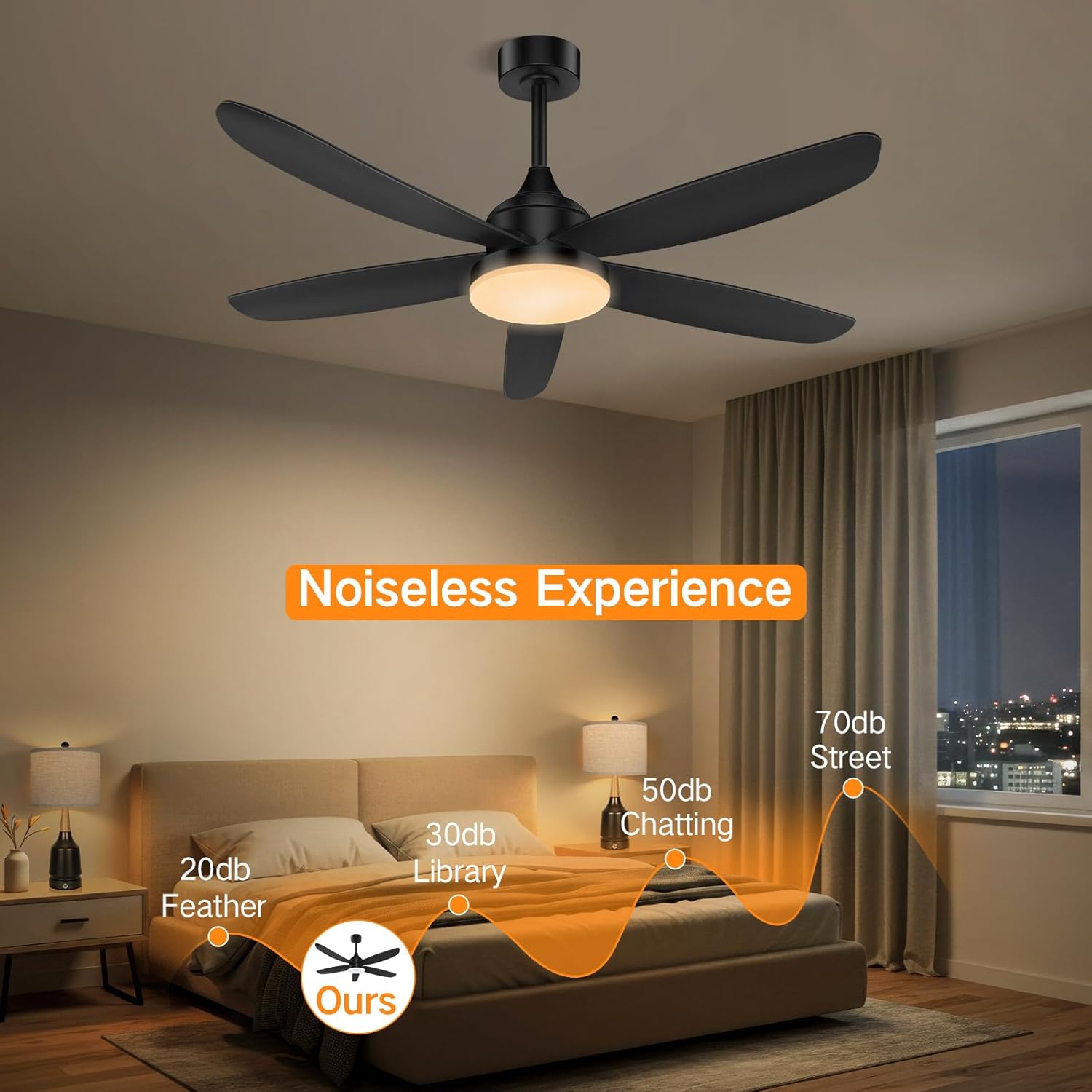
- Nightlight Mode: Activates a soft, low-intensity light.
- Timer Function: Set the fan to automatically shut off after 1, 2, 4, or 8 hours.
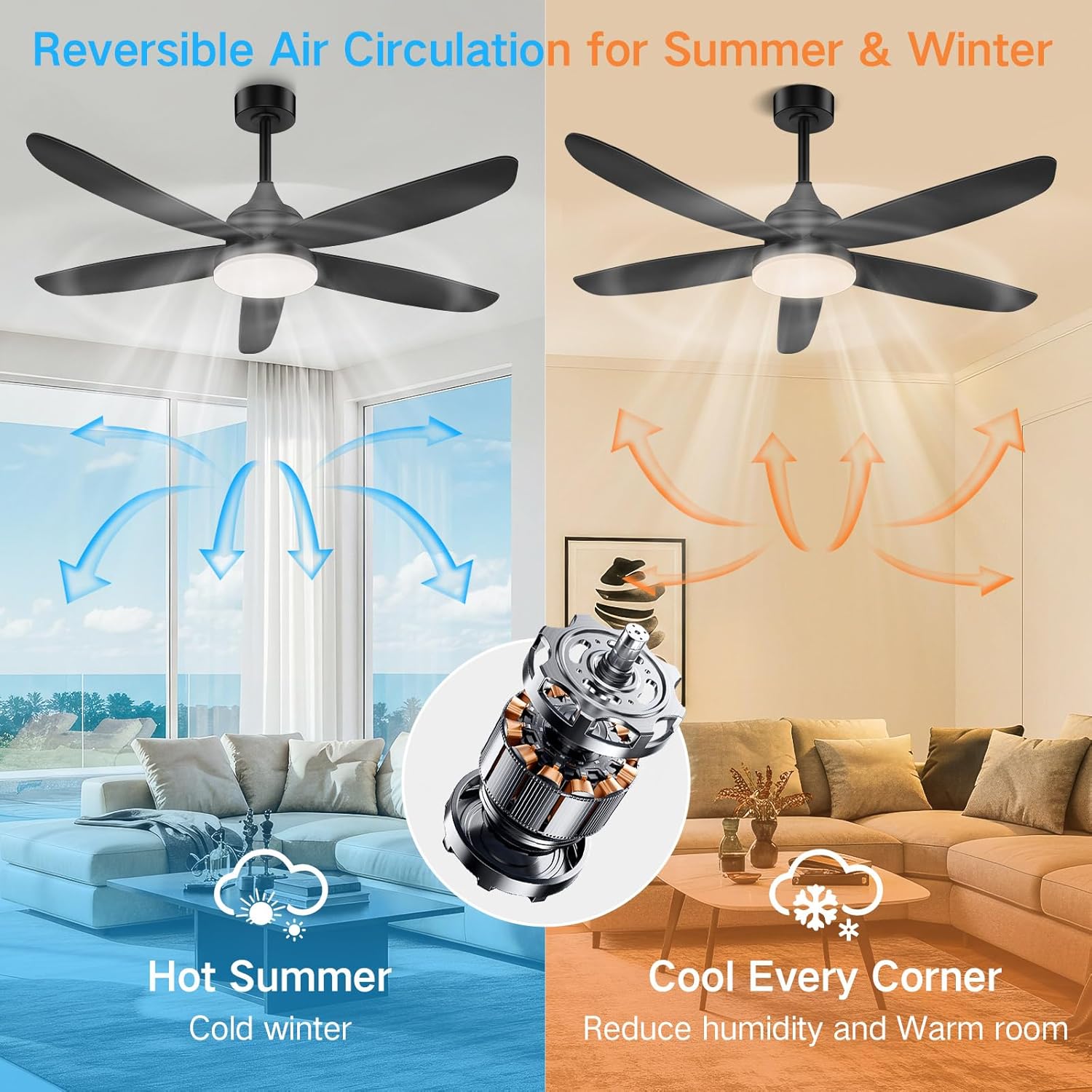
- Reversible Function: Press the reverse button to change the blade direction for summer (downward airflow) or winter (upward airflow) operation.

5.2 App Control Operation
The OUTON ceiling fan can also be controlled via a smartphone application. Download the appropriate app from your device's app store (specific app name not provided, refer to product packaging or manufacturer's website).
- Pairing: Follow the in-app instructions to pair your fan with the application.
- Functions: The app typically offers all functions available on the remote, including fan speed, light on/off, color temperature, stepless dimming, RGB mode, nightlight, and timer settings.
- Memory Function: The fan retains the last lighting settings when turned off and on.
6. Maintenance
Regular maintenance ensures optimal performance and extends the lifespan of your ceiling fan.
- Cleaning: Dust the fan blades and motor housing periodically with a soft, damp cloth. Do not use abrasive cleaners or solvents.
- Tighten Screws: Check all screws and connections annually to ensure they are secure.
- Light Source: The LED light source is integrated and generally not user-replaceable. If the light fails, contact customer support.
IMPORTANT: Always turn off the power at the circuit breaker before performing any cleaning or maintenance.
7. Troubleshooting
If you encounter issues with your OUTON ceiling fan, refer to the following common problems and solutions:
| Problem | Possible Cause | Solution |
|---|---|---|
| Fan does not start. | No power; loose wire connections; remote control battery dead. | Check circuit breaker. Verify all wire connections. Replace remote control battery. |
| Light does not turn on. | Loose wire connection; LED light kit failure. | Check light kit wiring. If light kit is faulty, contact customer support. |
| Fan wobbles. | Loose blades; uneven blade balance; loose mounting bracket. | Ensure all blade screws are tight. Check blade balance (balancing kit may be required). Tighten mounting bracket screws. |
| Remote control not working. | Dead battery; remote not paired; interference. | Replace remote battery. Re-pair remote with fan (refer to pairing instructions in the full manual). Ensure no obstructions between remote and fan. |
| App control not working/RGB issues. | App not paired; Wi-Fi connectivity issues; specific app settings. | Ensure fan is paired with the app. Check Wi-Fi connection. For RGB, ensure main light is off and "auxiliary lamp" is activated in the app, then cycle through presets. |
| Fan is noisy. | Loose screws; motor issue; blade rubbing. | Check all screws. Ensure blades are not hitting any part of the fan or ceiling. If noise persists, contact customer support. |
8. Specifications
- Brand: OUTON
- Model: 42-inch Black RGB Ceiling Fan
- Product Dimensions: 41.73 x 41.73 x 14.96 inches (Diameter x Diameter x Height)
- Item Weight: 8.34 pounds
- Power Source: AC/DC
- Motor Type: DC Motor (Reversible, Quiet, Energy Efficient)
- Fan Speeds: 6 adjustable speeds
- Light Source Type: Integrated LED
- Light Color Temperature: 3000K (Warm White), 4500K (Neutral White), 6500K (Cool White) - Stepless Dimming
- Special Features: RGB Mode, Nightlight Mode, Remote Control, App Control, Timer (1/2/4/8 hours), Memory Function
- Shade Material: Plastic
- Indoor/Outdoor Usage: Indoor
- Recommended Room Size: 10x10 ft - 16x15 ft (approximate)


9. Warranty and Customer Support
OUTON products are designed for durability and reliability. For warranty information or technical support, please refer to the contact details provided on the product packaging or the official OUTON website.
Contact Information: Please visit OUTON Brand Store on Amazon for further assistance or to find updated contact information.
Related documents42-inch Black RGB Ceiling Fan


Ask a question about this manual
Ask about setup, troubleshooting, compatibility, parts, safety, or missing instructions. Manuals+ will review the question and use this page’s manual context to help answer it.