
1. Introduction
This manual provides detailed instructions for the TECKNET Wired RGB Gaming Keyboard, Model TK-GK006. It covers essential information regarding setup, operation, maintenance, and specifications to ensure optimal performance and longevity of your device. This keyboard features 26-key anti-ghosting, 13 lighting modes, spill-resistance, 108 membrane keys, and includes an ergonomic wrist rest and phone holder.

Image 1: Overview of the TECKNET Wired RGB Gaming Keyboard.
2. Setup
2.1. Unpacking
Carefully remove the keyboard from its packaging. Ensure all components are present: the TECKNET Wired RGB Gaming Keyboard and this instruction manual.
2.2. Connectivity
The keyboard offers plug-and-play functionality. Connect the USB-A cable from the keyboard to an available USB-A port on your computer (Laptop, PC, or Tablet). No additional drivers are typically required for basic functionality on Windows or Mac OS.
3. Operating Instructions
3.1. RGB Lighting Control
Enhance your gaming or work environment with customizable RGB lighting. The keyboard features 13 vibrant color options, 8 adjustable brightness levels, and 6 speed settings for dynamic lighting effects.
- Change Lighting Modes: Use the dedicated function keys (often marked with FN + a specific key) to cycle through the 13 available lighting modes.
- Adjust Brightness: Use the dedicated function keys to increase or decrease the brightness across 8 levels.
- Control Speed: Adjust the speed of dynamic lighting effects using the dedicated function keys across 6 settings.
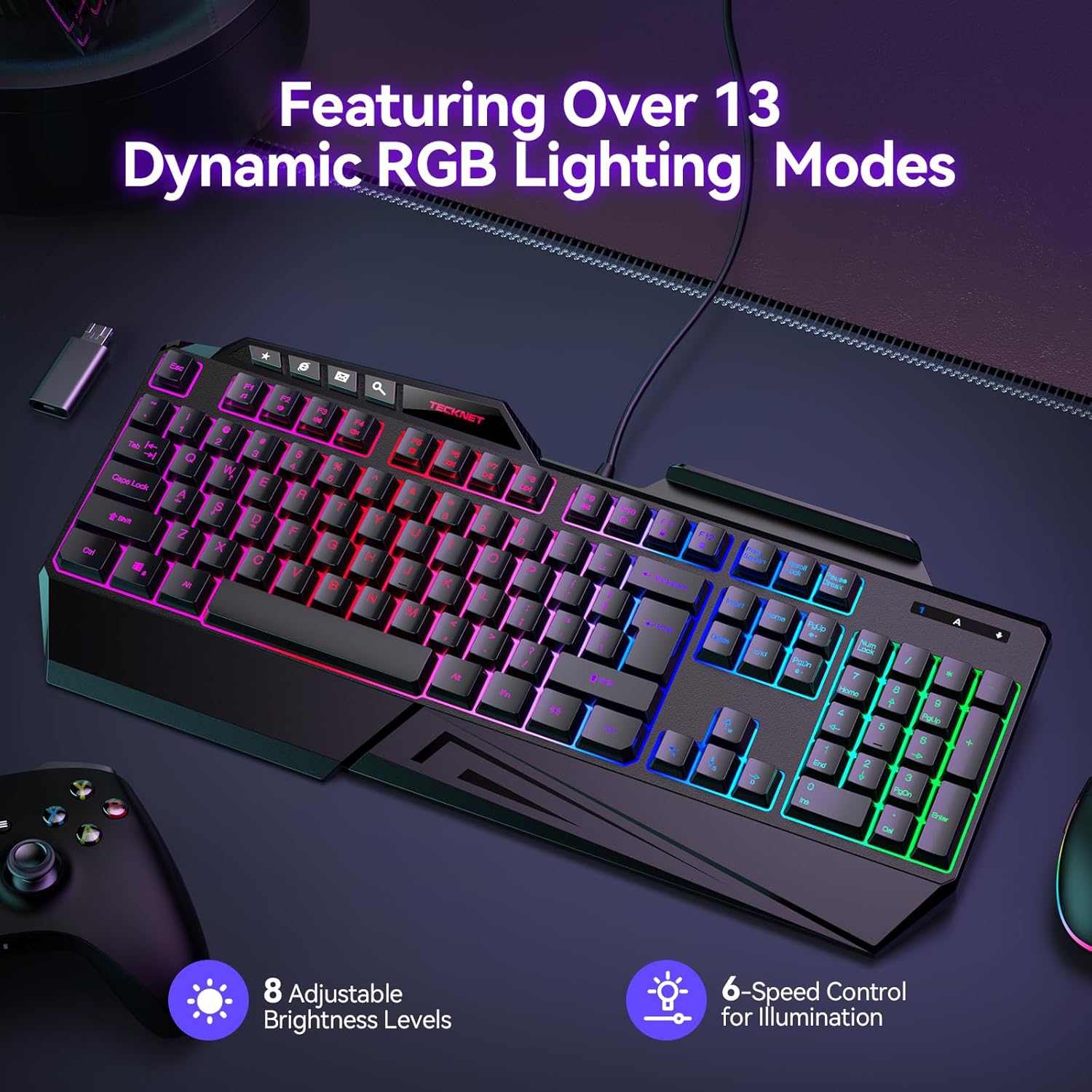
Image 2: Keyboard displaying various RGB lighting modes and controls.
3.2. Anti-Ghosting Technology
The keyboard is equipped with 26-key anti-conflict technology, ensuring precise and responsive input even during complex, fast-paced action sequences. This prevents missed key presses when multiple keys are pressed simultaneously.

Image 3: Illustration of 26-key anti-ghosting feature for optimized gaming.
3.3. Ergonomic Design
Designed for comfort during extended use, the keyboard features an 8° folding leg system, stepped keys for natural hand placement, and a built-in wrist rest. These features help reduce strain and improve typing posture.
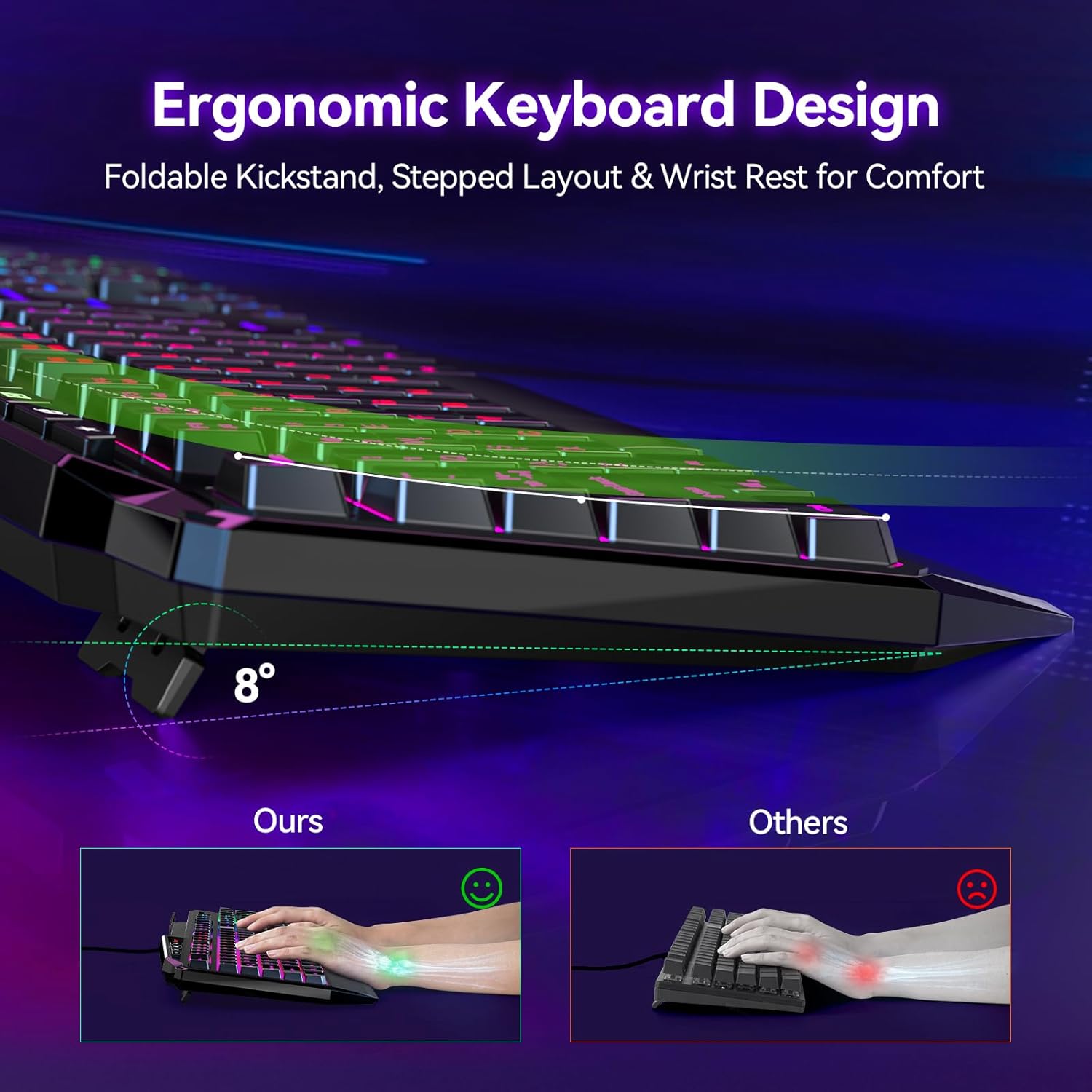
Image 4: Ergonomic design with adjustable angle and wrist rest for comfort.
3.4. Built-in Phone Holder
A convenient built-in phone holder allows for easy multi-tasking, keeping your mobile device visible and accessible while you work or game.

Image 5: Keyboard featuring a built-in phone stand for convenience.
3.5. Multi-function Shortcut Keys
The keyboard includes various multi-function shortcut keys to control media playback, volume, and other system functions, enhancing efficiency and user experience.

Image 6: Overview of multi-function shortcut keys and keyboard dimensions.
3.6. Official Product Video
Video 1: An official product video from TECKNET showcasing the RGB Gaming Keyboard with its wrist rest and phone holder features.
4. Maintenance
4.1. Spill-Resistant Design
The keyboard is designed to withstand accidental spills. It features three strategically placed drainage holes to protect the internal components from liquid damage. In case of a spill, gently wipe the liquid from the surface and allow the keyboard to dry completely before continued use.
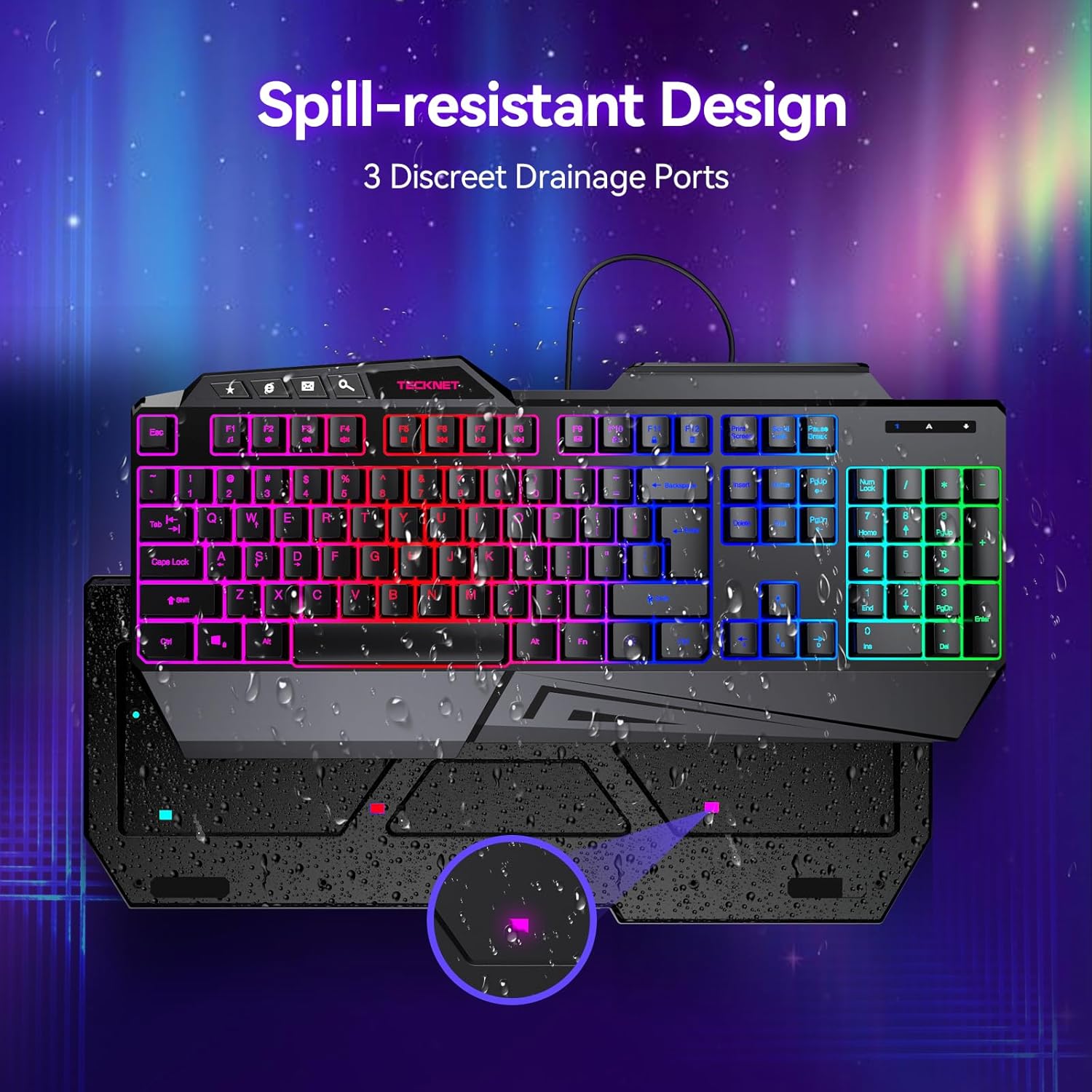
Image 7: Keyboard illustrating its spill-resistant design with drainage holes.
4.2. Cleaning
To clean the keyboard, use a soft, dry cloth. For stubborn dirt, a slightly damp cloth can be used. Avoid using harsh chemicals or abrasive materials that could damage the surface or key legends.
5. Troubleshooting
5.1. Keyboard Not Responding
- Ensure the USB-A cable is securely connected to both the keyboard and the computer.
- Try connecting the keyboard to a different USB-A port on your computer.
- Test the keyboard on another computer to determine if the issue is with the keyboard or the original computer.
- Restart your computer.
5.2. RGB Lighting Not Working/Incorrect
- Ensure the keyboard is properly connected.
- Use the dedicated function keys to cycle through lighting modes, adjust brightness, and speed settings.
- If the lighting is completely off, ensure it hasn't been turned off via a function key combination.
6. Specifications
| Model Name | TK-GK006 |
| Brand | TECKNET |
| Connectivity Technology | USB-A |
| Keyboard Description | Gaming |
| Compatible Devices | Laptop, PC, Tablet |
| Special Features | Ergonomic, Hotkeys and Media Keys, RGB, Spill Proof, Wrist Rest |
| Color | Black |
| Keyboard Backlighting Color Support | RGB |
| Material | Plastic |
| Item Weight | 1.85 pounds |
| Package Dimensions | 17.52 x 8.07 x 1.85 inches |
7. Warranty and Support
TECKNET offers lifetime support for this product (registration required). If you encounter any issues or are not satisfied with your keyboard, please contact TECKNET customer service for assistance.