
Signify 14T5HE/46-850/IF1/G/DIM
Philips 14T5HE/46-850/IF1/G/DIM 14W T5 LED Bulb User Manual
Model: 14T5HE/46-850/IF1/G/DIM | Brand: Signify
Introduction
This manual provides essential instructions for the safe and efficient installation, operation, and maintenance of your Philips 14T5HE/46-850/IF1/G/DIM 14W T5 LED Bulb. Please read this manual thoroughly before use and retain it for future reference.
This LED bulb is designed as a direct replacement for traditional 4-foot T5 High Efficiency (HE) 28W fluorescent lamps and requires an electronic ballast for operation. It is a Plug & Play solution, ensuring compatibility with specific existing fixtures.
Important Safety Information
- WARNING: Only use to replace 4' T5 HE (High Efficiency) 28W lamps (not HO lamps).
- Verify ballast type (28W T5 HE Ballasts) before installation.
- Check ballast compatibility before using this product. Incompatible ballasts may cause improper operation or damage to the bulb.
- Always disconnect power before installation or removal.
- Do not disassemble or modify the bulb.
- Ensure the bulb is securely seated in the fixture.
- This product is designed for indoor use in dry locations unless otherwise specified by the fixture.
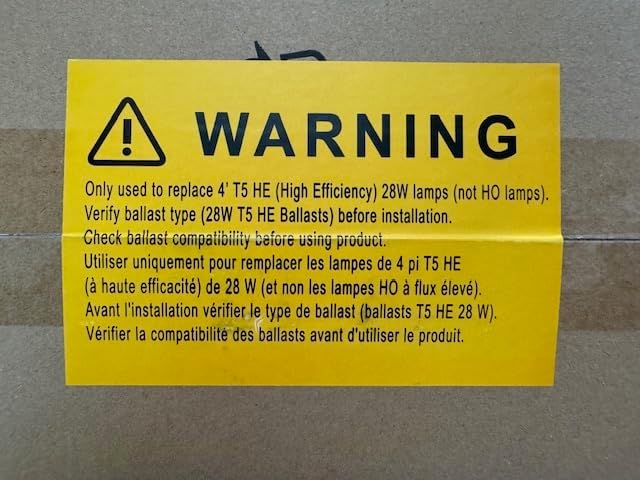
Image Description: A yellow warning label with black text. The text states: "WARNING Only used to replace 4' T5 HE (High Efficiency) 28W lamps (not HO lamps). Verify ballast type (28W T5 HE Ballasts) before installation. Check ballast compatibility before using product." Below the English text, the same warning is provided in French.
Package Contents
Your package contains 10 Philips 14T5HE/46-850/IF1/G/DIM 14W T5 LED Bulbs.

Image Description: A close-up of the product packaging, indicating a "10_pack" of Philips LED tubes. The image shows the end of a box with a label confirming it contains 10 lamps.
Setup and Installation
- Power Disconnection: Before beginning installation, ensure the power supply to the fixture is completely turned off at the circuit breaker.
- Verify Ballast Compatibility: Confirm that your existing fixture uses a compatible 28W T5 High Efficiency (HE) electronic ballast. This LED bulb is a Plug & Play type and requires an electronic ballast. It is compatible with GE F28W/T5/850/Eco and Philips F28T5/850/Alto bulbs.
- Remove Existing Lamp: Carefully remove the old fluorescent T5 lamp from the fixture.
- Install LED Bulb: Insert the Philips 14T5HE/46-850/IF1/G/DIM LED bulb into the fixture's G5 bi-pin sockets. Ensure both pins on each end are fully seated.
- Secure Installation: Gently twist the bulb if necessary to ensure it is firmly in place and making proper electrical contact.
- Restore Power: Once the bulb is securely installed, restore power to the fixture at the circuit breaker.
- Test Operation: Turn on the light switch to verify the LED bulb is functioning correctly.
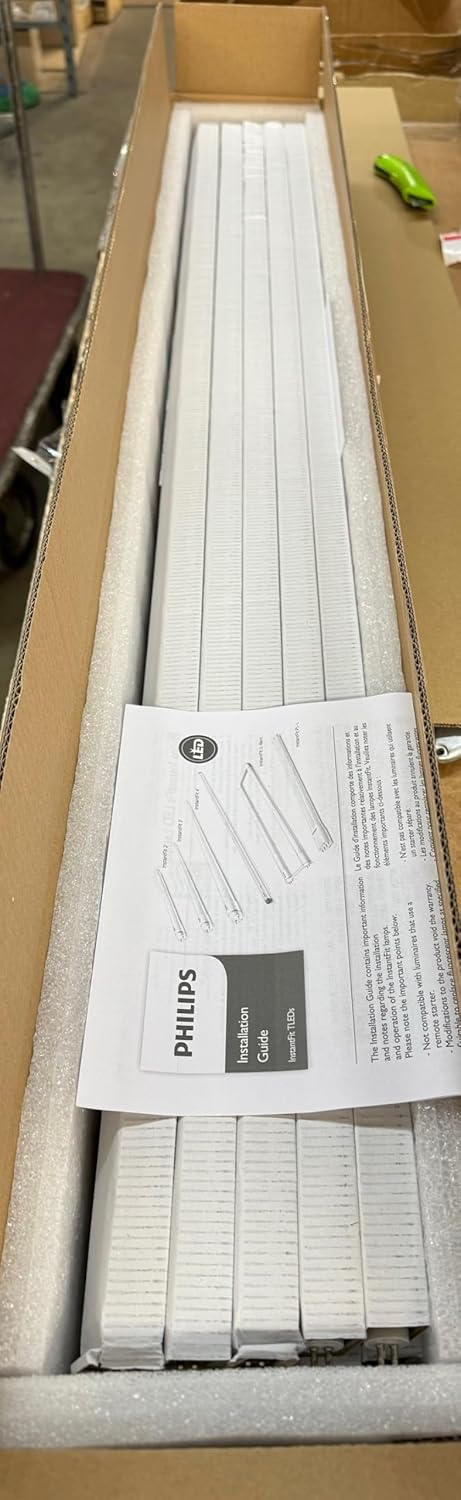
Image Description: A close-up view of the end of a Philips LED tube, showing the G5 bi-pin base. The label on the bulb indicates "TYPE A LAMP" and "Use only with electronic ballasts."
Operating Instructions
The Philips 14T5HE/46-850/IF1/G/DIM LED bulb operates as a direct replacement for compatible T5 fluorescent lamps. Once installed in a fixture with a compatible electronic ballast and power is supplied, the bulb will illuminate when the fixture's switch is turned on.
- Dimmable Functionality: This bulb is dimmable, provided the existing electronic ballast and dimmer switch are compatible with dimmable T5 LED lamps. Consult your ballast and dimmer specifications for compatibility.
- Instant On: Unlike some fluorescent lamps, this LED bulb provides instant full brightness upon switching on, with no warm-up time.
Maintenance
Philips LED bulbs are designed for long-term, maintenance-free operation. Minimal maintenance is required.
- Cleaning: Ensure power is disconnected before cleaning. Gently wipe the bulb with a soft, dry, or slightly damp cloth. Do not use abrasive cleaners or solvents.
- Replacement: When the bulb reaches the end of its operational life, replace it with another compatible Philips 14T5HE/46-850/IF1/G/DIM LED bulb. Follow the installation steps outlined in the "Setup and Installation" section.
Troubleshooting
| Problem | Possible Cause | Solution |
|---|---|---|
| Bulb does not light up. |
|
|
| Bulb flickers or dims unexpectedly. |
|
|
Specifications
| Model Name: | 14T5HE/46-850/IF1/G/DIM |
| Part Number: | 476523 |
| Brand: | Signify (Philips) |
| Light Type: | LED |
| Wattage: | 14 watts |
| Equivalent Fluorescent: | 28W T5 HE (High Efficiency) |
| Bulb Base: | G5 Bi-Pin |
| Color Temperature: | 5000 Kelvin |
| Voltage: | 120 Volts (Ballast Dependent) |
| Special Feature: | Dimmable (with compatible ballast/dimmer), Plug & Play |
| Length: | 46 inches |
| Material: | Plastic |
| Item Weight (per 10-pack): | 20 Pounds |
| GTIN: | 50046677476521 |

Image Description: A close-up of the Philips LED tube, showing detailed specifications printed on the bulb itself. Information visible includes "14T5HE/46-850/IF1/G/DIM", "Use only with electronic ballasts", model numbers, and compliance marks like UL and RoHS.
Warranty and Support
For warranty information or technical support regarding your Philips LED bulb, please refer to the official Signify (Philips) website or contact their customer service directly. Keep your purchase receipt as proof of purchase.
Manufacturer: Philips (Signify)
Part Number: 476523
Ask a question about this manual
Ask about setup, troubleshooting, compatibility, parts, safety, or missing instructions. Manuals+ will review the question and use this page’s manual context to help answer it.