
1. Introduction
This manual provides detailed instructions for the proper use and maintenance of your Sper Scientific Compact Digital Min/Max Thermometer, Model 800121. This device is designed to accurately measure and record indoor and outdoor temperature fluctuations, displaying current, minimum, and maximum temperature values. Its compact and portable design makes it suitable for various applications including laboratories, food storage, HVAC systems, and greenhouses.
2. Safety Information
- Read all instructions before operating the device.
- Do not expose the thermometer to extreme temperatures outside its specified operating range.
- Keep the device away from strong magnetic fields.
- Do not attempt to disassemble or modify the thermometer. This will void the warranty.
- Dispose of batteries according to local regulations.
- Although the device has an IPX4 waterproof rating, it is resistant to splashes, not submersion. Avoid prolonged exposure to heavy rain or water.
3. Package Contents
Verify that all items are present in the package:
- Sper Scientific Compact Digital Min/Max Thermometer 800121
- 1 AAA Battery
- Instruction Manual (this document)
4. Product Features
- Min/Max Temperature Recording: Automatically logs the minimum and maximum temperatures, allowing for continuous monitoring of temperature fluctuations.
- Wide Temperature Range: Measures temperatures from -50°C to 70°C (-58°F to 158°F), suitable for a variety of environments.
- Clear Digital Display: The large LCD screen shows current, minimum, and maximum temperatures at a glance.
- Compact and Portable: Small enough to fit in your hand, making it convenient to carry and use in various locations.
- Battery-Powered Operation: Runs on a single AAA battery (included), ensuring long-lasting performance without the hassle of frequent replacements.
- High Accuracy: Tolerance of +/-1°C and +/-2°F for precise measurements.
- Switchable Units: Easily switch between Celsius (°C) and Fahrenheit (°F).
- Water Resistant: IPX4 rating, resistant to splashes of water from any direction.
5. Setup
5.1 Battery Installation
- Locate the battery compartment cover on the back of the thermometer.
- Slide the cover downwards to open the compartment.
- Insert the included AAA battery, ensuring the correct polarity (+ and - terminals match the markings inside the compartment).
- Slide the battery compartment cover back into place until it clicks securely.

Figure 5.1: Battery installation for the thermometer. Ensure correct polarity when inserting the AAA battery.
5.2 Initial Power-On
Once the battery is installed, the thermometer will automatically power on and display the current temperature. The LCD will show three temperature readings: Maximum (MAX), Current, and Minimum (MIN).
5.3 Placement
Place the thermometer in the desired location. For accurate readings, ensure it is not exposed to direct sunlight, drafts, or heat sources that could skew measurements. The integrated hook allows for hanging.
6. Operating Instructions
6.1 Understanding the Display

Figure 6.1: Labeled display of the thermometer, indicating Maximum, Current, Minimum temperatures, and control buttons.
- The top reading indicates the Maximum Temperature recorded since the last reset.
- The middle reading shows the Current Temperature.
- The bottom reading indicates the Minimum Temperature recorded since the last reset.
6.2 Switching Temperature Units (°C/°F)
To switch between Celsius (°C) and Fahrenheit (°F), press the °C/°F button located on the front panel below the display. The display will instantly update to the selected unit.
6.3 Clearing Min/Max Records
The thermometer continuously records the minimum and maximum temperatures. To clear these recorded values and start a new monitoring cycle, press the CLEAR button located on the front panel. The MAX and MIN readings will reset to the current temperature.
7. Maintenance
7.1 Cleaning
Wipe the thermometer with a soft, damp cloth. Do not use abrasive cleaners or solvents, as these may damage the plastic casing or display. Ensure no liquid enters the device openings.
7.2 Battery Replacement
When the display becomes dim or the thermometer stops functioning, it is time to replace the AAA battery. Follow the battery installation steps in Section 5.1.
7.3 Storage
If storing the thermometer for an extended period, remove the battery to prevent leakage and potential damage to the device.
8. Troubleshooting
- No Display or Dim Display:
- Check if the battery is installed correctly with the right polarity.
- Replace the AAA battery with a new one.
- Inaccurate Readings:
- Ensure the thermometer is not in direct sunlight, near heat sources, or in a strong draft.
- Allow the thermometer to stabilize in the new environment for at least 15-30 minutes.
- Min/Max Values Not Resetting:
- Ensure you are pressing the 'CLEAR' button firmly.
9. Specifications
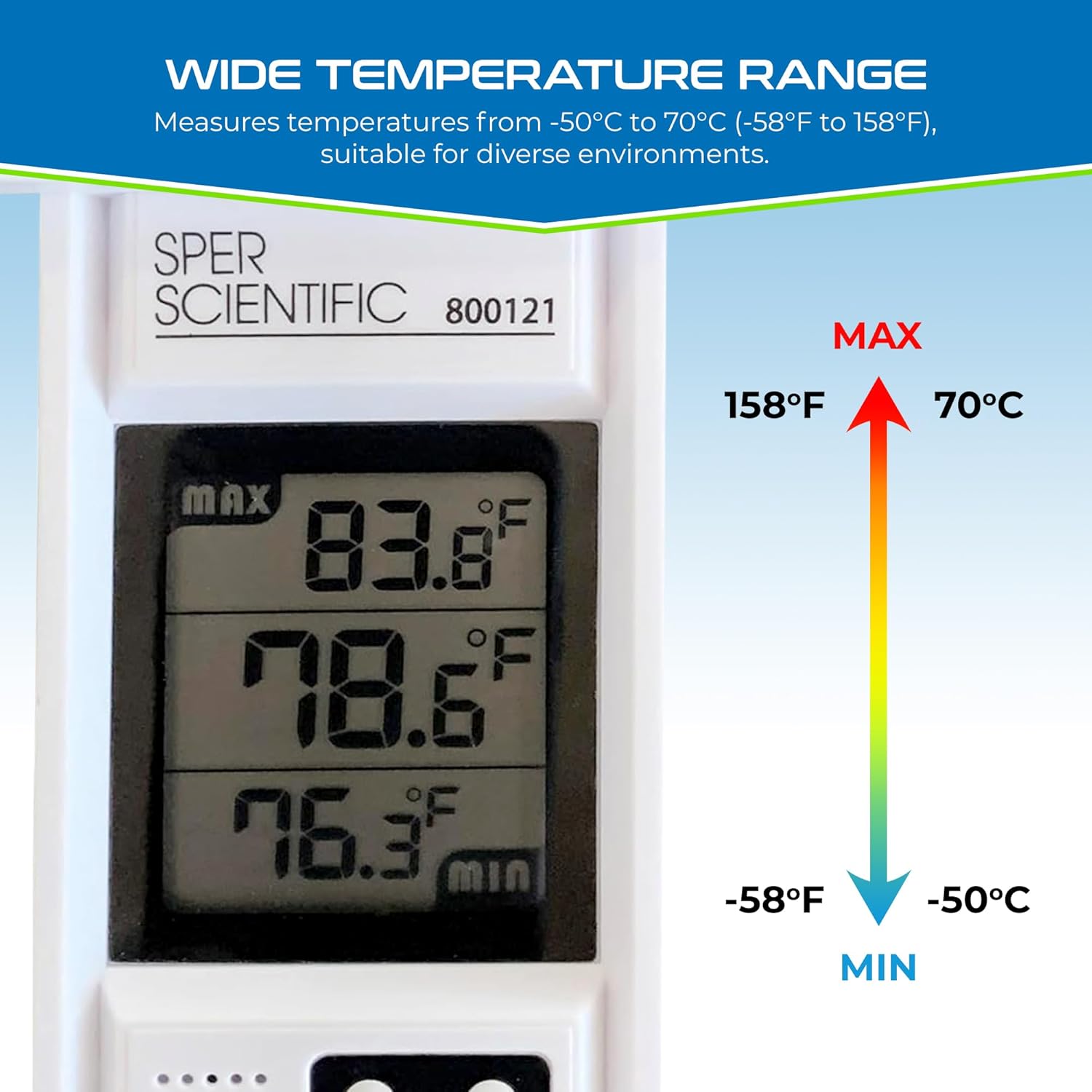
Figure 9.1: Visual representation of the thermometer's wide temperature measurement range.
| Feature | Specification |
|---|---|
| Model Number | 800121 |
| Temperature Range | -50°C to 70°C (-58°F to 158°F) |
| Accuracy | +/-1°C (+/-2°F) |
| Resolution | 0.1°C / 0.1°F |
| Display Type | Digital LCD |
| Power Source | 1 x AAA Battery |
| Waterproof Rating | IPX4 (Splash Resistant) |
| Dimensions (Approx.) | 5.9 Inches (Length) |
| Special Features | Min/Max Record, °C/°F Switchable |
10. Warranty Information
The Sper Scientific Compact Digital Min/Max Thermometer 800121 comes with a 1 Year Warranty from the date of purchase. This warranty covers defects in materials and workmanship under normal use. It does not cover damage resulting from misuse, accident, unauthorized modification, or improper operation. Please retain your proof of purchase for warranty claims.
11. Support
For technical assistance, warranty claims, or further information regarding your Sper Scientific product, please contact Sper Scientific customer support. Refer to the official Sper Scientific website or product packaging for the most current contact details.