
Oumeitu HT-901
Oumeitu HT-901 Cordless Grass Trimmer User Manual
Model: HT-901 | Brand: Oumeitu
1. Important Safety Warnings
Always read and understand all safety warnings and instructions before operating this product.
- Always wear the supplied safety glasses and non-slip gloves when operating the trimmer.
- Use both the safety lock and the trigger to start the trimmer to prevent accidental operation.
- Be aware of flying debris and potential cutting hazards during use.
- Keep hands, face, and feet clear of the cutting area at all times.
- Ensure the work area is clear of obstacles, children, and pets before starting.
2. Product Overview and Components
The Oumeitu HT-901 Cordless Grass Trimmer is designed for efficient and flexible lawn and garden maintenance. It features a powerful motor, adjustable design, and multiple cutting blade options.

Figure 2.1: Key Components of the Oumeitu HT-901 Cordless Grass Trimmer.
- 1. OFF Lock Button: Prevents accidental startup.
- 2. ON/OFF Trigger: Activates the trimmer.
- 3. Double Safety Control Switch: Ensures safe operation.
- 4. High Capacity Lithium Battery (4.0 Ah): Provides power for extended use.
- 5. Adjustable Length Pole: Allows adjustment to suit user height (88.9-121.9 cm).
- 6. Adjustable Handle: For improved comfort and control (180° rotatable).
- 7. Anti-Collision Design: Protects the cutting head from impacts.
- 8. Cutting Head Lock Button: Allows 90° angle adjustment of the cutting head.
- 9. Splash Guard: Protects user from debris.
- 10. Cutting Method: Accommodates 3 types of blades for various tasks.

Figure 2.2: The Oumeitu HT-901 Cordless Grass Trimmer and its complete accessory kit, including various blades, batteries, charger, safety glasses, and gloves.
Included Accessories:
- 1 x Cordless Grass Trimmer unit
- 2 x 21V Li-Ion Batteries (4.0Ah)
- 1 x Fast Charger
- 1 x Wheel attachment
- 2 x Circular Saw Blades (for thicker shrubs, branches)
- 2 x Stainless Steel Metal Blades (for thick weeds, small shrubs)
- 10 x Nylon Blades (for fresh grass, lawn trimming)
- 1 x Pair of Non-slip Gloves
- 1 x Safety Goggles
3. Setup and Assembly
3.1. Battery Charging
Before first use, fully charge both 21V Li-Ion batteries. The fast charger can fully charge a battery in approximately 1-2 hours.
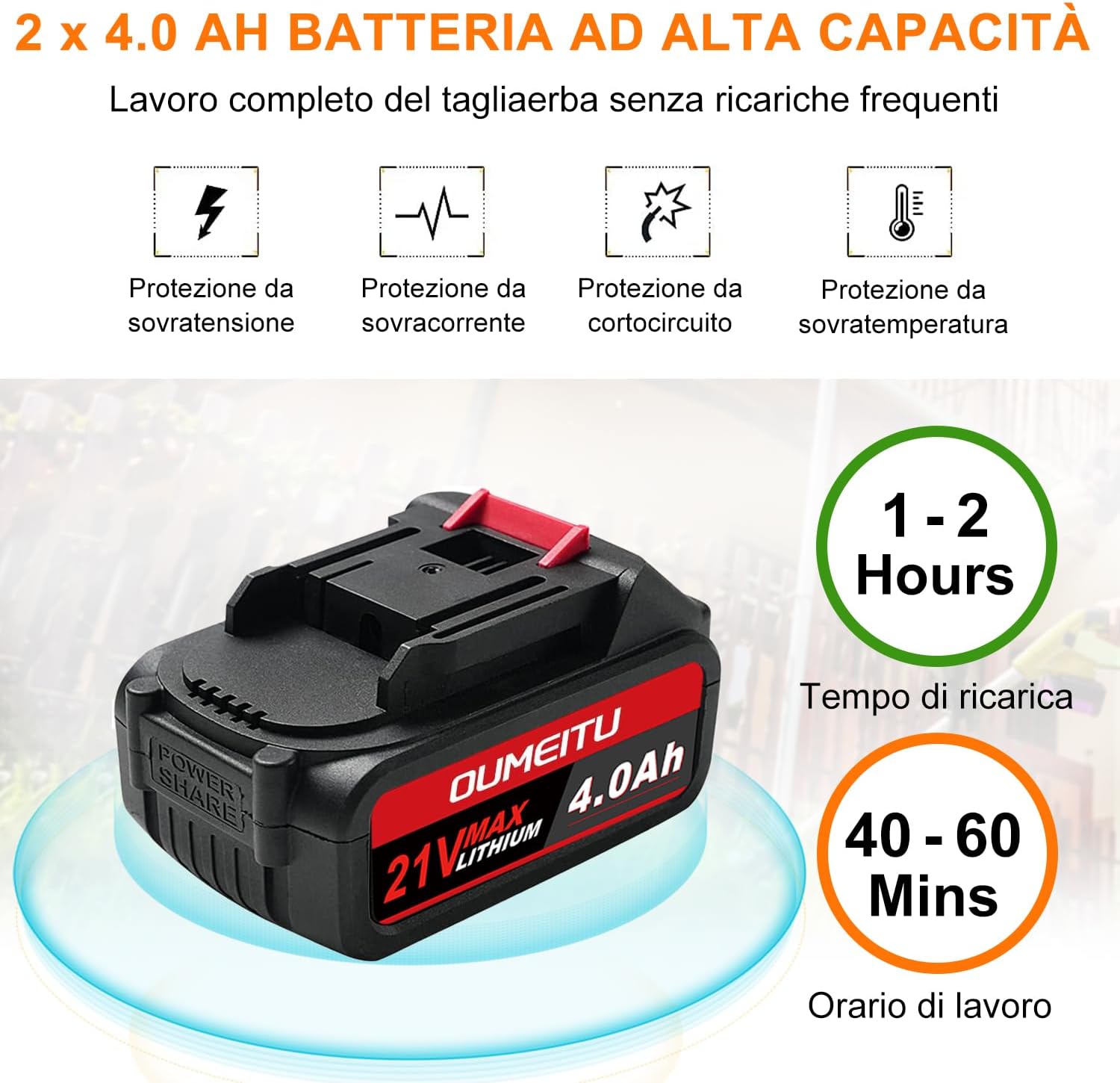
Figure 3.1: Battery specifications and charging information. The battery features protection against overvoltage, overcurrent, short circuit, and overtemperature.
- Connect the fast charger to a standard power outlet.
- Slide the battery onto the charger until it clicks into place.
- The charger indicator light will show the charging status (refer to charger manual for specific light patterns).
- Once fully charged, remove the battery from the charger.
3.2. Assembling the Trimmer
Follow these steps to assemble your grass trimmer. Refer to Figure 2.1 for component identification.
- Attach the Handle: Secure the adjustable handle (6) to the main pole. Adjust its position for comfortable grip and control.
- Adjust Pole Length: Extend or retract the adjustable length pole (5) to your desired height. Lock it securely in place. The pole can be adjusted from 88.9 cm to 121.9 cm.
- Install Splash Guard: Attach the splash guard (9) to the cutting head assembly to protect against debris.
- Select and Install Blade: Choose the appropriate cutting blade (circular saw, metal, or nylon) for your task.
- For fresh grass and lawn trimming, use the Nylon Blades.
- For thick weeds and small shrubs, use the Stainless Steel Metal Blades.
- For thicker shrubs, branches, and small trees, use the Circular Saw Blades.
- Attach Wheel (Optional): If using the trimmer as a wheeled edger, attach the provided wheel accessory to the cutting head assembly.
- Insert Battery: Slide a charged 21V Li-Ion battery (4) into the battery slot on the trimmer handle until it clicks firmly into place.
4. Operating Instructions
Always wear safety glasses and gloves during operation.
4.1. Starting and Stopping the Trimmer
- To start the trimmer, first press the safety lock button (1) located on the handle.
- While holding the safety lock button, press the ON/OFF trigger (2). The trimmer will start.
- To stop the trimmer, release the ON/OFF trigger (2). The trimmer will power off.
4.2. Adjusting for Different Tasks

Figure 4.1: The trimmer can be used in two modes: as a wheeled edger for pushing, and as a handheld grass cutter.
- Adjusting Cutting Angle: The cutting head angle can be adjusted from 0-90° by pressing the cutting head lock button (8). This allows for trimming in uneven terrain, around obstacles, and for edging.
- Adjusting Handle Angle: The handle can be rotated 180° to find the most comfortable and ergonomic position for your task.
- Using the Wheel Attachment: For precise edging or when pushing the trimmer along a path, attach the wheel accessory. This provides stability and consistent cutting height.
4.3. General Trimming Tips
- Always start with a fully charged battery for optimal performance.
- Move the trimmer slowly and steadily across the area to be cut.
- Avoid hitting hard objects like rocks, fences, or concrete, as this can damage the blades and the trimmer.
- For dense growth, make multiple passes, gradually reducing the height.
- The pure copper motor provides up to 18,000 RPM no-load speed and 880W output power, with low noise operation (65 dB).
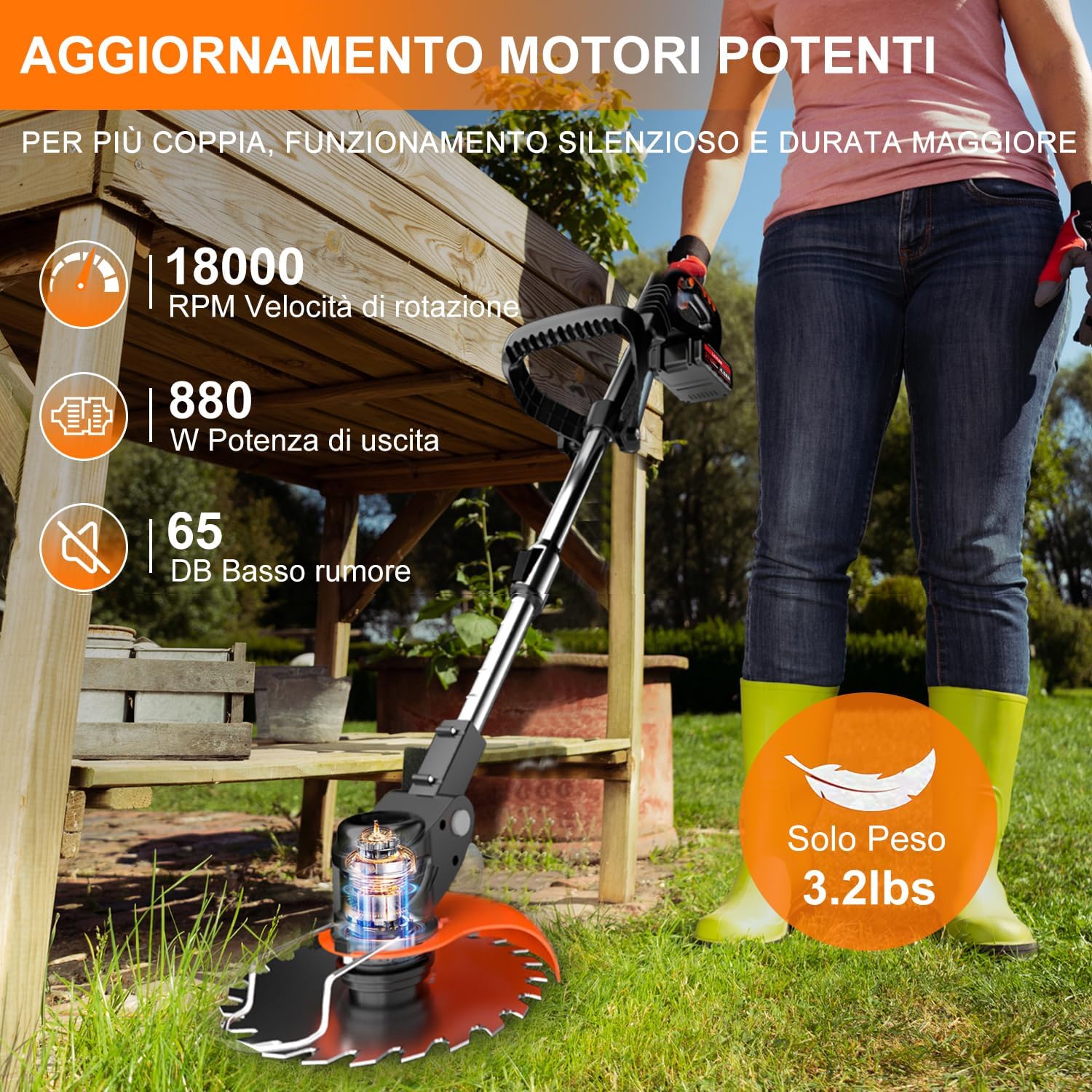
Figure 4.2: The trimmer's powerful motor delivers high RPM and low noise for efficient operation.
5. Maintenance
Regular maintenance ensures the longevity and optimal performance of your trimmer. Always disconnect the battery before performing any maintenance.
5.1. Cleaning
- After each use, remove any grass clippings, dirt, and debris from the cutting head, splash guard, and ventilation slots.
- Use a dry cloth or soft brush for cleaning. Do not use water or harsh chemicals, as this can damage electrical components.
5.2. Blade Replacement
- Inspect blades regularly for wear, damage, or dullness. Replace them when necessary to maintain cutting efficiency.
- Refer to the blade replacement instructions provided with your blade kit. Ensure the trimmer is off and the battery is removed before changing blades.
- Always use genuine Oumeitu replacement blades to ensure compatibility and safety.
5.3. Storage
- Store the trimmer in a dry, cool place, away from direct sunlight and moisture.
- Remove the battery from the trimmer before long-term storage.
- Store batteries in a cool, dry place, partially charged (around 50%) for optimal longevity.
6. Troubleshooting
If you encounter issues with your Oumeitu HT-901 Cordless Grass Trimmer, refer to the following common problems and solutions.
| Problem | Possible Cause | Solution |
|---|---|---|
| Trimmer does not start. | Battery not charged or not inserted correctly. Safety lock not engaged before trigger. Overload protection activated. | Ensure battery is fully charged and securely inserted. Press the safety lock button first, then the trigger. Allow the trimmer to cool down if it was overloaded. |
| Reduced cutting performance. | Dull or damaged blade. Excessive grass buildup on cutting head. | Replace the blade. Clean the cutting head and splash guard. |
| Trimmer stops during operation. | Battery depleted. Overload protection activated. | Recharge or replace the battery. Reduce the load on the trimmer; avoid cutting excessively thick material. Allow motor to cool. |
| Excessive vibration. | Blade improperly installed or damaged. | Check blade installation; ensure it is balanced and securely fastened. Replace damaged blades. |
If the problem persists after trying these solutions, please contact customer support.
7. Technical Specifications
| Feature | Specification |
|---|---|
| Model Number | HT-901 |
| Brand | Oumeitu |
| Product Dimensions | 88 x 16 x 12.7 cm |
| Weight | 3.53 Kilograms |
| Drive Type | Battery Powered |
| Power Source | Battery Powered |
| Battery Type | 21V Lithium-Ion (2x 4.0Ah included) |
| No-load Speed | Up to 18,000 RPM |
| Output Power | 880W |
| Noise Level | 65 dB |
| Cutting Width | 15.2 cm (6 inches) |
| Adjustable Length | 88.9 - 121.9 cm |
| Head Rotation | 0-90° |
| Color | Black |
8. Warranty and Support
Oumeitu offers a 12-month after-sales service guarantee to enhance the durability and reliability of your grass trimmer.
If you have any questions, concerns, or require assistance with your product, please do not hesitate to contact our customer service team. We provide 7x24 hours friendly customer service to ensure your satisfaction.
For support, please refer to the contact information provided with your purchase or visit the official Oumeitu website.
Ask a question about this manual
Ask about setup, troubleshooting, compatibility, parts, safety, or missing instructions. Manuals+ will review the question and use this page’s manual context to help answer it.