
1. Introduction
Thank you for choosing the Linocell MFi Certified USB-A to USB-C 60W Fast Charging Cable 5-Pack. This product is designed to provide efficient and safe charging and data transfer for a wide range of compatible devices. Please read this manual carefully to ensure proper use and to maximize the lifespan of your cables.
2. Product Features
- MFi Certified: Equipped with an E-Marker Chip and original USB-C connector, ensuring full compatibility and safety with Apple devices.
- 60W Fast Charging: Supports high-speed power delivery for quick charging of compatible devices.
- 480Mbps Data Transfer: Enables efficient synchronization of data between devices.
- Advanced Safety Features: Includes dynamic temperature sensors, intelligent power management chip, overvoltage protection, overheating protection, overcurrent protection, and short-circuit protection.
- Durable Construction: Features military-grade double-braided nylon and titanium alloy metal connectors for enhanced durability and flexibility, with a bend lifespan of over 50,000.
- Universal Compatibility: Works with a broad range of USB-C devices, including iPhones, iPads, Samsung Galaxy phones, Google Pixel phones, and more.
3. Package Contents
The Linocell MFi Certified USB-A to USB-C Fast Charging Cable package includes:
- 5 x Linocell MFi Certified USB-A to USB-C Fast Charging Cables (Black)
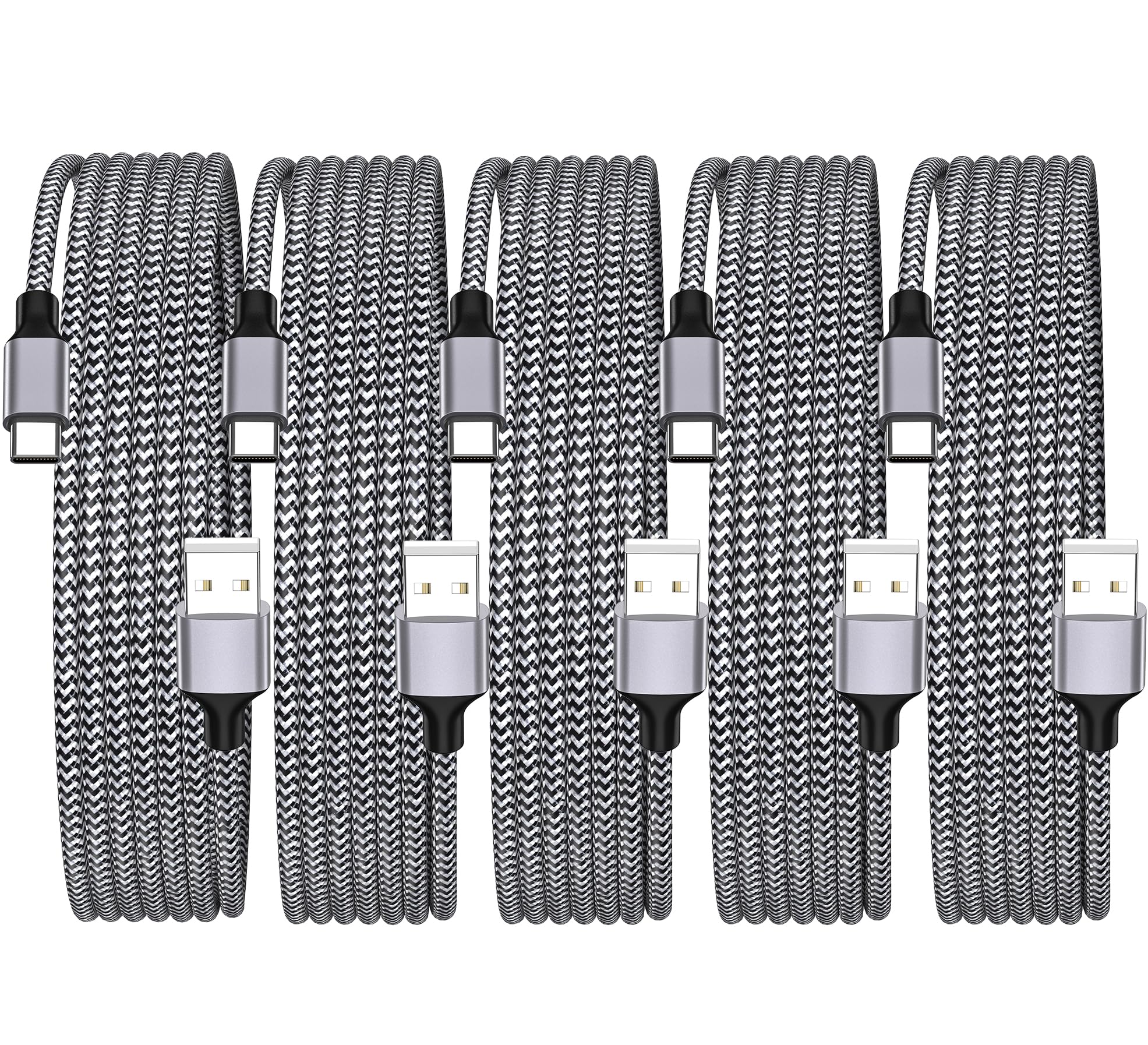
Image: Five Linocell USB-A to USB-C braided cables in black and white pattern, neatly coiled and secured, next to their packaging.
Video: An unboxing and overview of the Linocell MFi USB Cable, demonstrating its appearance and features.
4. Setup
Setting up your Linocell charging cable is straightforward:
- Unpack the Cable: Carefully remove one of the USB-A to USB-C cables from its packaging.
- Connect to Power Source: Insert the USB-A end of the cable into a compatible USB-A power adapter (wall charger, car charger, power bank, or computer USB-A port). Ensure the power adapter supports fast charging (e.g., 60W) to utilize the cable's full potential.
- Connect to Device: Insert the USB-C end of the cable into the charging port of your compatible device (e.g., iPhone 15/16/17, iPad, Samsung Galaxy, Pixel).
- Verify Connection: Confirm that your device indicates it is charging.

Image: A Linocell USB-A to USB-C cable connected to a wall adapter and an iPhone, illustrating the charging process.
5. Operating Instructions
5.1. Charging Your Device
Once connected as described in the Setup section, the cable will automatically begin charging your device. The built-in intelligent power management chip will detect your device's power requirements and deliver the optimal current for fast and safe charging.

Image: Various devices like iPhone, iPad, MacBook, and Samsung Galaxy phone being fast-charged by the Linocell USB-C cable, showing battery percentages.
5.2. Data Transfer
To transfer data between your device and a computer:
- Connect the USB-A end of the cable to a USB-A port on your computer.
- Connect the USB-C end to your compatible device.
- Your computer should recognize the device, allowing you to transfer files, photos, and other data at speeds up to 480Mbps.

Image: A person using a laptop with a Linocell USB-C cable connected, illustrating data transfer capabilities.
6. Compatibility
The Linocell MFi Certified USB-A to USB-C cable is designed for broad compatibility with devices featuring a USB-C port. This includes, but is not limited to:
- iPhones: iPhone 17, iPhone 17 Air, iPhone 17 Pro, iPhone 17 Pro Max, iPhone 16, iPhone 16 Plus, iPhone 16 Pro, iPhone 16 Pro Max, iPhone 15, iPhone 15 Plus, iPhone 15 Pro, iPhone 15 Pro Max.
- iPads: iPad Air 11-inch 13-inch (2025), iPad 11th (2025), iPad Pro 13-inch (2024), iPad Pro 11-inch (2024), iPad Air 13-inch (2024), iPad Air 11-inch (2024), iPad Pro 12.9-inch 6th/5th/4th/3rd Generation (2023/2021/2020/2018), iPad Pro 11-inch 4th/3rd/2nd/1st Generation (2023/2021/2020/2018), iPad Air 5th/4th Generation (2022/2020), iPad 10th Generation (2022), iPad Mini 6 (2021).
- Samsung Galaxy: S26, S25, S24, S23, S22, S21, S20, Note 20, Note 10.
- Google Pixel: All Pixel models with USB-C.
- Other USB-C Devices: Moto, Cameras, GPS, Power Banks, Driving Recorders, Drones, New Airpods, and other USB-C enabled devices.

Image: An image displaying various Apple, Samsung, and other Type-C devices, highlighting the universal compatibility of the Linocell USB-C cable.
7. Safety Information
Your Linocell charging cables are built with multiple safety features to protect your devices and ensure a secure charging experience:
- MFi Certified Chipset: Ensures compatibility and adherence to Apple's strict safety standards.
- Dynamic Temperature Sensor: Actively monitors cable temperature to prevent overheating.
- Intelligent Power Management Chip: Adjusts power output to safeguard connected devices.
- Overvoltage Protection: Protects against excessive voltage input.
- Overcurrent Protection: Prevents damage from excessive current flow.
- Short-Circuit Protection: Automatically cuts power in case of a short circuit.
- Battery Protector: Designed to extend the lifespan of your device's battery.
- Certifications: UL, ETL, FCC, CE, ROHS certified for assured safety and quality.

Image: A diagram illustrating the smart charging chip and various safety protections like high-temp, short-circuit, over-current, and over-voltage protection.
8. Maintenance
To ensure the longevity and optimal performance of your Linocell cables, follow these maintenance guidelines:
- Handle with Care: Avoid excessive bending, twisting, or pulling on the cable, especially near the connectors.
- Store Properly: When not in use, coil the cable neatly and secure it with the provided ties or a cable organizer to prevent tangling and damage.
- Keep Clean: Use a soft, dry cloth to wipe the cable and connectors. Avoid using harsh chemicals or abrasive materials.
- Avoid Extreme Conditions: Do not expose the cables to extreme temperatures, direct sunlight for prolonged periods, or wet environments.
- Inspect Regularly: Periodically check the cable and connectors for any signs of wear, fraying, or damage. Discontinue use if any damage is observed.

Image: A close-up of the braided nylon cable and reinforced connectors, highlighting the durable design features like laser welding tech and strain relief.
9. Troubleshooting
If you encounter issues with your Linocell charging cables, refer to the following common problems and solutions:
| Problem | Possible Cause | Solution |
|---|---|---|
| Device not charging. | Loose connection, incompatible power adapter, faulty device port, or damaged cable. |
|
| Slow charging speed. | Power adapter does not support fast charging, device is not compatible with fast charging, or background apps consuming power. |
|
| Data transfer not working. | Loose connection, incorrect computer settings, or driver issues. |
|
| Cable or device getting hot during charging. | Normal operation for fast charging, or potential issue with power adapter/device. |
|
10. Specifications
| Feature | Detail |
|---|---|
| Brand | Linocell |
| Model | PLMWZFCX9518 |
| Connector Type | USB-A to USB-C (MFi Certified) |
| Cable Type | Nylon Braided |
| Power Delivery | Up to 60W |
| Data Transfer Rate | 480 Megabits Per Second |
| Maximum Current | 3.4 Amps |
| Maximum Voltage | 9 Volts |
| Special Features | MFi Certified Chipset, E-Marker Chipset, Dynamic Temperature Sensor, Intelligent Power Management Chip, Overvoltage Protection, Overheating Protection, Overcurrent Protection, Short-Circuit Protection, Battery Protector, Laser Welding Plus Compound Pressurization Technology, 56Ω Pull Up Protection Resistor. |
| Certifications | MFi, UL, ETL, FCC, CE, ROHS |
| Material | Titanium Alloy Metal, Double-Braided Nylon |
| Color | Black |
| Item Weight | 0.12 Kilograms (for the pack) |
11. Warranty and Support
Linocell products are manufactured with high-quality standards. For specific warranty information and customer support, please refer to the product packaging or contact Linocell customer service directly. Keep your purchase receipt as proof of purchase for any warranty claims.