
1. Product Overview
The Imou 4G LTE Solar Security Camera is an advanced outdoor surveillance solution designed for versatile and reliable monitoring. Featuring AOV (Always on Video) technology, it provides continuous 24/7 recording, ensuring no critical moments are missed. Its dual 4G and 2.4GHz WiFi connectivity offers flexible networking options, making it ideal for various environments, including those without traditional power or WiFi access. Equipped with 3K Ultra HD resolution, human detection up to 25 meters, auto-tracking, and color night vision, this camera delivers clear, detailed footage day and night. The integrated solar panel and large capacity battery ensure year-round operation with minimal maintenance.
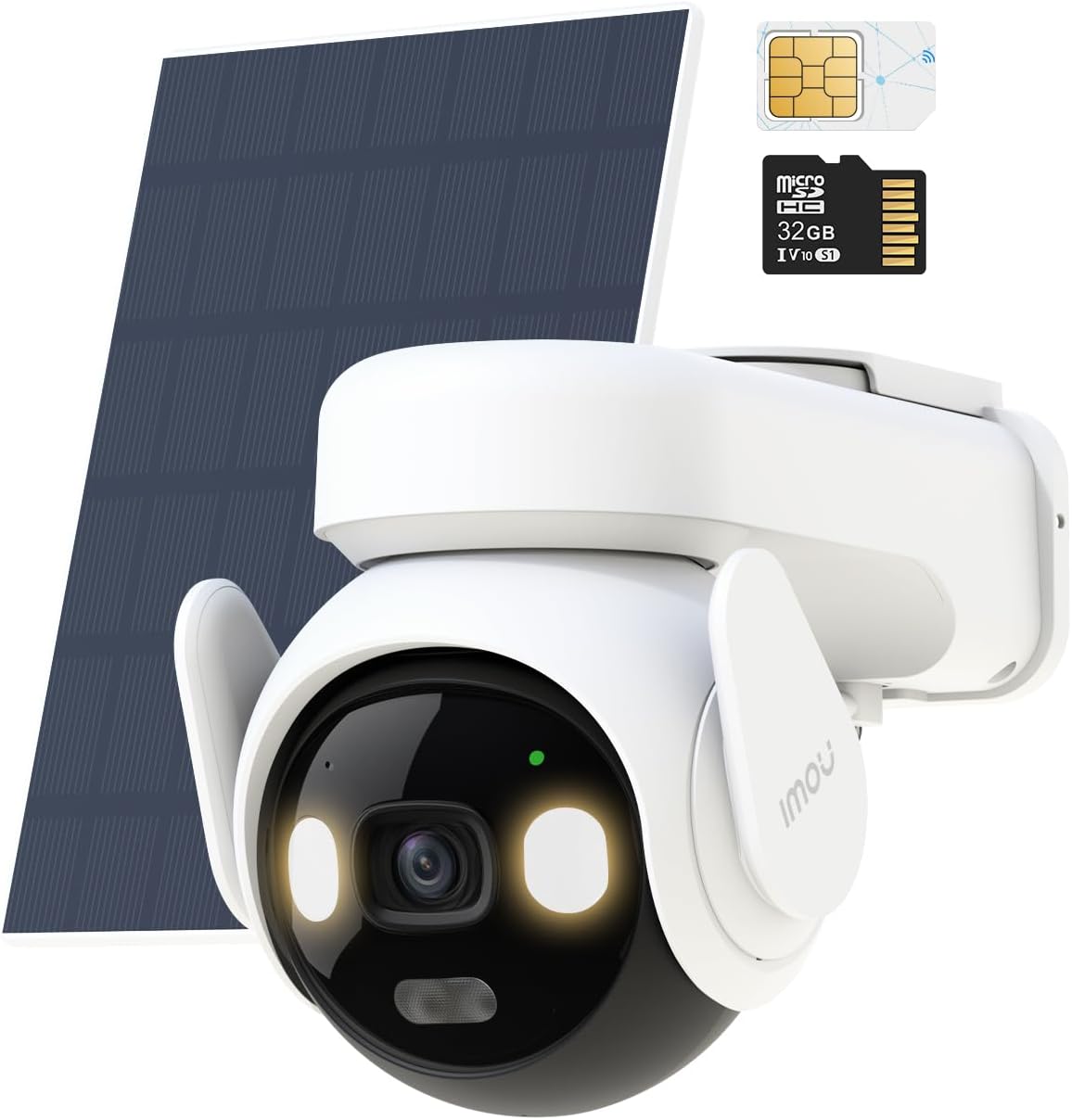
Figure 1: Imou 4G LTE Solar Security Camera with included solar panel, SIM card, and SD card.
2. Key Features
- AOV Tech - 24/7 Full-Time Video Recording: Never miss a moment with Always on Video (AOV) technology. This feature provides uninterrupted recording, capturing a picture every 2 seconds and initiating full video recording upon event detection. This ensures activity is recorded even before an alarm is raised, preventing missed or incomplete footage common with traditional battery cameras.
- 4G & 2.4GHz WiFi Dual Network: The camera supports both 4G LTE and 2.4GHz WiFi networking, automatically switching to the optimal network for continuous connectivity. It includes a pre-installed 4G SIM card (with 6GB data for 3 months) and a 32GB SD card, ready for immediate use. This dual connectivity is ideal for remote locations like gardens, holiday homes, or rural areas.
- 25M Human Detection & Motion Tracking & Real-time Alerts: Advanced AI algorithms provide accurate human detection up to 25 meters, significantly farther than traditional PIR cameras. The camera supports automatic tracking of detected humans and sends real-time notifications to your phone, keeping you informed of important movements while minimizing false alarms.
- 3K Ultra HD & 30M Colour Night Vision: Experience exceptional 5MP/3K resolution for crisp, detailed images. The camera offers a 360° field of view (340° rotation, 90° tilt) and 8x digital zoom. Up to 30 meters of color night vision ensures effective monitoring even in complete darkness.
- Longer Lasting Storage: AOV 24/7 continuous recording optimizes storage space, saving approximately 30 times more than traditional 24-hour continuous recording at the same resolution. The camera supports SD cards up to 512GB, and a 32GB Micro SD card is included.
- Low Temperature Charging & IP66 Weatherproof: Equipped with a 10,000mAh battery and a 5W solar panel for year-round operation. It supports charging at temperatures as low as -10°C (14°F), ensuring functionality even in winter. The IP66 rating guarantees resistance to dust and water in all weather conditions.

Figure 2: Visual comparison illustrating AOV 24/7 recording versus typical battery camera event-only recording.
Video 1: Demonstrates the AOV Tech 24/7 full-time video recording capability of the camera.

Figure 3: The camera's dual 4G LTE and 2.4GHz WiFi connectivity for seamless monitoring.
Video 2: Highlights the camera's ability to function in areas without traditional WiFi, utilizing 4G connectivity.

Figure 4: AOV Smart Detection effectively reduces false alarms by accurately distinguishing human figures.
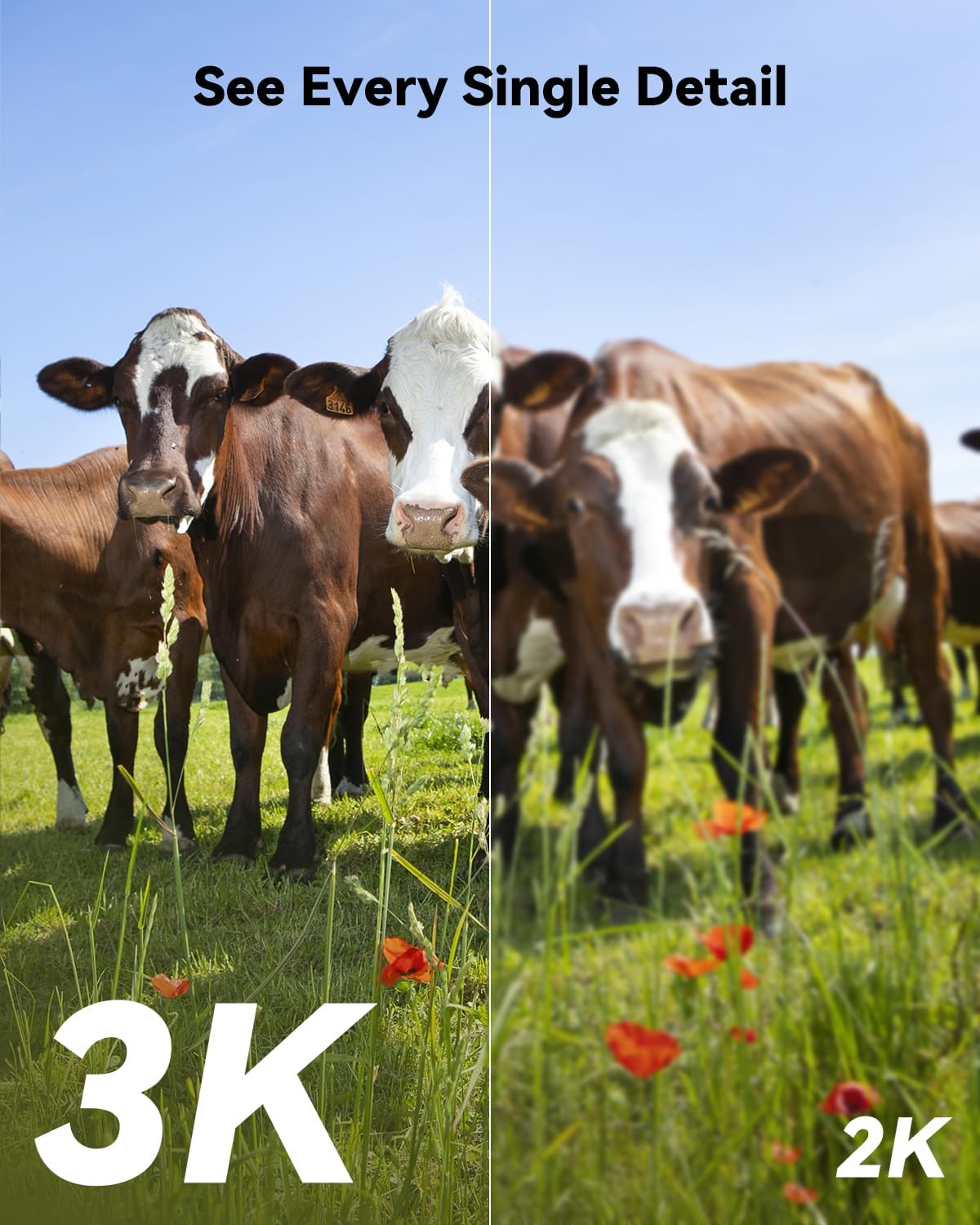
Figure 5: Demonstrates the superior detail captured by the 3K Ultra HD resolution.
Video 3: Showcases the accurate human detection and color night vision capabilities.

Figure 6: The camera's IP66 weatherproof design ensures reliable operation in diverse climates.
3. Setup and Installation
3.1 Package Contents
Before installation, ensure all components are present:
- 1x Imou 4G LTE Solar Security Camera Body
- 1x Solar Panel
- 1x Power Cable
- 1x Mounting Bracket
- 1x Screw and Wall Anchor Pack
- 1x Screw Positioning Stickers
- 1x Instruction Manual (this document)
- Pre-installed 4G SIM Card (with 6GB data)
- Pre-installed 32GB Micro SD Card
3.2 Initial Setup
- Charge the Camera: Although solar-powered, it is recommended to fully charge the camera's internal battery using the provided power cable before initial installation.
- Download Imou Life App: Search for 'Imou Life' in your smartphone's app store (iOS or Android) and download the application.
- Account Registration: Open the Imou Life app and register for a new account or log in if you already have one.
- Add Device: In the app, tap the '+' icon to add a new device. Scan the QR code located on the camera body or its packaging. Follow the on-screen prompts to connect the camera to your network. The camera will automatically detect and utilize the pre-installed SIM card for 4G connectivity or guide you through WiFi setup if preferred.
3.3 Mounting the Camera and Solar Panel
Choose a location that provides optimal sunlight exposure for the solar panel and a clear view for the camera. Ensure the mounting surface is sturdy enough to support the camera and solar panel.
- Positioning: Use the screw positioning stickers to mark drill holes for the mounting bracket.
- Drill Holes: Drill holes at the marked positions and insert wall anchors if necessary.
- Secure Bracket: Attach the mounting bracket to the wall using the provided screws.
- Attach Camera: Securely attach the camera body to the mounting bracket.
- Mount Solar Panel: Attach the solar panel to a location with maximum direct sunlight exposure, ideally facing south (in the Northern Hemisphere) or north (in the Southern Hemisphere). Connect the solar panel cable to the camera's charging port.
- Adjust Angle: Adjust the camera and solar panel angles for optimal coverage and charging efficiency.
4. Operating Instructions
4.1 Live View and Playback
- Open the Imou Life app and select your camera to view the live feed.
- Use the playback feature to review recorded footage stored on the SD card. The AOV technology ensures continuous recording for easy retrieval of events.
4.2 Pan, Tilt, and Zoom (PTZ) Control
- From the live view screen in the app, use the on-screen controls to remotely pan (340°), tilt (90°), and digitally zoom (8x) the camera to adjust its viewing angle.
- Set up to 6 preset monitoring points for quick navigation to specific areas of interest.
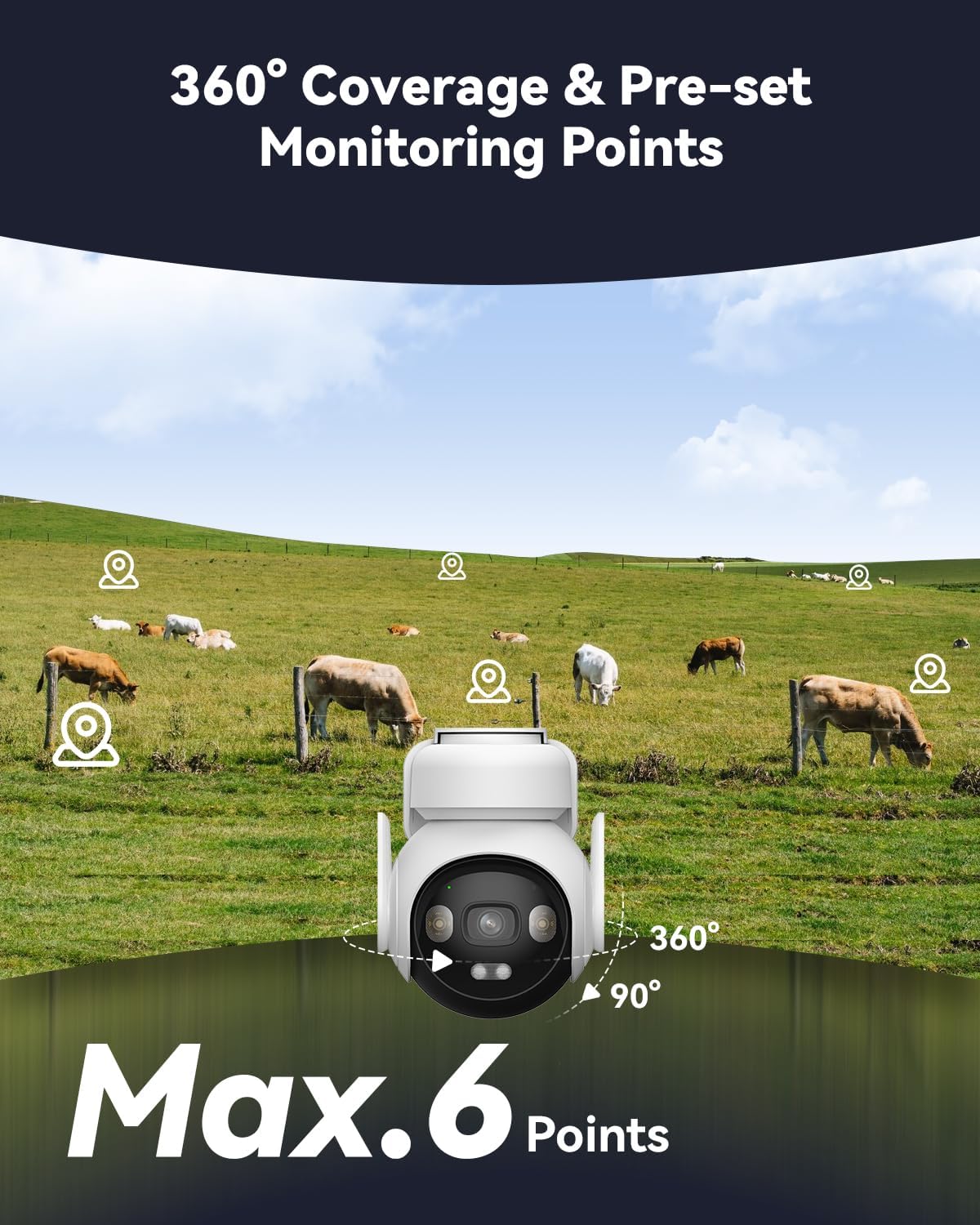
Figure 7: The camera offers 360° coverage and allows setting up to 6 preset monitoring points.
4.3 Human Detection and Alerts
- The camera's AI-powered human detection system will automatically identify human figures within its 25-meter range.
- Upon detection, the camera will initiate full video recording and send real-time notifications to your Imou Life app.
- Customize detection zones and sensitivity settings within the app to minimize unwanted alerts from non-human movements.

Figure 8: Instant alerts with sound and light are triggered upon detection of unusual activity.
4.4 Two-Way Audio
- Utilize the built-in microphone and speaker to communicate with individuals near the camera directly through the Imou Life app. This is useful for giving instructions or deterring intruders.

Figure 9: Two-way audio allows real-time communication through the camera.
4.5 Privacy Mode
- Activate Privacy Mode via the Imou Life app to physically turn the camera lens away, ensuring privacy when needed. This feature is useful for protecting sensitive areas or during private gatherings.
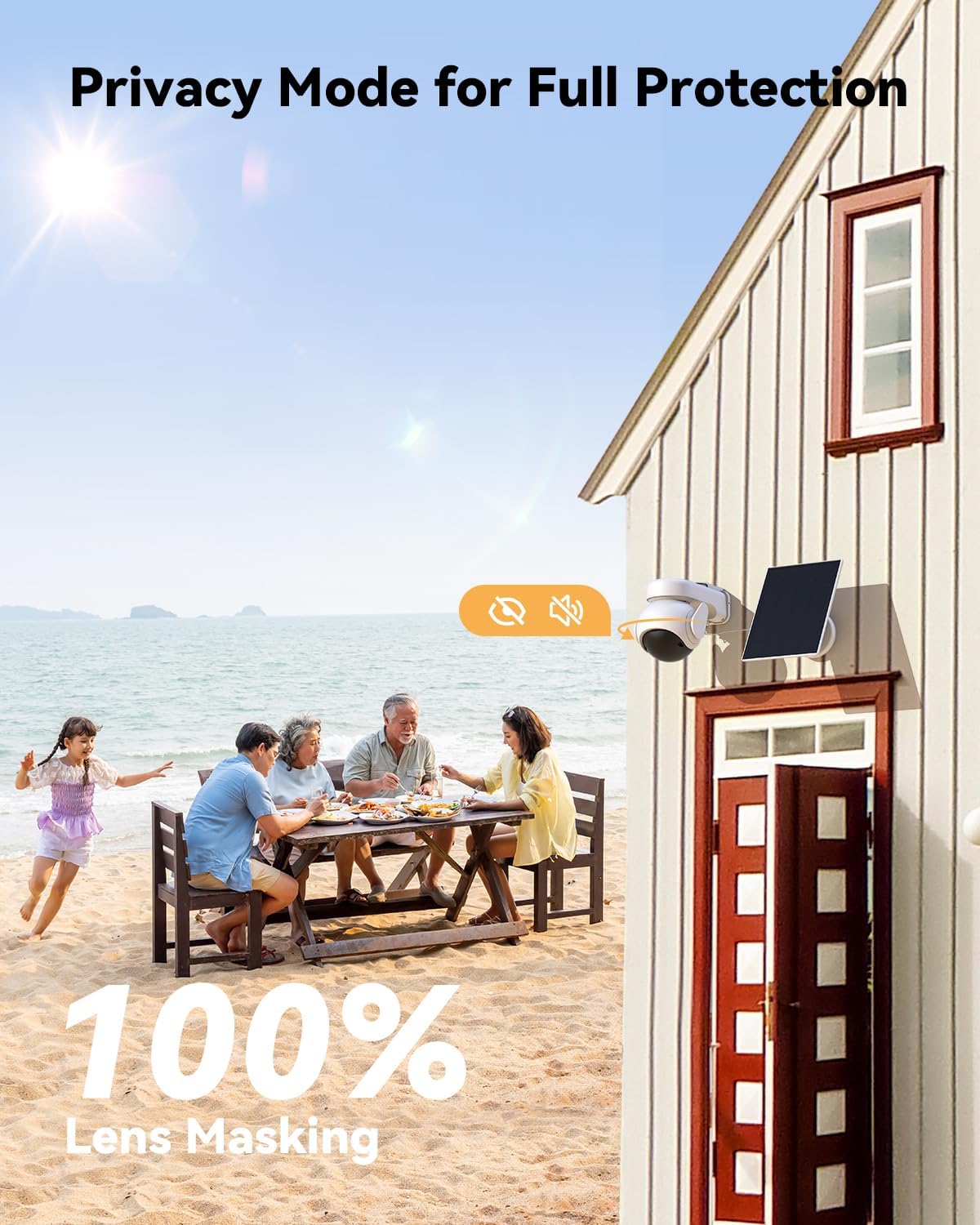
Figure 10: Privacy Mode ensures full protection by masking the camera lens.
4.6 Multi-Screen Sharing
- Share access to your camera's live feed and recorded footage with up to 6 other users through the Imou Life app, facilitating collaborative monitoring.

Figure 11: The multi-screen sharing feature allows multiple users to access the camera feed.
5. Maintenance
- Solar Panel Cleaning: Periodically clean the surface of the solar panel with a soft, damp cloth to ensure optimal sunlight absorption and charging efficiency. Dust, dirt, or debris can reduce its performance.
- Lens Cleaning: Gently wipe the camera lens with a microfiber cloth to remove any smudges or dirt that might affect image clarity.
- Firmware Updates: Regularly check for and install firmware updates via the Imou Life app. Updates often include performance improvements, new features, and security enhancements.
- Battery Monitoring: While the solar panel provides continuous power, monitor the battery level in the app, especially during prolonged periods of low sunlight or extreme cold, to ensure uninterrupted operation.
- Physical Inspection: Periodically inspect the camera and mounting hardware for any signs of wear, damage, or loosening, especially after severe weather conditions.
6. Troubleshooting
- Camera Offline:
- Check 4G signal strength in the app or ensure WiFi connection is stable.
- Verify the SIM card is properly inserted and has active data.
- Ensure the camera battery is charged; check solar panel for obstructions or dirt.
- Restart the camera by briefly disconnecting and reconnecting its power.
- No Recording/Missing Footage:
- Confirm the SD card is correctly inserted and not full. Format the SD card via the app if necessary (this will erase data).
- Check recording settings in the Imou Life app to ensure 24/7 AOV recording is enabled.
- Frequent False Alarms:
- Adjust detection sensitivity settings in the app.
- Define specific detection zones to exclude areas with frequent non-human movement (e.g., swaying trees, busy roads).
- Ensure the camera firmware is up to date for the latest AI detection improvements.
- Poor Image Quality:
- Clean the camera lens.
- Ensure sufficient lighting for optimal image capture, especially at night (color night vision requires some ambient light or the camera's spotlights).
- Check network stability, as poor connection can affect streaming quality.
- Battery Not Charging:
- Ensure the solar panel is receiving direct sunlight and is free from obstructions or dirt.
- Verify the solar panel cable is securely connected to the camera.
- Check if the ambient temperature is within the charging range (-10°C to 50°C).
7. Specifications
| Feature | Detail |
|---|---|
| Model Number | IPC-B7ED-5M1TEA-EU/FSP14 |
| Resolution | 5MP / 3K Ultra HD |
| Connectivity | 4G LTE Cellular, 2.4GHz Wi-Fi |
| Power Source | Solar Powered (5W Solar Panel), 10,000mAh Battery |
| Night Vision Range | Up to 30 Metres (Color Night Vision) |
| Human Detection | Up to 25 Metres |
| Field of View | 360° (340° Pan, 90° Tilt) |
| Digital Zoom | 8x |
| Storage | 32GB Micro SD Card (included), supports up to 512GB |
| Audio | Two-Way Audio |
| Weather Resistance | IP66 Weatherproof |
| Operating Temperature | -10°C to 50°C (14°F to 122°F) |
| Dimensions (L x W x H) | 22.2 x 18.1 x 17.4 cm |
| Weight | 1.32 kg |
8. Warranty and Support
Imou products are designed for reliability and performance. For warranty information, please refer to the warranty card included in your product packaging or visit the official Imou website. For technical support, troubleshooting assistance, or any product-related inquiries, please contact Imou customer service through the Imou Life app or their official support channels.
Online Resources:
- Imou Official Website: www.imoulife.com
- Imou Life App Support Section


