
Product Overview
The Dekala RestOnn Sunrise Alarm Clock is a multi-functional device designed to enhance your sleep and wake-up experience. It combines a sunrise simulation alarm clock, a sunset sleep sound machine, a Bluetooth speaker, and an ambient night light. This device aims to gently guide you into and out of sleep using light and sound, promoting a more natural and refreshing daily rhythm.
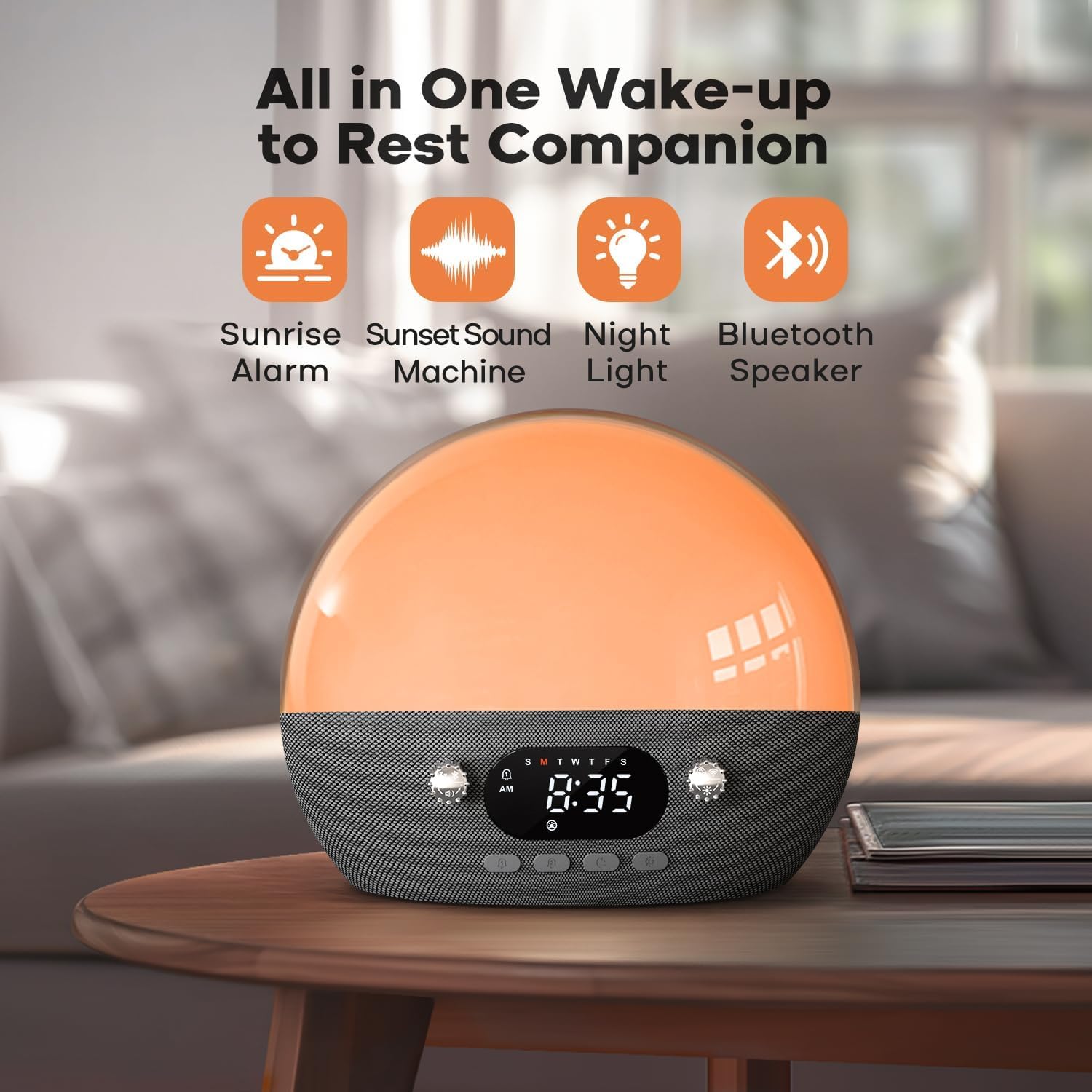
Figure 1: Overview of the Dekala RestOnn's primary functions including sunrise alarm, sunset sound machine, night light, and Bluetooth speaker capabilities.
Package Contents
Please verify that all items are present in the package:
- Sound Machine: 1 unit
- Adapter: 1 unit
- Charging Cable (USB-C): 1 unit
- User Manual: 1 unit

Figure 2: The complete package contents of the Dekala RestOnn Sunrise Alarm Clock.
Setup Guide
1. Power Connection
Connect the provided USB-C charging cable to the port on the back of the device. Plug the adapter into a standard wall outlet. The device will power on automatically.
2. App Download and Installation
For full functionality and smart control, download the "Dekala" app from your smartphone's app store (available for iOS and Android). Follow the on-screen instructions within the app to create an account or log in.
3. Wi-Fi Connection
Ensure your device is within range of a 2.4G Wi-Fi network. Open the Dekala app and follow the pairing instructions. The app will guide you through connecting your RestOnn device to your home Wi-Fi network. A stable Wi-Fi connection is required for remote control and advanced features.
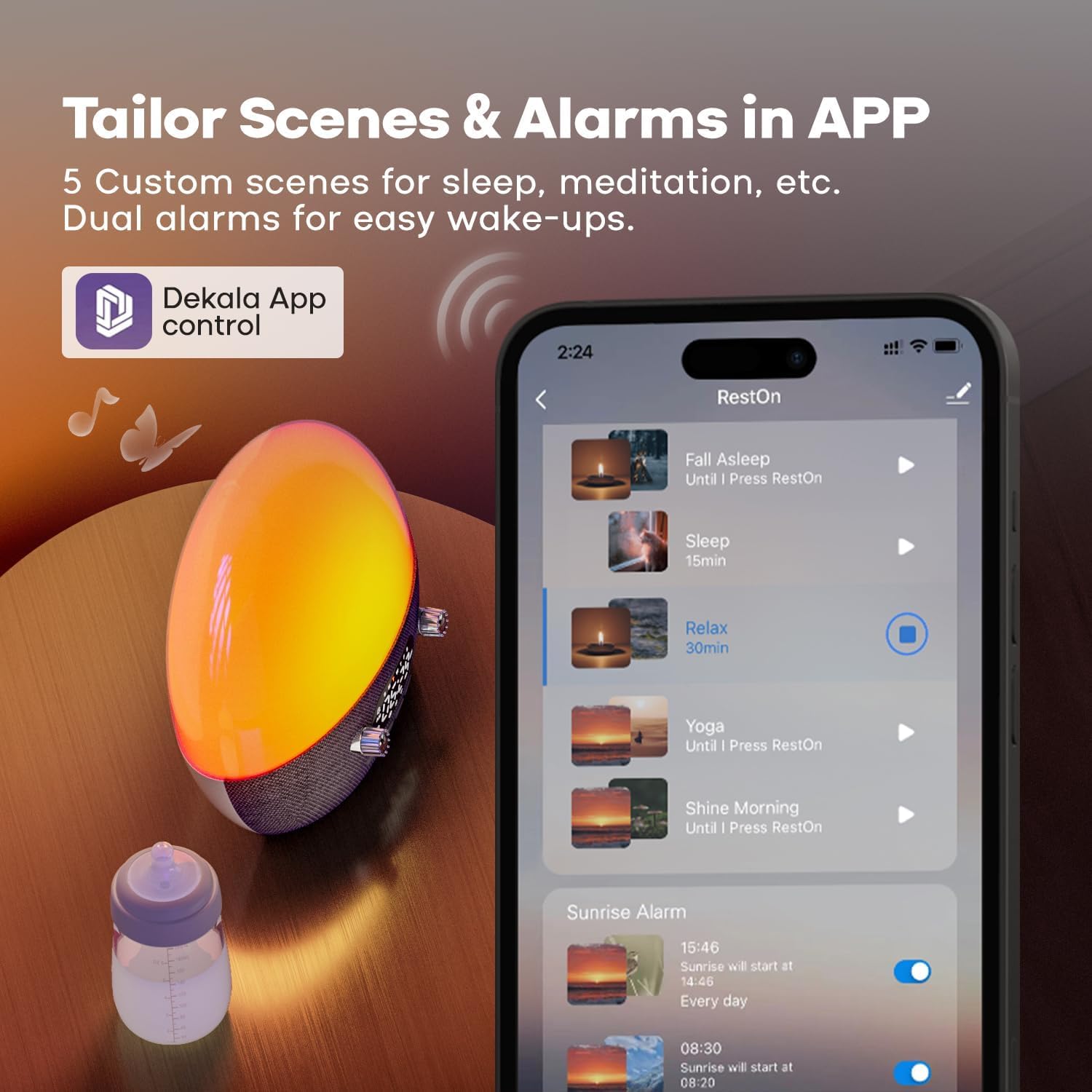
Figure 3: The Dekala app provides tailored comfort and seamless control over your device settings.
Operating Instructions
Time Setting
To set the time, long-press the appropriate button (refer to the quick start guide included in your package for specific button identification). Rotate the knob to adjust the hour and minute. Press the button again to confirm.
Alarm Setting (Dual Alarms)
The device supports two independent alarms. Press the alarm button (bell icon) to toggle an alarm on or off. Long-press the alarm button to enter alarm settings. You can set the time, choose from various wake-up sounds (e.g., bird chirping, ocean waves, piano, wind chimes, alarm beep), and select the days of the week (5-day, 7-day, or 2-day options). The alarm volume can be adjusted.

Figure 4: Dual alarm functionality allows for customized schedules for workdays and weekends.
Sunrise Simulation
The sunrise alarm gradually brightens over a set duration (e.g., 30 minutes) before your chosen alarm time, simulating a natural sunrise. This helps to gently rouse you from sleep. The light intensity increases from a dim red to a bright white light.
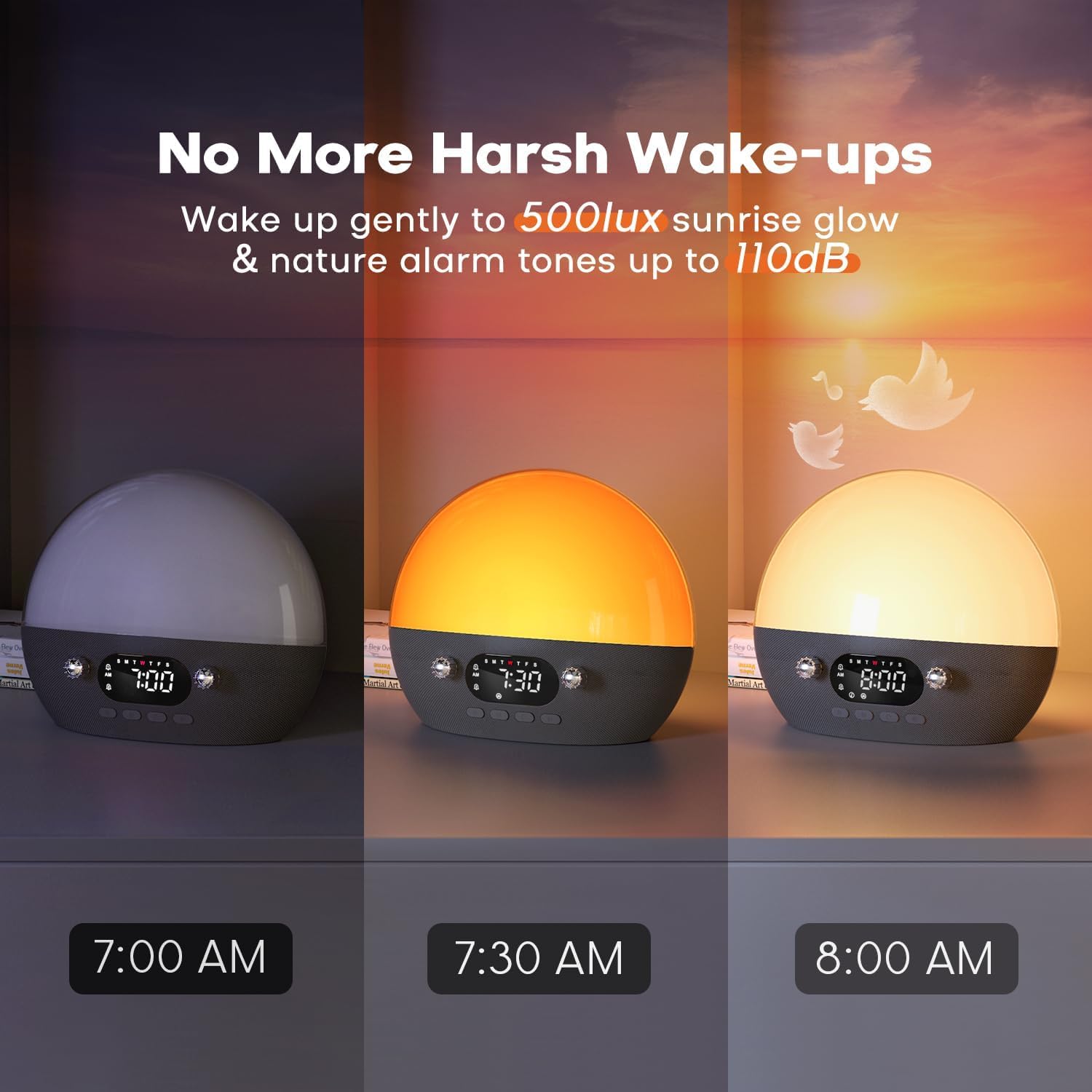
Figure 5: The sunrise simulation feature provides a gentle wake-up experience by gradually increasing light intensity.
Sunset Sleep Aid & Sound Machine
Activate the sleep aid function to gradually dim the light and lower the volume of selected sleep sounds over a period of 5-120 minutes, or continuously throughout the night. This feature promotes melatonin production and helps you fall asleep naturally. Available sounds include white noise, brown noise, green noise, rain sound, 'Shhh', fan noise, ocean waves, water sound, vacuum noise, Zen, bonfire, and Yoga sounds.

Figure 6: The sunset sound machine helps craft a restful sleep environment with customizable duration and one-press activation.

Figure 7: A selection of 11 soothing sounds and Bluetooth music options are available to aid sleep or relaxation.
Bluetooth Speaker Function
Press the Bluetooth button (refer to the quick start guide) to enable Bluetooth pairing. Connect your smartphone or other Bluetooth-enabled device to the RestOnn to play your preferred music or audio.
Night Light & Ambient Light
The device features an amber night light for soft illumination and tranquility. You can adjust the brightness levels of the display and the ambient light using the control knobs or through the app.

Figure 8: The dimmable night light is ideal for bedtime reading and baby care.
Snooze Function
When the alarm sounds, press the snooze button (refer to the quick start guide) to temporarily pause the alarm for 9 minutes. The alarm will resume after the snooze period.
Troubleshooting
- Device not powering on: Ensure the USB-C cable is securely connected to both the device and the adapter, and the adapter is plugged into a working power outlet.
- Wi-Fi connection issues:
- Verify your Wi-Fi network is 2.4G. The device does not support 5G networks.
- Ensure the device is within range of your Wi-Fi router.
- Restart your Wi-Fi router and the RestOnn device.
- Check the Wi-Fi password entered in the app for accuracy.
- Alarm not sounding or light not activating: Check that the alarm is enabled in the settings and the volume is not set to zero. Ensure the sunrise/sunset duration is correctly configured.
- Bluetooth pairing issues: Ensure Bluetooth is enabled on your smartphone and on the RestOnn device. Make sure the device is not already paired with another device.
Maintenance
- Clean the device with a soft, dry cloth. Do not use abrasive cleaners or solvents.
- Keep the device away from water and excessive humidity.
- Avoid dropping the device or subjecting it to strong impacts.
- Store in a cool, dry place when not in use for extended periods.
Specifications
| Brand: | Dekala |
| Model Number: | SSM01-S |
| Color: | White |
| Display Type: | Digital |
| Product Dimensions: | 6.5"W x 6.5"H |
| Item Weight: | 1.81 pounds |
| Power Source: | Corded Electric |
| Frame Material: | Acrylonitrile Butadiene Styrene (ABS) |
| Special Features: | Sleep Sounds (white noise, brown noise, green noise, rain sound, hushh, pink noise, fan sound, ocean waves, water sound, vacuum noise), Sunrise/Sunset Simulation, Snooze Function, 7-day Programmable Dual Alarms, Night Light & Ambient Light, White Noise Sound Machine, Wake-up Sounds (bird chirping, ocean wave, piano, wind chimes, alarm beep). |
Warranty and Support
The Dekala RestOnn Sunrise Alarm Clock comes with a Manufacturer's Warranty. For warranty claims, technical support, or any inquiries, please contact Dekala customer service directly.
Support Email: support@dekalastore.com
Website: dekalastore.com