
1. Product Overview
This SIXWIN Android Car Stereo is designed for Hyundai Starex/H1 models manufactured between 2007 and 2015. It features an Android 13 system with 2GB RAM and 64GB ROM, a 9-inch touchscreen, and supports various connectivity options.
Important Note: This car radio is compatible only with vehicles equipped with manual air conditioning. If your vehicle has automatic air conditioning, please refer to product B0DQ82J4YP for compatibility.

Image 1.1: SIXWIN Android Car Stereo installed in a Hyundai Starex/H1 dashboard, highlighting the 9-inch touchscreen display and the distinction between manual and automatic AC panels.
2. Package Contents
Verify that all components are present in the package before proceeding with installation.

Image 2.1: Packing list and size diagram. Includes the car stereo unit, AHD rear camera, installation tool, microphone, RCA cable, power cable, accessories, USB cables (6Pin and 4Pin), camera input cable, user manual, and GPS antenna.
- SIXWIN Android Car Stereo Unit (9-inch touchscreen)
- AHD Rear Camera
- Installation Tool
- Microphone
- RCA Cable Set
- Power Cable
- Dash Kit/Accessories
- 6Pin USB Cable
- 4Pin USB Cable
- Camera Input Cable
- User Manual
- GPS Antenna
3. Setup and Installation
The SIXWIN Android Car Stereo is designed for plug-and-play installation. Basic tools are required for panel removal and securing the unit.
3.1 Pre-Installation Checks
- Ensure vehicle compatibility (Hyundai Starex/H1 2007-2015 with manual AC).
- Disconnect the vehicle's battery before starting installation.
- Familiarize yourself with the vehicle's dashboard panel removal process.
3.2 Installation Steps
- Carefully remove the existing car radio and dashboard panels using appropriate tools.
- Connect the new SIXWIN car stereo's wiring harness to the vehicle's factory harness. Ensure all connections are secure.
- Connect the GPS antenna, USB cables, microphone, and backup camera cable to the corresponding ports on the new stereo unit.
- Mount the new stereo unit into the dashboard opening. Secure it with screws as necessary.
- Reinstall the dashboard panels, ensuring all clips and screws are properly fastened.
- Reconnect the vehicle's battery.
- Power on the unit and perform initial function tests.
4. Operating Instructions
4.1 Wireless CarPlay & Android Auto & Mirror Link
The 9-inch touchscreen car radio supports both wireless and wired CarPlay and Android Auto, allowing access to navigation, phone contacts, email, notifications, and music. Voice control via Siri is also supported.
Note: Mirror Link functionality is not supported for Samsung phones.
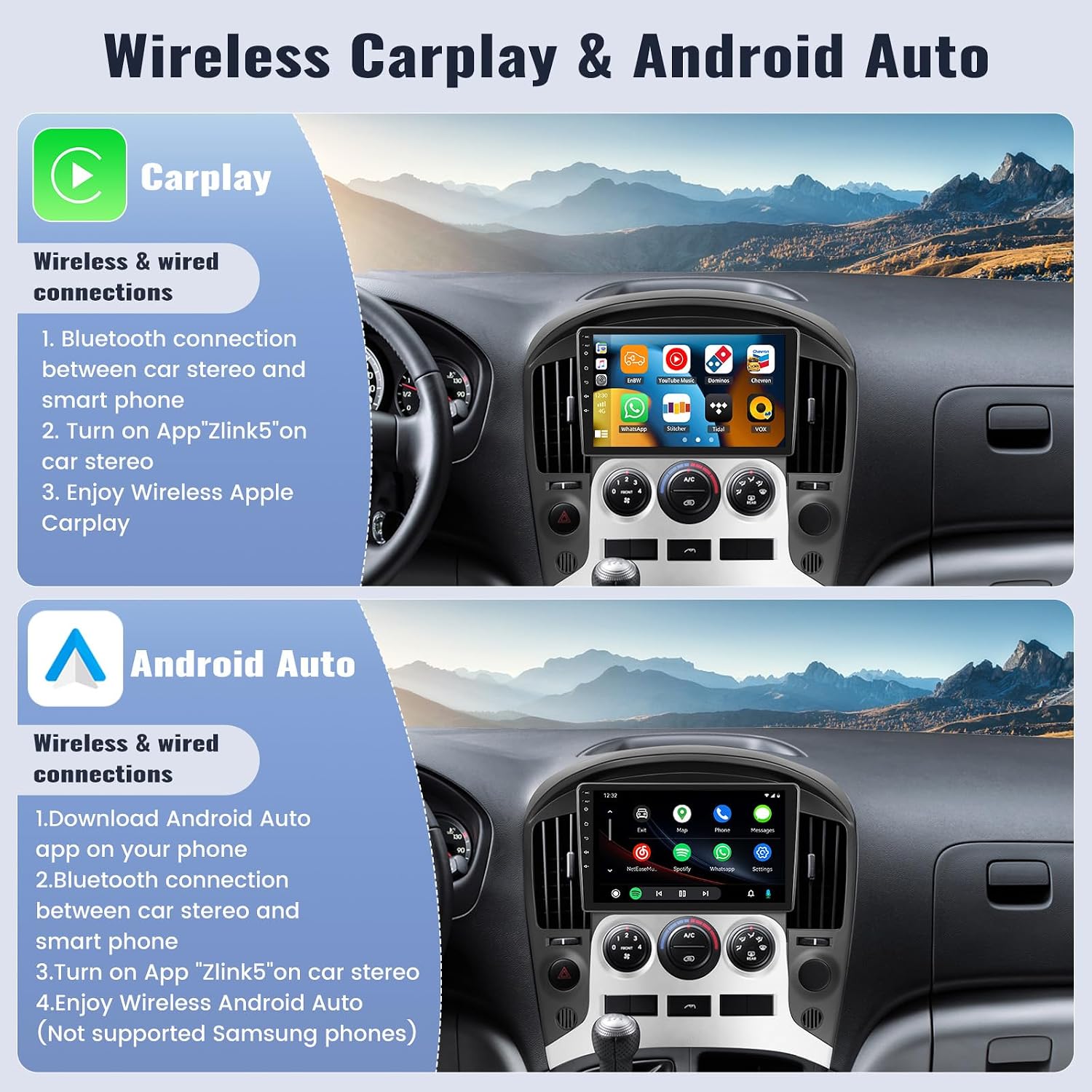
Image 4.1: Visual guide for Wireless CarPlay and Android Auto connections. For CarPlay, connect via Bluetooth, then open 'Zlink5' app. For Android Auto, download the app, connect via Bluetooth, then open 'Zlink5' app.
Wireless CarPlay Connection:
- Establish a Bluetooth connection between the car stereo and your smartphone.
- Open the 'Zlink5' application on the car stereo.
- Enjoy Wireless Apple CarPlay functionality.
Wireless Android Auto Connection:
- Download the Android Auto application on your smartphone.
- Establish a Bluetooth connection between the car stereo and your smartphone.
- Open the 'Zlink5' application on the car stereo.
- Enjoy Wireless Android Auto functionality.
4.2 Built-in GPS Navigation & WiFi
The unit includes built-in GPS navigation, supporting both online and offline maps. The 'Here We Go' app is pre-installed, allowing you to download offline maps for navigation without an internet connection. Connect to WiFi to download additional applications from the Play Store, such as YouTube, TikTok, and Spotify.
4.3 Bluetooth Hands-free & FM Radio
This car radio supports Bluetooth for hands-free calling, playing music, and downloading phonebooks. Answer or make calls with a single button press. The FM radio offers 18 preset stations with a frequency range of 87.50-108.0 MHz, providing access to news and music while driving.

Image 4.2: Features overview including Bluetooth for calls and music, FM/RDS radio with station presets, GPS navigation displaying a route, and WiFi connectivity with various app icons.
4.4 Steering Wheel Control
The unit supports steering wheel controls, allowing you to switch songs, adjust volume, and answer calls directly from your steering wheel. This feature enhances driving safety by minimizing distractions.
4.5 Backup Camera
Equipped with an AHD backup camera, the system provides a high-definition picture to assist with safer driving and easier parking. Features include clear night vision, 170° wide angle, and waterproof design.

Image 4.3: Backup camera features and display examples. Shows a car reversing with parking lines, and comparison of daytime and clear night vision on the screen.
5. Maintenance
- Screen Cleaning: Use a soft, lint-free cloth to clean the touchscreen. Avoid abrasive cleaners or solvents.
- Software Updates: Periodically check for available software updates through the system settings to ensure optimal performance and access to new features.
- General Care: Avoid exposing the unit to extreme temperatures or direct sunlight for prolonged periods.
6. Troubleshooting
If you encounter any issues with your SIXWIN Android Car Stereo, please refer to the following common troubleshooting tips:
- No Power: Check all power connections and ensure the vehicle's battery is properly connected. Verify fuses.
- No Sound: Check speaker connections, volume settings, and audio output mode.
- GPS Signal Issues: Ensure the GPS antenna is properly installed and has a clear view of the sky.
- Bluetooth Connectivity Problems: Ensure Bluetooth is enabled on both the stereo and your smartphone. Try unpairing and re-pairing the devices.
- Touchscreen Unresponsive: Try restarting the unit. If the issue persists, contact support.
For further assistance, please contact our online support team.
7. Specifications
| Item Weight | 3.94 pounds |
| Product Dimensions | 1 x 1 x 1 inches |
| Item Model Number | A8283A3195A4MI2-AM33US-C123-1028 |
| Display Size | 9 Inches |
| Warranty | 1 year |
| Voice Command | Microphone, Touchscreen |
| Screen Size | 9 Inches |
| Special Feature | Android Auto, Apple CarPlay |
| Connectivity Technology | Wireless |
| Map Type | Worldwide |
| Included Components | Car stereo, dash kit |
| Audio Output Mode | Stereo |
| Mounting Type | Panel Mount, Dashboard Mount |
8. Warranty and Support
8.1 Warranty Information
This SIXWIN Android Car Stereo comes with a 1-year warranty from the date of purchase. Please retain your proof of purchase for warranty claims.
8.2 Customer Support
For online help, user manuals, or any technical inquiries, please contact our support team:
- Email: sixwin_vip@163.com

Image 8.1: Customer support contact information.
