
1. Introduction
This manual provides detailed instructions for the FOGATTI Air Distribution Box (ADB), Model RB150A0W-M. This ADB is designed to work exclusively with compatible FOGATTI RV Air Conditioner units that feature a heat pump and are non-ducted. Please read this manual thoroughly before installation and operation to ensure proper use and optimal performance of your unit.
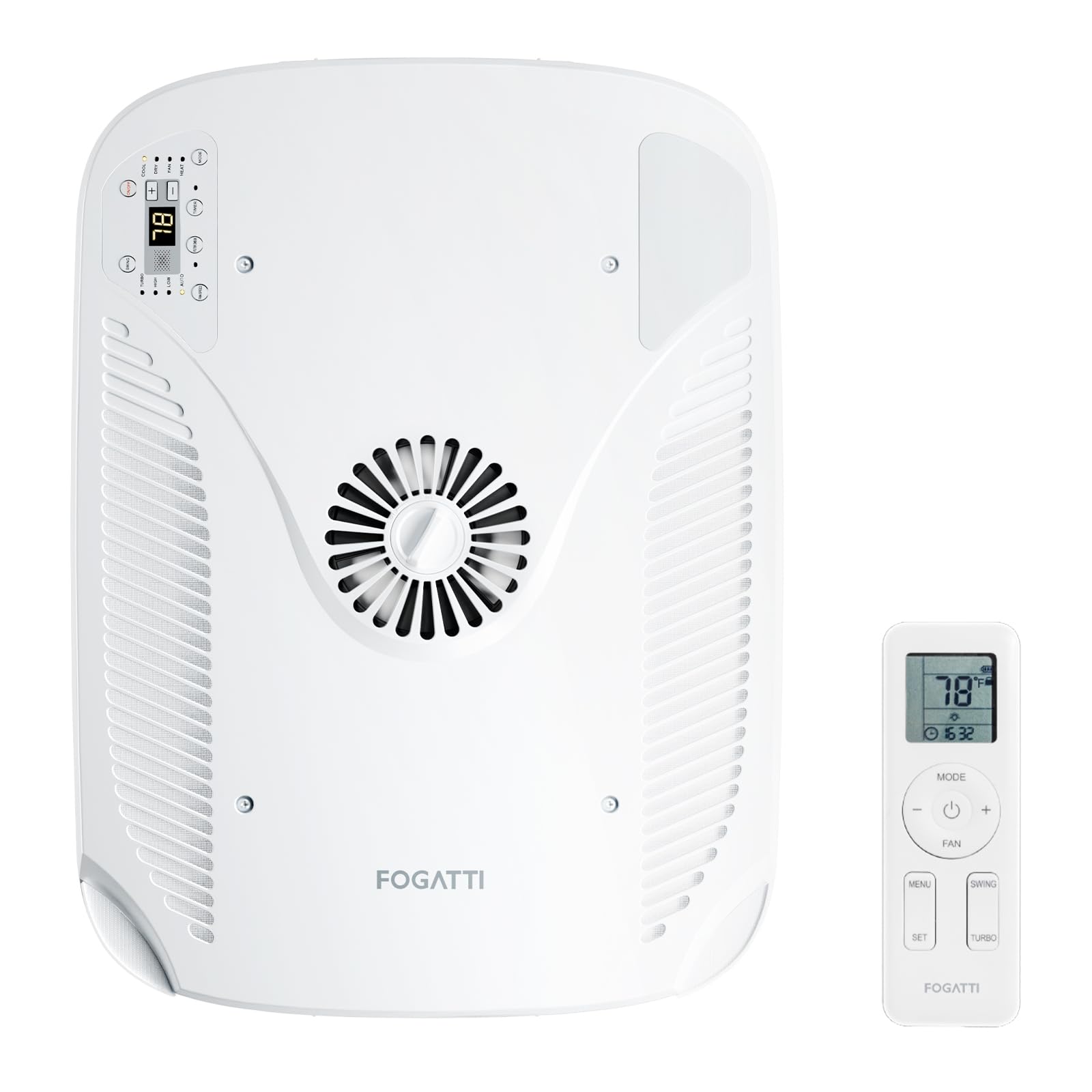
Figure 1: FOGATTI Air Distribution Box (ADB)

Figure 2: FOGATTI InstaCool Ultra AC unit and compatible Air Distribution Box
2. Compatibility
The FOGATTI Air Distribution Box (ADB) is specifically designed for use with FOGATTI RV AC units that include a heat pump and are non-ducted. It is not compatible with ducted RV air conditioning systems or AC units from other brands. Ensure your RV AC unit is a FOGATTI InstaCool Ultra model for proper function.
3. Package Contents
Verify that all items are present in the package before beginning installation:
- Air Distribution Box (ADB)
- Remote Control
- Screws (x18)
- Opening Trim (x2)
- Sealing Sponge

Figure 3: Ceiling Assembly Components and Dimensions
4. Setup and Installation
The FOGATTI ADB is designed for easy installation, fitting standard 14" x 14" RV roof openings without requiring modifications. Ensure your RV roof thickness is between 1.2 and 5.0 inches for proper fitment.
4.1 Pre-Installation Checks
- Confirm your RV has a standard 14" x 14" roof opening.
- Measure your RV roof thickness to ensure it falls within the 1.2 to 5.0 inch range.
- Ensure the main FOGATTI RV AC unit is already installed on the rooftop.
4.2 Installation Steps (General)
While specific detailed steps are provided in the main FOGATTI RV AC unit manual, the general process for installing the ADB involves:
- Positioning the ADB correctly over the roof opening from inside the RV.
- Securing the ADB to the main AC unit using the provided screws.
- Connecting any necessary wiring as per the main AC unit's instructions.
- Attaching the opening trims for a finished look.

Figure 4: ADB Roof Thickness Compatibility (1.2-5.0 inches)
Video 1: General RV Air Conditioner Indoor Unit Setup. This video demonstrates the general setup process for an RV air conditioner indoor unit, which can provide context for ADB installation.
5. Operation
The FOGATTI ADB offers multiple control options for convenient operation of your RV AC unit.
5.1 Control Panel
The ADB features an integrated control panel for direct adjustments. This panel allows you to set temperature, adjust fan speed, switch modes, set on/off timers, and receive clean reminders.

Figure 5: Integrated Control Panel
5.2 Remote Control
Use the included remote control for convenient adjustments from anywhere within your RV. The remote allows you to control temperature, fan speed, operating modes (Cooling, Heating, Fan, Dry, Auto, Sleep, Swing), and set timers.
5.3 WiFi / App Control
For enhanced control, connect your FOGATTI RV AC unit to WiFi and use the dedicated mobile application. The app provides full functionality, including remote control, timing management, and a low-noise sleeping mode.
Video 2: Fogatti RV Air Conditioner with App Control. This video demonstrates controlling the Fogatti RV Air Conditioner using its mobile application.
Video 3: Fogatti RV Air Conditioner Adjustable Fan Speed. This video illustrates how to adjust the fan speed on the Fogatti RV Air Conditioner.
5.4 Air Supply Modes
The ADB supports two primary air supply modes to optimize comfort:
- Sweeping Mode: Provides fast cooling and large area air supply, covering up to 700 cubic feet.
- Braking Mode: Offers enhanced comfort through rapid refrigeration.

Figure 6: Two Air Supply Modes
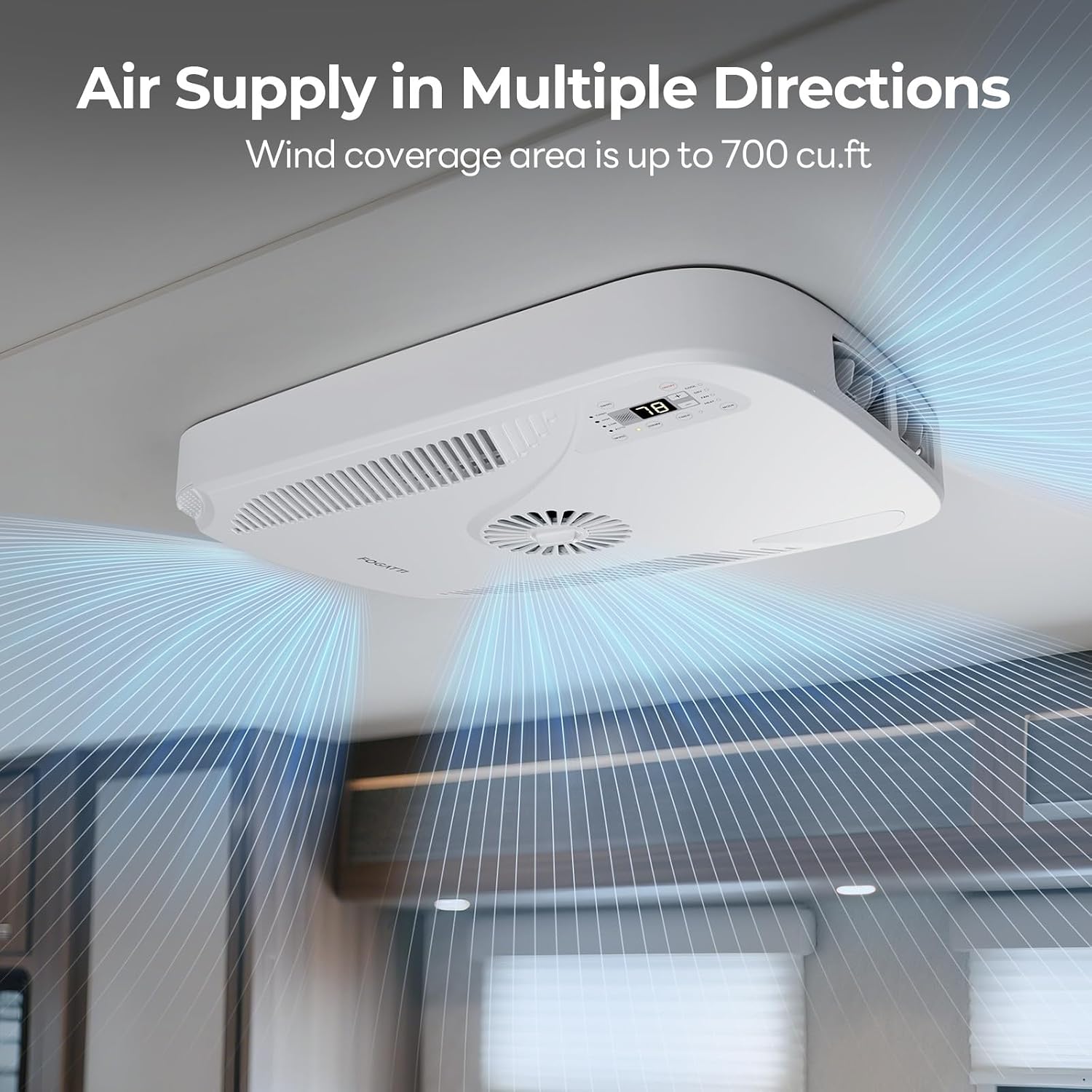
Figure 7: Multi-directional Air Supply
6. Maintenance
Regular maintenance ensures the longevity and efficiency of your FOGATTI Air Distribution Box and AC unit.
6.1 Air Filter Cleaning
The ADB is equipped with a washable filter that blocks dust and impurities, ensuring clean air circulation. An automatic filter cleaning reminder will alert you when it's time to clean the filter. Regularly clean the filter to maintain optimal airflow and system performance.

Figure 8: Automatic Filter Cleaning Reminder and Detachable Filter
Video 4: How to Clean the Air Conditioner Filter. This video provides instructions on how to clean the air conditioner filter.
7. Troubleshooting
If you encounter issues with your FOGATTI Air Distribution Box or the connected RV AC unit, consider the following general troubleshooting steps:
- No Power: Check the RV's power supply and circuit breakers. Ensure all connections to the ADB and AC unit are secure.
- Poor Airflow: Verify that the air filter is clean and not obstructed. Ensure no vents are blocked.
- Unit Not Cooling/Heating: Confirm the correct mode is selected (Cool, Heat, Fan). Check the temperature setting. Ensure the outdoor AC unit is functioning correctly.
- Remote Control Not Working: Replace batteries in the remote. Ensure there are no obstructions between the remote and the ADB's receiver.
- WiFi/App Connectivity Issues: Ensure your RV's WiFi network is active and the AC unit is within range. Restart the app and the AC unit if necessary.
For persistent issues, refer to the comprehensive troubleshooting section in your main FOGATTI RV AC unit manual or contact customer support.
8. Specifications
| Feature | Detail |
|---|---|
| Brand | FOGATTI |
| Model Name | RB150A0W-M |
| Product Dimensions (D x W x H) | 26.26"D x 19.57"W x 3.78"H |
| Item Weight | 10 Pounds |
| Control Method | App, Remote, Touch |
| Special Feature | Fast Cooling, Remote Controlled, WiFi Enabled |
| Window Opening Max Width | 14 Inches |
| Window Opening Max Height | 14 Inches |
| Room Type | RV |
| Included Components | Air Distribution Box, Remote Control |
9. Warranty and Support
FOGATTI is committed to providing quality products and reliable customer service. For specific warranty information regarding your Air Distribution Box and the compatible RV AC unit, please refer to the warranty card included with your product or visit the official FOGATTI website.
For technical assistance, troubleshooting, or any inquiries, please contact FOGATTI customer support. Contact details can typically be found on the product packaging, the official FOGATTI website, or within the mobile application.
- Online Support: Visit the FOGATTI official website for FAQs and support resources.
- Customer Service: Refer to your product documentation for phone numbers or email addresses.


