
Product Overview
The WARSUN X608S is a versatile rechargeable flashlight designed for various applications, including camping, emergency situations, and home use. It features multiple lighting modes, a magnetic base, and a pocket clip for convenience.

Figure 1: WARSUN X608S Rechargeable Flashlight
Included Components:
- WARSUN X608S Flashlight
- Rechargeable Lithium-Ion Battery (pre-installed)
- Lanyard
- USB Type-C Charging Cable
Product Structure Diagram
Familiarize yourself with the different parts of your WARSUN X608S flashlight.
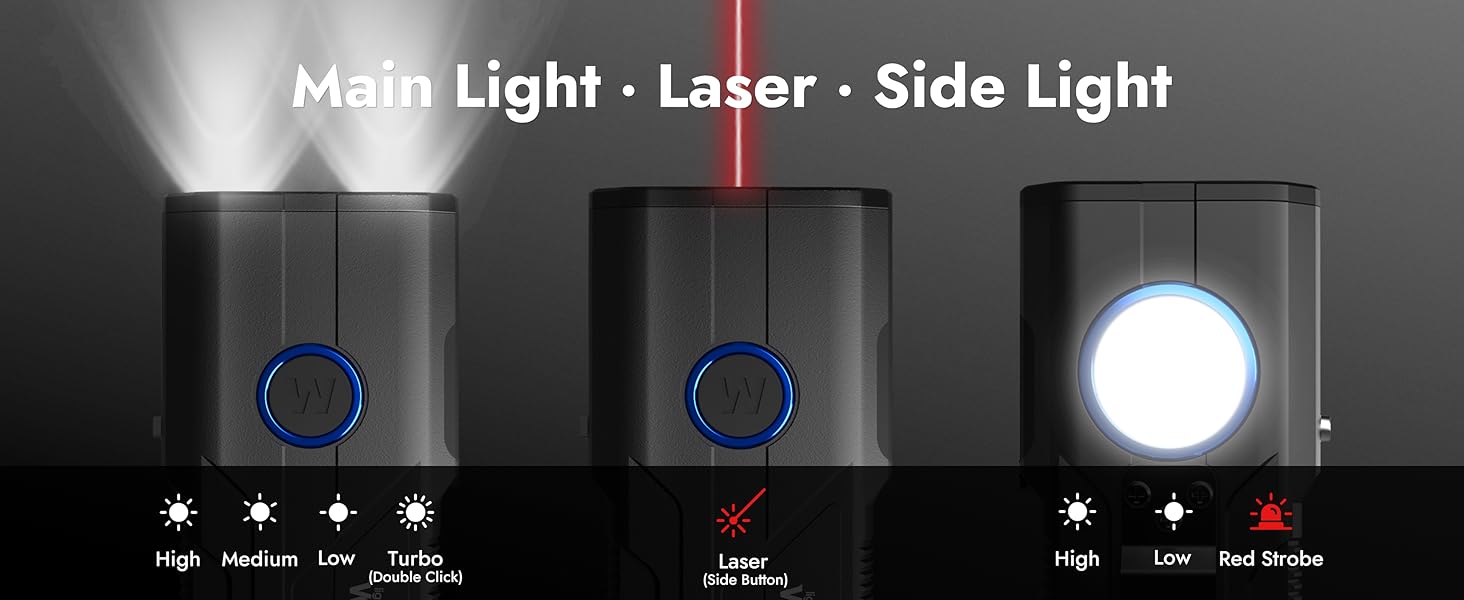
Figure 2: Labeled components of the WARSUN X608S Flashlight.
Setup
1. Initial Charging
Before first use, fully charge the flashlight. Connect the provided USB Type-C charging cable to the flashlight's Type-C charging port and a suitable USB power source. The 4-level battery indicator lights will illuminate during charging and show the current charge level.
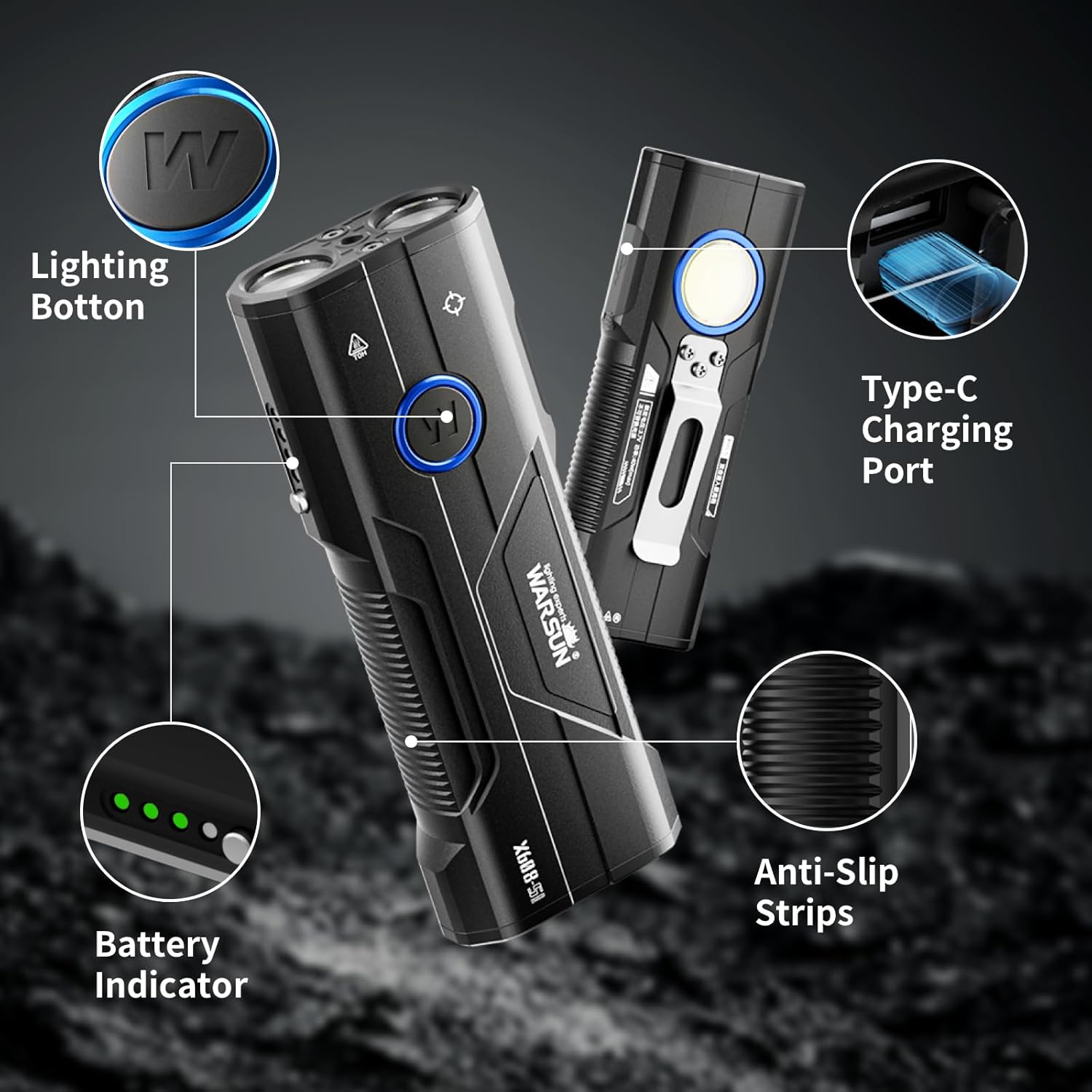
Figure 3: Charging the WARSUN X608S Flashlight.
2. Attaching the Lanyard
Thread the included lanyard through the designated loop at the tail end of the flashlight for secure carrying.
3. Using the Pocket Clip
The flashlight comes with a pre-attached pocket clip, allowing for easy attachment to pockets, belts, or backpack straps.
Operating Instructions
Power Button Functions:
The main power button controls the primary light and side light modes.
- Single Click: Cycles through the main light modes: High → Medium → Low.
- Double Click: Activates the Turbo mode for the main light, providing maximum brightness for approximately 20 seconds.
- Press and Hold: Activates the side light. Subsequent single clicks cycle through side light modes: High → Low → Red Strobe.

Figure 4: Main Light, Laser, and Side Light Modes.
Laser Function:
Press the dedicated laser button (located on the side) to activate the Class 3R red laser. Press again to turn off.
Battery Indicator:
The flashlight features a 4-level power display to indicate the remaining battery charge:
- 4 lights: >75%
- 3 lights: 50% to 75%
- 2 lights: 25% to 50%
- 1 light: 10% to 25%

Figure 5: 4-Level Power Display.
Hands-Free Operation:
Utilize the integrated magnetic base to attach the flashlight to metal surfaces for convenient, hands-free illumination.
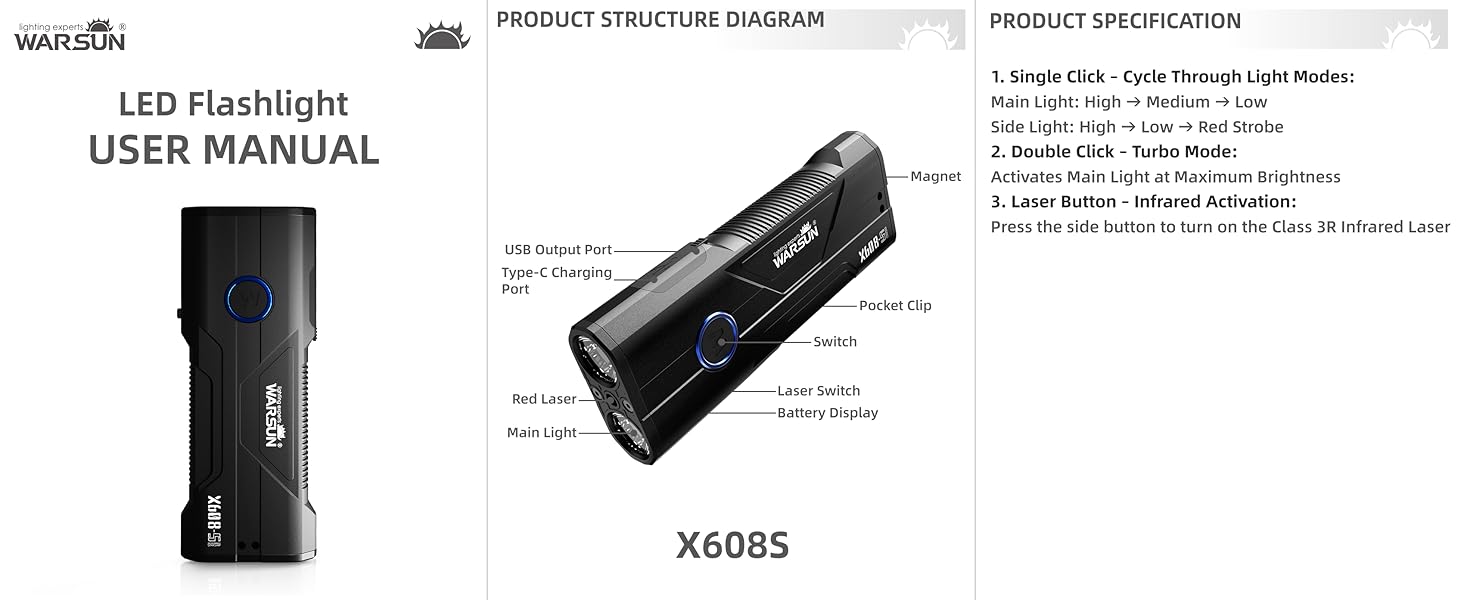
Figure 6: Illumination with Magnetic Base.
Maintenance
Cleaning:
Wipe the flashlight body with a soft, damp cloth. Do not use abrasive cleaners or solvents. Keep the lens clean for optimal light output.
Battery Care:
The flashlight uses a built-in rechargeable Lithium-Ion battery. For optimal battery life, avoid fully discharging the battery frequently. Recharge the flashlight when the battery indicator shows low power.
Storage:
Store the flashlight in a cool, dry place away from direct sunlight and extreme temperatures. If storing for an extended period, charge the battery to approximately 50% every 3-6 months to prevent deep discharge.
Troubleshooting
| Problem | Possible Cause | Solution |
|---|---|---|
| Flashlight does not turn on. | Low battery. | Charge the flashlight using the provided USB Type-C cable. |
| Light modes are not cycling correctly. | Button malfunction or temporary software glitch. | Ensure the button is pressed firmly. Try turning the flashlight off and on again. If issues persist, contact customer support. |
| Flashlight not charging. | Faulty cable or power adapter. | Try a different USB Type-C cable and a different USB power adapter. Ensure the cable is fully inserted into the charging port. |
| Laser is not working. | Laser button not pressed correctly. | Ensure you are pressing the dedicated laser button on the side of the flashlight. |
Specifications
| Feature | Detail |
|---|---|
| Model Number | X608S |
| Brand | WARSUN |
| Brightness (White Light) | Up to 2600 Lumens |
| Light Source Type | LED (Main, Side), Laser (Red) |
| Light Path Distance | 500 Meters |
| Battery Type | 4000mAh Lithium-Ion (Included) |
| Runtime (Main Light) | High: 3.5 hours, Medium: 8 hours, Low: 30 hours |
| Charging Port | USB Type-C |
| Power Source | Battery Powered |
| Material | Aluminum |
| Item Weight | 206 Grams (0.45 lbs) |
| Item Dimensions (D x W x H) | 5.1" x 1.8" x 1" |
| Water Resistance Level | Water Resistant |
| Mounting Type | Clip-on, Magnetic |
| Special Features | Adjustable Light Modes, Impact Resistant, Rechargeable, Power Bank Functionality |
Warranty
The WARSUN X608S Rechargeable Flashlight is covered by a Lifetime Manufacturer Warranty. For details regarding warranty claims or service, please refer to the official WARSUN website or contact their customer support.
Support
For further assistance, technical support, or to inquire about replacement parts, please visit the official WARSUN website or contact their customer service department. Contact information can typically be found on the product packaging or the manufacturer's website.


