
sharge CarbonMag Magsafe Power Bank Bundle
CarbonMag Magsafe Power Bank Bundle User Manual
Brand: sharge
1. Introduction
This manual provides comprehensive instructions for the safe and efficient use of your sharge CarbonMag Magsafe Power Bank Bundle. This bundle includes both the CarbonMag Magsafe Power Bank and the ICEMAG 2 Magsafe Power Bank, designed to provide portable, magnetic wireless charging for compatible devices.
The CarbonMag Magsafe Power Bank features 15W Qi2 magnetic fast charging, ensuring quick and reliable power delivery. It boasts a strong magnetic suction for secure attachment and an Active Cooling 2.0 System to prevent overheating during extended use. Constructed from ultra-light carbon fiber, it offers durability and portability.

Image: The CarbonMag Magsafe Power Bank (left) and the ICEMAG 2 Magsafe Power Bank (right) are shown side-by-side, highlighting their distinct designs and compact sizes. The CarbonMag features a transparent casing revealing internal components, while the ICEMAG 2 is attached to the back of a smartphone.
2. What's in the Box
Upon opening the package, please verify that all components are present and in good condition:
- CarbonMag Magsafe Power Bank × 1
- ICEMAG 2 Magsafe Power Bank × 1
- USB-C Charging Cable × 1 (typically included for charging the power banks)
- User Manual (this document) × 1
Note: Contents may vary slightly based on region or specific bundle configuration. Please refer to the product packaging for the most accurate list.
3. Setup
Before first use, it is recommended to fully charge both power banks.
- Initial Charging: Connect the provided USB-C charging cable to the power bank's USB-C port and the other end to a compatible USB power adapter (not included). The indicator lights on the power bank will illuminate to show charging progress. Charge until all indicator lights are solid, indicating a full charge.
- Device Compatibility: Ensure your device is compatible with MagSafe or Qi2 magnetic wireless charging. This includes iPhone 13, iPhone 14, iPhone 15, iPhone 16, and other compatible Android devices.
- Magnetic Attachment: For optimal performance, ensure your phone case (if any) is MagSafe compatible. A non-MagSafe case may reduce magnetic strength and charging efficiency.

Image: The ICEMAG 2 Magsafe Power Bank is shown magnetically attached to the back of an iPhone, demonstrating the secure connection and compact profile when in use. The phone's screen displays a charging animation.
4. Operating Instructions
4.1 Magnetic Attachment (Snap and Go)
The power banks are designed for effortless magnetic attachment to compatible devices. Simply align the power bank with the MagSafe area on the back of your iPhone or MagSafe-compatible Android device. The strong magnets will snap it securely into place.
- Secure Hold: The 2.24 pounds of magnetic suction ensures a firm attachment, preventing accidental detachment even during movement.
- Ergonomic Design: The power banks are designed for comfortable grip and do not obstruct lens access on most compatible phones.

Image: A composite image illustrating three key features: "Snap & Go" showing the power bank attaching to a phone, "Unobstructed Lens Access" demonstrating that the power bank does not block the phone's camera, and "Non-protruding Size" highlighting its slim profile when attached.

Image: A person is shown holding an iPhone with the ICEMAG 2 Magsafe Power Bank attached to its back, demonstrating how the device looks and feels during typical use, emphasizing its compact and integrated design.
4.2 Charging Your Device
Once magnetically attached, the power bank will automatically begin charging your compatible device wirelessly. The 15W Qi2 magnetic fast charging technology ensures efficient power transfer.
- Fast Charging: Experience charging speeds up to 2 times faster than standard Qi wireless charging.
- Wired Charging: Both power banks also feature a USB-C port for wired charging of other devices or for recharging the power bank itself.

Image: A graphic comparing the charging speed of the ICEMAG 2 Qi2 15W, which charges an iPhone 16 to 30% in 27 minutes, versus other magnetic batteries (7.5W) that take 45 minutes for the same charge level. This highlights the faster charging capability of the ICEMAG 2.
4.3 Active Cooling System 2.0 (CarbonMag)
The CarbonMag power bank is equipped with an advanced Active Cooling 2.0 System to manage heat during charging, ensuring optimal performance and longevity.
- Enhanced Airflow: An upgraded cooling fan and aluminum backplate work together to dissipate heat effectively.
- Consistent Performance: This system allows for longer charging sessions without the risk of overheating, maintaining efficient power delivery.
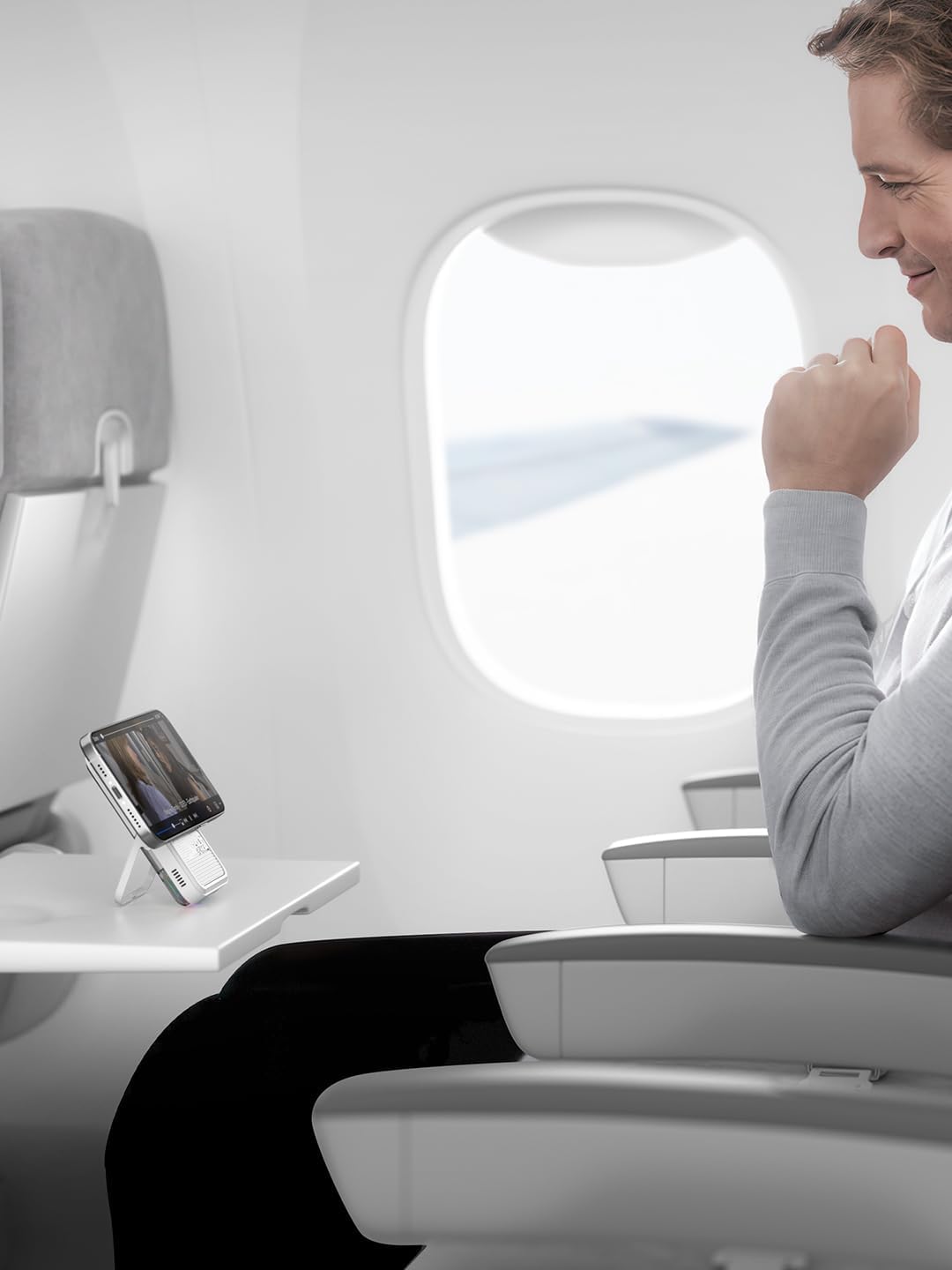
Image: A detailed internal view of the CarbonMag power bank, showcasing its transparent design that reveals the cooling fan with RGB lighting and other electronic components, illustrating the Active Cooling 2.0 System.
4.4 Portability and Design
Both power banks are crafted for maximum portability and durability.
- Ultra-Light Carbon Fiber: Weighing just 4.23oz (approximately 120g), the CarbonMag offers a premium, lightweight design.
- Slim Profile: With a thickness of 0.35 inches (8.8mm), the power banks are designed to be unobtrusive when attached to your phone.
- Built-to-Last: High-strength carbon fiber construction provides 80% more durability than standard materials, making them lighter than aluminum and stronger than steel.
- Integrated Kickstand (ICEMAG 2): The ICEMAG 2 features a foldable kickstand for convenient hands-free viewing while charging.
Image: A diagram illustrating the slim profile of the power bank, indicating a thickness of 0.35 inches (8.8mm), emphasizing its compact design.

Image: A visual comparison demonstrating the power bank's light weight (120g/0.26lb) by balancing it against an apple, and its slimness by showing it is 40% thinner (8.8mm/0.35") than a typical power bank.
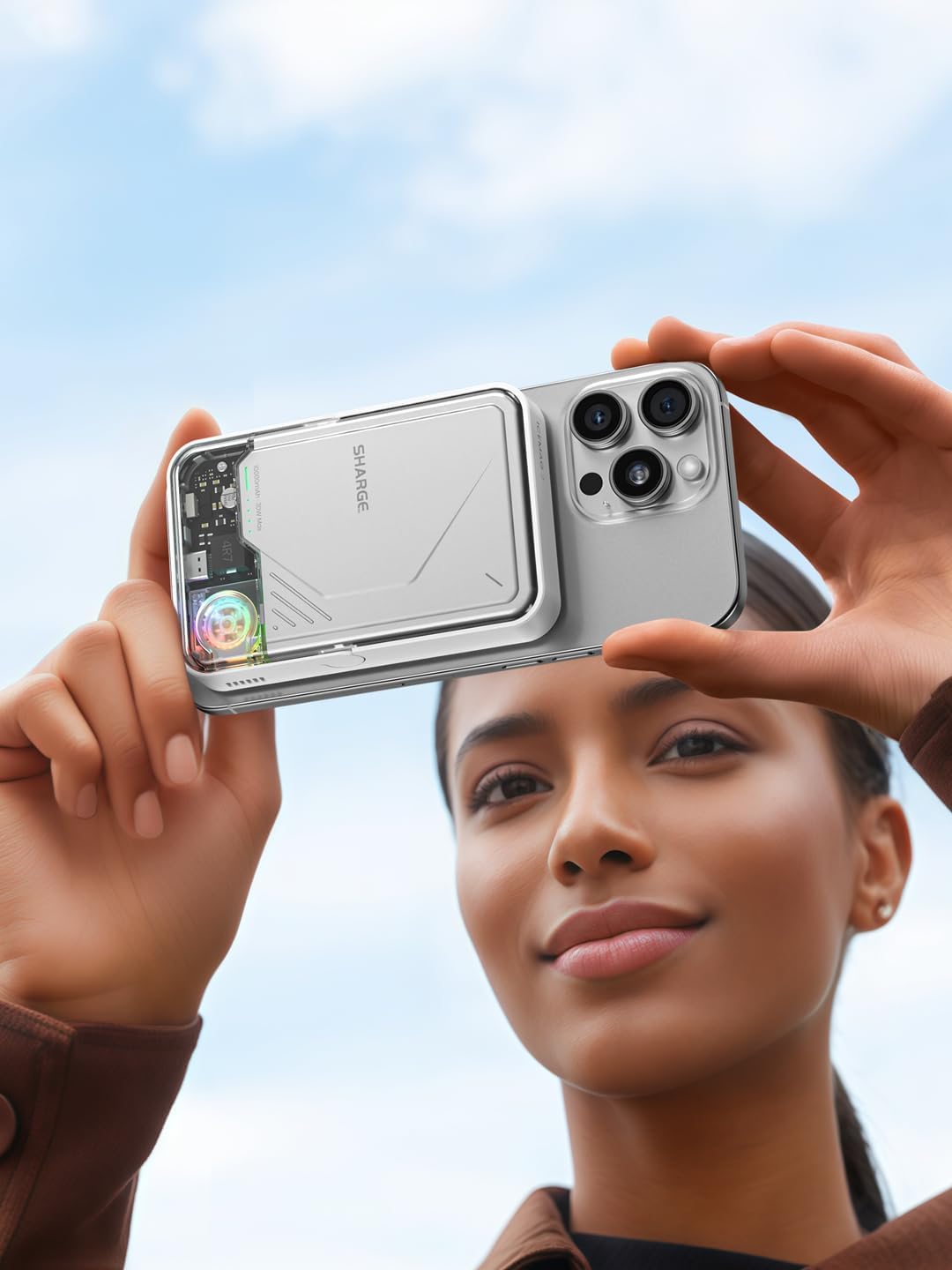
Image: A person is shown on an airplane, using the ICEMAG 2 Magsafe Power Bank with its integrated kickstand to prop up their phone on a tray table, illustrating its convenience for hands-free viewing.
5. Maintenance
Proper care and maintenance will extend the lifespan of your power banks:
- Cleaning: Use a soft, dry, lint-free cloth to clean the surface of the power banks. Do not use harsh chemicals, cleaning solvents, or strong detergents.
- Storage: Store the power banks in a cool, dry place away from direct sunlight, extreme temperatures, and high humidity.
- Avoid Drops: While durable, avoid dropping the power banks or subjecting them to strong impacts, as this can damage internal components.
- Water Resistance: The product is Not Water Resistant. Avoid exposure to water or other liquids.
6. Troubleshooting
If you encounter issues with your CarbonMag Magsafe Power Bank Bundle, refer to the following common problems and solutions:
| Problem | Possible Cause | Solution |
|---|---|---|
| Power bank not charging device wirelessly. |
|
|
| Power bank not recharging. |
|
|
| Slow charging. |
|
|
| Power bank feels warm during use. |
|
|
If the problem persists after trying these solutions, please contact customer support.
7. Specifications
| Feature | Detail |
|---|---|
| Product Name | CarbonMag Magsafe Power Bank Bundle |
| Brand | sharge |
| Model (Included) | CarbonMag Magsafe Power Bank, ICEMAG 2 Magsafe Power Bank |
| Wireless Charging Output | 15W Qi2 Magnetic Fast Charging |
| Magnetic Suction Strength | 2.24 pounds |
| Cooling System | Active Cooling 2.0 System (CarbonMag) |
| Material | High-strength Carbon Fiber |
| Weight (CarbonMag) | Approx. 4.23oz (120g) |
| Thickness | Approx. 0.35 inches (8.8mm) |
| Compatible Phone Models | iPhone 13, iPhone 14, iPhone 15, iPhone 16 |
| Compatible Devices | iPhone 16, iPhone 15, iPhone 14, iPhone 13, Android devices |
| Color | Black |
| Water Resistance Level | Not Water Resistant |
| ASIN | B0DQ596XS7 |
8. Warranty and Support
8.1 Limited Warranty
sharge products are covered by a limited warranty from the date of purchase. This warranty covers manufacturing defects in materials and workmanship. It does not cover damage caused by misuse, accident, unauthorized modification, or normal wear and tear.
Please retain your proof of purchase for warranty claims. The standard return policy is 30 days for refund/replacement.
8.2 Customer Support
For technical assistance, warranty claims, or any questions regarding your CarbonMag Magsafe Power Bank Bundle, please contact sharge customer support through the following channels:
- Online Support: Visit the official sharge website for FAQs, support articles, and contact forms.
- Email Support: Refer to your product packaging or the official website for the customer service email address.
- Amazon Seller Page: You can also reach out to the seller, SHARGE Official Store, via their Amazon seller page for assistance related to your purchase. SHARGE Official Store on Amazon
When contacting support, please provide your product model number (CarbonMag Magsafe Power Bank Bundle) and a detailed description of the issue.
Related documentsCarbonMag Magsafe Power Bank Bundle


Ask a question about this manual
Ask about setup, troubleshooting, compatibility, parts, safety, or missing instructions. Manuals+ will review the question and use this page’s manual context to help answer it.