
KanDao QooCam EGO
KanDao QooCam Ego 3D VR Camera User Manual
Model: QooCam EGO
Introduction
This manual provides comprehensive instructions for setting up, operating, maintaining, and troubleshooting your KanDao QooCam Ego 3D VR Camera. Please read this manual carefully before using the device to ensure optimal performance and longevity.

The KanDao QooCam Ego 3D VR Camera, featuring its main body and the detachable screen module displaying a vibrant image of a dog.
What's in the Box
Upon unboxing, verify that all the following components are present:
- KanDao QooCam Ego Camera Body
- Rechargeable Battery
- USB Cable (for charging and data transfer)
- Selfie Mirror
- Hand Strap
- Storage Bag
- Lens Cloth
Setup Guide
1. Charging the Battery
Before first use, fully charge the camera's battery. Insert the provided battery into the camera's battery compartment. Connect the USB cable to the camera's USB-C port and the other end to a compatible USB power adapter (not included) or a computer's USB port. The charging indicator light will show the charging status.
2. Inserting a Micro SD Card
The KanDao QooCam Ego requires a Micro SD card (not included) for storing photos and videos. Locate the Micro SD card slot, typically near the battery compartment. Insert the card with the gold contacts facing down until it clicks into place. Ensure the card is formatted within the camera settings before first use.
3. Powering On/Off
To power on the camera, press and hold the power button located on the top or side of the device until the screen illuminates. To power off, press and hold the power button again until the shutdown prompt appears, then confirm.
Operating the Camera
Basic Controls and Interface
The QooCam Ego features a user-friendly interface accessible via its integrated screen. Navigate through menus using the physical buttons or touch controls if available. The 1000-nit screen brightness ensures clear visibility even in bright outdoor conditions, allowing for accurate framing and previewing of shots.

The camera's bright 1000-nit display, showing a clear image of a bicycle in an outdoor setting, demonstrating its visibility under sunlight.

A visual comparison illustrating the superior brightness and vivid colors of the QooCam Ego's 1000-nit display compared to a standard 100-nit display.
Capturing 3D Photos
The QooCam Ego captures exquisite 24MP 3D photos, supporting both JPG for quick sharing and DNG (RAW) for professional post-processing. The dual-lens system is designed to mimic human eye vision, providing natural depth and realism.

An example of a 24MP 3D photo, highlighting the clarity and stunning details captured by the QooCam Ego.
Recording 3D Videos
Record smooth 4K at 60 frames per second (4K/60fps) 3D videos. The dual-sensor synchronization technology ensures zero blur or jitter, capturing dynamic moments with exceptional clarity and stability.

A visual comparison demonstrating the superior smoothness of 4K 60fps video recording with the QooCam Ego, minimizing blur and jitter compared to other cameras.
Dual-Lens Human-Eye Design
The QooCam Ego features a unique 65mm dual-lens design, precisely matching the average human inter-pupillary distance. This design delivers immersive 3D realism that feels natural to human vision.

An illustration highlighting the 65mm dual-lens configuration of the QooCam Ego, designed to replicate human eye perception for natural 3D capture.
Versatile 3D Playback and Integration
Your captured 3D content can be enjoyed across various platforms, offering a truly immersive experience. The QooCam Ego is compatible with VR headsets, AR glasses, and projectors, allowing you to step into your scenes rather than just watching them.
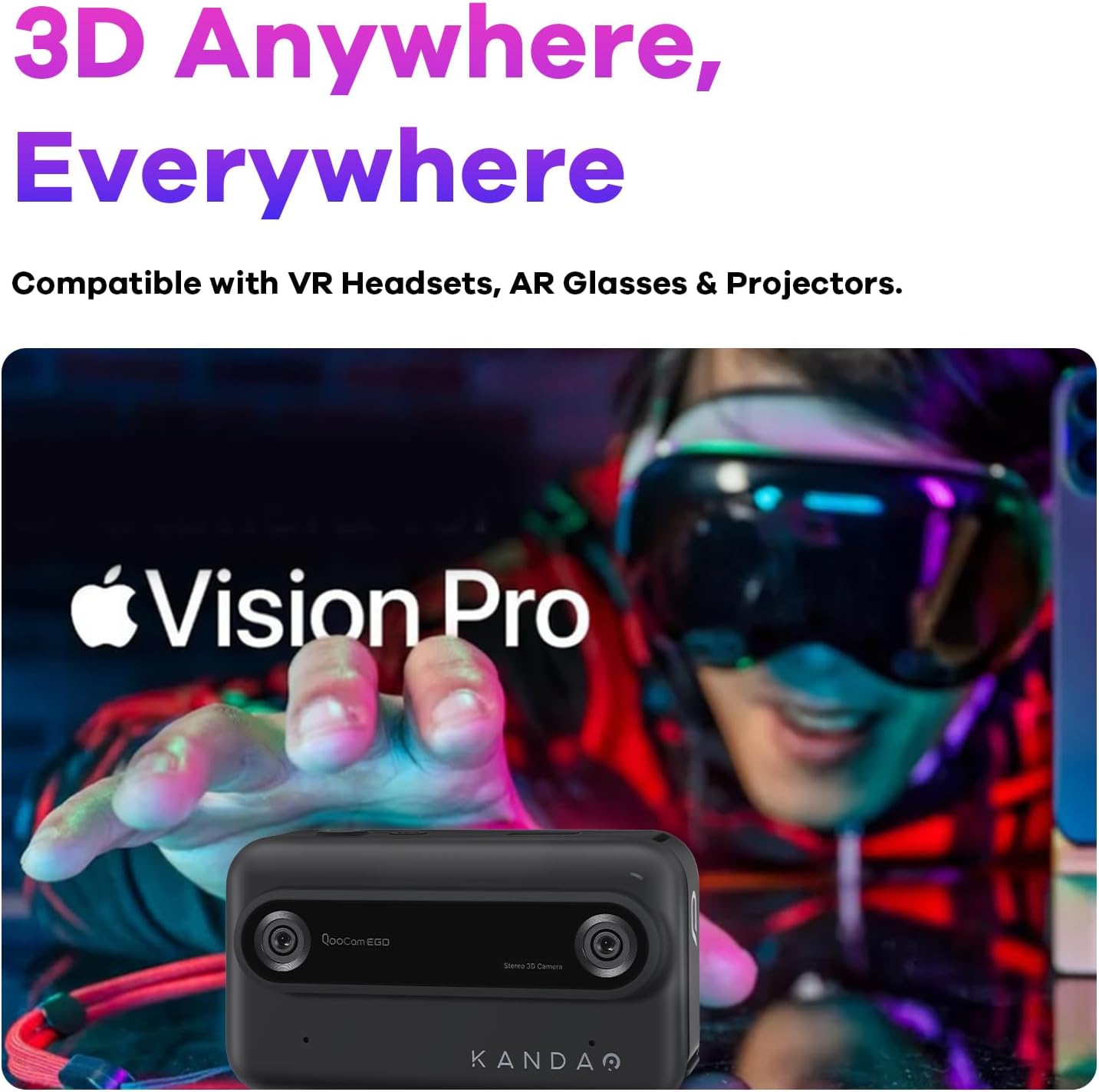
The QooCam Ego camera shown alongside a person wearing a VR headset, emphasizing its compatibility for immersive 3D content viewing.

A visual comparison demonstrating the difference between immersive 3D content captured by the QooCam Ego and traditional 2D viewing.
Portability
Weighing less than 160g, the KanDao QooCam Ego is designed for ultimate portability, allowing you to capture stunning 3D content anywhere, anytime, with ease.

The compact and lightweight design of the QooCam Ego, shown being held comfortably in one hand, highlighting its portability.
Maintenance
Cleaning
- Lenses: Use the provided lens cloth or a soft, lint-free microfiber cloth specifically designed for optical surfaces. Gently wipe the lenses in a circular motion. Avoid using harsh chemicals or abrasive materials.
- Screen: Wipe the screen with a clean, soft cloth. For stubborn smudges, slightly dampen the cloth with water.
- Camera Body: Use a dry, soft cloth to wipe the camera body.
Battery Care
- To prolong battery life, avoid fully discharging the battery frequently.
- Store the camera and battery in a cool, dry place when not in use for extended periods.
- If the camera will not be used for a long time, charge the battery to about 50% before storage.
Storage
Store the camera in its provided storage bag to protect it from dust and scratches. Keep it away from extreme temperatures, high humidity, and strong magnetic fields.
Troubleshooting
| Problem | Possible Cause / Solution |
|---|---|
| Camera does not power on. | Battery may be depleted. Charge the battery fully. Ensure the battery is correctly inserted. |
| Slow startup time. | This can be normal for some devices. Ensure firmware is up to date. |
| Photos/Videos are blurry. | Ensure lenses are clean. Check focus settings (if applicable). Hold the camera steady during capture. Ensure sufficient lighting. |
| Short battery life. | Battery performance can vary. Reduce screen brightness, disable unnecessary features, or carry a spare battery. Ensure the battery is fully charged before use. |
| Difficulty opening battery access panel. | Refer to the quick start guide or online tutorials for the correct method to open the battery compartment. Avoid using excessive force. |
| Cannot transfer files to computer. | Ensure the USB cable is securely connected. Try a different USB port or cable. The camera should appear as an external drive. If using an app, ensure proper connection. |
Specifications
| Feature | Detail |
|---|---|
| Model Name | QooCam EGO |
| Brand | KanDao |
| Maximum Webcam Image Resolution | 24 MP |
| Maximum Aperture | 1.8 f |
| Maximum Focal Length | 28 Millimeters |
| Image Stabilization | Digital |
| Supported File Format | MP4 / JPG / DNG |
| Photo Sensor Technology | CMOS |
| Aspect Ratio | 3:2 |
| Compatible Mountings | Micro Four Thirds |
| Item Weight | 11.3 ounces |
| Package Dimensions | 4.49 x 2.91 x 2.83 inches |
| Batteries Required | 1 LR44 battery (included) |
Note: Specifications are subject to change without prior notice.
Warranty and Support
KanDao provides a 12-month / 1-year warranty for the QooCam Ego camera from the date of purchase. This warranty covers manufacturing defects under normal use. Please retain your proof of purchase for warranty claims.
Technical Support
For technical assistance, firmware optimization, or any inquiries regarding your KanDao QooCam Ego, please visit the official KanDao support website or contact their customer service. KanDao is committed to providing quick responses and comprehensive technical support.
You can find more information and support resources on the KanDao Official Store on Amazon.
Important Safety Information
- Do not expose the camera to water or moisture unless explicitly stated as waterproof.
- Avoid dropping or subjecting the camera to strong impacts.
- Do not attempt to disassemble or modify the camera. Unauthorized modifications will void the warranty.
- Keep the camera away from direct sunlight for prolonged periods to prevent overheating.
- Use only approved accessories and power adapters.
Related documentsQooCam EGO


Ask a question about this manual
Ask about setup, troubleshooting, compatibility, parts, safety, or missing instructions. Manuals+ will review the question and use this page’s manual context to help answer it.